Research and summarize B2B leads from Google Sheets to Airtable with BrowserAct

Workflow preview

Workflow preview
100%
Research and summarize B2B leads from Google Sheets to Airtable with BrowserAct preview
Open on n8n.io

1. Workflow Overview

Automate B2B lead research from Google Sheets to Airtable With BrowserAct This workflow automates the time consuming process of B2B market research. It takes a list of company website URLs from a G...

Best for

  • Market Research automation workflows
  • AI Summarization automation workflows
  • advanced n8n builders looking for reusable templates

Tools used

n8n-nodes-base.splitinbatches, @n8n/n8n-nodes-langchain.outputparserstructured, @n8n/n8n-nodes-langchain.lmchatopenrouter, n8n-nodes-base.aggregate, n8n-nodes-base.airtable, n8n-nodes-base.manualtrigger, n8n-nodes-browseract.browseract, @n8n/n8n-nodes-langchain.agent

Source and attribution

This workflow is cataloged by N8N Workflows and links back to its original n8n.io source page by Madame AI Team | Kai.

Original n8n.io source

1.1 Workflow description

Title
Research and summarize B2B leads from Google Sheets to Airtable with BrowserAct
Workflow name
Research and summarize B2B leads from Google Sheets to Airtable with BrowserAct

Automate B2B lead research from Google Sheets to Airtable With BrowserAct

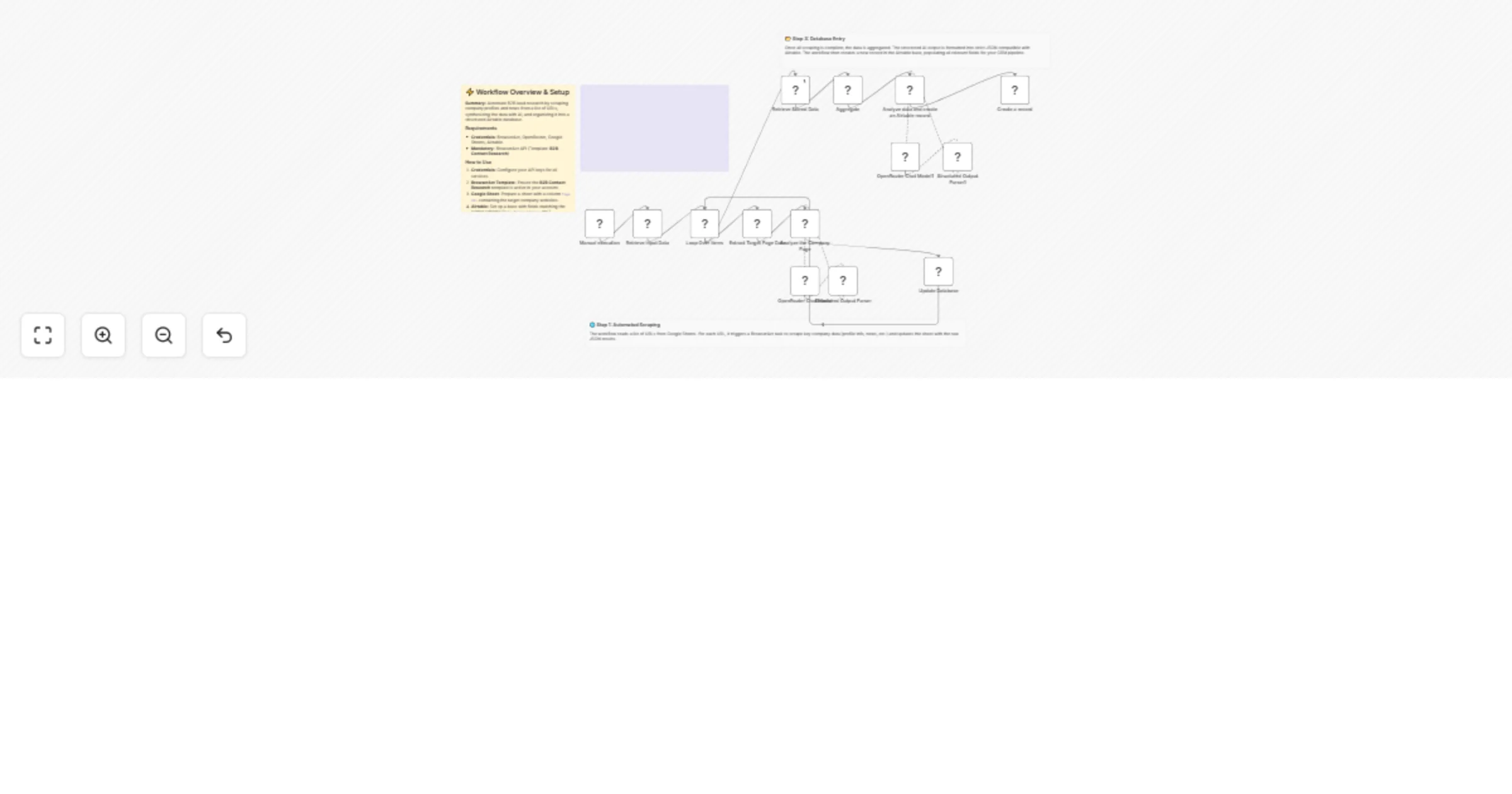
This workflow automates the time-consuming process of B2B market research. It takes a list of company website URLs from a Google Sheet, uses BrowserAct to scrape their profiles and news sections, analyzes the data using AI to determine strategic focus and key activities, and saves a comprehensive executive summary into an Airtable database.

Target Audience

Sales operations managers, SDRs (Sales Development Representatives), market researchers, and venture capital analysts who need to process large volumes of company data efficiently.

How it works

  1. Ingest Data: The workflow retrieves a list of target company URLs from a Google Sheet.
  2. Scrape Content: It loops through each URL and triggers BrowserAct (using the "B2B Contact Research" template) to scrape company profiles, about pages, and news sections.
  3. Analyze & Stage: An AI Agent (using OpenRouter/GPT-5) processes the raw scraped text to identify whether it is news or profile data, extracting key insights like strategic focus and recent updates. This raw analysis is staged back into the Google Sheet.
  4. Synthesize: The workflow retrieves the staged data and aggregates it.
  5. Final Summary: A second AI Agent compiles all data points into a cohesive "Research Record," writing a high-impact executive summary and formatting notes with Markdown.
  6. Database Entry: The final structured data (Name, Notes, Strategic Focus) is created as a new record in Airtable.

How to set up

  1. Configure Credentials: Connect your BrowserAct, Google Sheets, Airtable, and OpenRouter accounts in n8n.
  2. BrowserAct Template: Ensure you have the B2B Contact Research template saved in your BrowserAct account.
  3. Prepare Google Sheet: Create a Google Sheet with a tab named "DataBase". Add the headers listed below. Populate the Page URL column with the companies you want to research.
  4. Configure Nodes:
  • Open the Google Sheets nodes and select your file.
  • Open the Airtable node and select your Base and Table.
  1. Run: Execute the workflow to start processing the list.

Google Sheet Headers

To use this workflow, create a Google Sheet with the following headers:

  • Page URL (Input - put your links here)
  • Page Data (Output - leave blank, populated by bot)
  • row_number (Output - leave blank, populated by bot)

Requirements

  • BrowserAct account with the B2B Contact Research template.
  • Google Sheets account.
  • Airtable account.
  • OpenRouter account (or credentials for a specific LLM like GPT-4o or Gemini).

How to customize the workflow

  1. Change the CRM: Replace the final Airtable node with HubSpot, Salesforce, or Pipedrive nodes to inject research directly into your CRM deals.
  2. Adjust AI Prompts: Modify the system prompt in the "Analyze the Company Page" agent to focus on specific criteria relevant to your business (e.g., look specifically for "pricing models" or "hiring trends").
  3. Email Alerts: Add a Gmail or Slack node at the end of the workflow to notify your sales team immediately when a high-value prospect has been researched.

Need Help?


Workflow Guidance and Showcase Video

1.2 Logical Blocks

This catalog entry is organized from the workflow JSON. The node-level section below shows the executable blocks available for review before importing the template.

2. Block-by-Block Analysis

Block 1 - Loop Over Items

Type / Role
n8n-nodes-base.splitInBatches - splitInBatches
Config choices
Version 3

Block 2 - Structured Output Parser

Type / Role
@n8n/n8n-nodes-langchain.outputParserStructured - outputParserStructured
Config choices
Version 1.3

Block 3 - OpenRouter Chat Model

Type / Role
@n8n/n8n-nodes-langchain.lmChatOpenRouter - lmChatOpenRouter
Config choices
Version 1

Block 4 - Aggregate

Type / Role
n8n-nodes-base.aggregate - aggregate
Config choices
Version 1

Block 5 - Structured Output Parser1

Type / Role
@n8n/n8n-nodes-langchain.outputParserStructured - outputParserStructured
Config choices
Version 1.3

Block 6 - OpenRouter Chat Model1

Type / Role
@n8n/n8n-nodes-langchain.lmChatOpenRouter - lmChatOpenRouter
Config choices
Version 1

Block 7 - Create a record

Type / Role
n8n-nodes-base.airtable - airtable
Config choices
Version 2.1

Block 8 - Manual execution

Type / Role
n8n-nodes-base.manualTrigger - manualTrigger
Config choices
Version 1

Block 9 - Extract Target Page Data

Type / Role
n8n-nodes-browseract.browserAct - browserAct
Config choices
Version 1

Block 10 - Analyze the Company Page

Type / Role
@n8n/n8n-nodes-langchain.agent - agent
Config choices
Version 3

Block 11 - Update Database

Type / Role
n8n-nodes-base.googleSheets - googleSheets
Config choices
Version 4.7

Block 12 - Retrieve Input Data

Type / Role
n8n-nodes-base.googleSheets - googleSheets
Config choices
Version 4.7

Block 13 - Retrieve Stored Data

Type / Role
n8n-nodes-base.googleSheets - googleSheets
Config choices
Version 4.7

Block 14 - Analyze data and create an Airtable record

Type / Role
@n8n/n8n-nodes-langchain.agent - agent
Config choices
Version 3

Block 15 - Documentation

Type / Role
n8n-nodes-base.stickyNote - stickyNote
Config choices
Version 1

Block 16 - Step 1 Explanation

Type / Role
n8n-nodes-base.stickyNote - stickyNote
Config choices
Version 1

Block 17 - Step 3 Explanation

Type / Role
n8n-nodes-base.stickyNote - stickyNote
Config choices
Version 1

Block 18 - Sticky Note

Type / Role
n8n-nodes-base.stickyNote - stickyNote
Config choices
Version 1

3. Summary Table

Workflow Research and summarize B2B leads from Google Sheets to Airtable with BrowserAct
Complexity advanced
Nodes 18
Categories Market Research, AI Summarization
Author Madame AI Team | Kai
Published 13 Feb 2026

4. Reproducing the Workflow from Scratch

  1. 1. Download the workflow JSON

    Use the JSON export at /data/workflows/13385/13385.json as the source template for this automation.

  2. 2. Import the template into n8n

    Open n8n, import the downloaded JSON, and review each node before activating the workflow.

  3. 3. Configure credentials and variables

    Replace placeholder credentials, API keys, webhook URLs, account IDs, and environment-specific values with your own settings.

  4. 4. Test with sample data

    Run the workflow manually or in a staging workspace, inspect node output, and confirm downstream systems receive the expected data.

  5. 5. Activate and monitor

    Enable the workflow only after testing, then monitor executions, errors, and rate limits during the first production runs.

5. General Notes & Resources

Review imported nodes carefully before activation. This catalog entry is intended to help you inspect the workflow structure, understand required services, and find related templates faster.

Node names, credentials, schedules, webhook paths, and external service limits may need adjustment for your workspace.

Frequently asked questions

What does Research and summarize B2B leads from Google Sheets to Airtable with BrowserAct do?

Automate B2B lead research from Google Sheets to Airtable With BrowserAct This workflow automates the time consuming process of B2B market research. It takes a list of company website URLs from a G...

What do I need before importing this workflow?

Review the workflow JSON, configure any required credentials in n8n, and test the automation in a safe workspace before using it in production.

Can I customize this workflow?

Yes. Use the block-by-block analysis and the downloadable JSON to inspect each node, then adjust credentials, prompts, schedules, filters, or destinations for your Market Research, AI Summarization use case.