Rerank PM priorities every 2 hours using OpenAI, Notion, and Slack

Workflow preview

Workflow preview
100%
Rerank PM priorities every 2 hours using OpenAI, Notion, and Slack preview
Open on n8n.io

1. Workflow Overview

Description AI powered priority re evaluation every 2 hours. Analyzes new signals, meeting decisions, emails, and blockers, then runs 3 AI passes (Impact, Urgency, Final Ranking) to suggest re rank...

Best for

  • Project Management automation workflows
  • AI Summarization automation workflows
  • advanced n8n builders looking for reusable templates

Tools used

n8n-nodes-base.stickynote, n8n-nodes-base.scheduletrigger, n8n-nodes-base.notion, n8n-nodes-base.if, n8n-nodes-base.sort, n8n-nodes-base.limit, n8n-nodes-base.code, n8n-nodes-base.filter

Source and attribution

This workflow is cataloged by N8N Workflows and links back to its original n8n.io source page by Yassin Zehar.

Original n8n.io source

1.1 Workflow description

Title
Rerank PM priorities every 2 hours using OpenAI, Notion, and Slack
Workflow name
Rerank PM priorities every 2 hours using OpenAI, Notion, and Slack

Description

AI-powered priority re-evaluation every 2 hours. Analyzes new signals, meeting decisions, emails, and blockers, then runs 3 AI passes (Impact, Urgency, Final Ranking) to suggest re-ranking. Only updates when the ranking actually changes.

Context

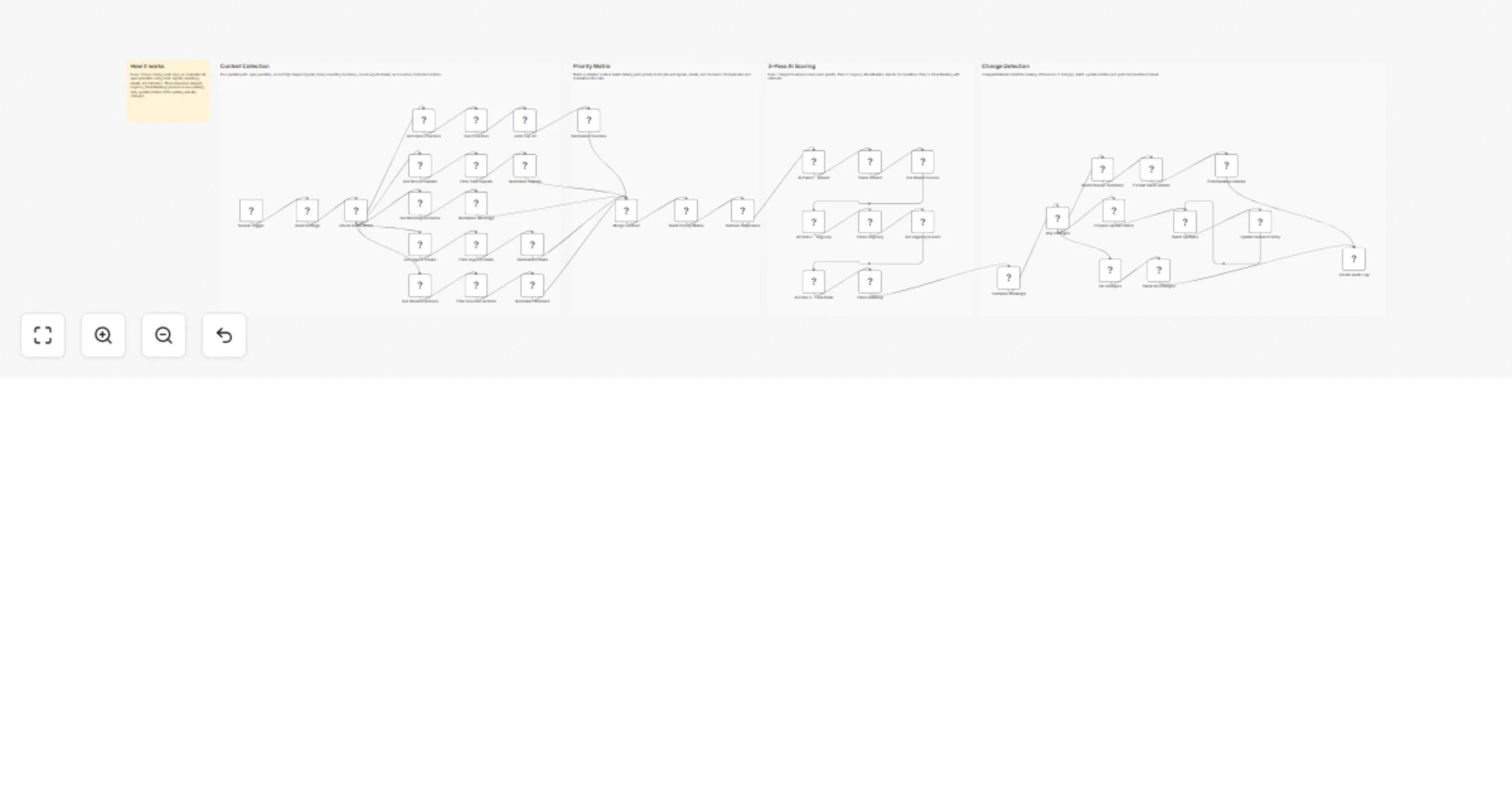
Runs every 2 hours during work days (8:00–18:00). Pulls 5 data sources in parallel: open priorities, recent high-impact signals, today’s meeting decisions, urgent emails, and overdue/blocked actions. A Priority Context Matrix links each priority to relevant new information. Three sequential AI passes score Impact, Urgency, and produce a Final Ranking with rationale. CompareDatasets detects changes vs current ranking. Only if the ranking changed, Notion is batch-updated and Slack shows before/after.

Who is this for?

• PMs managing dynamic priority stacks • Product leaders who need real-time priority alignment • Teams where priorities shift frequently due to customer signals

Requirements

• Notion account with PM Daily databases • OpenAI API key • Slack Bot token

How it works

  • Trigger Runs every 2 hours, Monday–Friday, 8:00–18:00.
  • Context Collection 5 parallel pulls: open priorities, signals, meetings, emails, blocked actions.
  • Priority Matrix Links each priority to relevant signals, emails, and decisions. Deduplicates and normalizes.
  • 3-Pass AI Scoring Pass 1: Impact. Pass 2: Urgency. Pass 3: Final Ranking with rationale.
  • Change Detection Compares new vs current ranking. If changed: batch-updates Notion and posts before/after to Slack.

What you get

  • Continuous priority re-evaluation every 2 hours
  • 3-pass AI scoring (Impact, Urgency, Final)
  • Change detection — only updates when needed
  • Before/after ranking comparison on Slack
  • 40+ node workflow with CompareDatasets intelligence

About me :

I’m Yassin a Product Manager Scaling tech products with data-driven project management. 📬 Feel free to connect with me on Linkedin

1.2 Logical Blocks

This catalog entry is organized from the workflow JSON. The node-level section below shows the executable blocks available for review before importing the template.

2. Block-by-Block Analysis

Block 1 - Sticky Note - How It Works

Type / Role
n8n-nodes-base.stickyNote - stickyNote
Config choices
Version 1

Block 2 - Sticky Note - Context Collection

Type / Role
n8n-nodes-base.stickyNote - stickyNote
Config choices
Version 1

Block 3 - Sticky Note - Priority Matrix

Type / Role
n8n-nodes-base.stickyNote - stickyNote
Config choices
Version 1

Block 4 - Sticky Note - 3-Pass AI Scoring

Type / Role
n8n-nodes-base.stickyNote - stickyNote
Config choices
Version 1

Block 5 - Sticky Note - Change Detection

Type / Role
n8n-nodes-base.stickyNote - stickyNote
Config choices
Version 1

Block 6 - Rerank Trigger

Type / Role
n8n-nodes-base.scheduleTrigger - scheduleTrigger
Config choices
Version 1.2

Block 7 - Read Settings

Type / Role
n8n-nodes-base.notion - notion
Config choices
Version 2.2

Block 8 - Check Demo Mode

Type / Role
n8n-nodes-base.if - if
Config choices
Version 2

Block 9 - Get Open Priorities

Type / Role
n8n-nodes-base.notion - notion
Config choices
Version 2.2

Block 10 - Sort Priorities

Type / Role
n8n-nodes-base.sort - sort
Config choices
Version 1

Block 11 - Limit Top 20

Type / Role
n8n-nodes-base.limit - limit
Config choices
Version 1

Block 12 - Normalize Priorities

Type / Role
n8n-nodes-base.code - code
Config choices
Version 2

Block 13 - Get Recent Signals

Type / Role
n8n-nodes-base.notion - notion
Config choices
Version 2.2

Block 14 - Filter High Signals

Type / Role
n8n-nodes-base.filter - filter
Config choices
Version 2

Block 15 - Normalize Signals

Type / Role
n8n-nodes-base.code - code
Config choices
Version 2

Block 16 - Get Meeting Decisions

Type / Role
n8n-nodes-base.notion - notion
Config choices
Version 2.2

Block 17 - Normalize Meetings

Type / Role
n8n-nodes-base.code - code
Config choices
Version 2

Block 18 - Get Urgent Emails

Type / Role
n8n-nodes-base.notion - notion
Config choices
Version 2.2

Block 19 - Filter Urgent Emails

Type / Role
n8n-nodes-base.filter - filter
Config choices
Version 2

Block 20 - Normalize Emails

Type / Role
n8n-nodes-base.code - code
Config choices
Version 2

Block 21 - Get Blocked Actions

Type / Role
n8n-nodes-base.notion - notion
Config choices
Version 2.2

Block 22 - Filter Overdue Actions

Type / Role
n8n-nodes-base.filter - filter
Config choices
Version 2

Block 23 - Normalize Blockers

Type / Role
n8n-nodes-base.code - code
Config choices
Version 2

Block 24 - Merge Context

Type / Role
n8n-nodes-base.merge - merge
Config choices
Version 3

Showing the first 24 of 45 workflow blocks. Download the JSON for the full node graph.

3. Summary Table

Workflow Rerank PM priorities every 2 hours using OpenAI, Notion, and Slack
Complexity advanced
Nodes 45
Categories Project Management, AI Summarization
Author Yassin Zehar
Published 17 Mar 2026

4. Reproducing the Workflow from Scratch

  1. 1. Download the workflow JSON

    Use the JSON export at /data/workflows/14113/14113.json as the source template for this automation.

  2. 2. Import the template into n8n

    Open n8n, import the downloaded JSON, and review each node before activating the workflow.

  3. 3. Configure credentials and variables

    Replace placeholder credentials, API keys, webhook URLs, account IDs, and environment-specific values with your own settings.

  4. 4. Test with sample data

    Run the workflow manually or in a staging workspace, inspect node output, and confirm downstream systems receive the expected data.

  5. 5. Activate and monitor

    Enable the workflow only after testing, then monitor executions, errors, and rate limits during the first production runs.

5. General Notes & Resources

Review imported nodes carefully before activation. This catalog entry is intended to help you inspect the workflow structure, understand required services, and find related templates faster.

Node names, credentials, schedules, webhook paths, and external service limits may need adjustment for your workspace.

Frequently asked questions

What does Rerank PM priorities every 2 hours using OpenAI, Notion, and Slack do?

Description AI powered priority re evaluation every 2 hours. Analyzes new signals, meeting decisions, emails, and blockers, then runs 3 AI passes (Impact, Urgency, Final Ranking) to suggest re rank...

What do I need before importing this workflow?

Review the workflow JSON, configure any required credentials in n8n, and test the automation in a safe workspace before using it in production.

Can I customize this workflow?

Yes. Use the block-by-block analysis and the downloadable JSON to inspect each node, then adjust credentials, prompts, schedules, filters, or destinations for your Project Management, AI Summarization use case.