Block 1 - Sticky Note
- Type / Role
- n8n-nodes-base.stickyNote - stickyNote
- Config choices
- Version 1


 Early Deal
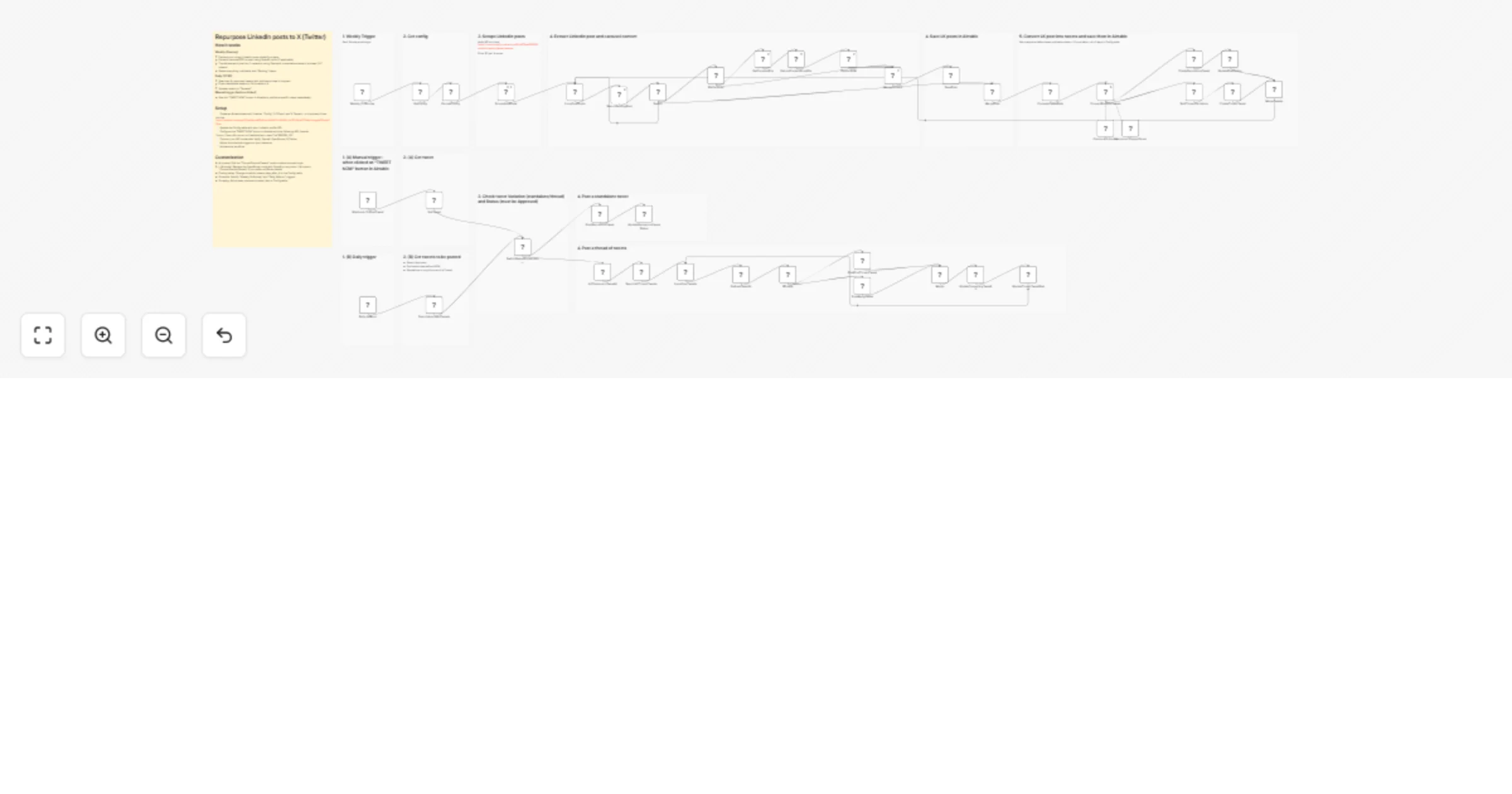
Automatically scrape LinkedIn posts with Apify, transform them into optimized tweets and threads using Claude AI, store them in Airtable for approval, and publish to X on a daily schedule. Who is t...
n8n-nodes-base.stickynote, @apify/n8n-nodes-apify.apify, n8n-nodes-base.splitinbatches, @n8n/n8n-nodes-langchain.outputparserstructured, n8n-nodes-base.switch, @n8n/n8n-nodes-langchain.chainllm, n8n-nodes-base.splitout, n8n-nodes-base.if
This workflow is cataloged by N8N Workflows and links back to its original n8n.io source page by Elodie Tasia.
Original n8n.io sourceAutomatically scrape LinkedIn posts with Apify, transform them into optimized tweets and threads using Claude AI, store them in Airtable for approval, and publish to X on a daily schedule.
This workflow is designed for content creators, social media managers, and personal brand builders who want to maximize their content reach by repurposing LinkedIn posts for X (Twitter) without manual rewriting.
This workflow automates the entire LinkedIn-to-X content repurposing pipeline:
Config, LK Posts, and X Tweets (see table configurations below)Config table with your LinkedIn profile URL, scraping limits, and tweet scheduling delay"https://your-n8-server-url/webhook/post-tweet?id="&RECORD_ID()| Field Name | Type | Description |
|---|---|---|
| Name | String | Configuration parameter name |
| Type | Single Select | Data type indicator: String, Integer |
| String Value | String | Value when Type is "String" |
| Integer Value | Number | Value when Type is "Integer" |
Configuration parameters to create:
profile_url — LinkedIn profile URL to scrapeposted_limit — Time range for scraping (possible values: "any", "1h", "24h", "week", "3months", "6months", "year")max_posts — Maximum number of posts to scrapeschedule_tweets_days_after_lk — Number of days after LinkedIn post date to schedule the tweet| Field Name | Type | Description |
|---|---|---|
| LK Post ID | String | LinkedIn post unique identifier |
| Status | Single Select | Post processing status: Scrapped, Converted, Tweeted |
| Date | DateTime | Original LinkedIn post publication date |
| Content | Long Text | LinkedIn post text content |
| Post URL | URL | Link to the original LinkedIn post |
| Post Img URL | URL | URL of post image (if any) |
| Post Doc URL | URL | URL of carousel/PDF document (if any) |
| Carousel Content | Long Text | Extracted text content from carousel slides |
| Field Name | Type | Description |
|---|---|---|
| Unique ID | Formula | Auto-generated unique identifier |
| LK Post ID | String | Reference to the source LinkedIn post |
| Status | Single Select | Tweet status: Pending, Approved, Rejected, Tweeted |
| Variation | Single Select | Tweet format: Standalone, Thread |
| Tweet Nb | Number | Tweet position in thread (0 for standalone, 1-7 for thread tweets) |
| Content | Long Text | The tweet text content |
| Publication Date | DateTime | Scheduled date/time to publish the tweet |
| Post Now | Button | Triggers webhook to post immediately |
This catalog entry is organized from the workflow JSON. The node-level section below shows the executable blocks available for review before importing the template.
Showing the first 24 of 54 workflow blocks. Download the JSON for the full node graph.
| Workflow | Repurpose LinkedIn posts into X tweets with Apify, Claude AI and Airtable |
|---|---|
| Complexity | advanced |
| Nodes | 54 |
| Categories | Social Media, Multimodal AI |
| Author | Elodie Tasia |
| Published | 20 Jan 2026 |
Use the JSON export at /data/workflows/12847/12847.json as the source template for this automation.
Open n8n, import the downloaded JSON, and review each node before activating the workflow.
Replace placeholder credentials, API keys, webhook URLs, account IDs, and environment-specific values with your own settings.
Run the workflow manually or in a staging workspace, inspect node output, and confirm downstream systems receive the expected data.
Enable the workflow only after testing, then monitor executions, errors, and rate limits during the first production runs.
Review imported nodes carefully before activation. This catalog entry is intended to help you inspect the workflow structure, understand required services, and find related templates faster.
Node names, credentials, schedules, webhook paths, and external service limits may need adjustment for your workspace.
Automatically scrape LinkedIn posts with Apify, transform them into optimized tweets and threads using Claude AI, store them in Airtable for approval, and publish to X on a daily schedule. Who is t...
Review the workflow JSON, configure any required credentials in n8n, and test the automation in a safe workspace before using it in production.
Yes. Use the block-by-block analysis and the downloadable JSON to inspect each node, then adjust credentials, prompts, schedules, filters, or destinations for your Social Media, Multimodal AI use case.