Real estate cold call scripts for price reduced FSBO properties (Zillow data)

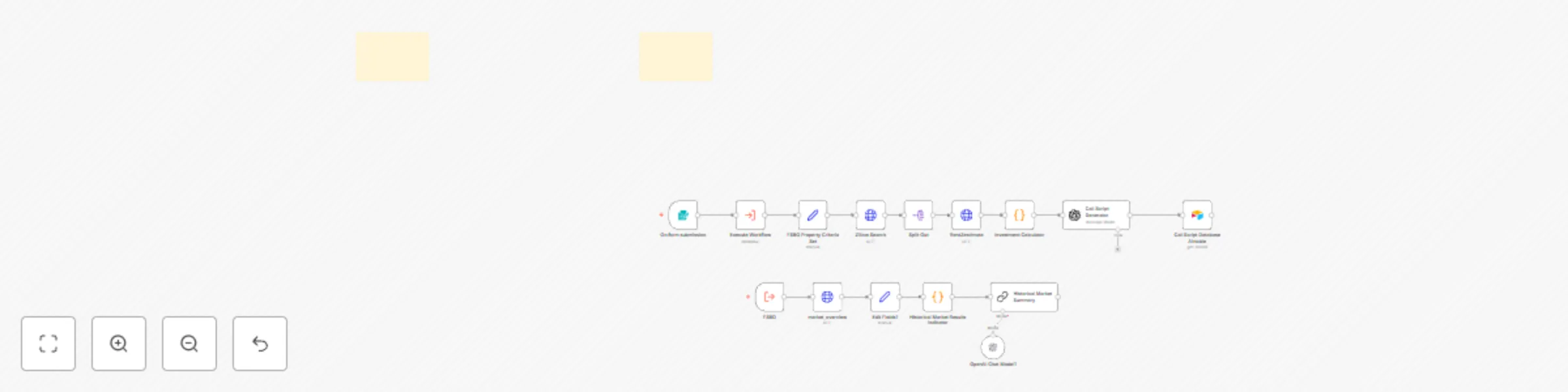
Workflow preview

Workflow preview
100%
Real estate cold call scripts for price reduced FSBO properties (Zillow data) preview
Open on n8n.io

Important notice

This workflow is provided as-is. Please review and test before using in production.

1. Workflow Overview

Real Estate Price Reduced Property Opportunity Guide Overview This comprehensive automation solution targets FSBO properties listed on Zillow that have recently had their price reduced, providing b...

Best for

  • Lead Generation automation workflows
  • Multimodal AI automation workflows
  • advanced n8n builders looking for reusable templates

Tools used

n8n-nodes-base.formtrigger, n8n-nodes-base.httprequest, n8n-nodes-base.splitout, n8n-nodes-base.set, n8n-nodes-base.executeworkflowtrigger, @n8n/n8n-nodes-langchain.lmchatopenai, n8n-nodes-base.executeworkflow, n8n-nodes-base.stickynote

Source and attribution

This workflow is cataloged by N8N Workflows and links back to its original n8n.io source page by T Zero.

Original n8n.io source

1.1 Workflow description

Title
Real estate cold call scripts for price reduced FSBO properties (Zillow data)
Workflow name
Real estate cold call scripts for price reduced FSBO properties (Zillow data)

Real Estate Price-Reduced Property Opportunity Guide

Overview

This comprehensive automation solution targets FSBO properties listed on Zillow that have recently had their price reduced, providing both investment analysis and tailored outreach scripts. The workflow gathers comprehensive market data to analyze local trends for each specific city and incorporates this intelligence into personalized communication strategies (more aggressive in buyers' markets, more value-focused in sellers' markets).

Key benefits:

  • Identify motivated homeowners who have recently reduced their property prices
  • Prepare data-driven offer strategies based on detailed market conditions
  • Develop effective, personalized communication approaches
  • Create a consistent, automated workflow to find and capitalize on opportunities

Requirements

  • Airtable account (free tier works)
  • n8n automation platform
  • OpenAI API key
  • Zillow Rapid API access
  • Basic understanding of automation workflows

Step 1: Set Up Airtable Database

  • Create a new Airtable base
  • Set up a table with the following fields:
    • Property ID (primary field)
    • Address
    • Price
    • Status (single select field with options: "Contacted" and "Uncontacted")
    • Phone Number
    • Communication Template
    • Market Analysis
    • Offer Price
    • Investment Metrics (Long text field for detailed financial analysis)
    • Expected Cash Flow (Currency field)
    • Expected ROI (Percentage field)
    • Follow-up Date
  • Set the default Status to "Uncontacted"
  • Generate a Personal Access Token from Airtable settings for API connections

Step 2: Configure Zillow API Connection

  • Set up an HTTP request node in n8n to connect to Zillow's Rapid API
  • Configure the search parameters:
    • Listing type: "For Sale By Owner"
    • Location: Your target market
    • Price reduction: true
    • Auction properties: false
  • Add filters to:
    • Exclude properties without contact information
    • Only include listings with recent price reductions
    • Filter by minimum square footage or bedrooms if desired
    • Set maximum days since price reduction (e.g., last 14 days)

Step 3: Market Analysis Workflow

Our market analysis engine processes Zillow market data to provide strategic insights for each location:

  • Comprehensive Market Indicators:

    • Current inventory levels and new listing rates
    • Median list price and sale price comparison
    • Days-to-pending metrics (current and historical)
    • Sale-to-list price ratios
    • Percentage of properties selling above/below list price
  • Market Trend Analysis:

    • 6-month and year-over-year comparative trends
    • Market trend scoring system (-10 to +10 scale)
    • Market cycle position identification (Early, Mid, Late)
    • Seasonal market pattern recognition
  • Strategic Investment Guidance:

    • Market type classification (Buyer's, Balanced, Seller's)
    • Negotiation power assessment
    • Market timing recommendations
    • Risk evaluation (Low to High scale)
    • Actionable investment strategies based on current conditions

This analysis is transformed into actionable advice that directs your negotiation approach and helps you calibrate offers appropriately for market conditions.

Step 4: Calculate Investment Metrics

Our investment calculator analyzes each Zillow property and its RentZestimate to provide comprehensive financial projections:

  • Purchase & Financing Analysis:

    • Purchase price and standard acquisition costs (20% down payment, 3% closing costs)
    • Loan amount and monthly mortgage payment (30-year term)
    • Total initial investment calculation
  • Monthly Expense Projections:

    • Property tax (2% of property value annually)
    • Insurance (0.5% of property value annually)
    • Maintenance reserves (1% of property value annually)
    • Vacancy allowance (8% of rental income)
    • Total monthly expense calculation
  • Rental Income & Returns:

    • RentZestimate integration (with 1% rule fallback when unavailable)
    • Monthly and annual cash flow projections
    • Cash-on-cash ROI calculation
    • Break-even timeline analysis
  • Investment Quality Filtering:

    • Automatic filtering to show only positive cash flow properties
    • Property identification with complete details (address, beds, baths, sqft)
    • Full investment metrics breakdown for investor decision-making

This calculator ensures you focus only on properties with profit potential, saving you countless hours of manual analysis.

Step 5: Generate Communication Templates

  • Create templates that combine:
    • Property details (address, price, features)
    • Market intelligence from your analysis
    • Investment metrics showing the property's potential
  • Configures your templates to include:
    • A professional introduction
    • Reference to the specific property address
    • Mention of the price reduction
    • A strategic cash offer (typically 5-15% below asking)
    • Local market statistics to build credibility
    • A clear call to action (request to visit the property)

Step 6: Automated Workflow

  • Set up the complete n8n workflow to:
    • Check for new listings with price reductions daily
    • Run market analysis on each new property
    • Calculate potential investment returns
    • Generate personalized communication templates
    • Upload data to Airtable
    • Flag properties ready for contact
    • Update status to "Contacted" after outreach

Troubleshooting

  • If outreach isn't being tracked: Check API connections to Airtable
  • If market data seems incorrect: Verify Zillow API parameters and location settings
  • If offers are too low/high: Adjust your calculation parameters

Step by Step tutorial: https://youtu.be/IqVw9CIL254?si=MKE5UY4rD0TOMLPg

By following this guide, you'll have a functional system that can identify opportunities, analyze market conditions, and help you create personalized offers to potential sellers—all while minimizing the manual effort required so you can focus on closing deals.

1.2 Logical Blocks

This catalog entry is organized from the workflow JSON. The node-level section below shows the executable blocks available for review before importing the template.

2. Block-by-Block Analysis

Block 1 - On form submission

Type / Role
n8n-nodes-base.formTrigger - formTrigger
Config choices
Version 2.2

Block 2 - Zillow Search

Type / Role
n8n-nodes-base.httpRequest - httpRequest
Config choices
Version 4.2

Block 3 - RentZestimate

Type / Role
n8n-nodes-base.httpRequest - httpRequest
Config choices
Version 4.2

Block 4 - Split Out

Type / Role
n8n-nodes-base.splitOut - splitOut
Config choices
Version 1

Block 5 - market_overview

Type / Role
n8n-nodes-base.httpRequest - httpRequest
Config choices
Version 4.2

Block 6 - Edit Fields1

Type / Role
n8n-nodes-base.set - set
Config choices
Version 3.4

Block 7 - FSBO

Type / Role
n8n-nodes-base.executeWorkflowTrigger - executeWorkflowTrigger
Config choices
Version 1.1

Block 8 - OpenAI Chat Model1

Type / Role
@n8n/n8n-nodes-langchain.lmChatOpenAi - lmChatOpenAi
Config choices
Version 1.2

Block 9 - Execute Workflow

Type / Role
n8n-nodes-base.executeWorkflow - executeWorkflow
Config choices
Version 1.2

Block 10 - Sticky Note

Type / Role
n8n-nodes-base.stickyNote - stickyNote
Config choices
Version 1

Block 11 - Sticky Note1

Type / Role
n8n-nodes-base.stickyNote - stickyNote
Config choices
Version 1

Block 12 - Investment Calculator

Type / Role
n8n-nodes-base.code - code
Config choices
Version 2

Block 13 - FSBO Property Criteria Set

Type / Role
n8n-nodes-base.set - set
Config choices
Version 3.4

Block 14 - Call Script Database Airtable

Type / Role
n8n-nodes-base.airtable - airtable
Config choices
Version 2.1

Block 15 - Call Script Generator

Type / Role
@n8n/n8n-nodes-langchain.openAi - openAi
Config choices
Version 1.8

Block 16 - Historical Market Summary

Type / Role
@n8n/n8n-nodes-langchain.chainSummarization - chainSummarization
Config choices
Version 2

Block 17 - Historical Market Results Indicator

Type / Role
n8n-nodes-base.code - code
Config choices
Version 2

3. Summary Table

Workflow Real estate cold call scripts for price reduced FSBO properties (Zillow data)
Complexity advanced
Nodes 17
Categories Lead Generation, Multimodal AI
Author T Zero
Published 12 Mar 2025

4. Reproducing the Workflow from Scratch

  1. 1. Download the workflow JSON

    Use the JSON export at /data/workflows/3143/3143.json as the source template for this automation.

  2. 2. Import the template into n8n

    Open n8n, import the downloaded JSON, and review each node before activating the workflow.

  3. 3. Configure credentials and variables

    Replace placeholder credentials, API keys, webhook URLs, account IDs, and environment-specific values with your own settings.

  4. 4. Test with sample data

    Run the workflow manually or in a staging workspace, inspect node output, and confirm downstream systems receive the expected data.

  5. 5. Activate and monitor

    Enable the workflow only after testing, then monitor executions, errors, and rate limits during the first production runs.

5. General Notes & Resources

Review imported nodes carefully before activation. This catalog entry is intended to help you inspect the workflow structure, understand required services, and find related templates faster.

Node names, credentials, schedules, webhook paths, and external service limits may need adjustment for your workspace.

Frequently asked questions

What does Real estate cold call scripts for price reduced FSBO properties (Zillow data) do?

Real Estate Price Reduced Property Opportunity Guide Overview This comprehensive automation solution targets FSBO properties listed on Zillow that have recently had their price reduced, providing b...

What do I need before importing this workflow?

Review the workflow JSON, configure any required credentials in n8n, and test the automation in a safe workspace before using it in production.

Can I customize this workflow?

Yes. Use the block-by-block analysis and the downloadable JSON to inspect each node, then adjust credentials, prompts, schedules, filters, or destinations for your Lead Generation, Multimodal AI use case.