Query your Trello board using natural language with OpenAI GPT
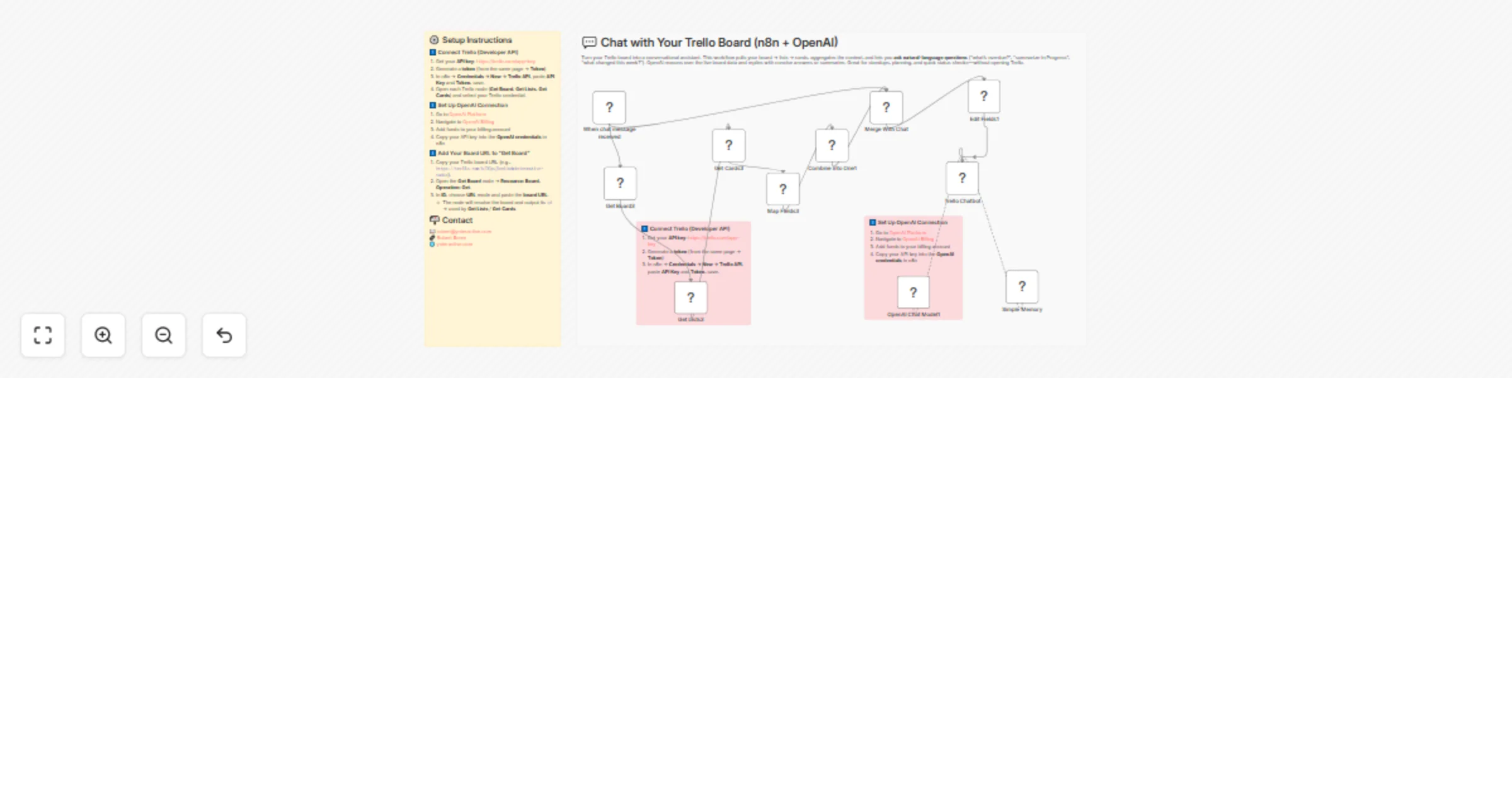
Workflow preview

$20/month : Unlimited workflows
2500 executions/month

THE #1 IN WEB SCRAPING
Scrape any website without limits
HOSTINGER  Early Deal
DISCOUNT 20% Try free
Early DealDISCOUNT 20%
Self-hosted n8n
Unlimited workflows - from $4.99/mo

#1 hub for scraping, AI & automation
6000+ actors - $5 credits/mo
Important notice
This workflow is provided as-is. Please review and test before using in production.
Overview
💬 Chat with Your Trello Board (n8n + OpenAI)
📖 Description
Turn your Trello board into a conversational assistant. This workflow pulls your board → lists → cards, aggregates the context, and lets you ask natural-language questions (“what’s overdue?”, “summarize In Progress”, “what changed this week?”). OpenAI reasons over the live board data and replies with concise answers or summaries. Great for standups, planning, and quick status checks—without opening Trello.
> Setup steps are already embedded in the workflow (Trello API + OpenAI + board URL). Just follow the sticky notes inside the canvas.
🧪 Example prompts
- “Give me a one-paragraph summary of the board.”
- “List all cards due this week with their lists.”
- “What’s blocking items in ‘In Progress’?”
- “Show new cards added in the last 2 days.”
⚙️ Setup Instructions
1️⃣ Connect Trello (Developer API)
- Get your API key: https://trello.com/app-key
- Generate a token (from the same page → Token)
- In n8n → Credentials → New → Trello API, paste API Key and Token, save.
- Open each Trello node (Get Board, Get Lists, Get Cards) and select your Trello credential.
2️⃣ Set Up OpenAI Connection
- Go to OpenAI Platform
- Navigate to OpenAI Billing
- Add funds to your billing account
- Copy your API key into the OpenAI credentials in n8n
3️⃣ Add Your Board URL to “Get Board”
- Copy your Trello board URL (e.g.,
https://trello.com/b/DCpuJbnd/administrative-tasks). - Open the Get Board node → Resource: Board, Operation: Get.
- In ID, choose URL mode and paste the board URL.
- The node will resolve the board and output its
id→ used by Get Lists / Get Cards.
- The node will resolve the board and output its
📬 Contact
Need help customizing this or adding Slack/Email outputs?