Qualify inbound leads with Vapi voice AI and log results to Google Sheets

Workflow preview

Workflow preview
100%
Qualify inbound leads with Vapi voice AI and log results to Google Sheets preview
Open on n8n.io

1. Workflow Overview

Who is this for Agencies, sales teams, and service businesses who want to instantly qualify inbound leads with an AI powered phone call — no manual follow up needed. What it does This workflow capt...

Best for

  • Lead Generation automation workflows
  • AI Chatbot automation workflows
  • advanced n8n builders looking for reusable templates

Tools used

n8n-nodes-base.formtrigger, n8n-nodes-base.code, n8n-nodes-base.if, n8n-nodes-base.googlesheets, n8n-nodes-base.httprequest, n8n-nodes-base.wait, n8n-nodes-base.limit, n8n-nodes-base.stickynote

Source and attribution

This workflow is cataloged by N8N Workflows and links back to its original n8n.io source page by Alejandro Alfonso.

Original n8n.io source

1.1 Workflow description

Title
Qualify inbound leads with Vapi voice AI and log results to Google Sheets
Workflow name
Qualify inbound leads with Vapi voice AI and log results to Google Sheets

Who is this for

Agencies, sales teams, and service businesses who want to instantly qualify inbound leads with an AI-powered phone call — no manual follow-up needed.

What it does

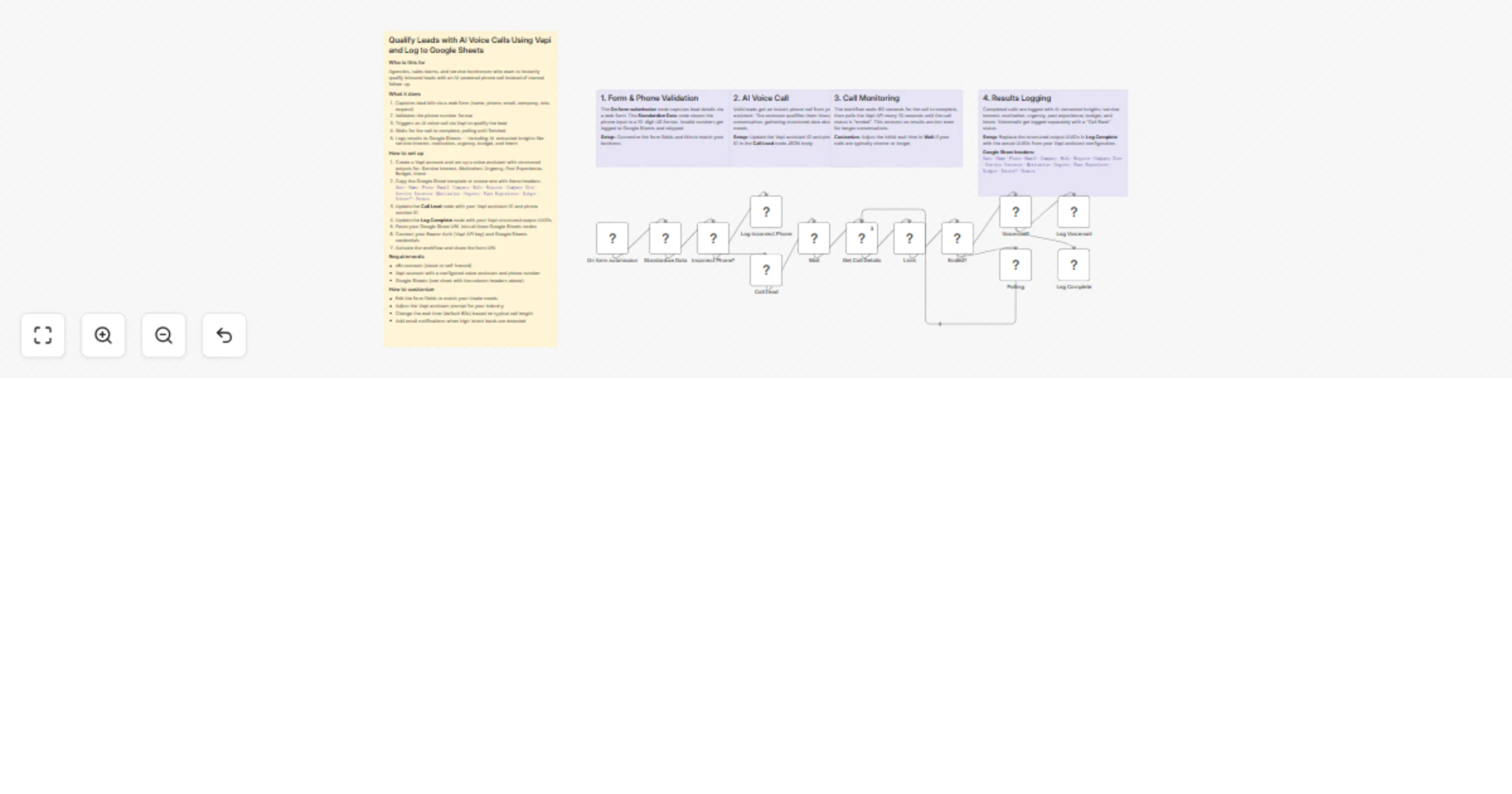
This workflow captures leads via a web form, validates their phone number, and immediately triggers an AI voice call through Vapi. The AI assistant qualifies the lead through a natural conversation, extracting structured data about service interest, motivation, urgency, budget, and intent. Everything gets logged to Google Sheets.

  1. Captures lead info via a web form (name, phone, email, company, role, request, company size)
  2. Validates the phone number format (US 10-digit) and logs invalid numbers separately
  3. Calls the lead instantly via Vapi AI voice assistant
  4. Polls until the call completes, handling voicemails and completed calls differently
  5. Logs results to Google Sheets with AI-extracted qualification insights

How to set up

  1. Create a Vapi account and configure a voice assistant with structured outputs for: Service Interest, Motivation, Urgency, Past Experience, Budget, Intent
  2. Create a Google Sheet with these headers: Date · Name · Phone · Email · Company · Role · Request · Company Size · Service Interest · Motivation · Urgency · Past Experience · Budget · Intent? · Status
  3. Replace YOUR_VAPI_ASSISTANT_ID and YOUR_VAPI_PHONE_NUMBER_ID in the Call Lead node's JSON body
  4. Replace the YOUR_*_UUID placeholders in the Log Complete node with your Vapi structured output UUIDs
  5. Paste your Google Sheet URL into all three Google Sheets nodes
  6. Connect Bearer Auth (Vapi API key) and Google Sheets credentials
  7. Activate the workflow and share the form URL

Requirements

  • n8n account (cloud or self-hosted)
  • Vapi account with a configured voice assistant and phone number
  • Google Sheets (one sheet with the column headers above)

How to customize

  • Edit the form fields to match your intake needs
  • Adjust the Vapi assistant prompt for your industry and qualification criteria
  • Change the initial wait time (default 60s) based on your typical call length
  • Add email or Slack notifications when high-intent leads are detected

1.2 Logical Blocks

This catalog entry is organized from the workflow JSON. The node-level section below shows the executable blocks available for review before importing the template.

2. Block-by-Block Analysis

Block 1 - On form submission

Type / Role
n8n-nodes-base.formTrigger - formTrigger
Config choices
Version 2.4

Block 2 - Standardize Data

Type / Role
n8n-nodes-base.code - code
Config choices
Version 2

Block 3 - Incorrect Phone?

Type / Role
n8n-nodes-base.if - if
Config choices
Version 2.3

Block 4 - Log Incorrect Phone

Type / Role
n8n-nodes-base.googleSheets - googleSheets
Config choices
Version 4.7

Block 5 - Call Lead

Type / Role
n8n-nodes-base.httpRequest - httpRequest
Config choices
Version 4.3

Block 6 - Wait

Type / Role
n8n-nodes-base.wait - wait
Config choices
Version 1.1

Block 7 - Get Call Details

Type / Role
n8n-nodes-base.httpRequest - httpRequest
Config choices
Version 4.3

Block 8 - Limit

Type / Role
n8n-nodes-base.limit - limit
Config choices
Version 1

Block 9 - Ended?

Type / Role
n8n-nodes-base.if - if
Config choices
Version 2.3

Block 10 - Polling

Type / Role
n8n-nodes-base.wait - wait
Config choices
Version 1.1

Block 11 - Voicemail?

Type / Role
n8n-nodes-base.if - if
Config choices
Version 2.3

Block 12 - Log Voicemail

Type / Role
n8n-nodes-base.googleSheets - googleSheets
Config choices
Version 4.7

Block 13 - Log Complete

Type / Role
n8n-nodes-base.googleSheets - googleSheets
Config choices
Version 4.7

Block 14 - Sticky Note Main

Type / Role
n8n-nodes-base.stickyNote - stickyNote
Config choices
Version 1

Block 15 - Sticky Note2

Type / Role
n8n-nodes-base.stickyNote - stickyNote
Config choices
Version 1

Block 16 - Sticky Note3

Type / Role
n8n-nodes-base.stickyNote - stickyNote
Config choices
Version 1

Block 17 - Sticky Note4

Type / Role
n8n-nodes-base.stickyNote - stickyNote
Config choices
Version 1

Block 18 - Sticky Note5

Type / Role
n8n-nodes-base.stickyNote - stickyNote
Config choices
Version 1

3. Summary Table

Workflow Qualify inbound leads with Vapi voice AI and log results to Google Sheets
Complexity advanced
Nodes 18
Categories Lead Generation, AI Chatbot
Author Alejandro Alfonso
Published 08 Mar 2026

4. Reproducing the Workflow from Scratch

  1. 1. Download the workflow JSON

    Use the JSON export at /data/workflows/13948/13948.json as the source template for this automation.

  2. 2. Import the template into n8n

    Open n8n, import the downloaded JSON, and review each node before activating the workflow.

  3. 3. Configure credentials and variables

    Replace placeholder credentials, API keys, webhook URLs, account IDs, and environment-specific values with your own settings.

  4. 4. Test with sample data

    Run the workflow manually or in a staging workspace, inspect node output, and confirm downstream systems receive the expected data.

  5. 5. Activate and monitor

    Enable the workflow only after testing, then monitor executions, errors, and rate limits during the first production runs.

5. General Notes & Resources

Review imported nodes carefully before activation. This catalog entry is intended to help you inspect the workflow structure, understand required services, and find related templates faster.

Node names, credentials, schedules, webhook paths, and external service limits may need adjustment for your workspace.

Frequently asked questions

What does Qualify inbound leads with Vapi voice AI and log results to Google Sheets do?

Who is this for Agencies, sales teams, and service businesses who want to instantly qualify inbound leads with an AI powered phone call — no manual follow up needed. What it does This workflow capt...

What do I need before importing this workflow?

Review the workflow JSON, configure any required credentials in n8n, and test the automation in a safe workspace before using it in production.

Can I customize this workflow?

Yes. Use the block-by-block analysis and the downloadable JSON to inspect each node, then adjust credentials, prompts, schedules, filters, or destinations for your Lead Generation, AI Chatbot use case.