Block 1 - List Meetings
- Type / Role
- n8n-nodes-base.httpRequest - httpRequest
- Config choices
- Version 2


 Early Deal
This workflow is provided as-is. Please review and test before using in production.
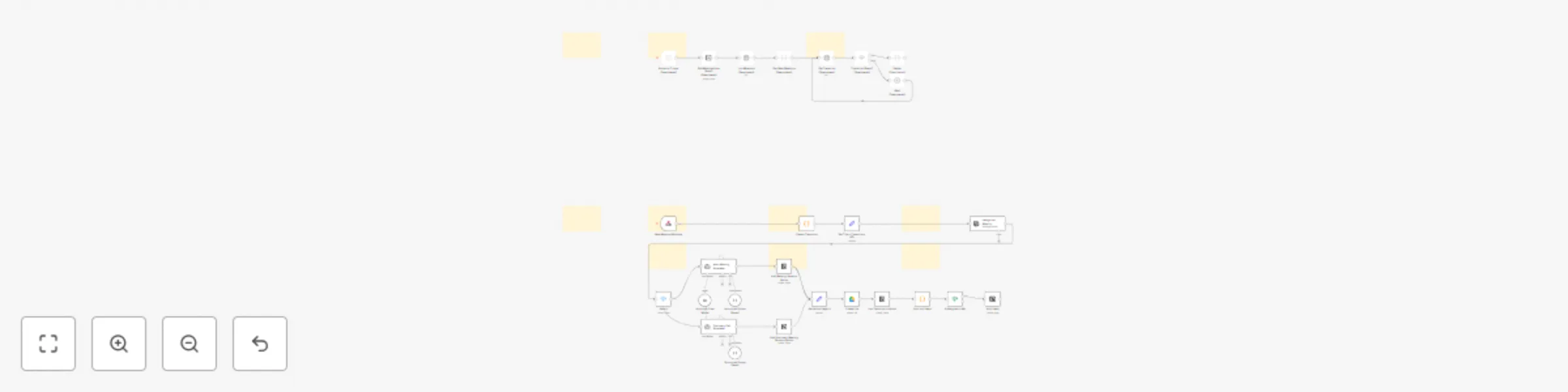
Ingest meeting webhooks, process transcript, classify the meeting, generate structured notes with AI Agent, file the transcript to Google Drive, write rich pages to Notion, and create assigned task...
n8n-nodes-base.httprequest, n8n-nodes-base.if, n8n-nodes-base.scheduletrigger, n8n-nodes-base.code, @n8n/n8n-nodes-langchain.lmchatanthropic, @n8n/n8n-nodes-langchain.outputparserstructured, n8n-nodes-base.wait, n8n-nodes-base.switch
This workflow is cataloged by N8N Workflows and links back to its original n8n.io source page by Matty Reed.
Original n8n.io sourceIngest meeting webhooks, process transcript, classify the meeting, generate structured notes with AI Agent, file the transcript to Google Drive, write rich pages to Notion, and create assigned tasks. Includes optional polling path if webhooks aren’t available.
Teams that record calls and want instant, structured notes in Notion, with transcripts archived in Google Drive and action items auto-created—without manual copy/paste.
Manual note taking is slow and inconsistent. This flow listens for a meeting webhook, flattens the transcript, classifies the call, runs a tailored notetaker prompt, and writes a clean Notion page plus tasks—hands-free and standardized.
| # | Node | Purpose |
|---|---|---|
| 1 | New Meeting Webhook | Receives meeting payload with transcript segments and metadata. (Webhook Node) |
| 2 | Flatten Transcript (Code) | Joins segments to speaker: text lines and extracts title, meetingId, url. |
| 3 | Set Title + Transcript + URL | Normalizes fields for downstream nodes. |
| 4 | Categorize Meeting | Uses OpenAI to return `{ "meetingType": "DiscoveryCall" |
| 5 | Switch | Routes to the correct notetaker branch based on meetingType. |
| 6a | Discovery Call Notetaker | Anthropic model + structured parser to extract sales-specific fields. (Anthropic Docs) |
| 6b | Misc Meeting Notetaker | General meeting notetaker with strict JSON schema. |
| 7a | Add Discovery Meeting Notes to Notion | Writes a formatted page with overview, goals, pains, risks, and action items. |
| 7b | Add Meeting Notes to Notion | Writes a simpler page for non-discovery meetings. |
| 8 | Set Notion Page ID | Captures created page ID and the action-items array. |
| 9 | Create File (Google Drive) | Saves raw transcript text and returns the file ID. (Drive API) |
| 10 | Link Transcript in Notion | Updates the Notion page with a viewable Drive link. |
| 11 | Split out Tasks | Expands the action-items array to one item per execution. |
| 12 | If Assigned to Me | Filters tasks where assignee = "Matty Reed". |
| 13 | Add Tasks (Notion) | Creates tasks in your Notion Tasks DB, links to the meeting page. (Notion API) |
| * | (Optional polling path) | If webhooks aren’t available: Schedule Trigger → Get Meetings from Notion → List Meetings (HTTP Request) → Get New Meetings (Code) → Get Transcript (HTTP) → Transcript Ready? → Wait → Flatten. Disabled by default. |
Import the JSON flow into n8n
Confirm nodes marked disabled stay off unless you need the polling path.
Docs: n8n
Credentials
Map your databases and properties
Replace the placeholder Notion database IDs with your Meetings and Tasks DB IDs. Verify property names like Meeting Name|title, Summary|rich_text, Category|multi_select, Assignee|people, etc., match your schema.
Drive folder
Update the folderId in Create File to your preferred folder. Ensure link-sharing fits your privacy policy.
Webhook
Expose New Meeting Webhook via your n8n instance. Send a sample payload from your meeting recorder to verify the calendar_invitees, transcript, title, and url fields match the code node expectations.
Test
Run the flow with a recorded meeting. Confirm:
assignee = "Matty Reed".This catalog entry is organized from the workflow JSON. The node-level section below shows the executable blocks available for review before importing the template.
Showing the first 24 of 36 workflow blocks. Download the JSON for the full node graph.
| Workflow | Process meeting transcripts into Notion notes & tasks with AI and Google Drive |
|---|---|
| Complexity | advanced |
| Nodes | 36 |
| Categories | Project Management, AI Chatbot |
| Author | Matty Reed |
| Published | 20 Oct 2025 |
Use the JSON export at /data/workflows/9929/9929.json as the source template for this automation.
Open n8n, import the downloaded JSON, and review each node before activating the workflow.
Replace placeholder credentials, API keys, webhook URLs, account IDs, and environment-specific values with your own settings.
Run the workflow manually or in a staging workspace, inspect node output, and confirm downstream systems receive the expected data.
Enable the workflow only after testing, then monitor executions, errors, and rate limits during the first production runs.
Review imported nodes carefully before activation. This catalog entry is intended to help you inspect the workflow structure, understand required services, and find related templates faster.
Node names, credentials, schedules, webhook paths, and external service limits may need adjustment for your workspace.
Ingest meeting webhooks, process transcript, classify the meeting, generate structured notes with AI Agent, file the transcript to Google Drive, write rich pages to Notion, and create assigned task...
Review the workflow JSON, configure any required credentials in n8n, and test the automation in a safe workspace before using it in production.
Yes. Use the block-by-block analysis and the downloadable JSON to inspect each node, then adjust credentials, prompts, schedules, filters, or destinations for your Project Management, AI Chatbot use case.