Post images and text from Google Drive and Sheets to LinkedIn
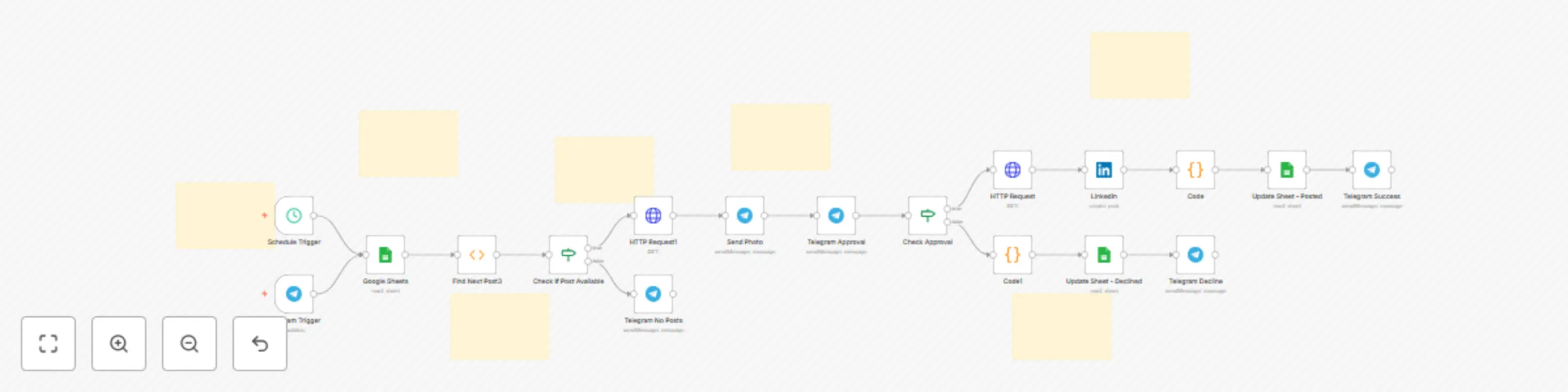
Workflow preview

$20/month : Unlimited workflows
2500 executions/month

THE #1 IN WEB SCRAPING
Scrape any website without limits
HOSTINGER  Early Deal
DISCOUNT 20% Try free
Early DealDISCOUNT 20%
Self-hosted n8n
Unlimited workflows - from $4.99/mo

#1 hub for scraping, AI & automation
6000+ actors - $5 credits/mo
Important notice
This workflow is provided as-is. Please review and test before using in production.
Overview
How This LinkedIn Automation Workflow Helps You:
- Save time - Eliminate manual LinkedIn posting and content scheduling tasks
- Stay consistent - Automated daily posting keeps your LinkedIn profile active and engaging
- Keep control - Preview every post before it goes live via Telegram approval system
- Track everything - Complete posting history and status tracking in Google Sheets dashboard
- Never double-post - Smart status tracking prevents duplicate content and posting errors
- Scale content - Manage multiple posts in advance through organized spreadsheets
- Professional workflow - Streamlined process perfect for social media agencies and content creators
- Reduce errors - Automated file handling eliminates manual upload mistakes
How This LinkedIn Auto-Posting System Works:
- Setup your content in Google Sheets with captions and Google Drive image URLs
- Schedule runs daily at your chosen time (default 4 PM) automatically via n8n
- Finds next eligible post with empty posting status column using smart filtering
- Downloads image directly from your Google Drive storage securely
- Sends Telegram preview with image and caption for manual approval
- Posts to LinkedIn immediately if approved, or marks as declined in database
- Updates sheet status automatically to "Posted" or "Declined" with timestamps
- Sends confirmation message to Telegram with posting results and analytics
Requirements:
- Google Sheets with organized post content and image URLs
- Images stored in Google Drive for reliable access
- Telegram bot configured for approval notifications
- LinkedIn business account connected to n8n platform
Here is how your google sheet look like