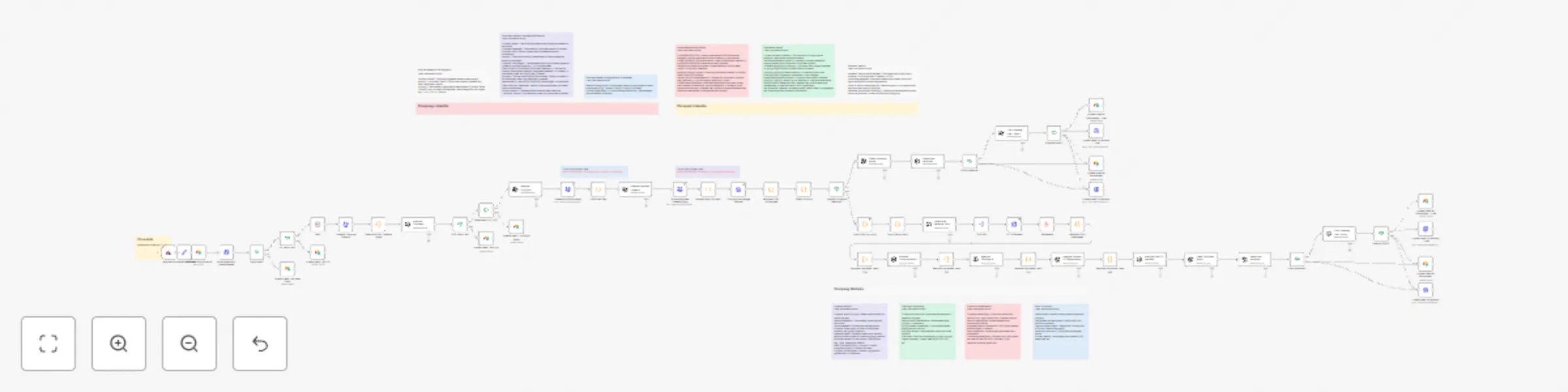
Personalize cold emails with LinkedIn data, GPT-4 & Airtable-Instantly

Workflow preview

Workflow preview
100%
Personalize cold emails with LinkedIn data, GPT-4 & Airtable-Instantly preview
Open on n8n.io

Important notice

This workflow is provided as-is. Please review and test before using in production.

1. Workflow Overview

Advanced AI Lead Enrichment & Cold Email Personalization with n8n, Airtable, Apify, and LLMs Automated B2B Lead Nurturing: Hyper Personalization for High Converting Cold Email Campaigns This powerf...

Best for

  • Lead Nurturing automation workflows
  • AI Chatbot automation workflows
  • advanced n8n builders looking for reusable templates

Tools used

n8n-nodes-base.stickynote, n8n-nodes-base.set, n8n-nodes-base.webhook, n8n-nodes-base.code, @n8n/n8n-nodes-langchain.openai, n8n-nodes-base.splitout, n8n-nodes-base.httprequest, n8n-nodes-base.aggregate

Source and attribution

This workflow is cataloged by N8N Workflows and links back to its original n8n.io source page by Amirul Hakimi.

Original n8n.io source

1.1 Workflow description

Title
Personalize cold emails with LinkedIn data, GPT-4 & Airtable-Instantly
Workflow name
Personalize cold emails with LinkedIn data, GPT-4 & Airtable-Instantly

Advanced AI Lead Enrichment & Cold Email Personalization with n8n, Airtable, Apify, and LLMs

Automated B2B Lead Nurturing: Hyper-Personalization for High-Converting Cold Email Campaigns

This powerful n8n automation workflow is designed to execute advanced B2B lead enrichment and hyper-personalization for cold email outreach. By orchestrating a complex chain of data scraping, AI analysis (via LLMs/GPT-4.1), and CRM synchronization (using Airtable), this workflow ensures every lead receives a highly tailored and relevant outreach message, maximizing conversion rates and minimizing manual effort.

Workflow Execution & Key Features

  1. Airtable Trigger & Lead Qualification:

  • The workflow is triggered by an Airtable webhook, pulling a new lead record (including name, email, and company URLs).
  • Email Validation is performed using NeverBounce to filter out invalid contacts.
  • Initial Lead Filtering screens for key demographic criteria (e.g., US: Yes or No? and target Headcount: >5, <30?). Only qualified B2B leads proceed, ensuring optimal resource allocation.
  1. Deep Web & Social Scraping (Apify Integration):

  • LinkedIn Company Scraper and a LinkedIn Profile Scraper (via Apify) extract raw data from the lead's company and personal profiles.

  • Company Homepage Scraper pulls the main website content for analysis.

  • Scrape Personal LinkedIn Posts node retrieves recent activity for the ultimate personalization hook.

  1. AI-Powered Data Synthesis & Variable Determination:

  • Multiple OpenAI (GPT-4.1-mini/4.1) nodes analyze and structure the raw, cleaned text (Remove HTML nodes ensure clean inputs).
  • Determine Valuable URLs uses an LLM to smartly categorize and select key company pages (e.g., ==/about==, ==/solutions==, ==/case-studies==) for deeper scraping.
  • Analyze Company/Mission, Analyze Offerings & Positioning, Analyze Process & Differentiation, and Analyze Proof of Success nodes create factual, structured business summaries for the ultimate ICP research.
  • Determine Variables nodes create pre-written, personalized cold email variables (==company_specialty==, ==ICPofLead==, ==PainPointLeadSolves==, etc.) for different outreach strategies.
  1. LinkedIn Post Personalization:

  • An LLM (Craft Opening Line - Posts) analyzes recent LinkedIn activity to generate a hyper-specific, conversation-starting opener (e.g., "Saw your LinkedIn post about...").
  • Conditional logic (Posts Available?) determines whether to use the post-based opener or fall back to the standard, company-based personalization.
  1. CRM Update & Campaign Launch (Instantly.ai):

  • Finalized, enriched lead data and the crafted personalization variables are synchronized back to the Airtable CRM for record-keeping and lead status updates (Update Lead W/ Enrichment).
  • The lead is then seamlessly pushed to the Instantly.ai outbound platform, injecting the AI-generated custom variables directly into the cold email sequence for mass deployment.

This blueprint automates the tedious, high-effort task of prospect research and personalization, providing a scalable lead generation solution that increases both outreach quality and sales velocity. Stop sending generic emails—start leveraging AI automation today.

1.2 Logical Blocks

This catalog entry is organized from the workflow JSON. The node-level section below shows the executable blocks available for review before importing the template.

2. Block-by-Block Analysis

Block 1 - TEMPLATE OVERVIEW

Type / Role
n8n-nodes-base.stickyNote - stickyNote
Config choices
Version 1

Block 2 - Configure Variables

Type / Role
n8n-nodes-base.set - set
Config choices
Version 1

Block 3 - Webhook

Type / Role
n8n-nodes-base.webhook - webhook
Config choices
Version 2

Block 4 - Turn X Items Into 1

Type / Role
n8n-nodes-base.code - code
Config choices
Version 2

Block 5 - Determine Valuable URLs

Type / Role
@n8n/n8n-nodes-langchain.openAi - openAi
Config choices
Version 1.8

Block 6 - Split Out

Type / Role
n8n-nodes-base.splitOut - splitOut
Config choices
Version 1

Block 7 - HTTP Request

Type / Role
n8n-nodes-base.httpRequest - httpRequest
Config choices
Version 4.2

Block 8 - Aggregate

Type / Role
n8n-nodes-base.aggregate - aggregate
Config choices
Version 1

Block 9 - Remove HTML Homepage

Type / Role
n8n-nodes-base.code - code
Config choices
Version 2

Block 10 - Remove HTML Webpages

Type / Role
n8n-nodes-base.code - code
Config choices
Version 2

Block 11 - Analyze Company/Mission

Type / Role
@n8n/n8n-nodes-langchain.openAi - openAi
Config choices
Version 1.8

Block 12 - Analyze Offerings & Positioning

Type / Role
@n8n/n8n-nodes-langchain.openAi - openAi
Config choices
Version 1.8

Block 13 - Analyze Process & Differentiation

Type / Role
@n8n/n8n-nodes-langchain.openAi - openAi
Config choices
Version 1.8

Block 14 - Analyze Proof Of Success

Type / Role
@n8n/n8n-nodes-langchain.openAi - openAi
Config choices
Version 1.8

Block 15 - Remove Duplicates Texts C/M

Type / Role
n8n-nodes-base.code - code
Config choices
Version 2

Block 16 - Remove Duplicates Texts O/P

Type / Role
n8n-nodes-base.code - code
Config choices
Version 2

Block 17 - Remove Duplicates Texts P/D

Type / Role
n8n-nodes-base.code - code
Config choices
Version 2

Block 18 - Remove Duplicates Texts PoS

Type / Role
n8n-nodes-base.code - code
Config choices
Version 2

Block 19 - Pull Lead From Airtable

Type / Role
n8n-nodes-base.airtable - airtable
Config choices
Version 2.1

Block 20 - Analyze Company LinkedIn

Type / Role
@n8n/n8n-nodes-langchain.openAi - openAi
Config choices
Version 1.8

Block 21 - LinkedIn Profile Scraper

Type / Role
n8n-nodes-base.httpRequest - httpRequest
Config choices
Version 4.2

Block 22 - JSON Into Text

Type / Role
n8n-nodes-base.code - code
Config choices
Version 2

Block 23 - Analyze Personal LinkedIn

Type / Role
@n8n/n8n-nodes-langchain.openAi - openAi
Config choices
Version 1.8

Block 24 - Sticky Note1

Type / Role
n8n-nodes-base.stickyNote - stickyNote
Config choices
Version 1

Showing the first 24 of 75 workflow blocks. Download the JSON for the full node graph.

3. Summary Table

Workflow Personalize cold emails with LinkedIn data, GPT-4 & Airtable-Instantly
Complexity advanced
Nodes 75
Categories Lead Nurturing, AI Chatbot
Author Amirul Hakimi
Published 03 Oct 2025

4. Reproducing the Workflow from Scratch

  1. 1. Download the workflow JSON

    Use the JSON export at /data/workflows/9243/9243.json as the source template for this automation.

  2. 2. Import the template into n8n

    Open n8n, import the downloaded JSON, and review each node before activating the workflow.

  3. 3. Configure credentials and variables

    Replace placeholder credentials, API keys, webhook URLs, account IDs, and environment-specific values with your own settings.

  4. 4. Test with sample data

    Run the workflow manually or in a staging workspace, inspect node output, and confirm downstream systems receive the expected data.

  5. 5. Activate and monitor

    Enable the workflow only after testing, then monitor executions, errors, and rate limits during the first production runs.

5. General Notes & Resources

Review imported nodes carefully before activation. This catalog entry is intended to help you inspect the workflow structure, understand required services, and find related templates faster.

Node names, credentials, schedules, webhook paths, and external service limits may need adjustment for your workspace.

Frequently asked questions

What does Personalize cold emails with LinkedIn data, GPT-4 & Airtable-Instantly do?

Advanced AI Lead Enrichment & Cold Email Personalization with n8n, Airtable, Apify, and LLMs Automated B2B Lead Nurturing: Hyper Personalization for High Converting Cold Email Campaigns This powerf...

What do I need before importing this workflow?

Review the workflow JSON, configure any required credentials in n8n, and test the automation in a safe workspace before using it in production.

Can I customize this workflow?

Yes. Use the block-by-block analysis and the downloadable JSON to inspect each node, then adjust credentials, prompts, schedules, filters, or destinations for your Lead Nurturing, AI Chatbot use case.