Block 1 - Sticky Note - Overview
- Type / Role
- n8n-nodes-base.stickyNote - stickyNote
- Config choices
- Version 1


 Early Deal
This workflow is provided as-is. Please review and test before using in production.
Who is this for This template is perfect for sales professionals, account managers, and business development teams who want to make memorable impressions on their clients. It automates the tedious ...
n8n-nodes-base.stickynote, n8n-nodes-base.slack, @n8n/n8n-nodes-langchain.openai, n8n-nodes-base.httprequest, n8n-nodes-base.notion, n8n-nodes-base.code, n8n-nodes-base.if, n8n-nodes-base.set
This workflow is cataloged by N8N Workflows and links back to its original n8n.io source page by 長谷 真宏.
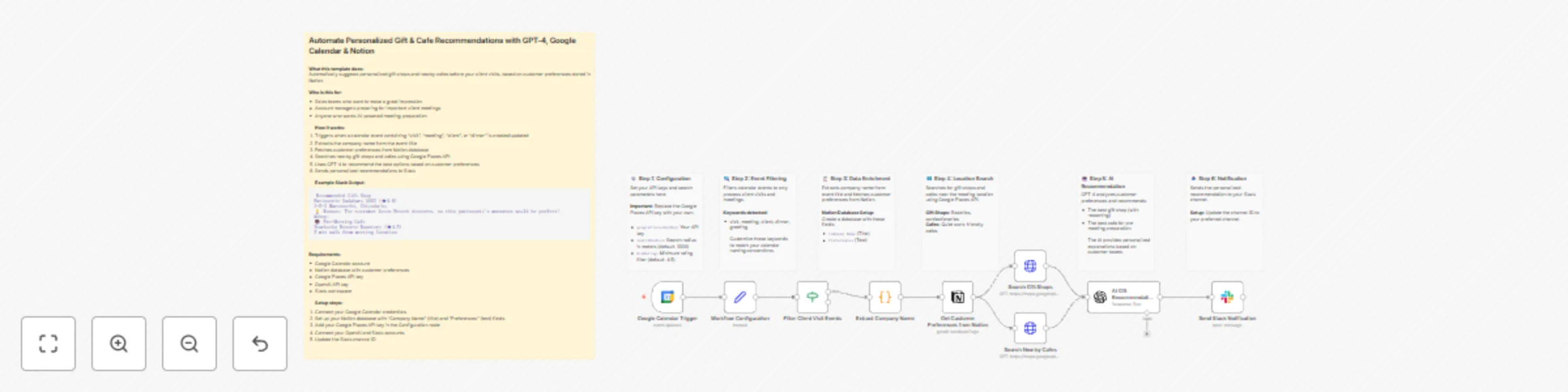
Original n8n.io sourceWho is this for This template is perfect for sales professionals, account managers, and business development teams who want to make memorable impressions on their clients. It automates the tedious task of researching gift shops and preparation spots before important meetings. What it does This workflow automatically prepares personalized recommendations for client visits by monitoring your Google Calendar, enriching data from Notion, and using AI to select the perfect options. How it works
Trigger: Activates when a calendar event containing keywords like "visit," "meeting," "client," or "dinner" is created or updated Extract: Parses company name from the event title Enrich: Fetches customer preferences from your Notion database Search: Google Places API finds nearby gift shops and quiet cafes Analyze: GPT-4 recommends the best options based on customer preferences Notify: Sends a personalized message to Slack with recommendations
Example Slack Output Here's what the final notification looks like: 🎁 Recommended Gift Shop Patisserie Sadaharu AOKI (★4.6) 3-5-2 Marunouchi, Chiyoda-ku 💡 Reason: The customer loves French desserts, so this patisserie's macarons would be perfect!
☕ Pre-Meeting Cafe Starbucks Reserve Roastery (★4.5) 5 min walk from meeting location Set up steps Setup time: approximately 15 minutes
Google Calendar: Connect your Google Calendar account and select your calendar Notion Database: Create a customer database with "Company Name" (title) and "Preferences" (text) fields Google Places API: Get an API key from Google Cloud Console and add it to the Configuration node OpenAI: Connect your OpenAI account for AI-powered recommendations Slack: Connect your Slack workspace and update the channel ID in the final node
Requirements
Google Calendar account Notion account with a customer database Google Places API key (requires Google Cloud account) OpenAI API key Slack workspace with bot permissions
How to customize
Search radius: Adjust the searchRadius parameter in the Configuration node (default: 1000 meters) Event keywords: Modify the Filter node conditions to match your calendar naming conventions Notification channel: Change the Slack channel ID to your preferred channel
This catalog entry is organized from the workflow JSON. The node-level section below shows the executable blocks available for review before importing the template.
| Workflow | Personalize client meeting prep with GPT-4, Google Calendar, Notion & Places API to Slack |
|---|---|
| Complexity | advanced |
| Nodes | 16 |
| Categories | Lead Nurturing, AI Summarization |
| Author | 長谷 真宏 |
| Published | 02 Dec 2025 |
Use the JSON export at /data/workflows/11430/11430.json as the source template for this automation.
Open n8n, import the downloaded JSON, and review each node before activating the workflow.
Replace placeholder credentials, API keys, webhook URLs, account IDs, and environment-specific values with your own settings.
Run the workflow manually or in a staging workspace, inspect node output, and confirm downstream systems receive the expected data.
Enable the workflow only after testing, then monitor executions, errors, and rate limits during the first production runs.
Review imported nodes carefully before activation. This catalog entry is intended to help you inspect the workflow structure, understand required services, and find related templates faster.
Node names, credentials, schedules, webhook paths, and external service limits may need adjustment for your workspace.
Who is this for This template is perfect for sales professionals, account managers, and business development teams who want to make memorable impressions on their clients. It automates the tedious ...
Review the workflow JSON, configure any required credentials in n8n, and test the automation in a safe workspace before using it in production.
Yes. Use the block-by-block analysis and the downloadable JSON to inspect each node, then adjust credentials, prompts, schedules, filters, or destinations for your Lead Nurturing, AI Summarization use case.