Optimize Cold Email Copy with Claude, Instantly, and Google Sheets

Workflow preview

Workflow preview
100%
Optimize Cold Email Copy with Claude, Instantly, and Google Sheets preview
Open on n8n.io

1. Workflow Overview

Optimize Cold Email Copy with Claude, Instantly, and Google Sheets Inspired by Karpathy's Autoresearch, this workflow treats your cold email campaigns as...

Best for

  • Lead Nurturing automation workflows
  • AI Summarization automation workflows
  • advanced n8n builders looking for reusable templates

Tools used

n8n-nodes-base.stickynote, n8n-nodes-base.scheduletrigger, n8n-nodes-base.httprequest, n8n-nodes-base.code

Source and attribution

This workflow is cataloged by N8N Workflows and links back to its original n8n.io source page by Devon Toh.

Original n8n.io source

1.1 Workflow description

Title
Optimize Cold Email Copy with Claude, Instantly, and Google Sheets
Workflow name
Optimize Cold Email Copy with Claude, Instantly, and Google Sheets

Optimize Cold Email Copy with Claude, Instantly, and Google Sheets

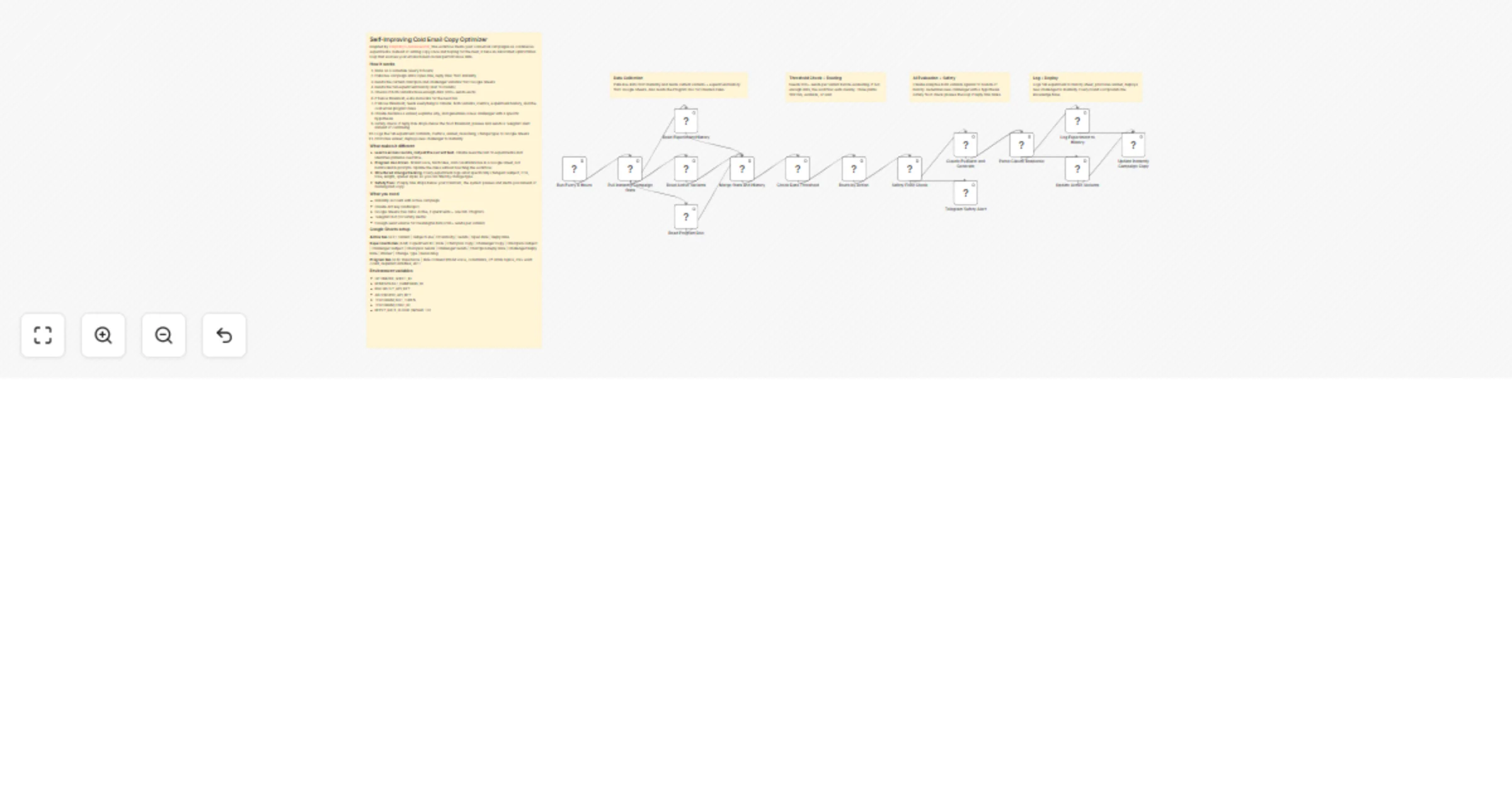
Inspired by Karpathy's Autoresearch, this workflow treats your cold email campaigns as continuous experiments. Instead of writing copy once and hoping for the best, it runs an automated optimization loop that evolves your emails based on real performance data.

How it works

  1. Runs on a schedule (every 6 hours)
  2. Pulls live campaign stats (open rate, reply rate) from Instantly
  3. Reads the current champion and challenger variants from Google Sheets
  4. Reads the full experiment history (last 10 rounds)
  5. Checks if both variants have enough data (200+ sends each)
  6. If below threshold, exits and waits for the next run
  7. If above threshold, feeds everything to Claude: both variants, metrics, experiment history, and the cold email program rules
  8. Claude declares a winner, explains why, and generates a new challenger with a specific hypothesis
  9. Safety check: if reply rate drops below the floor threshold, pauses and sends a Telegram alert instead of continuing
  10. Logs the full experiment (variants, metrics, winner, reasoning, change type) to Google Sheets
  11. Promotes winner, deploys new challenger to Instantly

What makes it different

  • Learns across rounds, not just the current test. Claude sees the last 10 experiments and identifies patterns over time.
  • Program doc driven. Brand voice, hard rules, and constraints live in a Google Sheet, not hardcoded in prompts. Update the rules without touching the workflow.
  • Structured change tracking. Every experiment logs what specifically changed (subject, CTA, tone, length, opener style) so you can filter by change type.
  • Safety floor. If reply rate drops below your minimum, the system pauses and alerts you instead of running bad copy.

What you need

  • Instantly account with active campaign
  • Claude API key (Anthropic)
  • Google Sheets (two tabs: Active, Experiments + one tab: Program)
  • Telegram bot (for safety alerts)
  • Enough send volume for meaningful data (200+ sends per variant)

Google Sheets setup

Active tab (A:F): Variant | Subject Line | Email Body | Sends | Open Rate | Reply Rate

Experiments tab (A:M): Experiment ID | Date | Champion Copy | Challenger Copy | Champion Subject | Challenger Subject | Champion Sends | Challenger Sends | Champion Reply Rate | Challenger Reply Rate | Winner | Change Type | Reasoning

Program tab (A:B): Rule Name | Rule Content (brand voice, constraints, off-limits topics, max word count, required variables, etc.)

Environment variables

  • OPTIMIZER_SHEET_ID
  • REMOVEFAST_CAMPAIGN_ID
  • INSTANTLY_API_KEY
  • ANTHROPIC_API_KEY
  • TELEGRAM_BOT_TOKEN
  • TELEGRAM_CHAT_ID
  • REPLY_RATE_FLOOR (default: 1.0)

1.2 Logical Blocks

This catalog entry is organized from the workflow JSON. The node-level section below shows the executable blocks available for review before importing the template.

2. Block-by-Block Analysis

Block 1 - Sticky Note

Type / Role
n8n-nodes-base.stickyNote - stickyNote
Config choices
Version 1

Block 2 - Sticky Note1

Type / Role
n8n-nodes-base.stickyNote - stickyNote
Config choices
Version 1

Block 3 - Sticky Note2

Type / Role
n8n-nodes-base.stickyNote - stickyNote
Config choices
Version 1

Block 4 - Sticky Note3

Type / Role
n8n-nodes-base.stickyNote - stickyNote
Config choices
Version 1

Block 5 - Sticky Note4

Type / Role
n8n-nodes-base.stickyNote - stickyNote
Config choices
Version 1

Block 6 - Run Every 6 Hours

Type / Role
n8n-nodes-base.scheduleTrigger - scheduleTrigger
Config choices
Version 1.2

Block 7 - Pull Instantly Campaign Stats

Type / Role
n8n-nodes-base.httpRequest - httpRequest
Config choices
Version 4.2

Block 8 - Read Experiment History

Type / Role
n8n-nodes-base.httpRequest - httpRequest
Config choices
Version 4.2

Block 9 - Read Active Variants

Type / Role
n8n-nodes-base.httpRequest - httpRequest
Config choices
Version 4.2

Block 10 - Read Program Doc

Type / Role
n8n-nodes-base.httpRequest - httpRequest
Config choices
Version 4.2

Block 11 - Merge Stats and History

Type / Role
n8n-nodes-base.code - code
Config choices
Version 2

Block 12 - Check Data Threshold

Type / Role
n8n-nodes-base.code - code
Config choices
Version 2

Block 13 - Route by Action

Type / Role
n8n-nodes-base.code - code
Config choices
Version 2

Block 14 - Safety Floor Check

Type / Role
n8n-nodes-base.code - code
Config choices
Version 2

Block 15 - Telegram Safety Alert

Type / Role
n8n-nodes-base.httpRequest - httpRequest
Config choices
Version 4.2

Block 16 - Claude Evaluate and Generate

Type / Role
n8n-nodes-base.httpRequest - httpRequest
Config choices
Version 4.2

Block 17 - Parse Claude Response

Type / Role
n8n-nodes-base.code - code
Config choices
Version 2

Block 18 - Log Experiment to History

Type / Role
n8n-nodes-base.httpRequest - httpRequest
Config choices
Version 4.2

Block 19 - Update Active Variants

Type / Role
n8n-nodes-base.httpRequest - httpRequest
Config choices
Version 4.2

Block 20 - Update Instantly Campaign Copy

Type / Role
n8n-nodes-base.httpRequest - httpRequest
Config choices
Version 4.2

3. Summary Table

Workflow Optimize Cold Email Copy with Claude, Instantly, and Google Sheets
Complexity advanced
Nodes 20
Categories Lead Nurturing, AI Summarization
Author Devon Toh
Published 21 Mar 2026

4. Reproducing the Workflow from Scratch

  1. 1. Download the workflow JSON

    Use the JSON export at /data/workflows/14211/14211.json as the source template for this automation.

  2. 2. Import the template into n8n

    Open n8n, import the downloaded JSON, and review each node before activating the workflow.

  3. 3. Configure credentials and variables

    Replace placeholder credentials, API keys, webhook URLs, account IDs, and environment-specific values with your own settings.

  4. 4. Test with sample data

    Run the workflow manually or in a staging workspace, inspect node output, and confirm downstream systems receive the expected data.

  5. 5. Activate and monitor

    Enable the workflow only after testing, then monitor executions, errors, and rate limits during the first production runs.

5. General Notes & Resources

Review imported nodes carefully before activation. This catalog entry is intended to help you inspect the workflow structure, understand required services, and find related templates faster.

Node names, credentials, schedules, webhook paths, and external service limits may need adjustment for your workspace.

Frequently asked questions

What does Optimize Cold Email Copy with Claude, Instantly, and Google Sheets do?

Optimize Cold Email Copy with Claude, Instantly, and Google Sheets Inspired by Karpathy's Autoresearch, this workflow treats your cold email campaigns as...

What do I need before importing this workflow?

Review the workflow JSON, configure any required credentials in n8n, and test the automation in a safe workspace before using it in production.

Can I customize this workflow?

Yes. Use the block-by-block analysis and the downloadable JSON to inspect each node, then adjust credentials, prompts, schedules, filters, or destinations for your Lead Nurturing, AI Summarization use case.