Block 1 - Get row(s) in sheet
- Type / Role
- n8n-nodes-base.googleSheets - googleSheets
- Config choices
- Version 4.7


 Early Deal
How it works This workflow automates lead nurturing by pulling data from Google Sheets, analyzing leads with AI, and sending personalized outreach emails. It runs on a schedule, processes leads in ...
n8n-nodes-base.googlesheets, n8n-nodes-base.scheduletrigger, n8n-nodes-base.code, n8n-nodes-base.if, n8n-nodes-base.gmail, @n8n/n8n-nodes-langchain.openai, n8n-nodes-base.splitinbatches, n8n-nodes-base.switch
This workflow is cataloged by N8N Workflows and links back to its original n8n.io source page by Avkash Kakdiya.
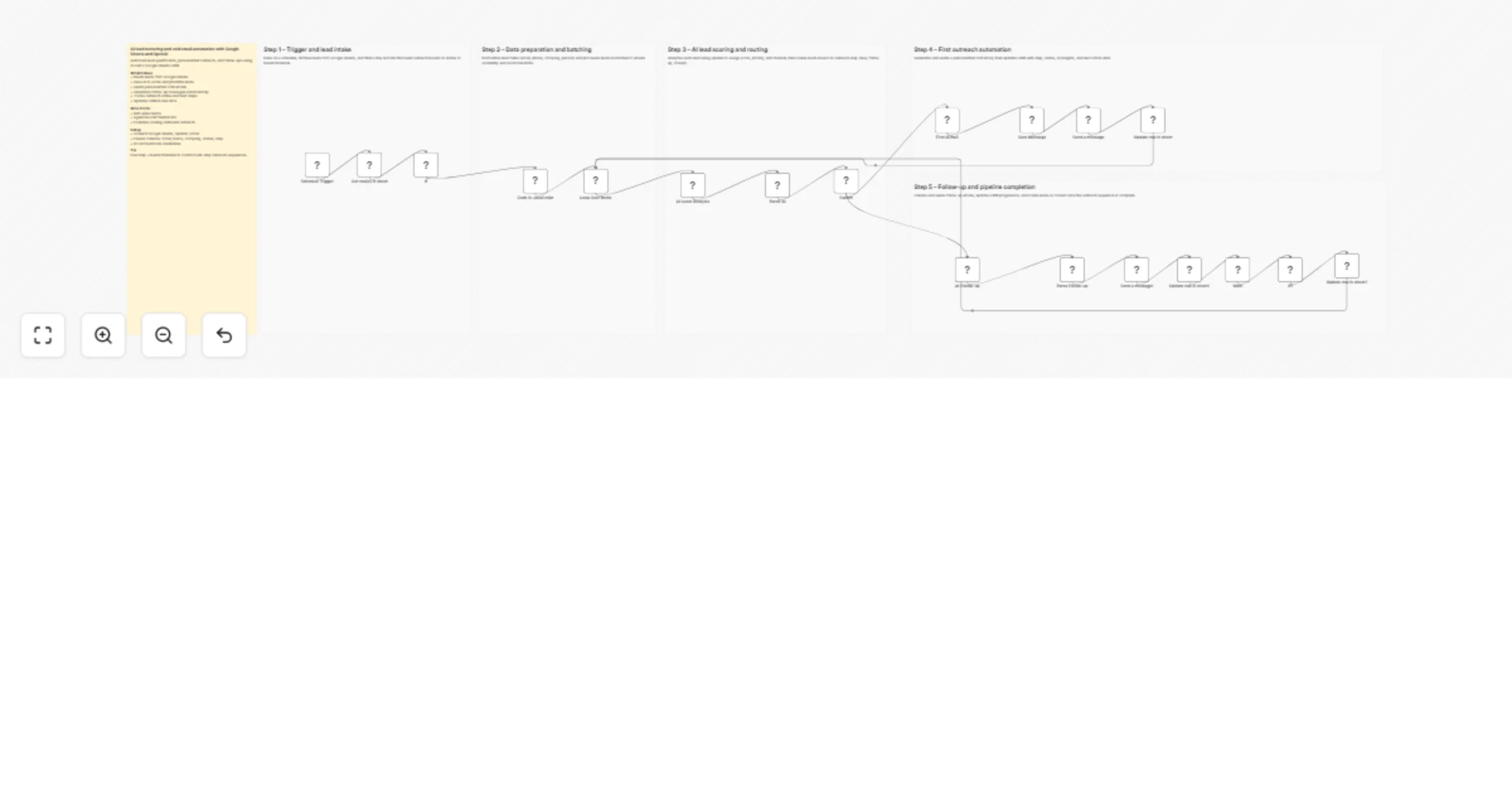
Original n8n.io sourceThis workflow automates lead nurturing by pulling data from Google Sheets, analyzing leads with AI, and sending personalized outreach emails. It runs on a schedule, processes leads in batches, and routes them based on their status and step. AI generates both first-touch and follow-up emails while updating the CRM automatically. The system ensures consistent outreach and tracks lead progression without manual work.
Trigger and lead intake
Schedule Trigger – Runs the workflow at set intervals.
Get row(s) in sheet – Fetches lead data from Google Sheets.
If – Filters leads that need action based on status or date.
Data preparation and batching
Code in JavaScript – Normalizes fields like email, name, and company.
Loop Over Items – Processes leads in controlled batches.
AI lead scoring and routing
AI-Lead-Analysis – Evaluates lead quality and assigns score and priority.
Parse AI – Extracts structured AI insights from the response.
Switch – Routes leads based on outreach step or status.
First outreach automation
First AI mail – Generates a personalized cold email.
Save Message – Stores the generated message.
Send a message – Sends the email via Gmail.
Update row in sheet – Updates CRM with outreach details.
Follow-up and pipeline completion
AI-Follow-up – Creates a follow-up email using AI.
Parse Follow-up – Extracts follow-up message content.
Send a message1 – Sends the follow-up email.
Update row in sheet1 – Updates CRM with follow-up info.
Wait – Delays before checking for response.
If1 – Checks if the lead replied or not.
Update row in sheet2 – Marks lead as closed if no response.
This catalog entry is organized from the workflow JSON. The node-level section below shows the executable blocks available for review before importing the template.
Showing the first 24 of 25 workflow blocks. Download the JSON for the full node graph.
| Workflow | Nurture and email leads from Google Sheets with GPT‐4.1 Mini and Gmail |
|---|---|
| Complexity | advanced |
| Nodes | 25 |
| Categories | Lead Nurturing, AI Summarization |
| Author | Avkash Kakdiya |
| Published | 26 Mar 2026 |
Use the JSON export at /data/workflows/14355/14355.json as the source template for this automation.
Open n8n, import the downloaded JSON, and review each node before activating the workflow.
Replace placeholder credentials, API keys, webhook URLs, account IDs, and environment-specific values with your own settings.
Run the workflow manually or in a staging workspace, inspect node output, and confirm downstream systems receive the expected data.
Enable the workflow only after testing, then monitor executions, errors, and rate limits during the first production runs.
Review imported nodes carefully before activation. This catalog entry is intended to help you inspect the workflow structure, understand required services, and find related templates faster.
Node names, credentials, schedules, webhook paths, and external service limits may need adjustment for your workspace.
How it works This workflow automates lead nurturing by pulling data from Google Sheets, analyzing leads with AI, and sending personalized outreach emails. It runs on a schedule, processes leads in ...
Review the workflow JSON, configure any required credentials in n8n, and test the automation in a safe workspace before using it in production.
Yes. Use the block-by-block analysis and the downloadable JSON to inspect each node, then adjust credentials, prompts, schedules, filters, or destinations for your Lead Nurturing, AI Summarization use case.