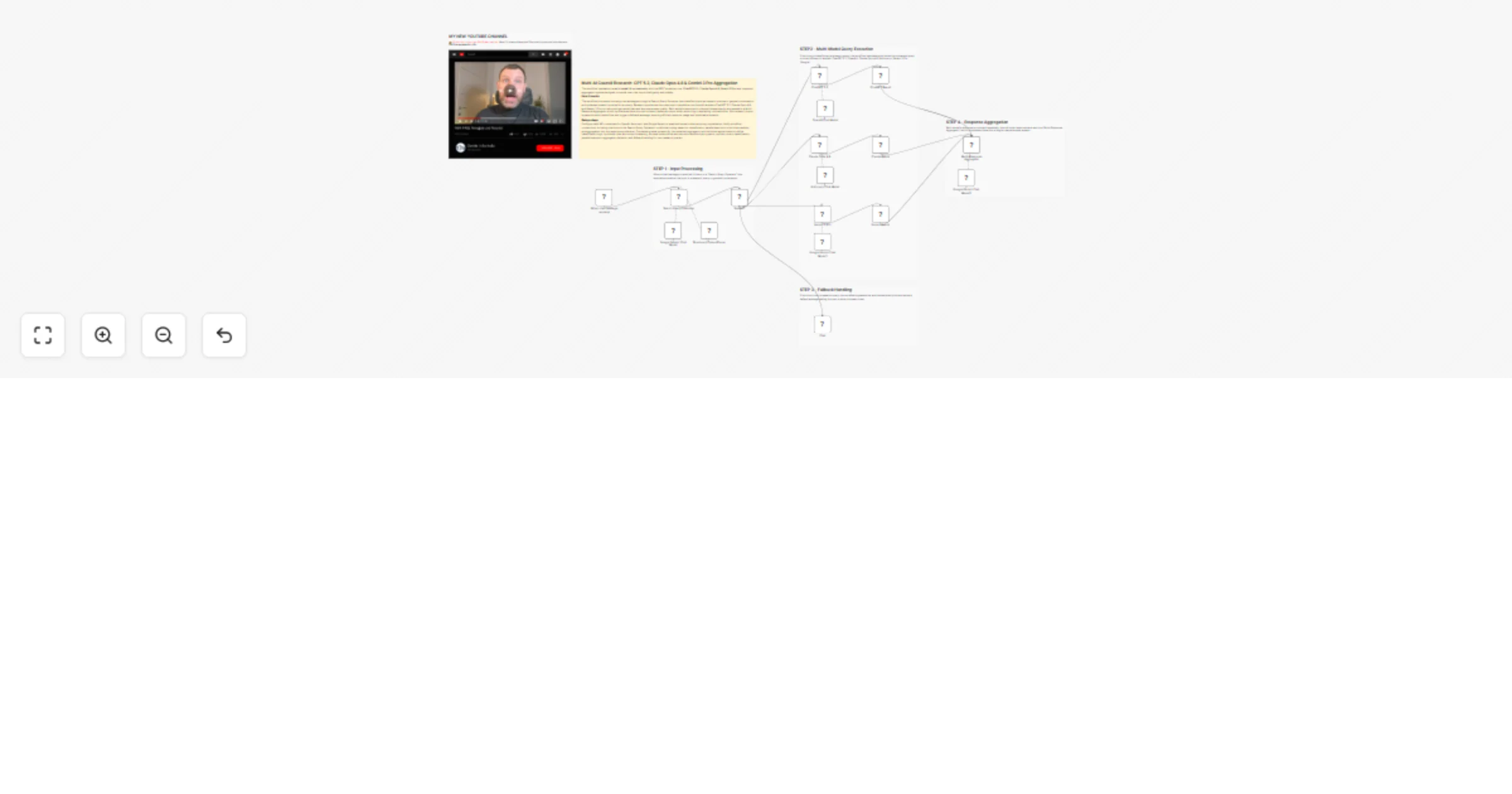
Multi-AI Council Research 🔍: GPT 5.2, Claude Opus 4.6 & Gemini 3 Pro Aggregation

Workflow preview

Workflow preview
100%
Multi-AI Council Research 🔍: GPT 5.2, Claude Opus 4.6 & Gemini 3 Pro Aggregation preview
Open on n8n.io

1. Workflow Overview

This workflow implements a multi model AI orchestration with the BEST models at now ( ChatGPT 5.2, Claude Opus 4.6, Gemini 3 Pro ) and response aggregation system designed to handle user chat input...

Best for

  • Market Research automation workflows
  • AI Chatbot automation workflows
  • advanced n8n builders looking for reusable templates

Tools used

@n8n/n8n-nodes-langchain.chattrigger, @n8n/n8n-nodes-langchain.chat, @n8n/n8n-nodes-langchain.lmchatgooglegemini, @n8n/n8n-nodes-langchain.outputparserstructured, @n8n/n8n-nodes-langchain.lmchatopenai, @n8n/n8n-nodes-langchain.chainllm, @n8n/n8n-nodes-langchain.lmchatanthropic, n8n-nodes-base.set

Source and attribution

This workflow is cataloged by N8N Workflows and links back to its original n8n.io source page by Davide Boizza.

Original n8n.io source

1.1 Workflow description

Title
Multi-AI Council Research 🔍: GPT 5.2, Claude Opus 4.6 & Gemini 3 Pro Aggregation
Workflow name
Multi-AI Council Research 🔍: GPT 5.2, Claude Opus 4.6 & Gemini 3 Pro Aggregation

This workflow implements a multi-model AI orchestration with the BEST models at now (ChatGPT 5.2, Claude Opus 4.6, Gemini 3 Pro) and response aggregation system designed to handle user chat inputs intelligently and reliably.


Key Advantages

1. ✅ Higher Answer Quality

By combining multiple top-tier AI models, the workflow reduces blind spots and single-model bias, resulting in more accurate and nuanced answers.

2.✅ Built-in Reliability and Redundancy

If one model underperforms or misunderstands the query, the others compensate, improving robustness and consistency.

3. ✅ Intelligent Query Handling

The search classification and optimization layer ensures that:

  • research queries are handled with precision,
  • casual conversation is not over-processed,
  • model resources are used efficiently.
4. ✅ Balanced and Transparent Reasoning

Contradictions between models are not hidden. Instead, they are reconciled or clearly explained, increasing trust in the final output.

5. ✅ Scalability and Extensibility

The architecture makes it easy to:

  • add new models,
  • swap providers,
  • experiment with different aggregation strategies, without redesigning the entire workflow.
6. ✅ Enterprise-Ready Design

This approach is well suited for:

  • research assistants,
  • decision-support tools,
  • knowledge management systems,
  • high-stakes professional use cases where answer quality matters more than speed alone.

How it Works

  1. Input Processing: When a chat message is received, it's sent to a "Search Query Optimizer" that determines whether the input is a research query or general conversation. If it's a search query, it's optimized for better search results.

  2. Multi-Model Query Execution: If the input is classified as a research query, the workflow simultaneously sends the optimized query to three different AI models:

  • ChatGPT 5.2 (OpenAI)
  • Claude Opus 4.6 (Anthropic)
  • Gemini 3 Pro (Google)
  1. Response Aggregation: Each model's response is collected separately, then all three responses are sent to a "Multi-Response Aggregator" which synthesizes them into a single comprehensive answer.

  2. Fallback Handling: If the input is not a research query, the workflow bypasses the multi-model execution and sends a default message asking the user to enter a research text.


Set up Steps

  1. Model Configuration: Ensure you have valid API credentials set up for:
  • OpenAI (for ChatGPT 5.2)
  • Anthropic (for Claude Opus 4.6)
  • Google Gemini (for both query optimization and Gemini 3 Pro)
  1. Connection Verification: Confirm all node connections are properly established in the workflow editor, particularly:
  • Chat trigger to Search Query Optimizer
  • Conditional branch routing based on query classification
  • Parallel connections to the three AI models
  • Response collection to the aggregator
  1. Prompt Customization: Review and adjust the system prompts in:
  • Search Query Optimizer (for query classification rules)
  • Multi-Response Aggregator (for synthesis guidelines)
  • Each model's chain nodes (if specific formatting is required)
  1. Testing: Activate the workflow and test with various inputs to verify:
  • Proper classification of research vs. non-research queries
  • Simultaneous execution of all three AI models
  • Correct aggregation of responses
  • Appropriate fallback message for non-research inputs

👉 Subscribe to my new YouTube channel. Here I’ll share videos and Shorts with practical tutorials and FREE templates for n8n.


Need help customizing?

Contact me for consulting and support or add me on Linkedin.

1.2 Logical Blocks

This catalog entry is organized from the workflow JSON. The node-level section below shows the executable blocks available for review before importing the template.

2. Block-by-Block Analysis

Block 1 - When chat message received

Type / Role
@n8n/n8n-nodes-langchain.chatTrigger - chatTrigger
Config choices
Version 1.4

Block 2 - Chat

Type / Role
@n8n/n8n-nodes-langchain.chat - chat
Config choices
Version 1.1

Block 3 - Google Gemini Chat Model

Type / Role
@n8n/n8n-nodes-langchain.lmChatGoogleGemini - lmChatGoogleGemini
Config choices
Version 1

Block 4 - Structured Output Parser

Type / Role
@n8n/n8n-nodes-langchain.outputParserStructured - outputParserStructured
Config choices
Version 1.3

Block 5 - OpenAI Chat Model

Type / Role
@n8n/n8n-nodes-langchain.lmChatOpenAi - lmChatOpenAi
Config choices
Version 1.3

Block 6 - ChatGPT 5.2

Type / Role
@n8n/n8n-nodes-langchain.chainLlm - chainLlm
Config choices
Version 1.9

Block 7 - Claude Opus 4.6

Type / Role
@n8n/n8n-nodes-langchain.chainLlm - chainLlm
Config choices
Version 1.9

Block 8 - Anthropic Chat Model

Type / Role
@n8n/n8n-nodes-langchain.lmChatAnthropic - lmChatAnthropic
Config choices
Version 1.3

Block 9 - Google Gemini Chat Model1

Type / Role
@n8n/n8n-nodes-langchain.lmChatGoogleGemini - lmChatGoogleGemini
Config choices
Version 1

Block 10 - Gemini 3 Pro

Type / Role
@n8n/n8n-nodes-langchain.chainLlm - chainLlm
Config choices
Version 1.9

Block 11 - ChatGPT Result

Type / Role
n8n-nodes-base.set - set
Config choices
Version 3.4

Block 12 - Claude Result

Type / Role
n8n-nodes-base.set - set
Config choices
Version 3.4

Block 13 - Gemini Result

Type / Role
n8n-nodes-base.set - set
Config choices
Version 3.4

Block 14 - Google Gemini Chat Model2

Type / Role
@n8n/n8n-nodes-langchain.lmChatGoogleGemini - lmChatGoogleGemini
Config choices
Version 1

Block 15 - Multi-Response Aggregator

Type / Role
@n8n/n8n-nodes-langchain.chainLlm - chainLlm
Config choices
Version 1.9

Block 16 - Search Query Optimizer

Type / Role
@n8n/n8n-nodes-langchain.chainLlm - chainLlm
Config choices
Version 1.9

Block 17 - Search?

Type / Role
n8n-nodes-base.if - if
Config choices
Version 2.3

Block 18 - Sticky Note

Type / Role
n8n-nodes-base.stickyNote - stickyNote
Config choices
Version 1

Block 19 - Sticky Note1

Type / Role
n8n-nodes-base.stickyNote - stickyNote
Config choices
Version 1

Block 20 - Sticky Note2

Type / Role
n8n-nodes-base.stickyNote - stickyNote
Config choices
Version 1

Block 21 - Sticky Note3

Type / Role
n8n-nodes-base.stickyNote - stickyNote
Config choices
Version 1

Block 22 - Sticky Note4

Type / Role
n8n-nodes-base.stickyNote - stickyNote
Config choices
Version 1

Block 23 - Sticky Note8

Type / Role
n8n-nodes-base.stickyNote - stickyNote
Config choices
Version 1

3. Summary Table

Workflow Multi-AI Council Research 🔍: GPT 5.2, Claude Opus 4.6 & Gemini 3 Pro Aggregation
Complexity advanced
Nodes 23
Categories Market Research, AI Chatbot
Author Davide Boizza
Published 08 Feb 2026

4. Reproducing the Workflow from Scratch

  1. 1. Download the workflow JSON

    Use the JSON export at /data/workflows/13261/13261.json as the source template for this automation.

  2. 2. Import the template into n8n

    Open n8n, import the downloaded JSON, and review each node before activating the workflow.

  3. 3. Configure credentials and variables

    Replace placeholder credentials, API keys, webhook URLs, account IDs, and environment-specific values with your own settings.

  4. 4. Test with sample data

    Run the workflow manually or in a staging workspace, inspect node output, and confirm downstream systems receive the expected data.

  5. 5. Activate and monitor

    Enable the workflow only after testing, then monitor executions, errors, and rate limits during the first production runs.

5. General Notes & Resources

Review imported nodes carefully before activation. This catalog entry is intended to help you inspect the workflow structure, understand required services, and find related templates faster.

Node names, credentials, schedules, webhook paths, and external service limits may need adjustment for your workspace.

Frequently asked questions

What does Multi-AI Council Research 🔍: GPT 5.2, Claude Opus 4.6 & Gemini 3 Pro Aggregation do?

This workflow implements a multi model AI orchestration with the BEST models at now ( ChatGPT 5.2, Claude Opus 4.6, Gemini 3 Pro ) and response aggregation system designed to handle user chat input...

What do I need before importing this workflow?

Review the workflow JSON, configure any required credentials in n8n, and test the automation in a safe workspace before using it in production.

Can I customize this workflow?

Yes. Use the block-by-block analysis and the downloadable JSON to inspect each node, then adjust credentials, prompts, schedules, filters, or destinations for your Market Research, AI Chatbot use case.