Block 1 - Compute Time Window
- Type / Role
- n8n-nodes-base.function - function
- Config choices
- Version 1


 Early Deal
This workflow is provided as-is. Please review and test before using in production.
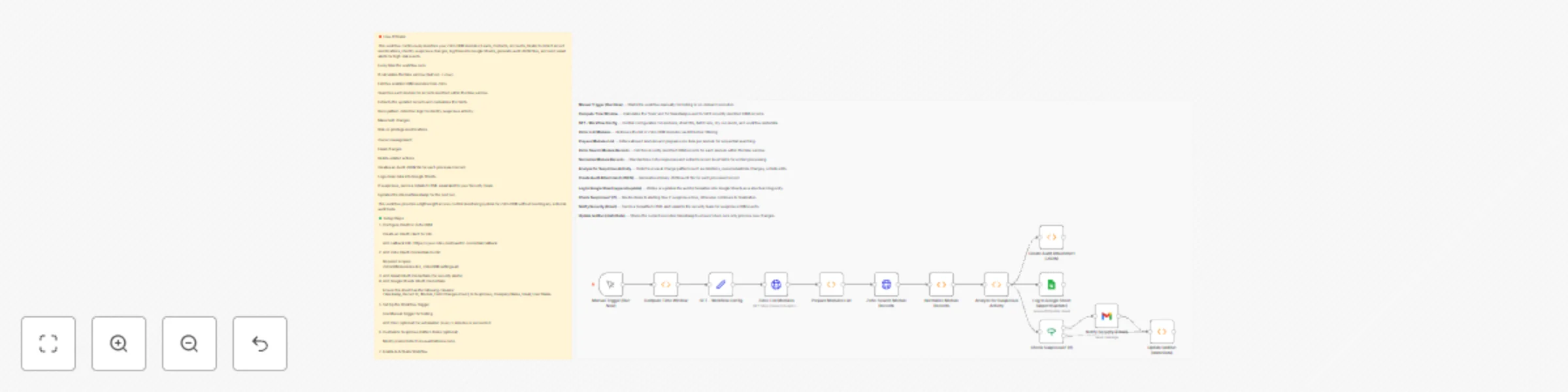
Zoho CRM Change Tracking & Automated Suspicious Activity Alerts Workflow This n8n workflow automatically monitors selected Zoho CRM modules for record changes, identifies suspicious modification...
n8n-nodes-base.function, n8n-nodes-base.set, n8n-nodes-base.httprequest, n8n-nodes-base.googlesheets, n8n-nodes-base.if, n8n-nodes-base.gmail, n8n-nodes-base.manualtrigger, n8n-nodes-base.stickynote
This workflow is cataloged by N8N Workflows and links back to its original n8n.io source page by WeblineIndia.
Original n8n.io sourceThis n8n workflow automatically monitors selected Zoho CRM modules for record changes, identifies suspicious modification patterns, logs all activity into a Google Sheet, generates an audit JSON file for each record and sends immediate email alerts for suspicious events. It runs incrementally using a time window so only recent changes are processed, keeping monitoring continuous and accurate.
Leads, Contacts, Accounts, Deals).This workflow acts as an automated security and audit layer for Zoho CRM. It fetches updated records from selected CRM modules within a calculated time window, extracts critical change details, and enriches them with timestamps, ownership, field change counts, and metadata. Based on defined rules, it identifies unusual or high-risk patterns such as deletions, ownership updates, email modifications or bulk field changes.
Every record that is processed is output in two ways:
When suspicious patterns are detected, the workflow immediately generates a rich HTML email alert to your security team, ensuring fast response. The lastRun value is maintained to avoid duplicate processing.
This workflow is ideal for:
To run this workflow successfully, ensure you have:
Upload the provided JSON file inside n8n.
Configure nodes:
Zoho List Modules → Zoho OAuth2Zoho Search (module) → Zoho OAuth2Append or update row in sheet → Google SheetsEmail Security Team → Gmail OAuth2Your sheet should contain at least these columns:
Update the sheet ID in the node if needed.
By default, the workflow monitors:
This is defined in two nodes:
Modules list (from API) and Filter unsupported modules.
Once activated, it calculates a time window using:
lastRun)Only changes within this window are processed.
pollMinutes = 5 if desired.lastRun so it never processes duplicate events.Update the requiredModule array to include or remove CRM modules.
In Detect Unusual Patterns, a record is flagged suspicious if:
suspicious_reasonssuspicious = true/falseThese rules can be modified directly inside the function code.
Edit subject, HTML body, or recipients in the Email Security Team (Gmail) node.
Column mapping can be modified or extended directly in the Append or update row node.
These Add-Ons align strictly with the workflow’s existing structure:
Expand requiredModule arrays in two function nodes.
Customize keywords, field names, or thresholds in Detect Unusual Patterns.
Extend mapping in the Google Sheets node.
Modify the Gmail node’s HTML and toList fields.
Forward binary audits to Drive, Dropbox, or S3 using an additional node.
This workflow can support several practical business scenarios:
Unauthorized Access Monitoring Detects if users modify sensitive fields like email, owner, or permissions.
Mass Data Manipulation Alerts Spot bulk changes where more than 10 fields were modified at once.
Sales Pipeline Integrity Checks Track Deal or Lead ownership changes that may affect reporting accuracy.
Contact Data Security Email changes in Contacts or Leads are flagged immediately.
Audit Log Maintenance Creates JSON audit files + logs in Google Sheets for compliance.
There can be many more use cases depending on your CRM setup and security policies.
| Issue | Possible Cause | Solution |
|---|---|---|
| No data being captured | Zoho OAuth issue or wrong modules list | Reconnect OAuth & verify module API names |
| Suspicious emails not sent | Gmail OAuth not connected | Re-authenticate Gmail credentials |
| Duplicate rows in Google Sheet | Matching column misconfigured | Check “Record Id” mapping in Google Sheet node |
| Workflow processes too few records | Time window too small | Increase pollMinutes in Compute from/to |
| Missing fields in Google Sheet | Mapping not defined | Extend mapping under Sheets → Columns |
| Audit file not generated | Binary property overwritten | Ensure no node clears binary data before file creation |
| Workflow doesn’t resume continuity | lastRun not updating |
Check Update lastRun node execution path |
If you need assistance customizing:
The n8n Team at WeblineIndia can help extend, optimize or deploy this workflow professionally.
Feel free to reach out for setup, enhancements or complete automation solutions.
This catalog entry is organized from the workflow JSON. The node-level section below shows the executable blocks available for review before importing the template.
| Workflow | Monitor Zoho CRM changes & alert on suspicious activity with Google Sheets |
|---|---|
| Complexity | advanced |
| Nodes | 15 |
| Categories | SecOps, AI Summarization |
| Author | WeblineIndia |
| Published | 04 Dec 2025 |
Use the JSON export at /data/workflows/11488/11488.json as the source template for this automation.
Open n8n, import the downloaded JSON, and review each node before activating the workflow.
Replace placeholder credentials, API keys, webhook URLs, account IDs, and environment-specific values with your own settings.
Run the workflow manually or in a staging workspace, inspect node output, and confirm downstream systems receive the expected data.
Enable the workflow only after testing, then monitor executions, errors, and rate limits during the first production runs.
Review imported nodes carefully before activation. This catalog entry is intended to help you inspect the workflow structure, understand required services, and find related templates faster.
Node names, credentials, schedules, webhook paths, and external service limits may need adjustment for your workspace.
Zoho CRM Change Tracking & Automated Suspicious Activity Alerts Workflow This n8n workflow automatically monitors selected Zoho CRM modules for record changes, identifies suspicious modification...
Review the workflow JSON, configure any required credentials in n8n, and test the automation in a safe workspace before using it in production.
Yes. Use the block-by-block analysis and the downloadable JSON to inspect each node, then adjust credentials, prompts, schedules, filters, or destinations for your SecOps, AI Summarization use case.