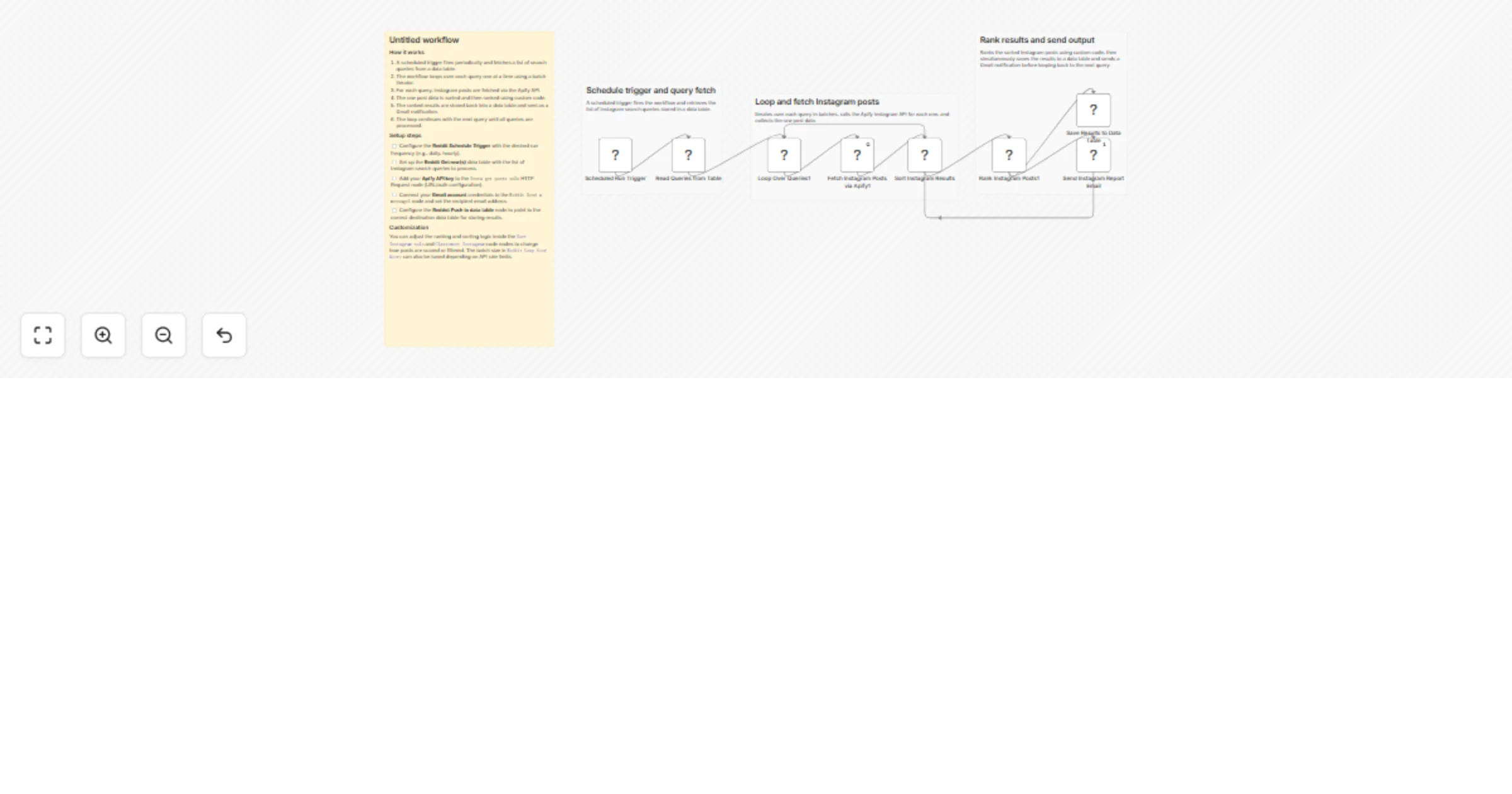
Monitor Instagram hashtag trends and email reports with Apify and Gmail

Workflow preview

Workflow preview
100%
Monitor Instagram hashtag trends and email reports with Apify and Gmail preview
Open on n8n.io

1. Workflow Overview

Full walkthrough video: https://www.youtube.com/watch?v=Me4d4BILvHk What it does This workflow automatically monitors trending content on Instagram using keywords you define. It scrapes the most...

Best for

  • Market Research automation workflows
  • AI Summarization automation workflows
  • intermediate n8n builders looking for reusable templates

Tools used

n8n-nodes-base.code, n8n-nodes-base.scheduletrigger, n8n-nodes-base.datatable, n8n-nodes-base.gmail, n8n-nodes-base.stickynote, n8n-nodes-base.splitinbatches, n8n-nodes-base.httprequest

Source and attribution

This workflow is cataloged by N8N Workflows and links back to its original n8n.io source page by Growth AI.

Original n8n.io source

1.1 Workflow description

Title
Monitor Instagram hashtag trends and email reports with Apify and Gmail
Workflow name
Monitor Instagram hashtag trends and email reports with Apify and Gmail

📺 Full walkthrough video: https://www.youtube.com/watch?v=Me4d4BILvHk

What it does

This workflow automatically monitors trending content on Instagram using keywords you define. It scrapes the most engaging posts, calculates an engagement score based on likes and comments, ranks content in a leaderboard, and delivers a professional HTML email dashboard — while storing historical data in a structured table for long-term trend tracking.

No manual research. No tab switching. Just the top-performing Instagram content in your inbox, automatically.

Who's it for

Social media managers, content creators, brand managers, marketing teams, and agencies who need to track hashtag performance and trending Instagram content for competitive analysis, content inspiration, and influencer discovery.

How it works

The workflow runs a full scraping cycle for each keyword in your list:

  • Instagram Monitoring: Scrapes hashtag-based posts with likes and comments
  • Engagement Scoring: Ranks content based on likes and comments
  • Email Report: Delivers a formatted HTML dashboard with clickable links to original posts
  • Data Storage: Pushes all results into a DataTable for historical tracking and trend analysis

Requirements

  • Apify account (free tier works — no recurring cost)
  • Gmail account for report delivery
  • n8n instance (cloud or self-hosted)
  • Instagram Scraper: apify~instagram-scraper

How to set up

Step 1: Configure Apify credentials

Step 2: Add your keywords

Open the "Query social media" DataTable and add one keyword per row. The Loop Over Query node automatically runs a full Instagram scraping cycle for every keyword — no limit on the number of keywords.

Step 3: Configure search parameters

Instagram:

  • Target hashtags via directUrls
  • Results type: posts
  • Time filter: onlyPostsNewerThan: 7 days
  • Result limit: 15

Step 4: Set up email reporting

  • Configure Gmail OAuth2 credentials in n8n
  • Update the recipient email address in the Send a message node
  • Customize subject and styling as needed

Step 5: Schedule the workflow

Add a Schedule Trigger to run the workflow automatically — daily, weekly, or at any interval that suits your monitoring needs.

Engagement scoring methodology

Instagram Score = (likes × 1) + (comments × 2) Focused on recent content to capture trending moments. Carousel sub-items excluded to avoid duplicates.

Performance levels

  • High: Score ≥ 10,000 — viral or highly engaging content
  • Medium: Score ≥ 1,000 — solid engagement, worth monitoring
  • Low: Score < 1,000 — baseline engagement

Results & dashboard

The automated email report includes:

  • Instagram leaderboard: Top 10 posts ranked by engagement score
  • Per-post detail: Account, content preview, score, level, and direct link to original post
  • Historical DataTable: One row per post with keyword, score, date — queryable over time

How to customize

Keyword targeting

  • Add as many keywords as needed — one row per keyword in the DataTable
  • Use brand names, product names, competitor terms, or campaign hashtags
  • Adjust for seasonal trends or campaign periods

Scoring adjustments

Modify the Code node to:

  • Change metric multipliers based on your priorities
  • Add recency bonuses for fresher content
  • Filter out low-quality or spam content

Reporting enhancements

  • Add multiple email recipients
  • Export results to Google Sheets or Airtable
  • Set alert thresholds for high-performing content
  • Connect to Slack or Teams for real-time notifications

Use cases

Brand & competitive monitoring Track brand mentions and competitor content performance on Instagram simultaneously.

Content strategy Identify top-performing posts, discover effective hashtags, and spot emerging trends before they peak.

Influencer discovery Find creators driving the most engagement in your niche and evaluate potential collaborators based on real performance data.

Campaign tracking Monitor hashtag campaigns, track sponsored content performance, and measure share of voice over time.

Limitations

  • Subject to Apify scraper quotas (free tier: ~$5 credit/month included)
  • Some private or restricted content may not be accessible
  • Dependent on third-party scraper availability and maintenance

1.2 Logical Blocks

This catalog entry is organized from the workflow JSON. The node-level section below shows the executable blocks available for review before importing the template.

2. Block-by-Block Analysis

Block 1 - Sort Instagram Results

Type / Role
n8n-nodes-base.code - code
Config choices
Version 2

Block 2 - Scheduled Run Trigger

Type / Role
n8n-nodes-base.scheduleTrigger - scheduleTrigger
Config choices
Version 1.2

Block 3 - Read Queries from Table

Type / Role
n8n-nodes-base.dataTable - dataTable
Config choices
Version 1

Block 4 - Send Instagram Report Email

Type / Role
n8n-nodes-base.gmail - gmail
Config choices
Version 2.1

Block 5 - Save Results to Data Table

Type / Role
n8n-nodes-base.dataTable - dataTable
Config choices
Version 1

Block 6 - Sticky Note5

Type / Role
n8n-nodes-base.stickyNote - stickyNote
Config choices
Version 1

Block 7 - Sticky Note10

Type / Role
n8n-nodes-base.stickyNote - stickyNote
Config choices
Version 1

Block 8 - Sticky Note11

Type / Role
n8n-nodes-base.stickyNote - stickyNote
Config choices
Version 1

Block 9 - Sticky Note12

Type / Role
n8n-nodes-base.stickyNote - stickyNote
Config choices
Version 1

Block 10 - Loop Over Queries1

Type / Role
n8n-nodes-base.splitInBatches - splitInBatches
Config choices
Version 3

Block 11 - Rank Instagram Posts1

Type / Role
n8n-nodes-base.code - code
Config choices
Version 2

Block 12 - Fetch Instagram Posts via Apify1

Type / Role
n8n-nodes-base.httpRequest - httpRequest
Config choices
Version 4.2

3. Summary Table

Workflow Monitor Instagram hashtag trends and email reports with Apify and Gmail
Complexity intermediate
Nodes 12
Categories Market Research, AI Summarization
Author Growth AI
Published 24 Mar 2026

4. Reproducing the Workflow from Scratch

  1. 1. Download the workflow JSON

    Use the JSON export at /data/workflows/14302/14302.json as the source template for this automation.

  2. 2. Import the template into n8n

    Open n8n, import the downloaded JSON, and review each node before activating the workflow.

  3. 3. Configure credentials and variables

    Replace placeholder credentials, API keys, webhook URLs, account IDs, and environment-specific values with your own settings.

  4. 4. Test with sample data

    Run the workflow manually or in a staging workspace, inspect node output, and confirm downstream systems receive the expected data.

  5. 5. Activate and monitor

    Enable the workflow only after testing, then monitor executions, errors, and rate limits during the first production runs.

5. General Notes & Resources

Review imported nodes carefully before activation. This catalog entry is intended to help you inspect the workflow structure, understand required services, and find related templates faster.

Node names, credentials, schedules, webhook paths, and external service limits may need adjustment for your workspace.

Frequently asked questions

What does Monitor Instagram hashtag trends and email reports with Apify and Gmail do?

Full walkthrough video: https://www.youtube.com/watch?v=Me4d4BILvHk What it does This workflow automatically monitors trending content on Instagram using keywords you define. It scrapes the most...

What do I need before importing this workflow?

Review the workflow JSON, configure any required credentials in n8n, and test the automation in a safe workspace before using it in production.

Can I customize this workflow?

Yes. Use the block-by-block analysis and the downloadable JSON to inspect each node, then adjust credentials, prompts, schedules, filters, or destinations for your Market Research, AI Summarization use case.