Match students to scholarships with Claude AI, Airtable, and Google Sheets

Workflow preview

Workflow preview
100%
Match students to scholarships with Claude AI, Airtable, and Google Sheets preview
Open on n8n.io

1. Workflow Overview

This workflow ingests student profiles from a form submission or CRM, loads the active scholarship catalogue, uses Claude AI to score each student's eligibility against every available scholarship,...

Best for

  • Lead Generation automation workflows
  • AI Summarization automation workflows
  • advanced n8n builders looking for reusable templates

Tools used

n8n-nodes-base.stickynote, n8n-nodes-base.webhook, n8n-nodes-base.scheduletrigger, n8n-nodes-base.airtable, n8n-nodes-base.code, @n8n/n8n-nodes-langchain.agent, @n8n/n8n-nodes-langchain.lmchatanthropic, n8n-nodes-base.filter

Source and attribution

This workflow is cataloged by N8N Workflows and links back to its original n8n.io source page by Oneclick AI Squad.

Original n8n.io source

1.1 Workflow description

Title
Match students to scholarships with Claude AI, Airtable, and Google Sheets
Workflow name
Match students to scholarships with Claude AI, Airtable, and Google Sheets

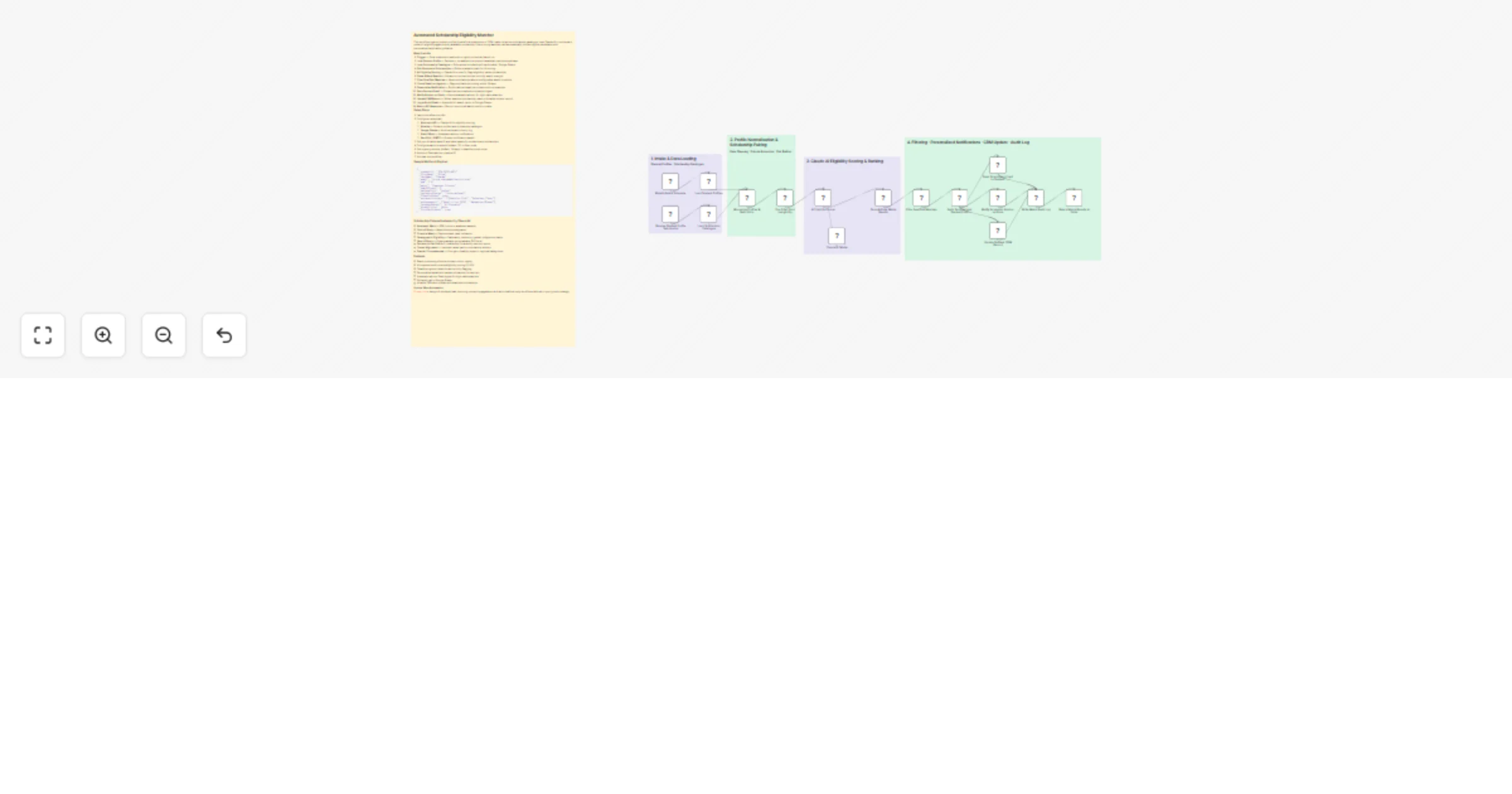
This workflow ingests student profiles from a form submission or CRM, loads the active scholarship catalogue, uses Claude AI to score each student's eligibility against every available scholarship, filters strong matches, and automatically notifies eligible candidates with personalised application guidance.

How it works

  1. Trigger — Form submission webhook or nightly scheduled batch run
  2. Load Student Profile — Fetches or normalises the student's academic and personal data
  3. Load Scholarship Catalogue — Pulls active scholarships from Airtable / Google Sheets
  4. Pair Students × Scholarships — Builds evaluation pairs for AI scoring
  5. AI Eligibility Scoring — Claude AI scores fit, flags eligibility, ranks scholarships
  6. Parse & Rank Results — Extracts structured scores, sorts by match strength
  7. Filter Qualified Matches — Keeps scholarships above configurable match threshold
  8. Check Deadline Urgency — Flags scholarships closing within 14 days
  9. Personalise Notification — Builds tailored email per student with top matches
  10. Send Student Email — Dispatches personalised scholarship digest
  11. Notify Advisor on Slack — Alerts academic advisor for high-value matches
  12. Update CRM Record — Writes matched scholarships back to Airtable student record
  13. Log to Audit Sheet — Appends full match report to Google Sheets
  14. Return API Response — Returns structured match results to caller

Setup Steps

  1. Import workflow into n8n
  2. Configure credentials:
  • Anthropic API — Claude AI for eligibility scoring
  • Airtable — Student profiles and scholarship catalogue
  • Google Sheets — Audit and match history log
  • Slack OAuth — Academic advisor notifications
  • SendGrid / SMTP — Student notification emails
  1. Set your Airtable base ID and table names for students and scholarships
  2. Configure match threshold (default: 70) in filter node
  3. Set urgency window (default: 14 days) in deadline check node
  4. Add your Slack advisor channel ID
  5. Activate the workflow

Sample Webhook Payload

{
 "studentId": "STU-2025-4821",
 "firstName": "Priya",
 "lastName": "Sharma",
 "email": "[email protected]",
 "gpa": 3.8,
 "major": "Computer Science",
 "yearOfStudy": 2,
 "nationality": "Indian",
 "residencyStatus": "International",
 "financialNeed": true,
 "extracurriculars": ["Robotics Club", "Volunteer Tutor"],
 "achievements": ["Dean's List 2024", "Hackathon Winner"],
 "intendedCareer": "AI Research",
 "disabilities": false,
 "firstGenStudent": true
}

Scholarship Criteria Evaluated by Claude AI

  • Academic Merit — GPA, honours, academic awards
  • Field of Study — Major/discipline alignment
  • Financial Need — Demonstrated need indicators
  • Demographic Eligibility — Nationality, residency, gender, Indigenous status
  • Year of Study — Undergraduate, postgraduate, PhD level
  • Extracurricular Profile — Leadership, community service, sports
  • Career Alignment — Intended career path vs scholarship mission
  • Special Circumstances — First-gen, disability support, regional background

Features

  • Batch processing of entire student cohort nightly
  • AI-powered multi-criteria eligibility scoring (0–100)
  • Deadline urgency detection and priority flagging
  • Personalised email with ranked scholarship list and tips
  • Academic advisor Slack digest for high-value matches
  • Full audit trail in Google Sheets
  • Airtable CRM auto-update with matched scholarships

Explore More Automation: Contact us to design AI-powered content engagement, and multi-platform reply workflows tailored to your growth strategy.

1.2 Logical Blocks

This catalog entry is organized from the workflow JSON. The node-level section below shows the executable blocks available for review before importing the template.

2. Block-by-Block Analysis

Block 1 - Sticky Note

Type / Role
n8n-nodes-base.stickyNote - stickyNote
Config choices
Version 1

Block 2 - Sticky Note1

Type / Role
n8n-nodes-base.stickyNote - stickyNote
Config choices
Version 1

Block 3 - Sticky Note2

Type / Role
n8n-nodes-base.stickyNote - stickyNote
Config choices
Version 1

Block 4 - Sticky Note3

Type / Role
n8n-nodes-base.stickyNote - stickyNote
Config choices
Version 1

Block 5 - Sticky Note4

Type / Role
n8n-nodes-base.stickyNote - stickyNote
Config choices
Version 1

Block 6 - Receive Student Profile Submission

Type / Role
n8n-nodes-base.webhook - webhook
Config choices
Version 2

Block 7 - Nightly Batch Schedule

Type / Role
n8n-nodes-base.scheduleTrigger - scheduleTrigger
Config choices
Version 1.2

Block 8 - Load Student Profiles

Type / Role
n8n-nodes-base.airtable - airtable
Config choices
Version 2.1

Block 9 - Load Scholarship Catalogue

Type / Role
n8n-nodes-base.airtable - airtable
Config choices
Version 2.1

Block 10 - Normalise Profiles & Build Pairs

Type / Role
n8n-nodes-base.code - code
Config choices
Version 2

Block 11 - Pre-Filter Hard Ineligibility

Type / Role
n8n-nodes-base.code - code
Config choices
Version 2

Block 12 - AI Eligibility Scorer

Type / Role
@n8n/n8n-nodes-langchain.agent - agent
Config choices
Version 1.6

Block 13 - Claude AI Model

Type / Role
@n8n/n8n-nodes-langchain.lmChatAnthropic - lmChatAnthropic
Config choices
Version 1

Block 14 - Parse & Rank Match Results

Type / Role
n8n-nodes-base.code - code
Config choices
Version 2

Block 15 - Filter Qualified Matches

Type / Role
n8n-nodes-base.filter - filter
Config choices
Version 2.2

Block 16 - Build Personalised Student Email

Type / Role
n8n-nodes-base.code - code
Config choices
Version 2

Block 17 - Send Scholarship Email to Student

Type / Role
n8n-nodes-base.emailSend - emailSend
Config choices
Version 2.1

Block 18 - Notify Academic Advisor on Slack

Type / Role
n8n-nodes-base.httpRequest - httpRequest
Config choices
Version 4.2

Block 19 - Update Student CRM Record

Type / Role
n8n-nodes-base.airtable - airtable
Config choices
Version 2.1

Block 20 - Write Match Audit Log

Type / Role
n8n-nodes-base.googleSheets - googleSheets
Config choices
Version 4.5

Block 21 - Return Match Results to Caller

Type / Role
n8n-nodes-base.respondToWebhook - respondToWebhook
Config choices
Version 1

3. Summary Table

Workflow Match students to scholarships with Claude AI, Airtable, and Google Sheets
Complexity advanced
Nodes 21
Categories Lead Generation, AI Summarization
Author Oneclick AI Squad
Published 25 Feb 2026

4. Reproducing the Workflow from Scratch

  1. 1. Download the workflow JSON

    Use the JSON export at /data/workflows/13690/13690.json as the source template for this automation.

  2. 2. Import the template into n8n

    Open n8n, import the downloaded JSON, and review each node before activating the workflow.

  3. 3. Configure credentials and variables

    Replace placeholder credentials, API keys, webhook URLs, account IDs, and environment-specific values with your own settings.

  4. 4. Test with sample data

    Run the workflow manually or in a staging workspace, inspect node output, and confirm downstream systems receive the expected data.

  5. 5. Activate and monitor

    Enable the workflow only after testing, then monitor executions, errors, and rate limits during the first production runs.

5. General Notes & Resources

Review imported nodes carefully before activation. This catalog entry is intended to help you inspect the workflow structure, understand required services, and find related templates faster.

Node names, credentials, schedules, webhook paths, and external service limits may need adjustment for your workspace.

Frequently asked questions

What does Match students to scholarships with Claude AI, Airtable, and Google Sheets do?

This workflow ingests student profiles from a form submission or CRM, loads the active scholarship catalogue, uses Claude AI to score each student's eligibility against every available scholarship,...

What do I need before importing this workflow?

Review the workflow JSON, configure any required credentials in n8n, and test the automation in a safe workspace before using it in production.

Can I customize this workflow?

Yes. Use the block-by-block analysis and the downloadable JSON to inspect each node, then adjust credentials, prompts, schedules, filters, or destinations for your Lead Generation, AI Summarization use case.