Launch WhatsApp bulk campaigns from Google Sheets with MoltFlow
Workflow preview

$20/month : Unlimited workflows
2500 executions/month

THE #1 IN WEB SCRAPING
Scrape any website without limits
HOSTINGER  Early Deal
DISCOUNT 20% Try free
Early DealDISCOUNT 20%
Self-hosted n8n
Unlimited workflows - from $4.99/mo

#1 hub for scraping, AI & automation
6000+ actors - $5 credits/mo
Overview
How it works
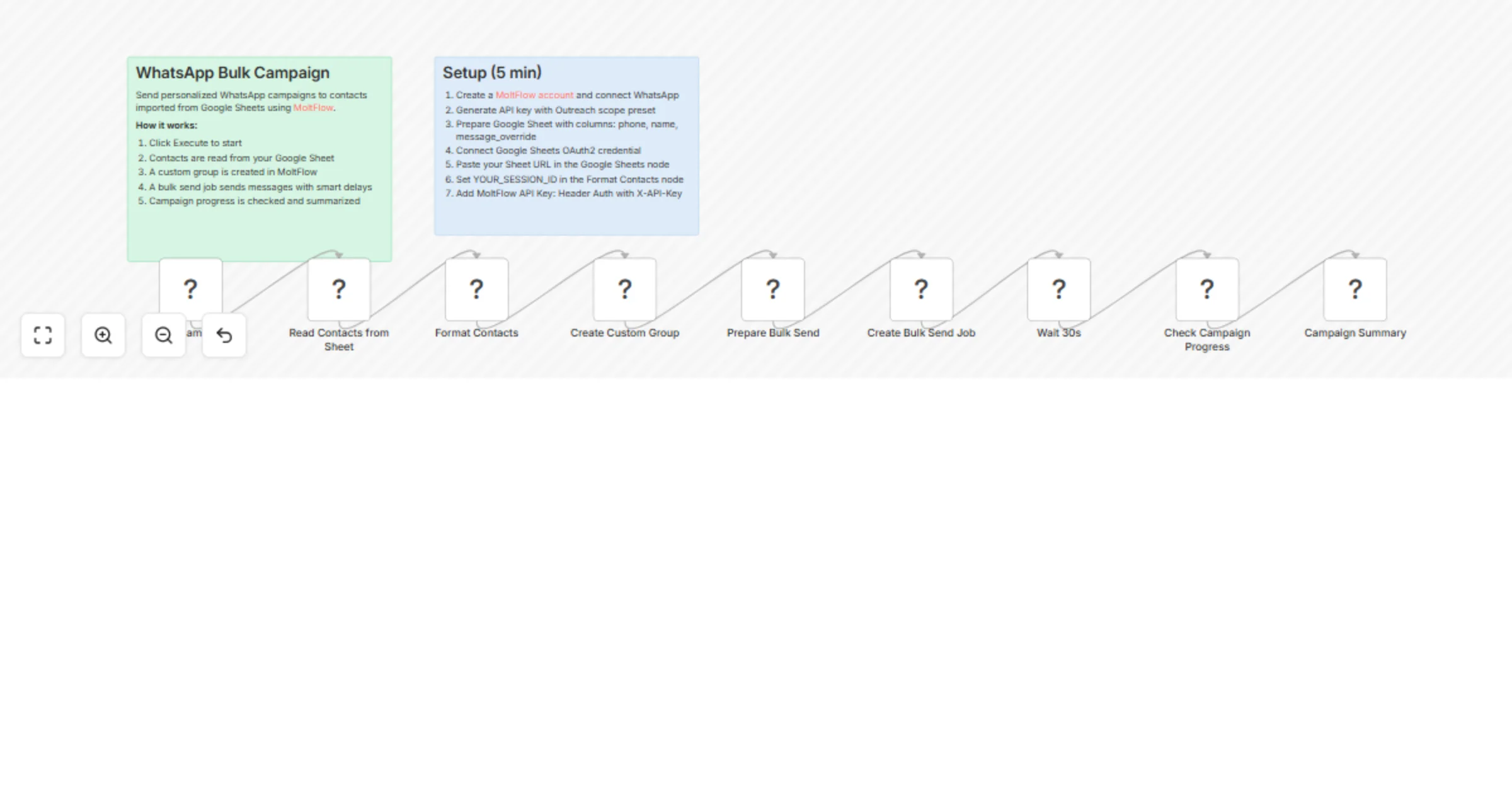
Send personalized WhatsApp campaigns to hundreds of contacts imported directly from a Google Sheet. This workflow creates a contact group in MoltFlow, launches a bulk send job with smart anti-spam delays, and reports campaign progress — all in one click.
- You click "Execute" when ready to launch a campaign
- Contacts are read from your Google Sheet (phone, name, and optional custom message per contact)
- A custom group is created in MoltFlow with all valid contacts
- A bulk send job is launched — MoltFlow handles message delivery with smart delays to protect your WhatsApp number
- After 30 seconds, the workflow checks progress and shows a summary (sent, failed, remaining)
Set up steps
Setup takes about 5 minutes:
- Create a MoltFlow account and connect your WhatsApp by scanning the QR code
- Generate an API key from Sessions > API Keys tab (select the "Outreach" scope preset)
- Prepare your Google Sheet with columns:
phone,name,message_override(optional) - In n8n, connect your Google Sheets OAuth2 credential and your MoltFlow API Key (Header Auth with header name
X-API-Key) - Open the Read Contacts from Sheet node and paste your Google Sheet URL
- Open the Format Contacts code node and replace
YOUR_SESSION_IDwith your MoltFlow session ID - Customize the default message template if needed
- Click Execute Workflow to launch
Google Sheet format
Your sheet needs these columns (headers in row 1):
- phone — phone number with country code, digits only (e.g. 1234567890)
- name — contact name
- message_override — (optional) custom message for this contact; if empty, the default template is used
Prerequisites
- A MoltFlow account with a connected WhatsApp session
- A Google Sheet with contact data
- MoltFlow API key with
custom-groups:manage,bulk-send:manage,bulk-send:readscopes