Block 1 - File Created
- Type / Role
- n8n-nodes-base.googleDriveTrigger - googleDriveTrigger
- Config choices
- Version 1


 Early Deal
This workflow is provided as-is. Please review and test before using in production.
Google Drive File Ingestion to Supabase for Knowledge Base Overview This n8n workflow automates the process of ingesting files from Google Drive into a Supabase database, preparing them for...
n8n-nodes-base.googledrivetrigger, n8n-nodes-base.splitinbatches, n8n-nodes-base.set, n8n-nodes-base.postgres, n8n-nodes-base.extractfromfile, n8n-nodes-base.aggregate, n8n-nodes-base.summarize, n8n-nodes-base.supabase
This workflow is cataloged by N8N Workflows and links back to its original n8n.io source page by Immanuel.
Original n8n.io sourceThis n8n workflow automates the process of ingesting files from Google Drive into a Supabase database, preparing them for a knowledge base system. It supports text-based files (PDF, DOCX, TXT, etc.) and tabular data (XLSX, CSV, Google Sheets), extracting content, generating embeddings, and storing data in structured tables. This is a foundational workflow for building a company knowledge base that can be queried via a chat interface (e.g., using a RAG workflow). 🚀
Manually managing a knowledge base with files from Google Drive is time-consuming and error-prone. This workflow solves that by:
Target Audience:
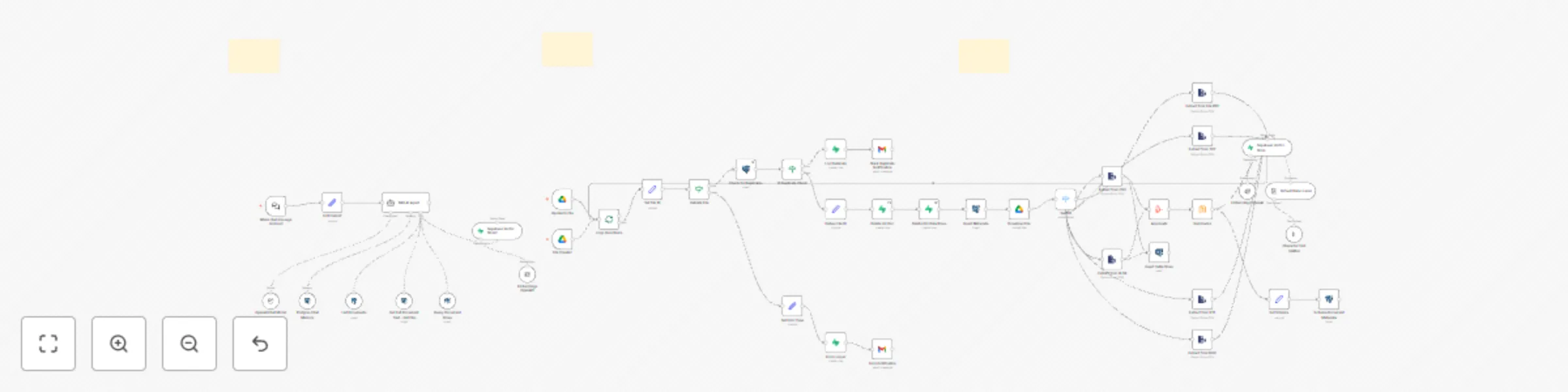
This workflow listens for new or updated files in Google Drive, processes them based on their type, and stores the extracted data in Supabase tables for later retrieval. Here’s how it works:
File CreatedFile Updated{{ $json.files }}file_id, file_name, mime_type, and web_view_link.file_id: {{ $json.id }}file_name: {{ $json.name }}mime_type: {{ $json.mimeType }}web_view_link: {{ $json.webViewLink }}size, createdTime).mime_type contains supported types (e.g., application/pdf, application/vnd.openxmlformats-officedocument.spreadsheetml.sheet).knowledge_base.knowledge_basefile_id = {{ $node['Extract File Metadata'].json.file_id }}{{ $node['Find Duplicates'].json.length > 0 }}documents if the file is a duplicate.documentsmetadata->>'file_id' = {{ $node['Extract File Metadata'].json.file_id }}document_rows if the file is a duplicate.document_rowsdataset_id = {{ $node['Extract File Metadata'].json.file_id }}mime_type (e.g., application/pdf for text, application/vnd.openxmlformats-officedocument.spreadsheetml.sheet for tabular).{{ $node['Extract File Metadata'].json.file_id }}{{ $node['Download File Content'].binary.data }}{{ $node['Download File Content'].binary.data }}{{ $node['Extract File Metadata'].json.file_id }}1000200text-embedding-ada-002documents table.documentsdocument_rows table.document_rowsdataset_id, row_datadocument_metadata table.document_metadatafile_id, file_name, file_type, file_urlknowledge_base table.knowledge_basefile_id, file_name, file_type, file_url, upload_dateerror_logerror_type, error_messageerror_logerror_type, error_messageThis n8n workflow creates an interactive chat interface that allows users to query a company knowledge base using Retrieval-Augmented Generation (RAG). It retrieves relevant information from text documents and tabular data stored in Supabase, then generates natural language responses using OpenAI’s GPT-4o-mini model. Designed for teams managing internal knowledge, this workflow enables users to ask questions like “What’s the remote work policy?” or “Show me the latest budget data” and receive accurate, context-aware responses in a conversational format. 🚀
Managing a company knowledge base can be a daunting task—employees often struggle to find specific information buried in documents or spreadsheets, leading to wasted time and inefficiencies. Traditional search methods may not understand natural language queries or provide contextually relevant results. This workflow solves these issues by:
This workflow is ideal for:
This workflow consists of a chat interface powered by n8n’s Chat Trigger node, an AI Agent node for RAG, and several tools to retrieve data from Supabase. Here’s how it works step-by-step:
documents table using vector search.document_rows table based on file IDs.Company Knowledge Base AssistantAsk me anything about company documents!Hello! I’m your Company Knowledge Base Assistant. How can I help you today?What is the company policy on remote work?, Show me the latest budget data., List all policy documents.truetrueHR Knowledge Assistant).What are the company benefits?).gpt-4o-miniYou are a helpful assistant for a company knowledge base. Use the provided tools to retrieve relevant information from documents and tabular data. If the query involves tabular data, format it clearly in your response. If no relevant data is found, respond with "I couldn’t find any relevant information. Can you provide more details?"{{ $node['Start Chat Interface'].json.message }}gpt-3.5-turbo) to adjust cost or performance.documents table using vector search.documentsembeddingcontent_textmetadatatext-embedding-ada-00210Top K to retrieve more or fewer results (e.g., 5 for faster responses).match_documents function (see prerequisites) is defined in Supabase.document_rows table based on a file ID.SELECT row_data FROM document_rows WHERE dataset_id = $1 LIMIT 10Run a SQL query - use this to query from the document_rows table once you know the file ID you are querying. dataset_id is the file_id and you are always using the row_data for filtering, which is a jsonb field that has all the keys from the file schema given in the document_metadata table.WHERE dataset_id = $1 AND row_data->>'year' = '2025').LIMIT for larger datasets.file_id.SELECT string_agg(content_text, ' ') as document_text FROM documents WHERE metadata->>'file_id' = $1 GROUP BY metadata->>'file_id'Given file id fetch the text from the documentsdocument_metadata table.publicdocument_metadataUse this tool to fetch all documents including the table schema if the file is csv, excel or xlsxWHERE file_type = 'application/pdf').file_size).n8n_chat_historysession_id{{ $node['Start Chat Interface'].json.sessionId }}messagesendertimestamp510 messages).session_id and timestamp in Supabase for better performance.response: {{ $node['Process Query with RAG'].json.output }}documents: id (uuid), content_text (text), embedding (vector(1536)), metadata (jsonb)document_rows: id (uuid), dataset_id (varchar), row_data (jsonb)document_metadata: file_id (varchar), file_name (varchar), file_type (varchar), file_url (text)knowledge_base: id (serial), file_id (varchar), file_name (varchar), file_type (varchar), file_url (text), upload_date (timestamp)n8n_chat_history: id (serial), session_id (varchar), message (text), sender (varchar), timestamp (timestamp)match_documents function to Supabase to enable vector search:CREATE OR REPLACE FUNCTION match_documents (
query_embedding vector(1536),
match_count int DEFAULT 5,
filter jsonb DEFAULT '{}'
) RETURNS TABLE (
id uuid,
content_text text,
metadata jsonb,
similarity float
) LANGUAGE plpgsql AS $$
BEGIN
RETURN QUERY
SELECT
documents.id,
documents.content_text,
documents.metadata,
1 - (documents.embedding <=> query_embedding) as similarity
FROM documents
WHERE documents.metadata @> filter
ORDER BY similarity DESC
LIMIT match_count;
END;
$$;
This catalog entry is organized from the workflow JSON. The node-level section below shows the executable blocks available for review before importing the template.
Showing the first 24 of 46 workflow blocks. Download the JSON for the full node graph.
| Workflow | Interactive knowledge base chat with Supabase RAG using AI 📚💬 |
|---|---|
| Complexity | advanced |
| Nodes | 46 |
| Categories | Internal Wiki, AI RAG |
| Author | Immanuel |
| Published | 30 Apr 2025 |
Use the JSON export at /data/workflows/3799/3799.json as the source template for this automation.
Open n8n, import the downloaded JSON, and review each node before activating the workflow.
Replace placeholder credentials, API keys, webhook URLs, account IDs, and environment-specific values with your own settings.
Run the workflow manually or in a staging workspace, inspect node output, and confirm downstream systems receive the expected data.
Enable the workflow only after testing, then monitor executions, errors, and rate limits during the first production runs.
Review imported nodes carefully before activation. This catalog entry is intended to help you inspect the workflow structure, understand required services, and find related templates faster.
Node names, credentials, schedules, webhook paths, and external service limits may need adjustment for your workspace.
Google Drive File Ingestion to Supabase for Knowledge Base Overview This n8n workflow automates the process of ingesting files from Google Drive into a Supabase database, preparing them for...
Review the workflow JSON, configure any required credentials in n8n, and test the automation in a safe workspace before using it in production.
Yes. Use the block-by-block analysis and the downloadable JSON to inspect each node, then adjust credentials, prompts, schedules, filters, or destinations for your Internal Wiki, AI RAG use case.