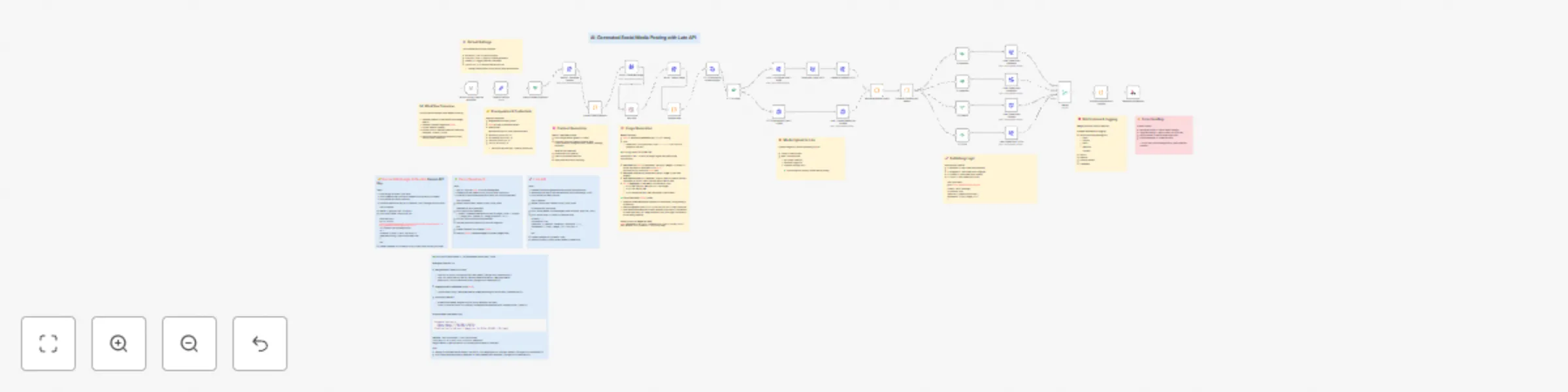
Generate & publish social media content with Gemini, Kie.ai, and Late API

Workflow preview

Workflow preview
100%
Generate & publish social media content with Gemini, Kie.ai, and Late API preview
Open on n8n.io

Important notice

This workflow is provided as-is. Please review and test before using in production.

1. Workflow Overview

This workflow automates end to end social media publishing powered by Late API . It generates text content with Google Gemini , creates branded visuals with Kie.ai , uploads media to Late , and pub...

Best for

  • Social Media automation workflows
  • Multimodal AI automation workflows
  • advanced n8n builders looking for reusable templates

Tools used

n8n-nodes-base.if, n8n-nodes-base.httprequest, n8n-nodes-base.code, n8n-nodes-base.respondtowebhook, n8n-nodes-base.manualtrigger, n8n-nodes-base.wait, n8n-nodes-base.set, n8n-nodes-base.merge

Source and attribution

This workflow is cataloged by N8N Workflows and links back to its original n8n.io source page by Adrian.

Original n8n.io source

1.1 Workflow description

Title
Generate & publish social media content with Gemini, Kie.ai, and Late API
Workflow name
Generate & publish social media content with Gemini, Kie.ai, and Late API

📘 Overview

This workflow automates end-to-end social media publishing powered by Late API.
It generates text content with Google Gemini, creates branded visuals with Kie.ai, uploads media to Late, and publishes across multiple platforms (Facebook, Instagram, LinkedIn, TikTok).

It’s a production-ready automation for marketing teams who want to save hours of work by letting AI handle both copywriting and design — all inside n8n.

⚙️ How it works

  1. Generate text content → Google Gemini produces platform-optimized copy (tone & length adapted to each network).
  2. Generate visuals → Kie.ai Seedream v4 creates branded 1080x1080 images.
  3. Upload to Late → media is stored using Late’s upload API (small & large file handling).
  4. Publish → posts are created via Late API on enabled platforms with correct { platform, accountId } mapping.
  5. Notify → success logs are sent via Slack, Discord, Email, and Webhook.

🛠 Setup Steps

  • Time to setup: ~10–15 minutes
  • Steps:
    1. Add your API keys in n8n Credentials:
      • Google Gemini API (PaLM)
      • Kie.ai (Seedream)
      • Late API
    2. Insert your Account IDs (Facebook, Instagram, LinkedIn, TikTok) into the Default Settings node.
    3. Choose which platforms to enable (ENABLE_FACEBOOK, ENABLE_INSTAGRAM, etc.).
    4. Set your Business Type and Content Topic (e.g., “a tech company” / “new product launch”).
    5. Execute the workflow.

📝 Notes

  • Sticky Notes are included in the workflow to guide each section: Overview, Prerequisites, Default Settings, Content Generation, Image Generation, Media Upload, Publishing Logic, Notifications, Error Handling.
  • All API keys are handled via Credentials (no hardcoding).
  • Fallback content is included in case Gemini fails to parse.
  • Large image files (>4MB) are handled with Late’s multipart upload flow.

💸 Cost per Flow (Estimated)

  • Late API: $0.00 within Free/Unlimited plans, or ≈ $0.11/post on Build plan ($13/120 posts).
  • Google Gemini: ~$0.0001–$0.0004 per post (≈200 tokens in/out).
  • Kie.ai (Seedream): ≈ $0.01–$0.02 per generated image.

➡️ Total: ~$0.01 – $0.12 per post, depending mainly on your Late plan & Kie.ai credits.

🎯 Use cases

  • Marketing teams automating cross-platform campaigns.
  • Solo founders posting content daily without design/copy effort.
  • Agencies scaling social media management with AI + automation.

📢 Credits

1.2 Logical Blocks

This catalog entry is organized from the workflow JSON. The node-level section below shows the executable blocks available for review before importing the template.

2. Block-by-Block Analysis

Block 1 - Check Enabled Platforms

Type / Role
n8n-nodes-base.if - if
Config choices
Version 2.1

Block 2 - Gemini - Generate Content

Type / Role
n8n-nodes-base.httpRequest - httpRequest
Config choices
Version 4.2

Block 3 - Parse & Filter Platforms

Type / Role
n8n-nodes-base.code - code
Config choices
Version 2

Block 4 - Kie.ai - Generate Image

Type / Role
n8n-nodes-base.httpRequest - httpRequest
Config choices
Version 4.2

Block 5 - Kie.ai - Obtain Image

Type / Role
n8n-nodes-base.httpRequest - httpRequest
Config choices
Version 4.2

Block 6 - Prepare data

Type / Role
n8n-nodes-base.code - code
Config choices
Version 2

Block 7 - HTTP Request for content-length

Type / Role
n8n-nodes-base.httpRequest - httpRequest
Config choices
Version 4.2

Block 8 - IF – „Is Large?”

Type / Role
n8n-nodes-base.if - if
Config choices
Version 2.2

Block 9 - HTTP Request for files ≤ ~4 MB

Type / Role
n8n-nodes-base.httpRequest - httpRequest
Config choices
Version 4.2

Block 10 - LATE – Init Upload files > 4MB

Type / Role
n8n-nodes-base.httpRequest - httpRequest
Config choices
Version 4.2

Block 11 - Late - Upload Media files <=4MB

Type / Role
n8n-nodes-base.httpRequest - httpRequest
Config choices
Version 4.2

Block 12 - Download Large (GET)

Type / Role
n8n-nodes-base.httpRequest - httpRequest
Config choices
Version 4.2

Block 13 - Upload to Storage (PUT)

Type / Role
n8n-nodes-base.httpRequest - httpRequest
Config choices
Version 4.2

Block 14 - Success Notification & Logging

Type / Role
n8n-nodes-base.code - code
Config choices
Version 2

Block 15 - Respond to Webhook

Type / Role
n8n-nodes-base.respondToWebhook - respondToWebhook
Config choices
Version 1.4

Block 16 - When clicking ‘Execute workflow’

Type / Role
n8n-nodes-base.manualTrigger - manualTrigger
Config choices
Version 1

Block 17 - Wait 30s

Type / Role
n8n-nodes-base.wait - wait
Config choices
Version 1.1

Block 18 - Default Settings

Type / Role
n8n-nodes-base.set - set
Config choices
Version 3.4

Block 19 - Late Create Post Facebook

Type / Role
n8n-nodes-base.httpRequest - httpRequest
Config choices
Version 4.2

Block 20 - IF Facebook

Type / Role
n8n-nodes-base.if - if
Config choices
Version 2.2

Block 21 - IF Instagram

Type / Role
n8n-nodes-base.if - if
Config choices
Version 2.2

Block 22 - IF LinkedIn

Type / Role
n8n-nodes-base.if - if
Config choices
Version 2.2

Block 23 - IF TikTok

Type / Role
n8n-nodes-base.if - if
Config choices
Version 2.2

Block 24 - Late Create Post Instagram

Type / Role
n8n-nodes-base.httpRequest - httpRequest
Config choices
Version 4.2

Showing the first 24 of 43 workflow blocks. Download the JSON for the full node graph.

3. Summary Table

Workflow Generate & publish social media content with Gemini, Kie.ai, and Late API
Complexity advanced
Nodes 43
Categories Social Media, Multimodal AI
Author Adrian
Published 26 Sept 2025

4. Reproducing the Workflow from Scratch

  1. 1. Download the workflow JSON

    Use the JSON export at /data/workflows/8965/8965.json as the source template for this automation.

  2. 2. Import the template into n8n

    Open n8n, import the downloaded JSON, and review each node before activating the workflow.

  3. 3. Configure credentials and variables

    Replace placeholder credentials, API keys, webhook URLs, account IDs, and environment-specific values with your own settings.

  4. 4. Test with sample data

    Run the workflow manually or in a staging workspace, inspect node output, and confirm downstream systems receive the expected data.

  5. 5. Activate and monitor

    Enable the workflow only after testing, then monitor executions, errors, and rate limits during the first production runs.

5. General Notes & Resources

Review imported nodes carefully before activation. This catalog entry is intended to help you inspect the workflow structure, understand required services, and find related templates faster.

Node names, credentials, schedules, webhook paths, and external service limits may need adjustment for your workspace.

Frequently asked questions

What does Generate & publish social media content with Gemini, Kie.ai, and Late API do?

This workflow automates end to end social media publishing powered by Late API . It generates text content with Google Gemini , creates branded visuals with Kie.ai , uploads media to Late , and pub...

What do I need before importing this workflow?

Review the workflow JSON, configure any required credentials in n8n, and test the automation in a safe workspace before using it in production.

Can I customize this workflow?

Yes. Use the block-by-block analysis and the downloadable JSON to inspect each node, then adjust credentials, prompts, schedules, filters, or destinations for your Social Media, Multimodal AI use case.