Block 1 - Google Gemini Chat Model
- Type / Role
- @n8n/n8n-nodes-langchain.lmChatGoogleGemini - lmChatGoogleGemini
- Config choices
- Version 1


 Early Deal
AI Powered Automated Proposal & Lead Management System This advanced n8n workflow automates the transition from "Raw Lead" to "Sent Proposal." By integrating Email Verification, Large Language Mode...
@n8n/n8n-nodes-langchain.lmchatgooglegemini, @pdfgeneratorapi/n8n-nodes-pdf-generator-api.pdfgeneratorapi, n8n-nodes-base.gmail, n8n-nodes-base.webhook, n8n-nodes-base.stickynote, n8n-nodes-base.respondtowebhook, n8n-nodes-base.googlesheets, n8n-nodes-base.if
This workflow is cataloged by N8N Workflows and links back to its original n8n.io source page by Marián Današ.
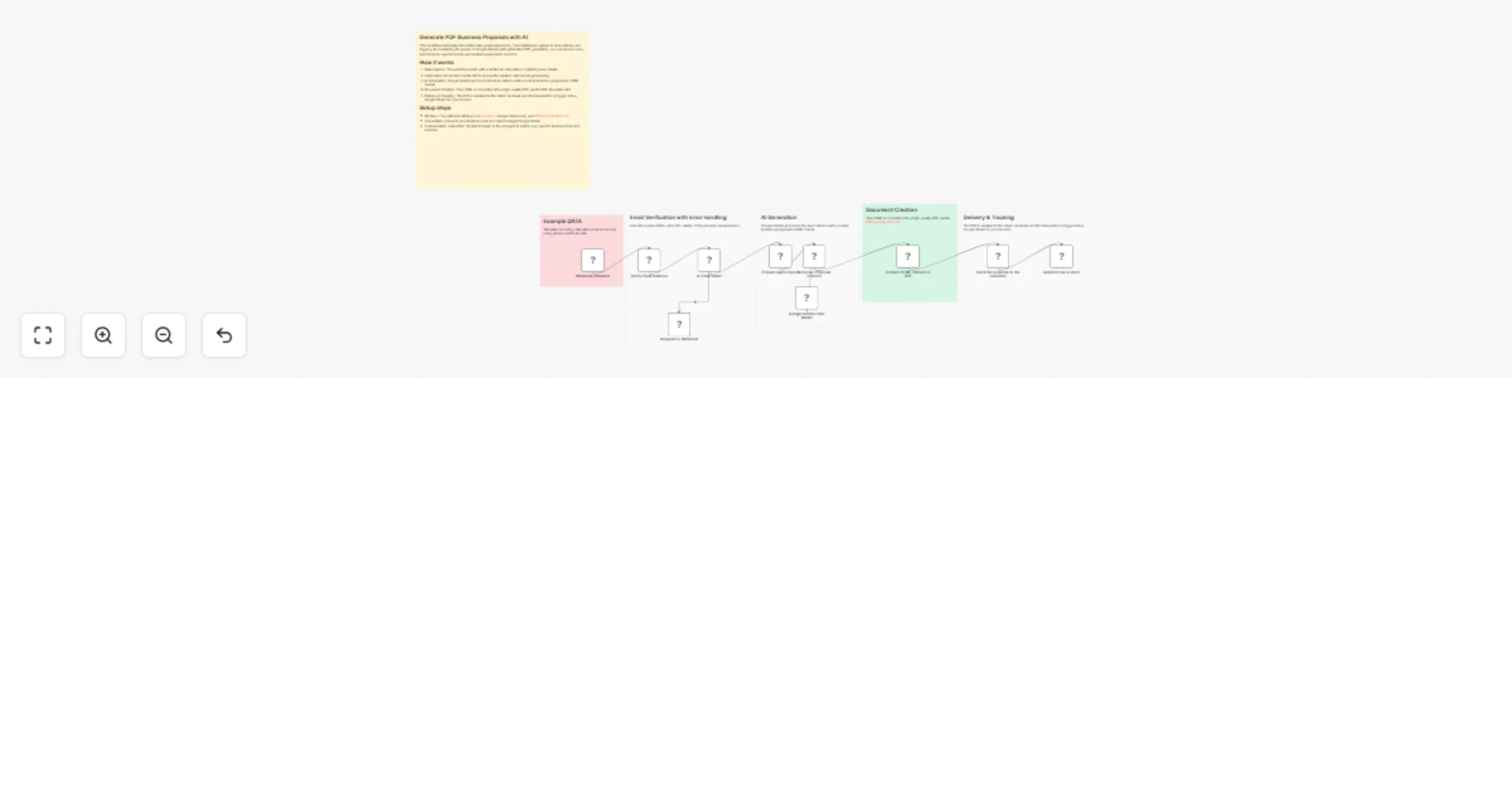
Original n8n.io sourceThis advanced n8n workflow automates the transition from "Raw Lead" to "Sent Proposal." By integrating Email Verification, Large Language Models (LLMs), and Document Automation, it eliminates manual data entry and ensures that every proposal sent is personalized, professional, and delivered to a verified address.
The workflow is triggered via a Webhook. Before any processing occurs, the data passes through the Hunter node, which performs a real-time email verification check.
Smart Error Handling: An If Node evaluates the verification result. If the email is invalid or "risky," the workflow redirects to a Respond to Webhook node, providing immediate feedback to the source and preventing wasted API credits on downstream nodes.
Once validated, the data reaches the Set Fields node to be mapped for the AI.
Custom Prompt Logic: The AI Agent node, powered by Google Gemini, contains a sophisticated custom prompt. This prompt acts as a "template engine," instructing the AI to take specific input variables (like client name, project scope, and budget) and output a clean, professional HTML structure. This allows for dynamic content generation that adapts to the unique context of every lead.
Instead of sending a plain text email, the workflow passes the AI-generated HTML to the PDF Generator API. This tool renders the code into a high-quality, brand-consistent PDF document ready for client viewing.
Gmail Integration: The final PDF is automatically attached and sent to the verified email address with a personalized message.
Google Sheets Logging: To ensure full visibility, the workflow appends a row to a Google Sheet, tracking the date, client details, and the status of the sent proposal.
To run this workflow, you will need active accounts and API credentials for the following services:
n8n Instance: (Self-hosted or Cloud).
Hunter.io API: For the email verification node.
Google Gemini API: To power the AI Agent and custom prompt.
PDF Generator API: To convert the AI's HTML output into documents.
Google Workspace Account: Required for the Gmail (Sending) and Google Sheets (Logging) nodes.
Follow these steps to get the workflow operational:
Import the Workflow: Download the JSON file and paste it into your n8n canvas.
Configure Credentials:
Connect your Hunter API key.
Set up your Google Gemini credentials (via Google Cloud Console).
Add your PDF Generator API key.
Authenticate your Google Account (OAuth2) for Gmail and Google Sheets.
Customize the AI Prompt: Open the AI Agent node. Under the "System Message" or "Prompt" section, adjust the HTML template to match your brand's style and the specific fields you want to include in your proposal.
Map your Google Sheet: Open the Append row in sheet node and select the specific spreadsheet and worksheet where you want to log your leads.
Test the Flow: Use the Webhook simulator (Example DATA) to send a test payload and verify that the PDF is generated and the email is sent correctly.
This catalog entry is organized from the workflow JSON. The node-level section below shows the executable blocks available for review before importing the template.
| Workflow | Generate PDF business proposals with Google Gemini and PDF Generator API |
|---|---|
| Complexity | advanced |
| Nodes | 16 |
| Categories | Lead Nurturing, Multimodal AI |
| Author | Marián Današ |
| Published | 12 Nov 2025 |
Use the JSON export at /data/workflows/10769/10769.json as the source template for this automation.
Open n8n, import the downloaded JSON, and review each node before activating the workflow.
Replace placeholder credentials, API keys, webhook URLs, account IDs, and environment-specific values with your own settings.
Run the workflow manually or in a staging workspace, inspect node output, and confirm downstream systems receive the expected data.
Enable the workflow only after testing, then monitor executions, errors, and rate limits during the first production runs.
Review imported nodes carefully before activation. This catalog entry is intended to help you inspect the workflow structure, understand required services, and find related templates faster.
Node names, credentials, schedules, webhook paths, and external service limits may need adjustment for your workspace.
AI Powered Automated Proposal & Lead Management System This advanced n8n workflow automates the transition from "Raw Lead" to "Sent Proposal." By integrating Email Verification, Large Language Mode...
Review the workflow JSON, configure any required credentials in n8n, and test the automation in a safe workspace before using it in production.
Yes. Use the block-by-block analysis and the downloadable JSON to inspect each node, then adjust credentials, prompts, schedules, filters, or destinations for your Lead Nurturing, Multimodal AI use case.