Generate event badges with QR codes, HTMLCSStoImage, Gmail & Google Sheets
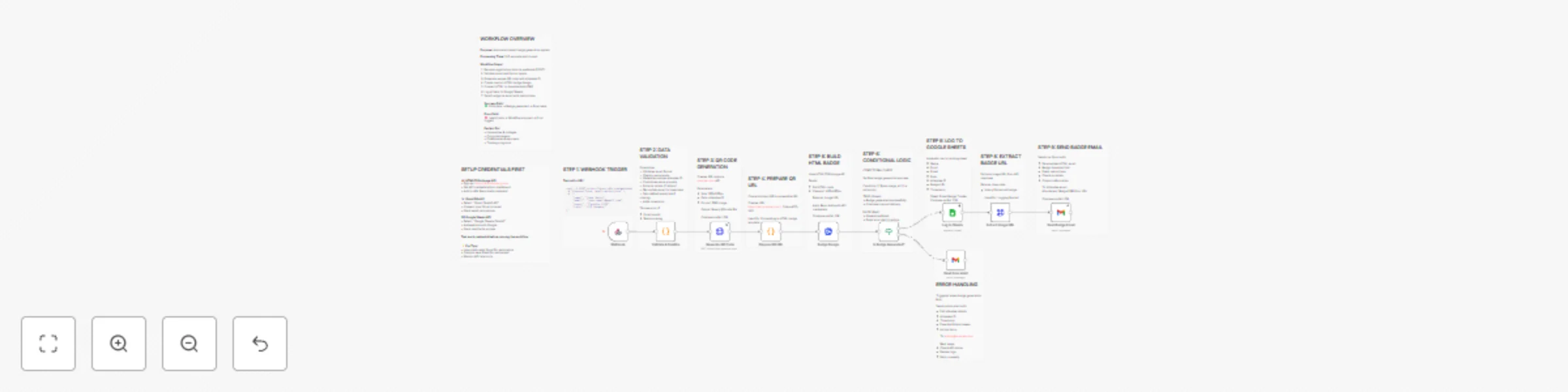
Workflow preview

$20/month : Unlimited workflows
2500 executions/month

THE #1 IN WEB SCRAPING
Scrape any website without limits
HOSTINGER  Early Deal
DISCOUNT 20% Try free
Early DealDISCOUNT 20%
Self-hosted n8n
Unlimited workflows - from $4.99/mo

#1 hub for scraping, AI & automation
6000+ actors - $5 credits/mo
Important notice
This workflow is provided as-is. Please review and test before using in production.
Overview
Automated Event Badge Generator
Streamline your event registration process with this fully automated badge generation system. Perfect for conferences, seminars, corporate events, universities, and training programs.
🎯 What This Workflow Does
- Receives Registration Data via webhook (POST request)
- Validates & Sanitizes attendee information (email, name, role)
- Generates Unique QR Codes for each attendee with scannable IDs
- Creates Beautiful HTML Badges with gradient design and branding
- Converts to High-Quality PNG Images (400x680px) via HTMLCSStoImage API
- Logs Everything to Google Sheets for tracking and analytics
- Sends Personalized Emails with badge attachment and event instructions
- Handles Errors Gracefully with admin notifications
✨ Key Features
- Professional Badge Design: Gradient purple background, attendee photos (initials), QR codes
- Automatic QR Code Generation: Unique scannable codes for quick check-in
- Email Delivery: Personalized HTML emails with download links
- Google Sheets Tracking: Complete audit trail of all badge generations
- Error Handling: Admin alerts when generation fails
- Scalable: Process registrations one-by-one or in batches
🔧 Required Setup
APIs & Credentials:
HTMLCSStoImg API -
- Sign up at https://htmlcsstoimg.com
- Get API Key
Gmail OAuth2
- Connect your Gmail account
- Grant send permissions
Google Sheets OAuth2
- Create a tracking spreadsheet
- Add headers: Name, Email, Event, Role, Attendee ID, Badge URL, Timestamp
- Connect via OAuth2
Before Activation:
- Replace
YOUR_GOOGLE_SHEETS_IDwith your Google Sheet ID - Replace
[email protected]with your admin email address - Add all three credentials
- Test with sample data
📊 Use Cases
- Conferences & Seminars: Generate badges for 100+ attendees
- Universities: Student ID cards and event passes
- Corporate Events: Employee badges with QR check-in
- Training Programs: Course participant badges
- Workshops: Professional badges with role identification
- Trade Shows: Exhibitor and visitor badges
🎨 Customization Options
- Badge Design: Modify HTML/CSS for custom branding, colors, logos
- QR Code Size: Adjust dimensions for different use cases
- Email Template: Personalize welcome message and instructions
- Role-Based Badges: Different designs for VIP, Speaker, Staff, Attendee
- Multi-Event Support: Handle multiple events with different templates
📈 What You'll Track
- Total badges generated
- Attendee names, emails, roles
- Badge image URLs for reprints
- Generation timestamps
- Event names and dates
⚡ Processing Time
- Average: 5-8 seconds per badge
- Includes: Validation, QR generation, HTML rendering, image conversion, logging, email
🔒 Security Features
- Email format validation
- Continue-on-fail error handling
- Admin notifications on failures
- Secure credential storage
💡 Pro Tips
- Use a dedicated Gmail account for automation
- Monitor HTMLCSStoImg API limits
- Create separate sheets for different events
- Archive old data periodically
- Set up webhook authentication for production
🚀 Getting Started
- Import this workflow
- Add the three required credentials
- Update Sheet ID and admin email
- Test with sample registration data
- Activate and integrate with your registration form
Perfect for event organizers, HR teams, universities, and anyone managing events with 10-1000+ attendees!