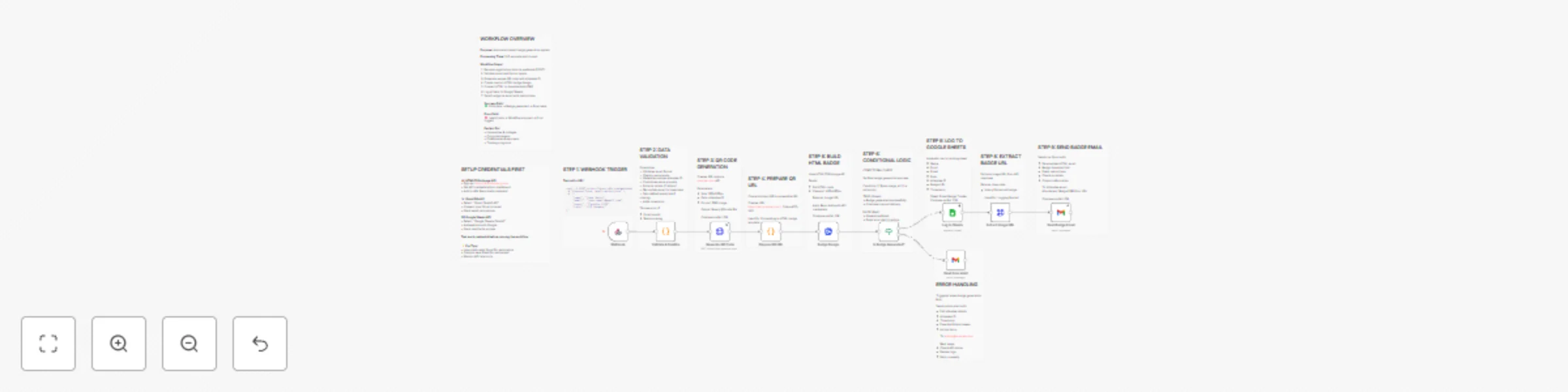
Generate event badges with QR codes, HTMLCSStoImage, Gmail & Google Sheets

Workflow preview

Workflow preview
100%
Generate event badges with QR codes, HTMLCSStoImage, Gmail & Google Sheets preview
Open on n8n.io

Important notice

This workflow is provided as-is. Please review and test before using in production.

1. Workflow Overview

Automated Event Badge Generator Streamline your event registration process with this fully automated badge generation system. Perfect for conferences, seminars, corporate events, universities, and ...

Best for

  • Document Extraction automation workflows
  • advanced n8n builders looking for reusable templates

Tools used

n8n-nodes-base.httprequest, n8n-nodes-htmlcsstoimage.htmlcsstoimage, n8n-nodes-base.stickynote, n8n-nodes-base.gmail, n8n-nodes-base.googlesheets, n8n-nodes-base.if, n8n-nodes-base.code, n8n-nodes-base.webhook

Source and attribution

This workflow is cataloged by N8N Workflows and links back to its original n8n.io source page by Jitesh Dugar.

Original n8n.io source

1.1 Workflow description

Title
Generate event badges with QR codes, HTMLCSStoImage, Gmail & Google Sheets
Workflow name
Generate event badges with QR codes, HTMLCSStoImage, Gmail & Google Sheets

Automated Event Badge Generator

Streamline your event registration process with this fully automated badge generation system. Perfect for conferences, seminars, corporate events, universities, and training programs.

🎯 What This Workflow Does

  1. Receives Registration Data via webhook (POST request)
  2. Validates & Sanitizes attendee information (email, name, role)
  3. Generates Unique QR Codes for each attendee with scannable IDs
  4. Creates Beautiful HTML Badges with gradient design and branding
  5. Converts to High-Quality PNG Images (400x680px) via HTMLCSStoImage API
  6. Logs Everything to Google Sheets for tracking and analytics
  7. Sends Personalized Emails with badge attachment and event instructions
  8. Handles Errors Gracefully with admin notifications

✨ Key Features

  • Professional Badge Design: Gradient purple background, attendee photos (initials), QR codes
  • Automatic QR Code Generation: Unique scannable codes for quick check-in
  • Email Delivery: Personalized HTML emails with download links
  • Google Sheets Tracking: Complete audit trail of all badge generations
  • Error Handling: Admin alerts when generation fails
  • Scalable: Process registrations one-by-one or in batches

πŸ”§ Required Setup

APIs & Credentials:

  1. HTMLCSStoImg API -

  2. Gmail OAuth2

    • Connect your Gmail account
    • Grant send permissions
  3. Google Sheets OAuth2

    • Create a tracking spreadsheet
    • Add headers: Name, Email, Event, Role, Attendee ID, Badge URL, Timestamp
    • Connect via OAuth2

Before Activation:

  • Replace YOUR_GOOGLE_SHEETS_ID with your Google Sheet ID
  • Replace [email protected] with your admin email address
  • Add all three credentials
  • Test with sample data

πŸ“Š Use Cases

  • Conferences & Seminars: Generate badges for 100+ attendees
  • Universities: Student ID cards and event passes
  • Corporate Events: Employee badges with QR check-in
  • Training Programs: Course participant badges
  • Workshops: Professional badges with role identification
  • Trade Shows: Exhibitor and visitor badges

🎨 Customization Options

  • Badge Design: Modify HTML/CSS for custom branding, colors, logos
  • QR Code Size: Adjust dimensions for different use cases
  • Email Template: Personalize welcome message and instructions
  • Role-Based Badges: Different designs for VIP, Speaker, Staff, Attendee
  • Multi-Event Support: Handle multiple events with different templates

πŸ“ˆ What You'll Track

  • Total badges generated
  • Attendee names, emails, roles
  • Badge image URLs for reprints
  • Generation timestamps
  • Event names and dates

⚑ Processing Time

  • Average: 5-8 seconds per badge
  • Includes: Validation, QR generation, HTML rendering, image conversion, logging, email

πŸ”’ Security Features

  • Email format validation
  • Continue-on-fail error handling
  • Admin notifications on failures
  • Secure credential storage

πŸ’‘ Pro Tips

  • Use a dedicated Gmail account for automation
  • Monitor HTMLCSStoImg API limits
  • Create separate sheets for different events
  • Archive old data periodically
  • Set up webhook authentication for production

πŸš€ Getting Started

  1. Import this workflow
  2. Add the three required credentials
  3. Update Sheet ID and admin email
  4. Test with sample registration data
  5. Activate and integrate with your registration form

Perfect for event organizers, HR teams, universities, and anyone managing events with 10-1000+ attendees!


1.2 Logical Blocks

This catalog entry is organized from the workflow JSON. The node-level section below shows the executable blocks available for review before importing the template.

2. Block-by-Block Analysis

Block 1 - Extract Image URL

Type / Role
n8n-nodes-base.httpRequest - httpRequest
Config choices
Version 4.2

Block 2 - Badge Design

Type / Role
n8n-nodes-htmlcsstoimage.htmlCssToImage - htmlCssToImage
Config choices
Version 1

Block 3 - Sticky Note10

Type / Role
n8n-nodes-base.stickyNote - stickyNote
Config choices
Version 1

Block 4 - Sticky Note9

Type / Role
n8n-nodes-base.stickyNote - stickyNote
Config choices
Version 1

Block 5 - Sticky Note8

Type / Role
n8n-nodes-base.stickyNote - stickyNote
Config choices
Version 1

Block 6 - Sticky Note7

Type / Role
n8n-nodes-base.stickyNote - stickyNote
Config choices
Version 1

Block 7 - Sticky Note6

Type / Role
n8n-nodes-base.stickyNote - stickyNote
Config choices
Version 1

Block 8 - Sticky Note5

Type / Role
n8n-nodes-base.stickyNote - stickyNote
Config choices
Version 1

Block 9 - Sticky Note4

Type / Role
n8n-nodes-base.stickyNote - stickyNote
Config choices
Version 1

Block 10 - Sticky Note3

Type / Role
n8n-nodes-base.stickyNote - stickyNote
Config choices
Version 1

Block 11 - Sticky Note2

Type / Role
n8n-nodes-base.stickyNote - stickyNote
Config choices
Version 1

Block 12 - Sticky Note1

Type / Role
n8n-nodes-base.stickyNote - stickyNote
Config choices
Version 1

Block 13 - Sticky Note

Type / Role
n8n-nodes-base.stickyNote - stickyNote
Config choices
Version 1

Block 14 - Send Error Alert

Type / Role
n8n-nodes-base.gmail - gmail
Config choices
Version 2.1

Block 15 - Send Badge Email

Type / Role
n8n-nodes-base.gmail - gmail
Config choices
Version 2.1

Block 16 - Log to Sheets

Type / Role
n8n-nodes-base.googleSheets - googleSheets
Config choices
Version 4.4

Block 17 - Is Badge Generated?

Type / Role
n8n-nodes-base.if - if
Config choices
Version 1

Block 18 - Prepare QR URL

Type / Role
n8n-nodes-base.code - code
Config choices
Version 2

Block 19 - Generate QR Code

Type / Role
n8n-nodes-base.httpRequest - httpRequest
Config choices
Version 4.2

Block 20 - Validate & Sanitize

Type / Role
n8n-nodes-base.code - code
Config choices
Version 2

Block 21 - Webhook

Type / Role
n8n-nodes-base.webhook - webhook
Config choices
Version 1.1

Block 22 - Sticky Note11

Type / Role
n8n-nodes-base.stickyNote - stickyNote
Config choices
Version 1

3. Summary Table

Workflow Generate event badges with QR codes, HTMLCSStoImage, Gmail & Google Sheets
Complexity advanced
Nodes 22
Categories Document Extraction
Author Jitesh Dugar
Published 24 Oct 2025

4. Reproducing the Workflow from Scratch

  1. 1. Download the workflow JSON

    Use the JSON export at /data/workflows/10130/10130.json as the source template for this automation.

  2. 2. Import the template into n8n

    Open n8n, import the downloaded JSON, and review each node before activating the workflow.

  3. 3. Configure credentials and variables

    Replace placeholder credentials, API keys, webhook URLs, account IDs, and environment-specific values with your own settings.

  4. 4. Test with sample data

    Run the workflow manually or in a staging workspace, inspect node output, and confirm downstream systems receive the expected data.

  5. 5. Activate and monitor

    Enable the workflow only after testing, then monitor executions, errors, and rate limits during the first production runs.

5. General Notes & Resources

Review imported nodes carefully before activation. This catalog entry is intended to help you inspect the workflow structure, understand required services, and find related templates faster.

Node names, credentials, schedules, webhook paths, and external service limits may need adjustment for your workspace.

Frequently asked questions

What does Generate event badges with QR codes, HTMLCSStoImage, Gmail & Google Sheets do?

Automated Event Badge Generator Streamline your event registration process with this fully automated badge generation system. Perfect for conferences, seminars, corporate events, universities, and ...

What do I need before importing this workflow?

Review the workflow JSON, configure any required credentials in n8n, and test the automation in a safe workspace before using it in production.

Can I customize this workflow?

Yes. Use the block-by-block analysis and the downloadable JSON to inspect each node, then adjust credentials, prompts, schedules, filters, or destinations for your Document Extraction use case.