Generate complete SEO audits with Apify, Claude Sonnet 4, and Gmail delivery

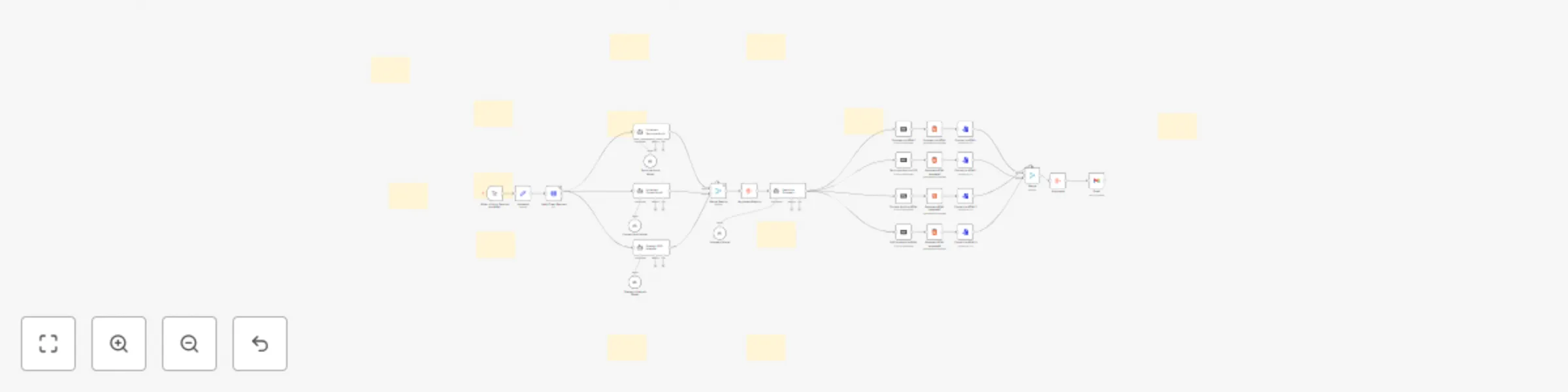
Workflow preview

Workflow preview
100%
Generate complete SEO audits with Apify, Claude Sonnet 4, and Gmail delivery preview
Open on n8n.io

Important notice

This workflow is provided as-is. Please review and test before using in production.

1. Workflow Overview

Description Get professional SEO audits delivered automatically in under 5 minutes. This complete n8n workflow analyzes any website and generates 4 comprehensive reports that you can send directly ...

Best for

  • Market Research automation workflows
  • AI Summarization automation workflows
  • advanced n8n builders looking for reusable templates

Tools used

@n8n/n8n-nodes-langchain.agent, n8n-nodes-base.merge, n8n-nodes-base.aggregate, @n8n/n8n-nodes-langchain.lmchatanthropic, n8n-nodes-base.converttofile, n8n-nodes-base.stickynote, n8n-nodes-base.html, n8n-nodes-base.markdown

Source and attribution

This workflow is cataloged by N8N Workflows and links back to its original n8n.io source page by Luka Zivkovic.

Original n8n.io source

1.1 Workflow description

Title
Generate complete SEO audits with Apify, Claude Sonnet 4, and Gmail delivery
Workflow name
Generate complete SEO audits with Apify, Claude Sonnet 4, and Gmail delivery

Description

Get professional SEO audits delivered automatically in under 5 minutes. This complete n8n workflow analyzes any website and generates 4 comprehensive reports that you can send directly to clients.

What You Get:

  • Complete n8n Workflow - Ready-to-import automation that runs entire SEO audits
  • Technical SEO Analysis - HTML structure, performance, and crawlability assessment
  • Content Quality Audit - Keyword optimization, readability, and E-A-T evaluation
  • Strategic Opportunities Report - Growth strategies and competitive insights
  • Executive Summary - Client-ready action plan with prioritized recommendations
  • Professional Email Templates - Branded delivery system with all reports attached
  • Setup Documentation - Complete installation guide with API configurations

Perfect for agencies, consultants, and freelancers who want to offer high-value SEO audits without manual analysis.

Get Started: []https://n8n.partnerlinks.io/ds9podzjls6d

SEO Audit Workflow Product Window Product Name "AI-Powered SEO Audit Automation" Product Description Get professional SEO audits delivered automatically in under 5 minutes. This complete n8n workflow analyzes any website and generates 4 comprehensive reports that you can send directly to clients. What You Get:

✅ Complete n8n Workflow - Ready-to-import automation that runs entire SEO audits ✅ Technical SEO Analysis - HTML structure, performance, and crawlability assessment ✅ Content Quality Audit - Keyword optimization, readability, and E-A-T evaluation ✅ Strategic Opportunities Report - Growth strategies and competitive insights ✅ Executive Summary - Client-ready action plan with prioritized recommendations ✅ Professional Email Templates - Branded delivery system with all reports attached ✅ Setup Documentation - Complete installation guide with API configurations

Perfect for agencies, consultants, and freelancers who want to offer high-value SEO audits without manual analysis. Requirements: You'll need an n8n account to run this workflow. Get Started: https://n8n.partnerlinks.io/ds9podzjls6d

🚀 How to Setup

Prerequisites

Before importing this workflow, ensure you have:
  • n8n account (cloud or self-hosted)
  • Apify account for web scraping
  • Anthropic account for AI analysis Gmail account for report delivery

Step 1: API Credentials Setup

1.1 Apify API Setup
  • Sign up at Apify
  • Go to Account Settings → Integrations
  • Copy your API Token
  • In the workflow, update the Apify Crawl Request node URL with your token
1.2 Anthropic API Setup
  • Create account at Anthropic Console
  • Generate an API Key
  • In n8n, go to Credentials → Add Credential → Anthropic API
  • Enter your API key
1.3 Gmail OAuth2 Setup
  • In n8n, go to Credentials → Add Credential → Gmail OAuth2
  • Follow the OAuth2 flow to connect your Gmail account
  • Grant permissions for sending emails with attachments

Step 2: Workflow Configuration

2.1 Import Workflow
  • Copy the provided workflow JSON
  • In n8n, click Import from URL/File
  • Paste the JSON and import
2.2 Update Variables
  • Open the Variables node
  • Set your target website URL (include https://)
  • Set the recipient email address
  • Save the node
2.3 Configure Credentials
  • Assign your Anthropic API credential to all Claude model nodes
  • Assign your Gmail OAuth2 credential to the Gmail node
  • Update the Apify URL with your API token

Step 3: Test & Run

3.1 Test Run
  • Start with a simple website (your own site recommended)
  • Click Execute Workflow on the manual trigger
  • Monitor execution progress (takes 3-5 minutes)
  • Check for any error messages
3.2 Troubleshooting

Apify errors: Verify API token and URL format Anthropic errors: Check API key and usage limits Gmail errors: Re-authenticate OAuth2 connection Timeout issues: Increase node timeout settings if needed

Step 4: Customization (Optional)

4.1 Audit Scope

Modify maxCrawlDepth in Apify node for more pages Adjust maxCrawlPages for larger sites Update CSS selectors for specific content extraction

4.2 Email Template

Customize the HTML email template in Gmail node Update sender information and branding Modify report descriptions and formatting

4.3 AI Prompts

Fine-tune prompts in the three audit nodes for specific industries Adjust analysis depth and focus areas Modify scoring criteria and recommendations

📋 Workflow Overview

The complete process takes 3-5 minutes and includes:

  • Website Crawling (30-60 seconds) - Extracts content and HTML
  • AI Analysis (2-3 minutes) - Three parallel audits using Claude Sonnet 4
  • Report Generation (1-2 minutes) - Creates and emails 4 professional reports

💡 Pro Tips

  • Test with smaller websites first to verify setup
  • Monitor Anthropic API usage to avoid rate limits -Keep backup copies of your customized prompts
  • Set up email filters to organize audit reports

📦 What Workflow does

Technical SEO Audit PDF (≈ 8-12 pp)

  • Core Web Vitals snapshot
  • Crawl/index errors & fixes
  • Schema, canonical, robots, mobile UX checks
  • Colour-coded priority list (🔴 / 🟡 / 🟢)

Content Quality Audit PDF (≈ 6-10 pp)

  • E-E-A-T scoring & gaps
  • Keyword density + missed terms
  • Readability metrics (Flesch, Gunning-Fog)
  • Duplicate-content & freshness flags

Strategic SEO Opportunities PDF (≈ 5-8 pp)

  • SERP-feature wins (Featured Snippets, PAA)
  • Competitor content gaps & topic ideas
  • Link-building prospects & internal-link map
  • ROI-ranked action list

Executive Summary PDF (≈ 3-4 pp)

  • Health scores (/100) for Tech, Content, Strategy
  • 7-day / 30-day / 90-day action roadmap
  • KPIs & ROI projection panel
  • Resource/time estimates for each phase

Potential Improvements

If you can self-host Gotenberg, you can use it's html-to-pdf function and attach the audit as a document

1.2 Logical Blocks

This catalog entry is organized from the workflow JSON. The node-level section below shows the executable blocks available for review before importing the template.

2. Block-by-Block Analysis

Block 1 - Enhanced Content Audit

Type / Role
@n8n/n8n-nodes-langchain.agent - agent
Config choices
Version 1.7

Block 2 - Enhanced Technical Audit

Type / Role
@n8n/n8n-nodes-langchain.agent - agent
Config choices
Version 1.7

Block 3 - Strategic SEO Analysis

Type / Role
@n8n/n8n-nodes-langchain.agent - agent
Config choices
Version 1.7

Block 4 - Merge Results

Type / Role
n8n-nodes-base.merge - merge
Config choices
Version 3

Block 5 - Aggregate Reports

Type / Role
n8n-nodes-base.aggregate - aggregate
Config choices
Version 1

Block 6 - Executive Summary Generator

Type / Role
@n8n/n8n-nodes-langchain.agent - agent
Config choices
Version 1.7

Block 7 - Technical Audit Model

Type / Role
@n8n/n8n-nodes-langchain.lmChatAnthropic - lmChatAnthropic
Config choices
Version 1.3

Block 8 - Content Audit Model

Type / Role
@n8n/n8n-nodes-langchain.lmChatAnthropic - lmChatAnthropic
Config choices
Version 1.3

Block 9 - Strategic Analysis Model

Type / Role
@n8n/n8n-nodes-langchain.lmChatAnthropic - lmChatAnthropic
Config choices
Version 1.3

Block 10 - Summary Model

Type / Role
@n8n/n8n-nodes-langchain.lmChatAnthropic - lmChatAnthropic
Config choices
Version 1.3

Block 11 - Convert to HTML

Type / Role
n8n-nodes-base.convertToFile - convertToFile
Config choices
Version 1

Block 12 - Sticky Note1

Type / Role
n8n-nodes-base.stickyNote - stickyNote
Config choices
Version 1

Block 13 - Generate HTML template1

Type / Role
n8n-nodes-base.html - html
Config choices
Version 1

Block 14 - Convert to HTML1

Type / Role
n8n-nodes-base.convertToFile - convertToFile
Config choices
Version 1

Block 15 - Generate HTML template2

Type / Role
n8n-nodes-base.html - html
Config choices
Version 1

Block 16 - Convert to HTML2

Type / Role
n8n-nodes-base.convertToFile - convertToFile
Config choices
Version 1

Block 17 - Generate HTML template3

Type / Role
n8n-nodes-base.html - html
Config choices
Version 1

Block 18 - Convert to HTML3

Type / Role
n8n-nodes-base.convertToFile - convertToFile
Config choices
Version 1

Block 19 - Technical Audit to PDF

Type / Role
n8n-nodes-base.markdown - markdown
Config choices
Version 1

Block 20 - Summary to HTML

Type / Role
n8n-nodes-base.html - html
Config choices
Version 1

Block 21 - Content Audit to HTML

Type / Role
n8n-nodes-base.markdown - markdown
Config choices
Version 1

Block 22 - Summary to HTML1

Type / Role
n8n-nodes-base.markdown - markdown
Config choices
Version 1

Block 23 - SEO Analysis to HTML

Type / Role
n8n-nodes-base.markdown - markdown
Config choices
Version 1

Block 24 - Merge

Type / Role
n8n-nodes-base.merge - merge
Config choices
Version 3.2

Showing the first 24 of 41 workflow blocks. Download the JSON for the full node graph.

3. Summary Table

Workflow Generate complete SEO audits with Apify, Claude Sonnet 4, and Gmail delivery
Complexity advanced
Nodes 41
Categories Market Research, AI Summarization
Author Luka Zivkovic
Published 25 Jul 2025

4. Reproducing the Workflow from Scratch

  1. 1. Download the workflow JSON

    Use the JSON export at /data/workflows/6403/6403.json as the source template for this automation.

  2. 2. Import the template into n8n

    Open n8n, import the downloaded JSON, and review each node before activating the workflow.

  3. 3. Configure credentials and variables

    Replace placeholder credentials, API keys, webhook URLs, account IDs, and environment-specific values with your own settings.

  4. 4. Test with sample data

    Run the workflow manually or in a staging workspace, inspect node output, and confirm downstream systems receive the expected data.

  5. 5. Activate and monitor

    Enable the workflow only after testing, then monitor executions, errors, and rate limits during the first production runs.

5. General Notes & Resources

Review imported nodes carefully before activation. This catalog entry is intended to help you inspect the workflow structure, understand required services, and find related templates faster.

Node names, credentials, schedules, webhook paths, and external service limits may need adjustment for your workspace.

Frequently asked questions

What does Generate complete SEO audits with Apify, Claude Sonnet 4, and Gmail delivery do?

Description Get professional SEO audits delivered automatically in under 5 minutes. This complete n8n workflow analyzes any website and generates 4 comprehensive reports that you can send directly ...

What do I need before importing this workflow?

Review the workflow JSON, configure any required credentials in n8n, and test the automation in a safe workspace before using it in production.

Can I customize this workflow?

Yes. Use the block-by-block analysis and the downloadable JSON to inspect each node, then adjust credentials, prompts, schedules, filters, or destinations for your Market Research, AI Summarization use case.