L

Luka Zivkovic

7
Workflows

Workflows by Luka Zivkovic

Workflow preview: Host your own JWT authentication system with Data Tables and token management
Free advanced

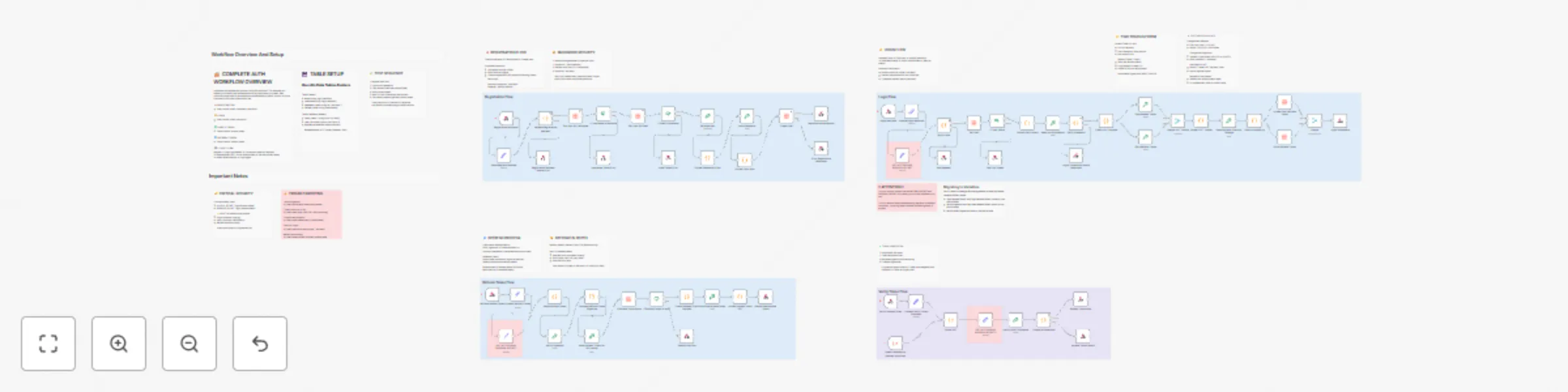
Host your own JWT authentication system with Data Tables and token management

## Description A production-ready authentication workflow implementing secure user registration, login, token verification, and refresh token mechanisms. Perfect for adding authentication to any application without needing a separate auth service. Get started with [n8n](https://n8n.partnerlinks.io/ds9podzjls6d) now! ## What it does This template provides a complete authentication backend using n8n workflows and Data Tables: - **User Registration**: Creates accounts with secure password hashing (SHA-512 + unique salts) - **Login System**: Generates access tokens (15 min) and refresh tokens (7 days) using JWT - **Token Verification**: Validates access tokens for protected endpoints - **Token Refresh**: Issues new access tokens without requiring re-login - **Security Features**: HMAC-SHA256 signatures, hashed refresh tokens in database, protection against rainbow table attacks ## Why use this template - **No external services**: Everything runs in n8n - no Auth0, Firebase, or third-party dependencies - **Production-ready security**: Industry-standard JWT implementation with proper token lifecycle management - **Easy integration**: Simple REST API endpoints that work with any frontend framework - **Fully customizable**: Adjust token lifespans, add custom user fields, implement your own business logic - **Well-documented**: Extensive inline notes explain every security decision and implementation detail ## How to set up ### Prerequisites - n8n instance (cloud or self-hosted) - n8n Data Tables feature enabled ### Setup Steps 1. **Create Data Tables**: - users table: id, email, username, password_hash, refresh_token - refresh_tokens table: id, user_id, token_hash, expires_at 2. **Generate Secret Keys**: Run this command to generate a random secret: ``` node -e "console.log(require('crypto').randomBytes(32).toString('hex'))" ``` Generate two different secrets for ACCESS_SECRET and REFRESH_SECRET 3. **Configure Secrets**: - Update the three "SET ACCESS AND REFRESH SECRET" nodes with your generated keys - Or migrate to n8n Variables for better security (instructions in workflow notes) 4. **Connect Data Tables**: - Open each Data Table node - Select your created tables from the dropdown 5. **Activate Workflow**: - Save and activate the workflow - Note your webhook URLs ### API Endpoints **Register**: POST /webhook/register-user Request body: ``` { "email": "[email protected]", "username": "username", "password": "password123" } ``` **Login**: POST /webhook/login Request body: ``` { "email": "[email protected]", "password": "password123" } ``` Returns: ``` { "accessToken": "...", "refreshToken": "...", "user": {...} } ``` **Verify Token**: POST /webhook/verify-token Request body: ``` { "access_token": "your_access_token" } ``` **Refresh**: POST /webhook/refresh Request body: ``` { "refresh_token": "your_refresh_token" } ``` ### Frontend Integration Example (Vue.js/React) Login flow: ``` const response = await fetch('https://your-n8n.app/webhook/login', { method: 'POST', headers: { 'Content-Type': 'application/json' }, body: JSON.stringify({ email, password }) }); const { accessToken, refreshToken } = await response.json(); localStorage.setItem('accessToken', accessToken); ``` Make authenticated requests: ``` const data = await fetch('https://your-api.com/protected', { headers: { 'Authorization': Bearer ${accessToken} } }); ``` ## Key Features - **Secure Password Storage**: Never stores plain text passwords; uses SHA-512 with unique salts - **Two-Token System**: Short-lived access tokens (security) + long-lived refresh tokens (convenience) - **Database Token Revocation**: Refresh tokens can be revoked for logout-all-devices functionality - **Duplicate Prevention**: Checks username and email availability before account creation - **Error Handling**: Generic error messages prevent information leakage - **Extensive Documentation**: 30+ sticky notes explain every security decision ## Use Cases - SaaS applications needing user authentication - Mobile app backends - Internal tools requiring access control - MVP/prototype authentication without third-party costs - Learning JWT and auth system architecture ## Customization - **Token Lifespan**: Modify expiration times in "Create JWT Payload" nodes - **User Fields**: Add custom fields to registration and user profile - **Password Rules**: Update validation in "Validate Registration Request" node - **Token Rotation**: Implement refresh token rotation for enhanced security (notes included) ## Security Notes :warning: **Important**: - Change the default secret keys before production use - Use HTTPS for all webhook endpoints - Store secrets in n8n Variables (not hardcoded) - Regularly rotate secret keys in production - Consider rate limiting for login endpoints ## Support & Documentation The workflow includes comprehensive documentation: - Complete authentication flow overview - Security explanations for every decision - Troubleshooting guide - Setup instructions - FAQ section with common issues Perfect for developers who want full control over their authentication system without the complexity of managing separate auth infrastructure. ## Get Started with [n8n](https://n8n.partnerlinks.io/ds9podzjls6d) now! **Tags**: authentication, jwt, login, security, user-management, tokens, password-hashing, api, backend

L
Luka Zivkovic
Engineering
15 Oct 2025
3368
0
Workflow preview: Generate personalized startup ideas with Claude analysis and Gmail reports
Free advanced

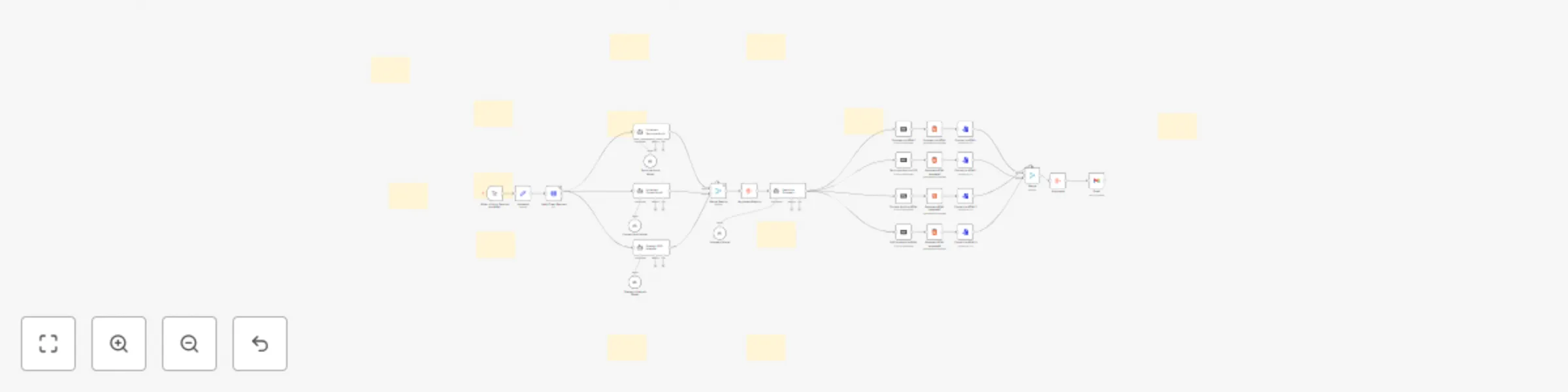
Generate personalized startup ideas with Claude analysis and Gmail reports

## Get Started with [n8n](https://n8n.partnerlinks.io/ds9podzjls6d) now! ## Who's it for This workflow is designed for developers, entrepreneurs, and startup enthusiasts who want personalized, AI-driven startup idea generation and analysis. Perfect for solo developers seeking side project inspiration, startup accelerators evaluating concepts, or anyone looking to validate business ideas with professional-grade analysis. ## How it works The workflow uses a three-stage Claude AI agent pipeline to create comprehensive startup analyses. The first agent generates innovative startup ideas based on your technical skills and preferences. The second agent acts as a venture capitalist, critically analyzing market viability, competition, and execution challenges. The third agent performs sentiment analysis and synthesizes a final recommendation with actionable next steps. ## How to set up 1. Configure Anthropic API credentials for all three Claude AI model nodes 2. Set up Gmail OAuth2 for email delivery 3. Fill out the "My Information" node with your developer profile 4. Update the recipient email address in the Gmail node 5. Test with the manual trigger before enabling daily automation ## Requirements - [n8n account](https://n8n.partnerlinks.io/ds9podzjls6d) - Anthropic API account for Claude AI access - Gmail account with OAuth2 configured - Basic understanding of developer skills and market preferences ## How to customize the workflow Modify the AI agent prompts to focus on specific industries or business models. Adjust temperature settings for different creativity levels. Add database storage to track idea history. Configure the form trigger for team-wide idea generation or integrate with Slack for automated sharing. ## Got a good idea? Visit my site https://techpoweredgrowth.com to get help getting to the next level Or reach out to [email protected]

L
Luka Zivkovic
Market Research
17 Aug 2025
916
0
Workflow preview: Generate complete SEO audits with Apify, Claude Sonnet 4, and Gmail delivery
Free advanced

Generate complete SEO audits with Apify, Claude Sonnet 4, and Gmail delivery

## Description Get professional SEO audits delivered automatically in under 5 minutes. This complete n8n workflow analyzes any website and generates 4 comprehensive reports that you can send directly to clients. ### What You Get: - ✅ **Complete n8n Workflow** - Ready-to-import automation that runs entire SEO audits - ✅ **Technical SEO Analysis** - HTML structure, performance, and crawlability assessment - ✅ **Content Quality Audit** - Keyword optimization, readability, and E-A-T evaluation - ✅ **Strategic Opportunities Report** - Growth strategies and competitive insights - ✅ **Executive Summary** - Client-ready action plan with prioritized recommendations - ✅ **Professional Email Templates** - Branded delivery system with all reports attached - ✅ **Setup Documentation** - Complete installation guide with API configurations Perfect for agencies, consultants, and freelancers who want to offer high-value SEO audits without manual analysis. **Get Started:** []https://n8n.partnerlinks.io/ds9podzjls6d SEO Audit Workflow Product Window Product Name "AI-Powered SEO Audit Automation" Product Description Get professional SEO audits delivered automatically in under 5 minutes. This complete n8n workflow analyzes any website and generates 4 comprehensive reports that you can send directly to clients. What You Get: ✅ Complete n8n Workflow - Ready-to-import automation that runs entire SEO audits ✅ Technical SEO Analysis - HTML structure, performance, and crawlability assessment ✅ Content Quality Audit - Keyword optimization, readability, and E-A-T evaluation ✅ Strategic Opportunities Report - Growth strategies and competitive insights ✅ Executive Summary - Client-ready action plan with prioritized recommendations ✅ Professional Email Templates - Branded delivery system with all reports attached ✅ Setup Documentation - Complete installation guide with API configurations Perfect for agencies, consultants, and freelancers who want to offer high-value SEO audits without manual analysis. Requirements: You'll need an n8n account to run this workflow. Get Started: https://n8n.partnerlinks.io/ds9podzjls6d ## 🚀 How to Setup ### Prerequisites #### Before importing this workflow, ensure you have: - n8n account (cloud or self-hosted) - Apify account for web scraping - Anthropic account for AI analysis Gmail account for report delivery ### Step 1: API Credentials Setup #### 1.1 Apify API Setup - Sign up at Apify - Go to Account Settings → Integrations - Copy your API Token - In the workflow, update the Apify Crawl Request node URL with your token #### 1.2 Anthropic API Setup - Create account at Anthropic Console - Generate an API Key - In n8n, go to Credentials → Add Credential → Anthropic API - Enter your API key #### 1.3 Gmail OAuth2 Setup - In n8n, go to Credentials → Add Credential → Gmail OAuth2 - Follow the OAuth2 flow to connect your Gmail account - Grant permissions for sending emails with attachments ### Step 2: Workflow Configuration #### 2.1 Import Workflow - Copy the provided workflow JSON - In n8n, click Import from URL/File - Paste the JSON and import #### 2.2 Update Variables - Open the Variables node - Set your target website URL (include https://) - Set the recipient email address - Save the node #### 2.3 Configure Credentials - Assign your Anthropic API credential to all Claude model nodes - Assign your Gmail OAuth2 credential to the Gmail node - Update the Apify URL with your API token ### Step 3: Test & Run #### 3.1 Test Run - Start with a simple website (your own site recommended) - Click Execute Workflow on the manual trigger - Monitor execution progress (takes 3-5 minutes) - Check for any error messages #### 3.2 Troubleshooting **Apify errors**: Verify API token and URL format **Anthropic errors**: Check API key and usage limits **Gmail errors**: Re-authenticate OAuth2 connection **Timeout issues**: Increase node timeout settings if needed ### Step 4: Customization (Optional) #### 4.1 Audit Scope Modify maxCrawlDepth in Apify node for more pages Adjust maxCrawlPages for larger sites Update CSS selectors for specific content extraction #### 4.2 Email Template Customize the HTML email template in Gmail node Update sender information and branding Modify report descriptions and formatting #### 4.3 AI Prompts Fine-tune prompts in the three audit nodes for specific industries Adjust analysis depth and focus areas Modify scoring criteria and recommendations ## 📋 Workflow Overview The complete process takes 3-5 minutes and includes: - Website Crawling (30-60 seconds) - Extracts content and HTML - AI Analysis (2-3 minutes) - Three parallel audits using Claude Sonnet 4 - Report Generation (1-2 minutes) - Creates and emails 4 professional reports 💡 Pro Tips - Test with smaller websites first to verify setup - Monitor Anthropic API usage to avoid rate limits -Keep backup copies of your customized prompts - Set up email filters to organize audit reports ## 📦 What Workflow does ### Technical SEO Audit PDF (≈ 8-12 pp) - Core Web Vitals snapshot - Crawl/index errors & fixes - Schema, canonical, robots, mobile UX checks - Colour-coded priority list (🔴 / 🟡 / 🟢) ### Content Quality Audit PDF (≈ 6-10 pp) - E-E-A-T scoring & gaps - Keyword density + missed terms - Readability metrics (Flesch, Gunning-Fog) - Duplicate-content & freshness flags ### Strategic SEO Opportunities PDF (≈ 5-8 pp) - SERP-feature wins (Featured Snippets, PAA) - Competitor content gaps & topic ideas - Link-building prospects & internal-link map - ROI-ranked action list ### Executive Summary PDF (≈ 3-4 pp) - Health scores (/100) for Tech, Content, Strategy - 7-day / 30-day / 90-day action roadmap - KPIs & ROI projection panel - Resource/time estimates for each phase ## Potential Improvements If you can self-host Gotenberg, you can use it's html-to-pdf function and attach the audit as a document

L
Luka Zivkovic
Market Research
25 Jul 2025
189
0
Workflow preview: Crypto alpha scanner with OpenAI - on-chain and social alerts to Telegram
Free advanced

Crypto alpha scanner with OpenAI - on-chain and social alerts to Telegram

# 🎯 What This Does This n8n workflow is a comprehensive crypto intelligence system that monitors multiple data sources simultaneously to identify alpha opportunities, whale movements, and emerging trends before they become mainstream. ***It's like having a team of crypto analysts working 24/7 to spot the next big move.*** **Installment payment plan available on the link** ## ⚡ Key Features 🐋 Whale Tracking: Monitor VIP wallets and smart money movements in real-time 📊 Multi-DEX Monitoring: Track price movements, volume, and buy pressure across DEXs 🆕 New Token Discovery: Catch tokens within 24 hours of launch 📱 Social Intelligence: Analyze Reddit sentiment and Twitter activity (optional) 🤖 AI-Powered Analysis: OpenAI summarizes and prioritizes signals by risk/opportunity 📨 Smart Telegram Alerts: Beautifully formatted alerts with actionable insights 🔄 Cross-Source Validation: Higher confidence through multiple data point correlation 🚀 What Makes This Special Unlike basic price alerts, this system provides context and intelligence: - Early Alpha Detection: Spots whale accumulation before social discovery - Risk Assessment: AI categorizes signals by risk level (LOW/MEDIUM/HIGH/EXTREME) - Pattern Recognition: Detects exploits, new listings, partnerships, airdrops - Trend Scoring: Composite scores based on whale activity + social sentiment + DEX data - Smart Filtering: Only sends high-priority alerts to reduce noise ## 📈 Real-World Use Cases ### For Traders - Get notified when whales start accumulating before price pumps - Spot new tokens with high whale interest and low social awareness - Receive exploit warnings to protect your investments - Track trending tokens with momentum building ### For Researchers - Monitor smart money wallets and their strategies - Analyze correlation between whale movements and social sentiment - Track DeFi protocol updates and governance changes - Study market psychology through cross-source data ### For Portfolio Managers - Early warning system for portfolio holdings - Discovery of emerging opportunities before mainstream adoption - Risk management through exploit and dump warnings - Market intelligence for strategic decision making ## 🛠️ Setup Requirements #### Required (Free Tier Available) - Etherscan API (Free) - For whale transaction monitoring - Telegram Bot (Free) - For receiving alerts - OpenAI API (~$0.50-2/day) - For intelligent analysis - [n8n Instance](https://n8n.partnerlinks.io/ds9podzjls6d) (Free self-hosted or cloud) #### Optional Upgrades - Reddit OAuth (Free) - Improves social monitoring reliability - Twitter/Apify ($0.4 / 1K tweets) - Professional Twitter monitoring ## 🎛️ Configuration Options ### Hot Tokens Monitoring - hotTokens: ['PEPE', 'WIF', 'BONK', 'JTO', 'PYTH', 'ARB', 'OP'] ### VIP Wallets (Smart Money) - vipWallets: [ '0xae2Fc483527B8EF99EB5D9B44875F005ba1FaE13', // jaredfromsubway.eth '0x47ac0Fb4F2D84898e4D9E7b4DaB3C24507a6D503', // Binance 2 // Add your own discovered alpha wallets ] - Sensitivity Thresholds thresholds: { whaleMove: 500000, // Minimum USD for whale alerts dexVolume: 100000, // Minimum volume to report priceChange1h: 10, // Percentage change threshold twitterEngagement: 100 // Minimum engagement for Twitter } ## 📱 Sample Alert Output 🚨 CRYPTO ALPHA SCANNER ⏰ 14:30:25 UTC 💎 ALPHA OPPORTUNITIES 💎 ────────────────────────────── 🎯 $PEPE - Whale accumulation before social discovery ├─ 🐋 Whales: 5 buys / 1 sells (Accumulating) ├─ 💬 Social: 12 mentions (Bullish) ├─ 📊 Volume: $2,500k | Buy pressure: 73% └─ 🔥 Patterns: whale_buying_new, pump_detected 📈 TRENDING TOKENS ────────────────────────────── 🔥 $WIF (Score: 28) ├─ Whale: 🟢 Accumulating ├─ Social: 45 mentions (T:23 R:22) ├─ DEX: 68% buy pressure | $1,200k vol └─ Change: +15.3% (24h) 📊 INTELLIGENCE SUMMARY ├─ Signals Analyzed: 23 ├─ Tokens Tracked: 15 ├─ Alpha Opportunities: 3 └─ High Priority: 8 🔧 Quick Start Guide 1️⃣ Basic Setup (10 minutes) -- Get Etherscan API key (etherscan.io/apis) -- Create Telegram bot (@BotFather) -- Get OpenAI API key (platform.openai.com) -- Import workflow into n8n -- Configure credentials in each node 2️⃣ Customize Configuration -- Edit "Load Configuration" node -- Add your target tokens to hotTokens -- Add whale wallets to vipWallets -- Adjust thresholds for sensitivity 3️⃣ Test & Deploy -- Execute workflow manually to test -- Check Telegram for formatted alerts -- Enable schedule trigger (runs every 30 minutes) ## 🎯 Who This Is For ### ✅ Perfect For: - Active Crypto Traders seeking early signals - DeFi Researchers tracking protocol developments - Whale Watchers following smart money - Alpha Hunters looking for pre-pump opportunities - Risk Managers needing exploit warnings ### ❌ Not Ideal For: - Complete crypto beginners - Set-and-forget investors - Those wanting guaranteed profits ### 🛡️ Risk Disclaimer This tool provides information and analysis only. **It does not guarantee profits and all crypto investments carry significant risk.** The system is designed to help you make informed decisions, but you should: - **Always do your own research (DYOR)** - **Never invest more than you can afford to lose** - **Understand that past performance doesn't predict future results** - **Be aware that whale movements can be deceptive** ### 🆘 Support & Community Support is available on the Discord channel ✅ Complete setup documentation ✅ Troubleshooting guide ✅ Configuration examples ### 📚Community Resources 💬 Discord community access 🔄 Regular workflow updates 💡 Strategy sharing with other users ### ⚡ [Get Started Today](https://n8n.partnerlinks.io/ds9podzjls6d) Transform your crypto trading with professional-grade intelligence. This system has been refined through months of testing and real-world usage. Ready to spot the next alpha opportunity before everyone else? [N8N Link to get you started](https://n8n.partnerlinks.io/ds9podzjls6d)

L
Luka Zivkovic
Crypto Trading
3 Jul 2025
359
0
Workflow preview: Ai-powered Telegram trivia bot with auto question generation & user management
Free advanced

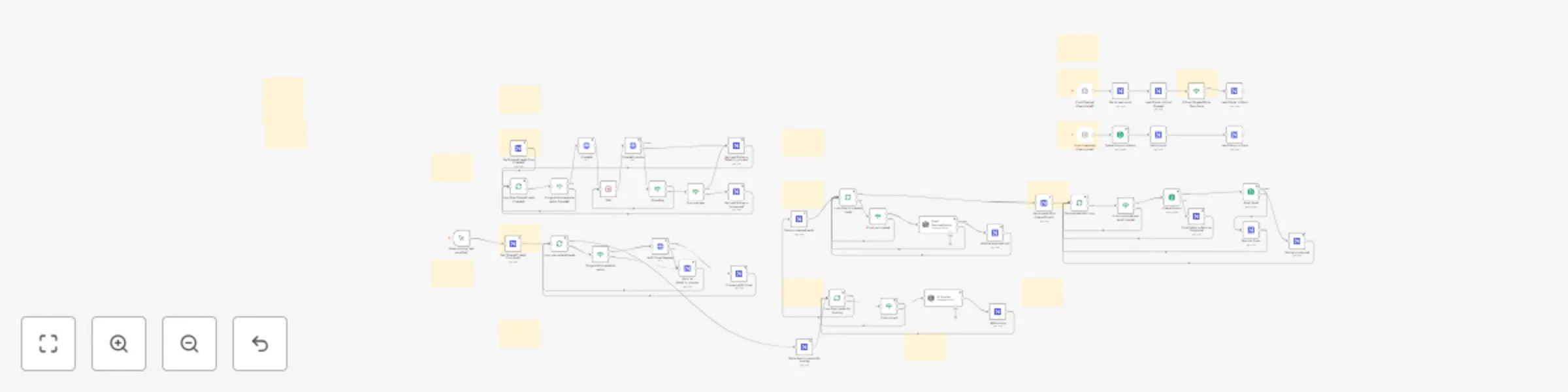
Ai-powered Telegram trivia bot with auto question generation & user management

## Complete Telegram Trivia Bot with AI Question Generation Build a fully-featured **Telegram trivia bot** that automatically generates fresh questions daily using **OpenAI** and tracks user progress with **NocoDB**. Perfect for communities, education, or entertainment! ## Get Started with [n8n](https://n8n.partnerlinks.io/ds9podzjls6d) now! ## ✨ Key Features - 🤖 **AI Question Generation**: Automatically creates 40+ new trivia questions daily across 8 categories - 📊 **Smart User Management**: Tracks scores, prevents question repeats, maintains leaderboards - 🎮 **Game Mechanics**: Star-based difficulty scoring, answer history, progress tracking - 🏆 **Competitive Elements**: Real-time leaderboards with emoji rankings and user positioning - 🛡️ **Robust Architecture**: Error handling, state management, and data validation ## 🚀 Perfect For - **Community Engagement**: Keep Telegram groups active with daily trivia challenges - **Educational Content**: Create learning experiences with categorized questions - **Business Applications**: Employee training, customer engagement, lead generation - **Personal Projects**: Learn n8n automation while building something fun ## 📱 Supported Commands - `/start` - Welcome new users with setup instructions - `/question` - Get personalized trivia questions (never repeats correctly answered ones) - `/score` - View current points and statistics - `/leaderboard` - See top 10 players with rankings - `/stats` - Detailed accuracy and performance metrics - `/help` - Complete command reference ## 🔧 How It Works **User Journey:** 1. User sends `/question` command to bot 2. System checks their answer history to avoid repeats 3. Displays fresh question with multiple choice options 4. Processes answer, updates score based on difficulty stars 5. Saves complete answer history for future filtering **AI Content Pipeline:** 1. Daily scheduler triggers question generation 2. OpenAI creates 5 questions per category (8 categories total) 3. Questions automatically saved to NocoDB with difficulty ratings 4. Content includes explanations and proper formatting ## 🛠️ Set Up Steps **Prerequisites:** - [n8n instance](https://n8n.partnerlinks.io/ds9podzjls6d) (cloud or self-hosted) - NocoDB database (free tier works) - OpenAI API key (Not required if you want to add questions yourself) - Telegram bot token **Database Setup:** Create 3 NocoDB tables with the exact field specifications provided in the sticky notes. The workflow includes complete schema documentation. **Configuration Time:** ~15 minutes for database setup + API keys **Detailed Setup Instructions:** All setup steps, database schemas, and configuration details are documented in the workflow's sticky notes for easy implementation. ## 📈 Advanced Features - **Question History Tracking**: Users never see correctly answered questions again - **Difficulty-Based Scoring**: 1-5 star rating system with corresponding points - **Category Management**: 8 different trivia categories for variety - **State Management**: Proper game flow with idle/waiting states - **Error Handling**: Graceful fallbacks for all edge cases - **Scalable Architecture**: Supports unlimited concurrent users ## 🎯 Business Applications - **Lead Generation**: Capture user data through engaging trivia - **Employee Training**: Create custom questions for onboarding - **Customer Engagement**: Keep users active in your Telegram community - **Educational Tools**: Subject-specific learning with progress tracking - **Event Activation**: Conferences, workshops, or team building ## 💡 Customization Options - Modify question categories for your niche - Adjust scoring systems and difficulty levels - Add custom commands and features - Integrate with other platforms or APIs - Create specialized question sets ## 🔗 Get Started Ready to build your own AI-powered trivia bot? Start with [n8n](https://n8n.partnerlinks.io/ds9podzjls6d) and follow the comprehensive setup guide included in this workflow template. **Next Steps:** 1. Import this workflow template 2. Follow the database setup instructions in sticky notes 3. Configure your API credentials 4. Test with sample questions 5. Launch your trivia bot! Turn your friend group into trivia champions with AI-generated questions that spark friendly competition!

L
Luka Zivkovic
Miscellaneous
30 Jun 2025
3130
0
Workflow preview: AI Timesheet Generator with Gmail, Calendar & GitHub to Google Sheets
Free advanced

AI Timesheet Generator with Gmail, Calendar & GitHub to Google Sheets

# AI-Powered Automatic Timesheet Generator for Google Sheets Stop wasting billable hours on manual time-tracking. **AutoTimesheet Pro** uses AI to collect emails, meetings, and GitHub work, then writes a clean timesheet straight into Google Sheets. Perfect for developers, consultants, agencies, and remote teams. ## Get Started with [n8n](https://n8n.partnerlinks.io/ds9podzjls6d) now! --- ## 🚀 Key Features - **Automated Google Sheets time-tracking** — zero spreadsheet prep. - **AI-generated activity summaries** (≤ 120 chars) via OpenAI GPT-4o-mini. - **Gmail integration** — logs only important emails, skipping newsletters & no-replies. - **Google Calendar time logger** — captures confirmed events, duration, and attendees. - **GitHub commit & PR tracker** — records your commits plus opened/closed PRs. - **Daily 7 PM cron trigger** (easily adjustable). - **Month-based sheet creation** — new tab spins up on the first run each month. - **No-code n8n template** — just connect credentials and tweak one **Set Variables** node. - **🔌 Easily extensible** — drag-and-drop extra n8n nodes to add Slack, Jira, Notion, Asana, Trello, Toggl, or any other data source you need. --- ## 🔍 How It Works 1. **Collect** — n8n pulls data from Gmail, Google Calendar, and chosen GitHub repos. 2. **Clean** — filters remove noise (newsletters, irrelevant commits, etc.). 3. **Condense** — OpenAI rewrites each item into a concise, SEO-friendly description. 4. **Write** — workflow appends *Date*, *Type*, and *Description* to your **Timesheet** Google Sheet. 5. **Extend** — simply insert new n8n nodes (e.g., Slack, Notion, Jira) and merge them into the same pipeline. --- ## 📈 Benefits for SEO-Minded Professionals - **Keyword-rich activity log** improves internal search and reporting. - **Structured data** in Sheets simplifies export to accounting or PM tools. - **Consistent naming** (`CALENDAR_EVENT`, `EMAIL`, `COMMIT`, `PR`) makes analytics easy. --- ## ✅ Why Choose AutoTimesheet Pro? - Zero manual entry — just open the sheet and bill clients. - Immediate visibility into where your hours went. - Works with any GitHub repo list and any inbox you own. - 100 % no-code setup — activate in minutes. - Built on n8n, so you can customize and scale without limits. --- ## 📥 Get Started Ready to replace manual time-tracking with smart automation? #### https://n8n.partnerlinks.io/ds9podzjls6d Join **N8N** now, connect your Google & GitHub accounts, and let AI handle your daily log. ---

L
Luka Zivkovic
Personal Productivity
27 Jun 2025
21336
0
Workflow preview: Automate lead generation with Apollo, AI scoring and Brevo email outreach
Free advanced

Automate lead generation with Apollo, AI scoring and Brevo email outreach

# AI Scoring, Personalized Email Creation and Outreach ## Overview This comprehensive automation flow helps you scale your outreach to potential customers through intelligent personalized email campaigns. The system combines web scraping, AI-powered lead scoring, and automated email sequences to maximize your conversion rates. ### Key Features - **Intelligent Website Analysis** with automated scraping - **AI-Powered Lead Scoring** for prioritization - **Personalized Email Generation** using AI - **Automated Email Outreach** with tracking - **Real-time Event Monitoring** via Brevo webhooks - **Centralized Data Management** with NocoDB ### System Architecture The workflow integrates multiple platforms to create a seamless lead generation pipeline: - **NocoDB** - Central database and CRM - **Crawl4AI** - Website content analysis - **OpenAI** - Lead scoring and email personalization - **Brevo** - Email delivery and tracking --- ## Setup Requirements ### Prerequisites Before starting, ensure you have accounts for the following services: 1. **NocoDB** (Database & CRM) 2. **Apify** (Web scraping platform) 3. **OpenAI** (AI processing) 4. **Brevo** (Email delivery service) > **💡 Pro Tip:** For advanced users, consider self-hosting NocoDB and Crawl4AI to significantly reduce operational costs. --- ## Step-by-Step Setup ### 1. NocoDB Database Configuration #### Create Your NocoDB Account 1. Sign up at [nocodb.com](https://nocodb.com) 2. Create a new workspace 3. Set up your first base (database) #### Database Schema Setup Create a new table with the following field structure: | Field Name | Field Type | Configuration | |------------|------------|---------------| | `first_name` | Single Line Text | - | | `last_name` | Single Line Text | - | | `email` | Email | - | | `headline` | Single Line Text | - | | `linkedin_url` | URL | - | | `industry` | Single Line Text | - | | `organization_name` | Single Line Text | - | | `organization_website` | URL | - | | `organization_size` | Number | - | | `organization_linkedin_url` | URL | - | | `organization_facebook_url` | URL | - | | `market_cap` | Single Line Text | - | | `job_title` | Single Line Text | - | | `country` | Single Line Text | - | | `city` | Single Line Text | - | | `lead_status` | Single Select | Options: `entered`(make it default!), `processed`, `email_created`, `contacted`, `trash`, `failed_to_process`, `opened_email`, `warm` | Default Value: `entered` | `website_summary` | Long Text | - | | `score` | Number | Default: 0 | | `organization_description` | Long Text | - | | `primary_phone` | Phone Number | - | | `keywords` | Single Line Text | - | | `email_subject` | Single Line Text | - | | `email_body` | Long Text | - | | `email_opened_times` | Number | Default: 0 | | `personal_email` | Single Line Text | - | ### 2. External Service Setup #### Apify Configuration 1. Create account at [apify.com](https://apify.com) 2. Navigate to **Settings** → **API tokens** 3. Generate new API token 4. Save token securely for automation setup #### OpenAI API Setup 1. Visit [platform.openai.com](https://platform.openai.com) 2. Go to **API Keys** section 3. Create new secret key 4. Store API key securely 5. Ensure billing is configured for API usage #### Brevo Email Service 1. Sign up at [brevo.com](https://brevo.com) 2. Complete account verification 3. Navigate to **SMTP & API** settings 4. Generate API key for integration 5. Configure sender authentication (SPF/DKIM) --- ## Workflow Process ### Phase 1: Lead Discovery & Data Collection 1. **Data Import** - Populate NocoDB with lead information 2. **Status Update** - Mark leads as `entered` ### Phase 2: Website Analysis & Lead Scoring 1. **Website Scraping** - Analyze company websites using Crawl4AI 2. **Content Processing** - Extract key business information 3. **AI Scoring** - Evaluate lead quality using OpenAI 4. **Database Update** - Store analysis results and scores ### Phase 3: Email Personalization & Outreach 1. **Content Generation** - Create personalized email content 2. **Email Preparation** - Format messages for delivery 3. **Automated Sending** - Deploy via Brevo 4. **Status Tracking** - Monitor delivery and engagement ### Phase 4: Performance Monitoring 1. **Webhook Processing** - Capture Brevo email events 2. **Engagement Tracking** - Update open/click metrics 3. **Lead Qualification** - Adjust lead status based on engagement 4. **Pipeline Management** - Maintain lead progression --- ## Lead Status Workflow ``` entered → processed → email_created → contacted → opened_email → warm ↓ failed_to_process / trash (for low-quality leads) ``` ### Status Definitions - **entered**: Initial lead data captured - **processed**: Website analyzed and scored - **email_created**: Personalized email generated - **contacted**: Email successfully sent - **opened_email**: Recipient opened the email - **warm**: High engagement, ready for follow-up - **failed_to_process**: Technical issues during processing - **trash**: Low-quality lead, removed from active pipeline --- ## Best Practices ### Data Quality - Regularly clean and deduplicate your lead database - Monitor lead scores to refine your targeting criteria - Archive or remove inactive leads to maintain performance ### Email Deliverability - Warm up your sending domain before high-volume campaigns - Monitor bounce rates and adjust list quality - Implement proper SPF, DKIM, and DMARC records ### Compliance - Ensure GDPR/CAN-SPAM compliance in all communications - Provide clear unsubscribe mechanisms - Respect recipient preferences and opt-outs ### Performance Optimization - A/B test email subject lines and content - Analyze open rates and adjust sending times - Segment leads based on engagement levels for targeted follow-up --- ## Next Steps Once your setup is complete, you'll have a powerful, automated lead generation system that can: - Process hundreds of leads simultaneously - Provide intelligent lead prioritization - Generate personalized outreach at scale - Track and optimize campaign performance Ready to transform your lead generation process? Start with the NocoDB setup and work through each integration step by step.

L
Luka Zivkovic
Lead Generation
1 Jun 2025
1747
0