Block 1 - Market Research Form
- Type / Role
- n8n-nodes-base.formTrigger - formTrigger
- Config choices
- Version 2.5


 Early Deal
Important: This workflow uses the Autype and [SerpAPI Official](https://www.npmjs.com/package/n8n nodes serp...
n8n-nodes-base.formtrigger, n8n-nodes-serpapi.serpapi, n8n-nodes-base.httprequest, n8n-nodes-base.merge, n8n-nodes-base.code, @n8n/n8n-nodes-langchain.agent, @n8n/n8n-nodes-langchain.lmchatopenrouter, n8n-nodes-autype.autype
This workflow is cataloged by N8N Workflows and links back to its original n8n.io source page by 8Automator.
Original n8n.io sourceImportant: This workflow uses the Autype and SerpAPI Official community nodes and requires a self-hosted n8n instance.
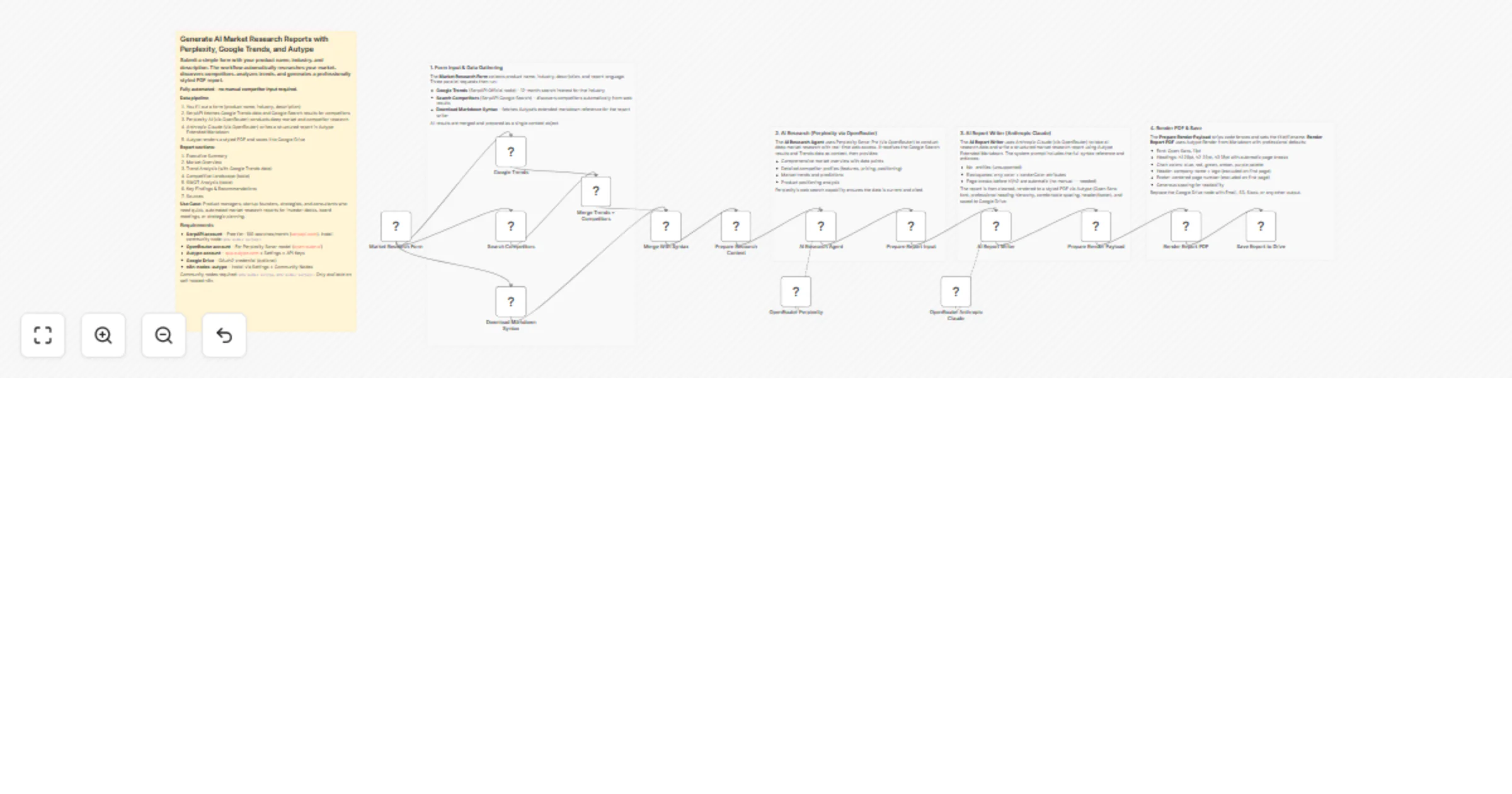
Submit a simple form with your product name, industry, and description. The workflow automatically researches your market via Google Trends and Google Search (SerpAPI), conducts deep analysis with Perplexity AI (via OpenRouter), writes a structured report with Anthropic Claude (via OpenRouter), and renders a professionally styled PDF using Autype Extended Markdown. No manual competitor input required -- everything is discovered automatically.
Product managers, startup founders, strategists, and consultants who need quick market research reports for investor decks, board meetings, competitive positioning, or strategic planning. Instead of spending hours compiling data from multiple sources, this workflow automates the entire research-to-PDF pipeline from a single form submission.
Concrete example: A SaaS startup preparing for a Series A fundraise needs a market research report on the document automation space. They fill in their product name and industry, describe their product, and submit the form. In under two minutes they get a polished PDF with current market trends, auto-discovered competitor comparisons, SWOT analysis, and strategic recommendations -- ready to attach to their pitch deck.
When a user submits the form, the workflow sends parallel requests to Google Trends (12-month interest data) and Google Search (competitor discovery) via SerpAPI, and downloads Autype's extended markdown syntax reference. All data is merged and passed to an AI Research Agent powered by Perplexity Sonar Pro (via OpenRouter) for deep market and competitor analysis with real-time web citations. The research output is then handed to an AI Report Writer (Anthropic Claude via OpenRouter) that writes a structured market research report in Autype Extended Markdown. The markdown is rendered to a styled PDF via Autype's Render from Markdown operation, and the final report is saved to Google Drive.
n8n-nodes-autype and n8n-nodes-serpapi.YOUR_FOLDER_ID in the "Save Report to Drive" node to your target Google Drive folder.Note: You need a self-hosted n8n instance to use the Community Nodes.
n8n-nodes-autype community node installedn8n-nodes-serpapi community node installed (verified)defaults JSON in the Render Report PDF node to change the company name, logo URL, or footer text.defaults JSON in the Render Report PDF node to change fonts, colors, spacing, and heading styles. See the Autype defaults schema for all options.This catalog entry is organized from the workflow JSON. The node-level section below shows the executable blocks available for review before importing the template.
| Workflow | Generate AI market research reports with Perplexity, Claude, Google Trends, and Autype |
|---|---|
| Complexity | advanced |
| Nodes | 20 |
| Categories | Market Research, AI Summarization |
| Author | 8Automator |
| Published | 06 Mar 2026 |
Use the JSON export at /data/workflows/13908/13908.json as the source template for this automation.
Open n8n, import the downloaded JSON, and review each node before activating the workflow.
Replace placeholder credentials, API keys, webhook URLs, account IDs, and environment-specific values with your own settings.
Run the workflow manually or in a staging workspace, inspect node output, and confirm downstream systems receive the expected data.
Enable the workflow only after testing, then monitor executions, errors, and rate limits during the first production runs.
Review imported nodes carefully before activation. This catalog entry is intended to help you inspect the workflow structure, understand required services, and find related templates faster.
Node names, credentials, schedules, webhook paths, and external service limits may need adjustment for your workspace.
Important: This workflow uses the Autype and [SerpAPI Official](https://www.npmjs.com/package/n8n nodes serp...
Review the workflow JSON, configure any required credentials in n8n, and test the automation in a safe workspace before using it in production.
Yes. Use the block-by-block analysis and the downloadable JSON to inspect each node, then adjust credentials, prompts, schedules, filters, or destinations for your Market Research, AI Summarization use case.