Block 1 - Google Forms Webhook1
- Type / Role
- n8n-nodes-base.webhook - webhook
- Config choices
- Version 2.1


 Early Deal
This workflow is provided as-is. Please review and test before using in production.
Who’s it for Teams that collect meeting requests via a form and want instant, error free scheduling: customer success, sales, education, agencies, and community managers. How it works / What it doe...
n8n-nodes-base.webhook, n8n-nodes-base.merge, n8n-nodes-base.set, n8n-nodes-base.googlecalendar, n8n-nodes-base.if, n8n-nodes-base.zoom, n8n-nodes-base.gmail, n8n-nodes-base.slack
This workflow is cataloged by N8N Workflows and links back to its original n8n.io source page by Takuya Ojima.
Original n8n.io sourceWho’s it for
Teams that collect meeting requests via a form and want instant, error-free scheduling: customer success, sales, education, agencies, and community managers.
How it works / What it does
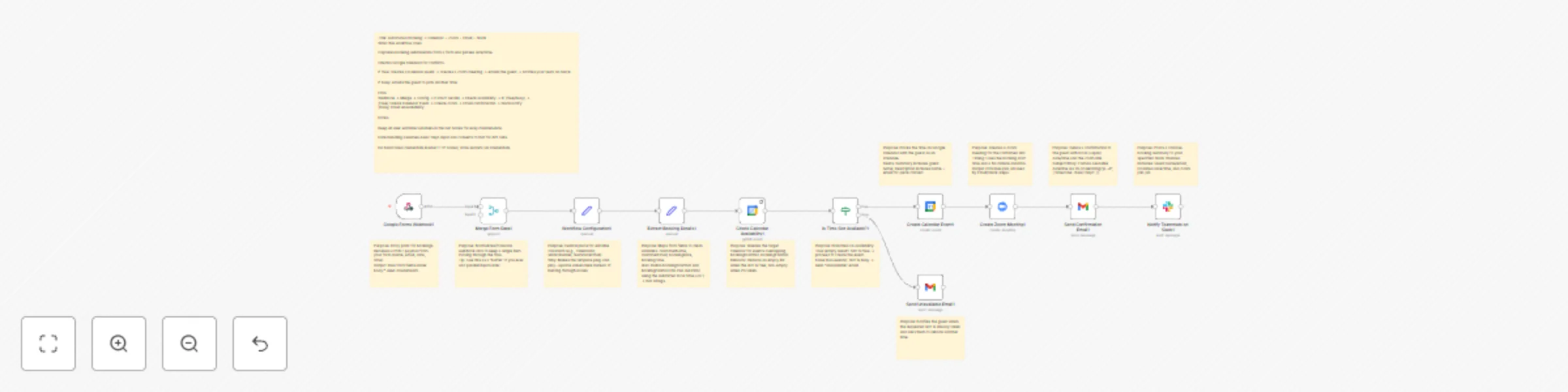
This workflow ingests a form submission (name, email, preferred date/time), checks Google Calendar for conflicts, and branches automatically. If the slot is free, it creates a calendar event, spins up a Zoom meeting, emails the guest a confirmation, and posts a Slack summary to your team. If busy, it sends a polite “please pick another time” email. Time handling defaults to Asia/Tokyo and converts to ISO internally to keep downstream integrations consistent.
How to set up
Import the workflow and rename nodes for clarity if needed.
Open the Workflow Configuration (Set) node and adjust variables (calendar ID, meeting duration, Slack channel, sender info).
Map your form fields in Extract Booking Details.
Connect credentials in each service node (Google Calendar, Zoom, Gmail, Slack).
Test once with a real submission.
Requirements
Active accounts and n8n credentials for Google Calendar, Zoom, Gmail, and Slack.
A form or webhook source that sends name, email, and a valid datetime.
How to customize the workflow
Duration & buffers: Change end time calculation in Extract Booking Details.
Time zones: If you accept multiple time zones, normalize before building ISO strings.
Email copy: Personalize confirmation/alternative-time messages and add attachments if desired.
Slack format: Enrich the post with fields (host, Zoom join URL, internal tags).
Routing: Add CRM updates or reminders after the “slot free” branch.
Security note: No hardcoded API keys in HTTP nodes. Configure all credentials via n8n’s credential manager.
This catalog entry is organized from the workflow JSON. The node-level section below shows the executable blocks available for review before importing the template.
| Workflow | Form to meeting: Google Calendar, Zoom, Gmail & Slack booking automation |
|---|---|
| Complexity | advanced |
| Nodes | 23 |
| Categories | Lead Nurturing |
| Author | Takuya Ojima |
| Published | 24 Oct 2025 |
Use the JSON export at /data/workflows/10104/10104.json as the source template for this automation.
Open n8n, import the downloaded JSON, and review each node before activating the workflow.
Replace placeholder credentials, API keys, webhook URLs, account IDs, and environment-specific values with your own settings.
Run the workflow manually or in a staging workspace, inspect node output, and confirm downstream systems receive the expected data.
Enable the workflow only after testing, then monitor executions, errors, and rate limits during the first production runs.
Review imported nodes carefully before activation. This catalog entry is intended to help you inspect the workflow structure, understand required services, and find related templates faster.
Node names, credentials, schedules, webhook paths, and external service limits may need adjustment for your workspace.
Who’s it for Teams that collect meeting requests via a form and want instant, error free scheduling: customer success, sales, education, agencies, and community managers. How it works / What it doe...
Review the workflow JSON, configure any required credentials in n8n, and test the automation in a safe workspace before using it in production.
Yes. Use the block-by-block analysis and the downloadable JSON to inspect each node, then adjust credentials, prompts, schedules, filters, or destinations for your Lead Nurturing use case.