Block 1 - When clicking ‘Execute workflow’
- Type / Role
- n8n-nodes-base.manualTrigger - manualTrigger
- Config choices
- Version 1


 Early Deal
This workflow is provided as-is. Please review and test before using in production.
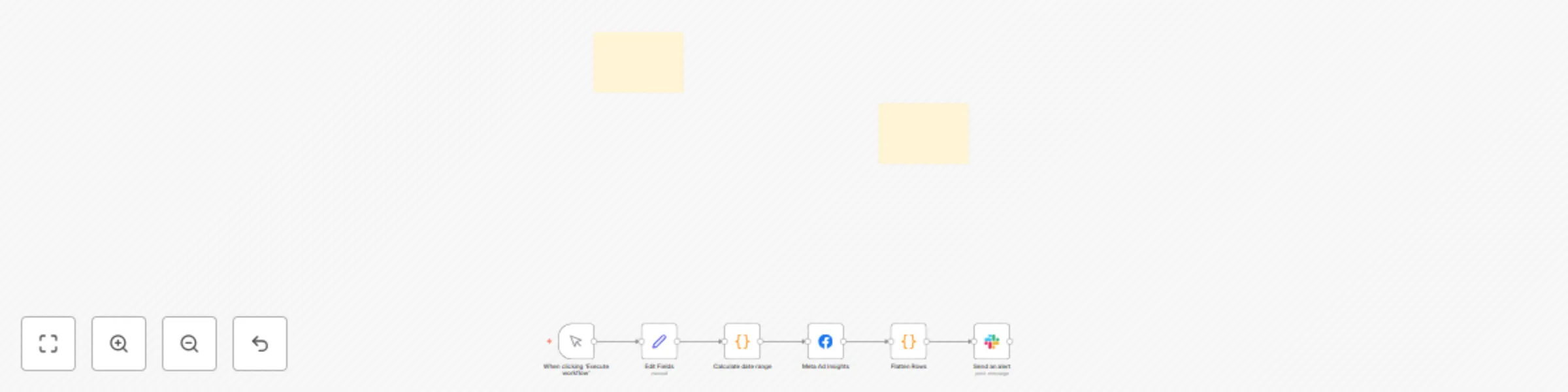
Who’s it for This workflow is for marketing teams, performance marketers, and media buyers running Facebook (Meta) Ads who want to stay on top of creative performance without manually checking Ads ...
n8n-nodes-base.manualtrigger, n8n-nodes-base.set, n8n-nodes-base.code, n8n-nodes-base.facebookgraphapi, n8n-nodes-base.stickynote, n8n-nodes-base.slack
This workflow is cataloged by N8N Workflows and links back to its original n8n.io source page by Artur.
Original n8n.io sourceThis workflow is for marketing teams, performance marketers, and media buyers running Facebook (Meta) Ads who want to stay on top of creative performance without manually checking Ads Manager every day.
The workflow automatically monitors Facebook Ads performance at the ad creative level and sends real-time Slack notifications when key metrics cross your thresholds. It tracks CTR, CPC, ROAS, spend, and conversions over a rolling time window, then flags:
Faster detection of problems Instead of waiting for a weekly report, you know within a day (or whatever window you configure) if an ad’s CTR is tanking or if spend is producing poor ROAS. That prevents wasted budget.
Highlighting winners When an ad’s ROAS is high (e.g. >5x), you get an instant Slack ping. You can then shift budget to scale it before performance fades.
Reduced manual monitoring Normally someone has to log into Meta Ads Manager daily, filter by campaign/ad, export CSVs, check CTR/ROAS, then write up notes. That’s time-consuming and error-prone. Automating this means you spend less time gathering data and more time making decisions.
Team visibility Posting to Slack means the whole marketing team is aligned on what’s working and what isn’t, without sharing dashboards or CSVs around.
act_id (Facebook Ad Account ID) and campaign_id.ctr_min, roas_top, and lookback_days to fit your goals.chat:write permission.creative in the insights fields.This catalog entry is organized from the workflow JSON. The node-level section below shows the executable blocks available for review before importing the template.
| Workflow | Facebook / Meta ads performance monitoring with Slack alerts (CTR, CPC, ROAS) |
|---|---|
| Complexity | intermediate |
| Nodes | 8 |
| Categories | Social Media, Multimodal AI |
| Author | Artur |
| Published | 28 Aug 2025 |
Use the JSON export at /data/workflows/7976/7976.json as the source template for this automation.
Open n8n, import the downloaded JSON, and review each node before activating the workflow.
Replace placeholder credentials, API keys, webhook URLs, account IDs, and environment-specific values with your own settings.
Run the workflow manually or in a staging workspace, inspect node output, and confirm downstream systems receive the expected data.
Enable the workflow only after testing, then monitor executions, errors, and rate limits during the first production runs.
Review imported nodes carefully before activation. This catalog entry is intended to help you inspect the workflow structure, understand required services, and find related templates faster.
Node names, credentials, schedules, webhook paths, and external service limits may need adjustment for your workspace.
Who’s it for This workflow is for marketing teams, performance marketers, and media buyers running Facebook (Meta) Ads who want to stay on top of creative performance without manually checking Ads ...
Review the workflow JSON, configure any required credentials in n8n, and test the automation in a safe workspace before using it in production.
Yes. Use the block-by-block analysis and the downloadable JSON to inspect each node, then adjust credentials, prompts, schedules, filters, or destinations for your Social Media, Multimodal AI use case.