Block 1 - Gmail Trigger
- Type / Role
- n8n-nodes-base.gmailTrigger - gmailTrigger
- Config choices
- Version 1.3


 Early Deal
Workflow Introduction Core Competence Our invoice extraction workflow is completed end to end automatically: Gmail invoice email screening → extraction of key fields from multi format invoices → au...
n8n-nodes-base.gmailtrigger, n8n-nodes-base.merge, n8n-nodes-base.googledrive, n8n-nodes-base.code, n8n-nodes-base.if, n8n-nodes-base.extractfromfile, n8n-nodes-base.httprequest, n8n-nodes-base.stickynote
This workflow is cataloged by N8N Workflows and links back to its original n8n.io source page by Laiye-ADP.
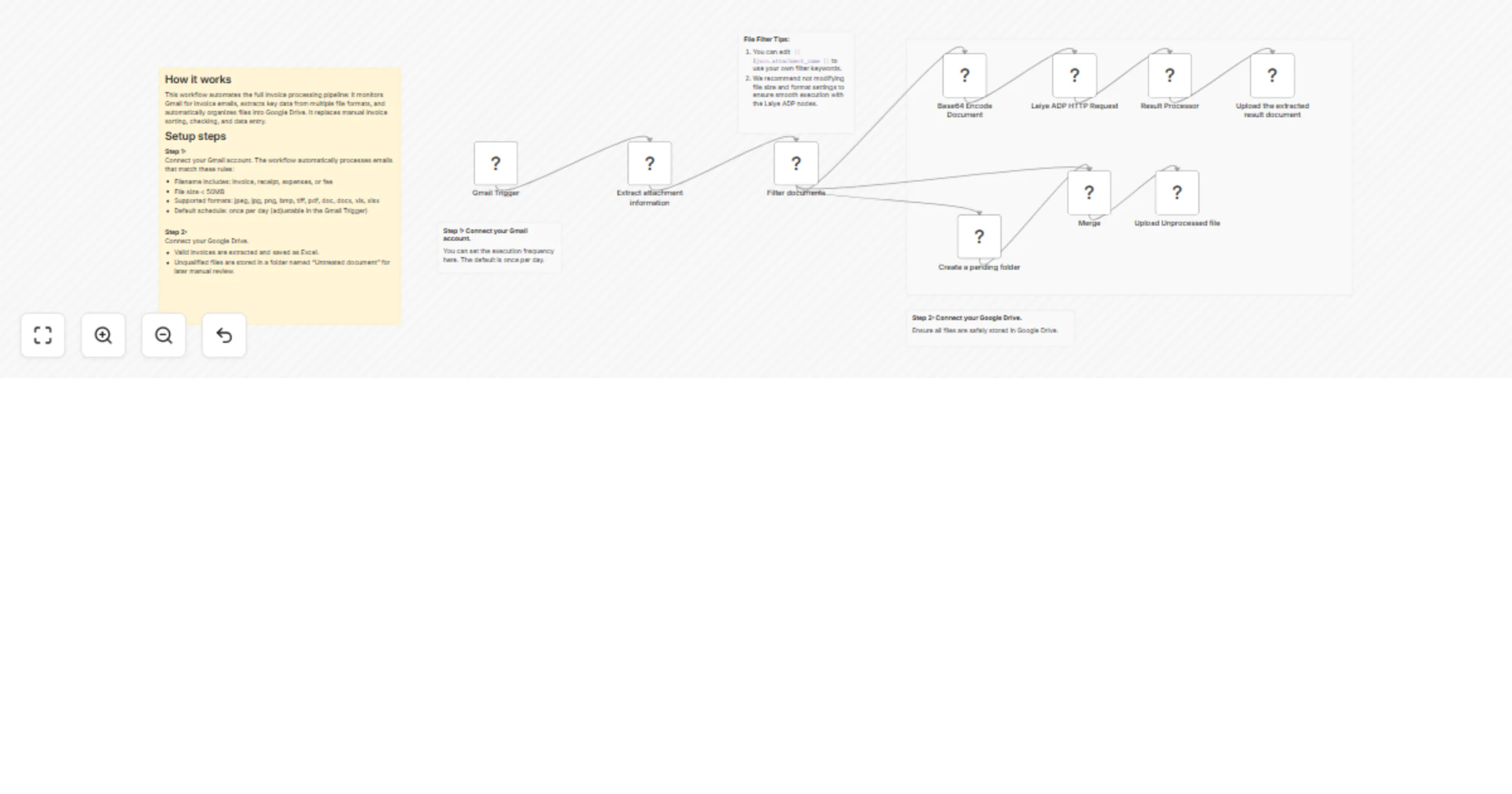
Original n8n.io sourceOur invoice extraction workflow is completed end-to-end automatically: Gmail invoice email screening → extraction of key fields from multi-format invoices → automatic archiving of results to Google Drive, replacing the repetitive manual labor of finance staff in opening and entering invoices.
Laiye ADP (Agentic Document Processing), based on large language models and vision-language models, combined with agent technology, is a new generation platform that enables end-to-end automated document processing.
For more information, please visit the official website of Laiye Technology: ++https://laiye.com/++
Step 1: Complete Gmail authorization
You need to authorize your Google email. We will automatically obtain your email attachments from Google email. To accurately obtain and identify the invoice attachments, you can set up your email filter configuration by yourself, for example:
Step 2: Automate document filtering
We have configured the document automatic filterer for you, which will filter out the documents that meet the automated processing flow. There is no need for manual operation.
For those that do not meet the conditions, our workflow will store these documents in the designated folder for quick retrieval during manual processing. There is no need to sift through emails one by one.
The documents that we preset for automatic processing include the following conditions (union):
{{ $json.attachment_extension }}
field in the filter to assign the value.Step 3: Complete ADP permission configuration
Step 4: Complete Google Drive authorization
Follow us on LinkedIn for more updates! ++https://www.linkedin.com/company/laiye++
If you encounter any issues during use, you can try contacting us for technical support ([email protected]++), and your message requesting technical support can include the following content:
This catalog entry is organized from the workflow JSON. The node-level section below shows the executable blocks available for review before importing the template.
| Workflow | Extract invoices from Gmail with Laiye ADP and save them to Google Drive |
|---|---|
| Complexity | advanced |
| Nodes | 15 |
| Categories | Invoice Processing, AI Summarization |
| Author | Laiye-ADP |
| Published | 03 Feb 2026 |
Use the JSON export at /data/workflows/13174/13174.json as the source template for this automation.
Open n8n, import the downloaded JSON, and review each node before activating the workflow.
Replace placeholder credentials, API keys, webhook URLs, account IDs, and environment-specific values with your own settings.
Run the workflow manually or in a staging workspace, inspect node output, and confirm downstream systems receive the expected data.
Enable the workflow only after testing, then monitor executions, errors, and rate limits during the first production runs.
Review imported nodes carefully before activation. This catalog entry is intended to help you inspect the workflow structure, understand required services, and find related templates faster.
Node names, credentials, schedules, webhook paths, and external service limits may need adjustment for your workspace.
Workflow Introduction Core Competence Our invoice extraction workflow is completed end to end automatically: Gmail invoice email screening → extraction of key fields from multi format invoices → au...
Review the workflow JSON, configure any required credentials in n8n, and test the automation in a safe workspace before using it in production.
Yes. Use the block-by-block analysis and the downloadable JSON to inspect each node, then adjust credentials, prompts, schedules, filters, or destinations for your Invoice Processing, AI Summarization use case.