Block 1 - When clicking ‘Execute workflow’
- Type / Role
- n8n-nodes-base.manualTrigger - manualTrigger
- Config choices
- Version 1


 Early Deal
This workflow is provided as-is. Please review and test before using in production.
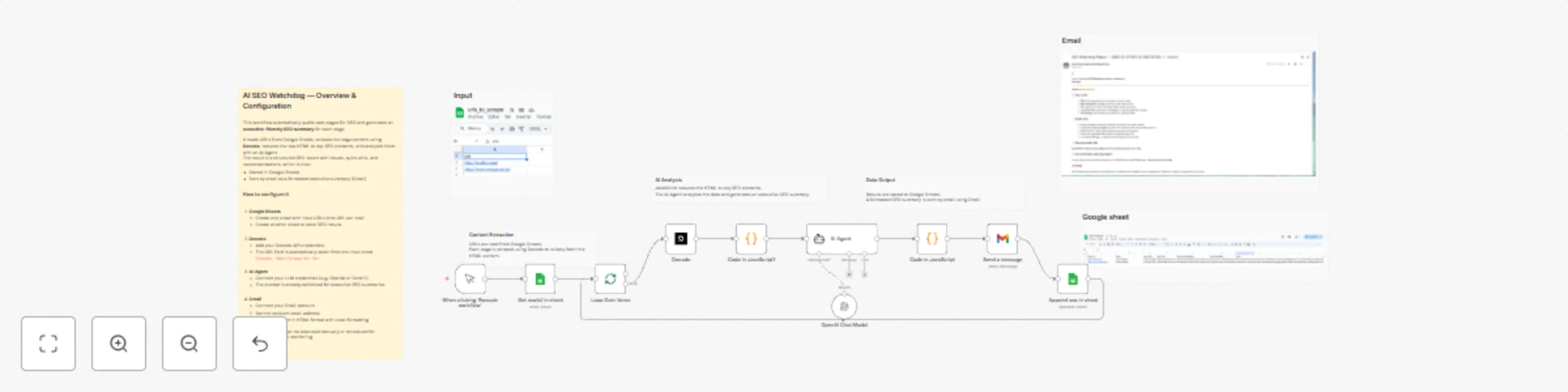
What this workflow does This template extracts high intent SEO keywords from any web page and turns them into a ranked keyword list you can use for content planning, landing pages, and SEO strategy...
n8n-nodes-base.manualtrigger, n8n-nodes-base.code, n8n-nodes-base.stickynote, n8n-nodes-base.googlesheets, n8n-nodes-base.splitinbatches, @n8n/n8n-nodes-langchain.lmchatopenai, @decodo/n8n-nodes-decodo.decodo, @n8n/n8n-nodes-langchain.agent
This workflow is cataloged by N8N Workflows and links back to its original n8n.io source page by Kevin Meneses .
Original n8n.io sourceThis template extracts high-intent SEO keywords from any web page and turns them into a ranked keyword list you can use for content planning, landing pages, and SEO strategy.
It runs in 3 phases:
1. Scrape the target URL with Decodo Decodo – Web Scraper for n8n
2. Use AI to extract seed keywords and understand the page topic
3. Enrich each seed keyword with real Google SERP data via SerpApi (related searches + questions + competitors), then apply a JavaScript scoring system to rank the best opportunities
The final output is saved to Google Sheets as a clean table of ranked keywords.
SEO consultants and agencies
SaaS marketers and growth teams
Founders validating positioning and messaging
Content teams looking for “what people actually search for”
This workflow is especially useful when you want keywords with commercial / solution intent, not generic single-word terms.
Phase 1 — Scrape & clean page content
Reads the URL from Google Sheets
Scrapes the page via Decodo
Cleans HTML into plain text (token-friendly)
Phase 2 — AI keyword extraction
AI returns a structured JSON with:
brand / topic
5–10 mid-tail seed keywords
intent + audience hints
Phase 3 — SERP enrichment + scoring
Uses SerpApi to fetch:
1) Google Sheets (input)
Create a sheet with:
Column name: urls
One URL per row
2) Google Sheets (output)
Create an output sheet with columns like:
source_type
Tip: Clear the output sheet before each run if you want a clean export.
3) Decodo
Add your Decodo credentials
The URL is taken automatically from Google Sheets Decodo – Web Scraper for n8n
4) SerpApi
Add your SerpApi key in the SerpApi node
5) AI Model
Connect your preferred AI model (Gemini / OpenAI)
The prompt is optimized to output valid JSON only
Self-hosted disclaimer
This is a community template. You must configure your own credentials (Google Sheets, Decodo, SerpApi, AI). Results depend on page accessibility and page content quality.
This catalog entry is organized from the workflow JSON. The node-level section below shows the executable blocks available for review before importing the template.
| Workflow | Extract high-intent SEO keywords with Decodo from web pages with AI + SERP data |
|---|---|
| Complexity | advanced |
| Nodes | 17 |
| Categories | Market Research, AI Summarization |
| Author | Kevin Meneses |
| Published | 04 Dec 2025 |
Use the JSON export at /data/workflows/11491/11491.json as the source template for this automation.
Open n8n, import the downloaded JSON, and review each node before activating the workflow.
Replace placeholder credentials, API keys, webhook URLs, account IDs, and environment-specific values with your own settings.
Run the workflow manually or in a staging workspace, inspect node output, and confirm downstream systems receive the expected data.
Enable the workflow only after testing, then monitor executions, errors, and rate limits during the first production runs.
Review imported nodes carefully before activation. This catalog entry is intended to help you inspect the workflow structure, understand required services, and find related templates faster.
Node names, credentials, schedules, webhook paths, and external service limits may need adjustment for your workspace.
What this workflow does This template extracts high intent SEO keywords from any web page and turns them into a ranked keyword list you can use for content planning, landing pages, and SEO strategy...
Review the workflow JSON, configure any required credentials in n8n, and test the automation in a safe workspace before using it in production.
Yes. Use the block-by-block analysis and the downloadable JSON to inspect each node, then adjust credentials, prompts, schedules, filters, or destinations for your Market Research, AI Summarization use case.