Block 1 - Fetch Dataset Items
- Type / Role
- @apify/n8n-nodes-apify.apify - apify
- Config choices
- Version 1


 Early Deal
Automate your B2B lead generation by scraping Google Maps, generating AI business summaries, and extracting hidden contact emails from websites, all triggered via Telegram. Why Use This Workflow? T...
@apify/n8n-nodes-apify.apify, n8n-nodes-base.removeduplicates, n8n-nodes-base.splitinbatches, n8n-nodes-base.googlesheets, n8n-nodes-base.wait, n8n-nodes-base.telegramtrigger, n8n-nodes-base.code, n8n-nodes-base.telegram
This workflow is cataloged by N8N Workflows and links back to its original n8n.io source page by Khairul Muhtadin.
Original n8n.io sourceAutomate your B2B lead generation by scraping Google Maps, generating AI business summaries, and extracting hidden contact emails from websites, all triggered via Telegram.
Time Savings: Reduces lead research time from 4 hours of manual searching to 5 minutes of automated execution per 50 leads.
Cost Reduction: Replaces expensive monthly lead database subscriptions with a pay-as-you-go model using Apify and OpenAI.
Error Prevention: Uses AI to deduplicate results and ensure company summaries are professional and consistent for your CRM.
Scalability: Allows you to trigger massive scraping tasks from your mobile phone via Telegram while the backend handles the heavy lifting.
Sector; Limit; MapsURL.| Requirement | Type | Purpose |
|---|---|---|
| n8n instance | Essential | Workflow execution and logic |
| Apify Account | Essential | Scrapes Google Maps data |
| OpenAI API Key | Essential | Generates summaries and extracts emails |
| Google Sheets | Essential | Data storage and lead management |
| Telegram Bot | Essential | User interface for triggering searches |
| Jina AI Key | Essential | Converts websites to LLM-friendly Markdown |
Coffee Shops; 5; https://www.google.com/maps/search/coffee+shops+london to your bot.| Node | Purpose | Key Configuration |
|---|---|---|
| Telegram Trigger | Captures user input | Listens for /message updates |
| Apify Node | Executes Maps Scraper | Uses nwua9Gu5YrADL7ZDj actor ID |
| OpenAI Node | AI Analysis | Configured for JSON output (Summary) and extraction (Email) |
| Jina AI | Web Scraping | Converts HTML to Markdown for AI readability |
| Google Sheets | Database | Uses Append or Update based on the business Title |
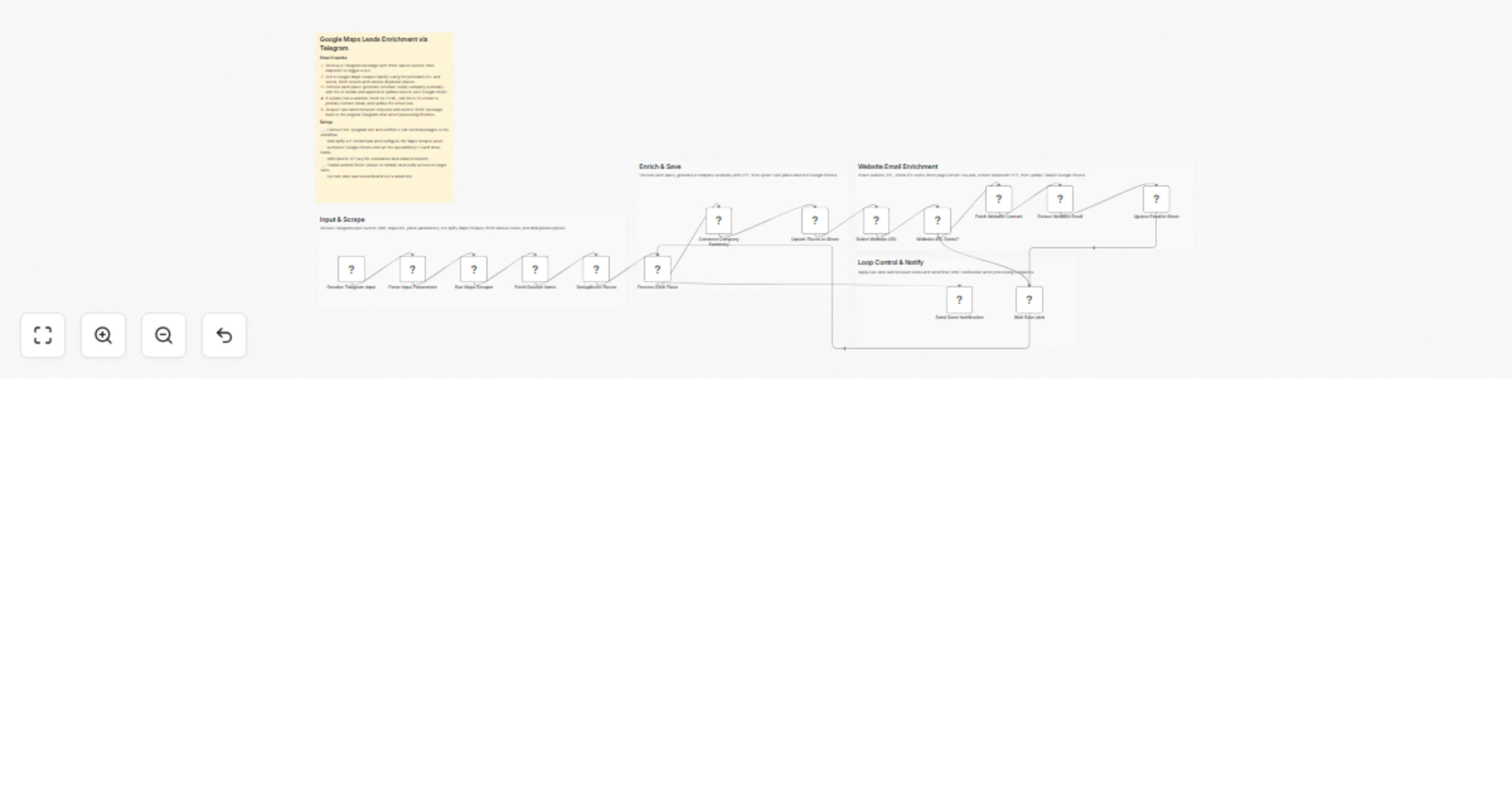
The workflow utilizes a Split In Batches loop to ensure stability. It first performs a "shallow" save of business details (name, phone, address) and then attempts a "deep" enrichment only if a website URL is detected. This two-stage approach ensures you don't lose data if a website crawl fails.
Basic Adjustments:
Advanced Enhancements:
Common Issues:
| Problem | Cause | Solution |
|---|---|---|
| Empty Email column | Website protected by bot-blockers | Try a different scraper or use a proxy in Jina AI |
| Apify Timeout | Scraping limit set too high | Lower the "limit" parameter in your Telegram message |
| 429 Errors | Google Sheets rate limits | Increase the duration in the "Wait Rate Limit" node |
Challenge: Finding local contractors with poor reviews but high revenue potential. Solution: Use the workflow to scrape "Plumbers" in a city, use AI to summarize their online presence, and collect emails. Result: A curated list of 100 leads with contact info and a "Pitch" summary generated in minutes.
Challenge: Getting the direct email of a business owner for a new booking software. Solution: Trigger the scraper via Telegram while in the field. The workflow extracts the "authoritative" email (manager/owner) from their site. Result: Accurate, high-intent lead data delivered directly to a master spreadsheet for the sales team.
Created by: Khaisa Studio Category: Marketing | Tags: Lead Gen, AI, Google Maps, Telegram Need custom workflows? Contact us
Connect with the creator: Portfolio • Workflows • LinkedIn • Medium • Threads
This catalog entry is organized from the workflow JSON. The node-level section below shows the executable blocks available for review before importing the template.
| Workflow | Enrich Google Maps business leads using Apify, OpenAI, Jina AI, Telegram and Sheets |
|---|---|
| Complexity | advanced |
| Nodes | 20 |
| Categories | Lead Generation, AI Summarization |
| Author | Khairul Muhtadin |
| Published | 22 Feb 2026 |
Use the JSON export at /data/workflows/13580/13580.json as the source template for this automation.
Open n8n, import the downloaded JSON, and review each node before activating the workflow.
Replace placeholder credentials, API keys, webhook URLs, account IDs, and environment-specific values with your own settings.
Run the workflow manually or in a staging workspace, inspect node output, and confirm downstream systems receive the expected data.
Enable the workflow only after testing, then monitor executions, errors, and rate limits during the first production runs.
Review imported nodes carefully before activation. This catalog entry is intended to help you inspect the workflow structure, understand required services, and find related templates faster.
Node names, credentials, schedules, webhook paths, and external service limits may need adjustment for your workspace.
Automate your B2B lead generation by scraping Google Maps, generating AI business summaries, and extracting hidden contact emails from websites, all triggered via Telegram. Why Use This Workflow? T...
Review the workflow JSON, configure any required credentials in n8n, and test the automation in a safe workspace before using it in production.
Yes. Use the block-by-block analysis and the downloadable JSON to inspect each node, then adjust credentials, prompts, schedules, filters, or destinations for your Lead Generation, AI Summarization use case.