Enrich B2B leads for Attio CRM with Apollo, LinkedIn, news and GPT-4o

Workflow preview

Workflow preview
100%
Enrich B2B leads for Attio CRM with Apollo, LinkedIn, news and GPT-4o preview
Open on n8n.io

1. Workflow Overview

B2B Lead Enrichment Attio CRM This n8n template automates B2B lead research and enrichment for Attio CRM. It combines data from Apollo.io, LinkedIn scraping, and news sources with AI powered anal...

Best for

  • Lead Generation automation workflows
  • AI RAG automation workflows
  • advanced n8n builders looking for reusable templates

Tools used

n8n-nodes-base.stickynote, n8n-nodes-base.manualtrigger, n8n-nodes-base.set, n8n-nodes-base.httprequest, n8n-nodes-scrape-creators.scrapecreators, @tavily/n8n-nodes-tavily.tavily, n8n-nodes-base.splitout, n8n-nodes-base.limit

Source and attribution

This workflow is cataloged by N8N Workflows and links back to its original n8n.io source page by Blaine Holt.

Original n8n.io source

1.1 Workflow description

Title
Enrich B2B leads for Attio CRM with Apollo, LinkedIn, news and GPT-4o
Workflow name
Enrich B2B leads for Attio CRM with Apollo, LinkedIn, news and GPT-4o

B2B Lead Enrichment | Attio CRM

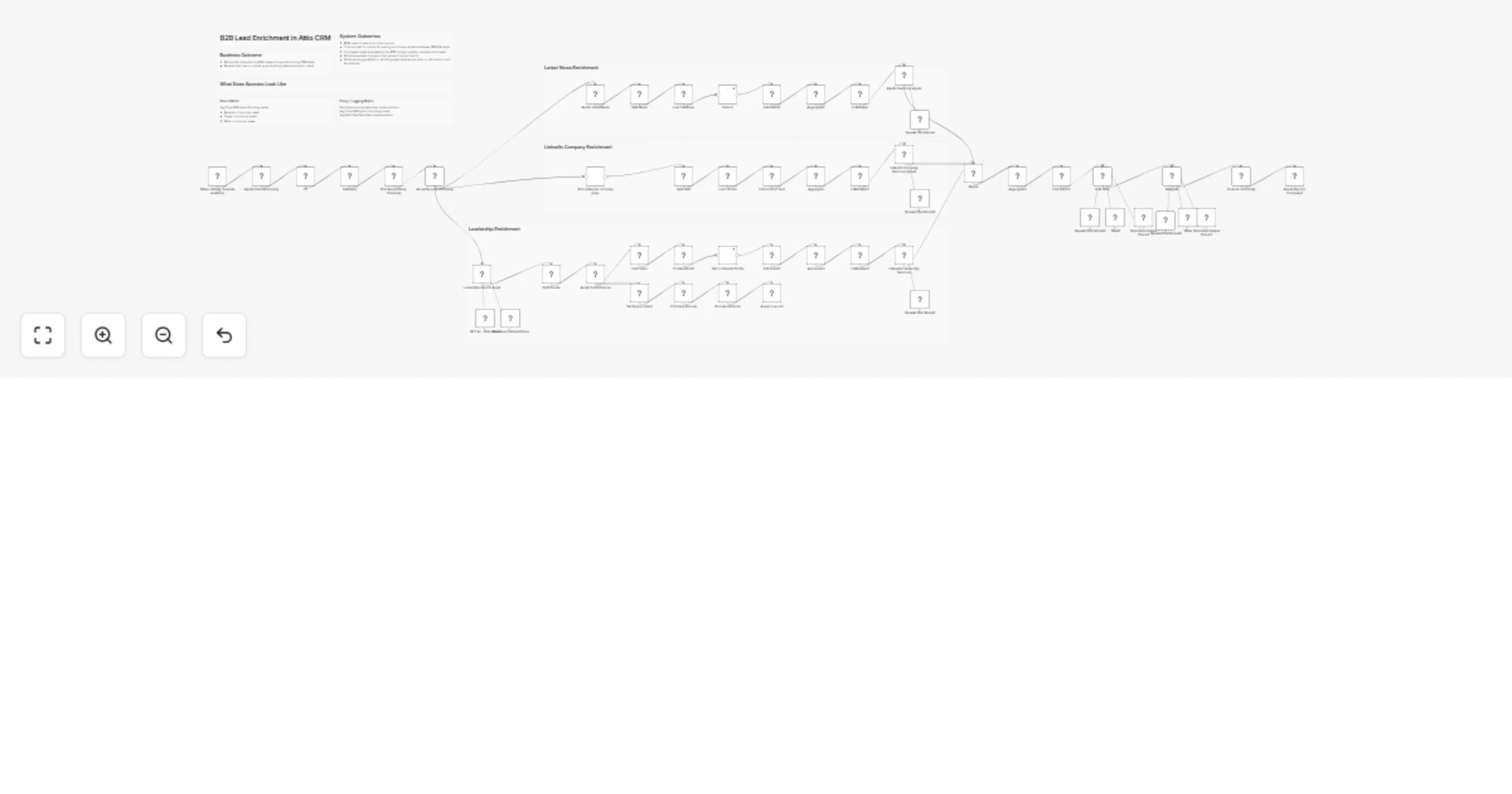
This n8n template automates B2B lead research and enrichment for Attio CRM. It combines data from Apollo.io, LinkedIn scraping, and news sources with AI-powered analysis to generate actionable sales intelligence - turning hours of manual BDR research into minutes.

Who is this for?

  • Sales teams using Attio CRM who want to reduce time spent on lead research
  • BDRs/SDRs who need rich prospect context before outreach
  • Revenue operations teams looking to automate CRM enrichment at scale

What problem does this workflow solve?

Before reaching out to a prospect, sales reps typically spend 15-30 minutes researching company background, recent news, leadership team, and LinkedIn activity. This workflow automates that entire research process, freeing BDRs to focus on relationship building instead of data gathering.

How it works

  1. Trigger: Manually execute (adapt to webhook or form trigger for automation)
  2. Apollo Enrichment: Fetches comprehensive company data by domain
  3. Parallel Processing: Three branches run simultaneously:
  • News articles → Tavily extraction → AI summary
  • LinkedIn company page → Scrape Creators → AI summary
  • Leadership search (with web search) → Apollo person lookup → LinkedIn profiles → AI summary
  1. Validation: An LLM Critic agent verifies all claims using web search
  2. Final Output: Lead Enrichment Agent generates a structured dossier
  3. CRM Sync: Updates Attio company and people records

Good to Know

Estimated API Costs (per enrichment):

  • Apollo.io: Varies by plan (credits-based)
  • Scrape Creators: ~$0.01-0.05 per profile
  • Tavily: ~$0.01 per extraction
  • OpenAI GPT-4o: ~$0.10-0.30 depending on content length

Rate Limits: Leadership profiles are processed sequentially to respect API limits. For bulk enrichment, consider adding delays between executions.

Requirements

  • Apollo.io account with API access
  • Scrape Creators API key (for LinkedIn scraping)
  • Tavily API key (for article extraction)
  • OpenAI API key (GPT-4o model access)
  • Attio CRM account with API access

Setup

  1. Import the workflow into n8n
  2. Configure credentials for each service:
  • Apollo API (HTTP Header Auth with x-api-key)
  • Scrape Creators API
  • Tavily API
  • OpenAI API
  • Attio API
  1. Add these custom fields to your Attio Companies object:
  • positioning (text)
  • conversation_points (text)
  • leadership_conversations (text)
  • enrichment_status (select with "complete" option)
  1. Test with a single domain before running at scale

Customizing this workflow

  • Trigger: Replace manual trigger with a webhook (real-time enrichment on new leads) or schedule node (batch processing)
  • AI Prompts: Adjust the system prompts in AI agents to match your industry or ideal customer profile
  • Output Fields: Modify the final Code node to map to your specific Attio field structure
  • News Timeframe: Change the 6-month lookback in Apollo:LatestNews to your preferred range
  • Leadership Depth: Adjust the number of leadership profiles to enrich based on your needs

Made by www.fenrirlabs.nl

1.2 Logical Blocks

This catalog entry is organized from the workflow JSON. The node-level section below shows the executable blocks available for review before importing the template.

2. Block-by-Block Analysis

Block 1 - Sticky Note

Type / Role
n8n-nodes-base.stickyNote - stickyNote
Config choices
Version 1

Block 2 - Sticky Note1

Type / Role
n8n-nodes-base.stickyNote - stickyNote
Config choices
Version 1

Block 3 - Sticky Note2

Type / Role
n8n-nodes-base.stickyNote - stickyNote
Config choices
Version 1

Block 4 - Sticky Note3

Type / Role
n8n-nodes-base.stickyNote - stickyNote
Config choices
Version 1

Block 5 - Sticky Note4

Type / Role
n8n-nodes-base.stickyNote - stickyNote
Config choices
Version 1

Block 6 - Sticky Note5

Type / Role
n8n-nodes-base.stickyNote - stickyNote
Config choices
Version 1

Block 7 - When clicking 'Execute workflow'

Type / Role
n8n-nodes-base.manualTrigger - manualTrigger
Config choices
Version 1

Block 8 - SetFields

Type / Role
n8n-nodes-base.set - set
Config choices
Version 3.4

Block 9 - Apollo:EnrichCompany

Type / Role
n8n-nodes-base.httpRequest - httpRequest
Config choices
Version 4.3

Block 10 - Get a linked in company page

Type / Role
n8n-nodes-scrape-creators.scrapeCreators - scrapeCreators
Config choices
Version 1

Block 11 - Apollo:LatestNews

Type / Role
n8n-nodes-base.httpRequest - httpRequest
Config choices
Version 4.3

Block 12 - Extract

Type / Role
@tavily/n8n-nodes-tavily.tavily - tavily
Config choices
Version 1

Block 13 - Split Out1

Type / Role
n8n-nodes-base.splitOut - splitOut
Config choices
Version 1

Block 14 - Last 5 Posts

Type / Role
n8n-nodes-base.limit - limit
Config choices
Version 1

Block 15 - Last 5 Articles

Type / Role
n8n-nodes-base.limit - limit
Config choices
Version 1

Block 16 - Edit Fields1

Type / Role
n8n-nodes-base.set - set
Config choices
Version 3.4

Block 17 - Extract Post Text

Type / Role
n8n-nodes-base.set - set
Config choices
Version 3.4

Block 18 - Aggregate

Type / Role
n8n-nodes-base.aggregate - aggregate
Config choices
Version 1

Block 19 - Aggregate1

Type / Role
n8n-nodes-base.aggregate - aggregate
Config choices
Version 1

Block 20 - Edit Fields2

Type / Role
n8n-nodes-base.set - set
Config choices
Version 3.4

Block 21 - Aggregate2

Type / Role
n8n-nodes-base.aggregate - aggregate
Config choices
Version 1

Block 22 - LLMHelper

Type / Role
n8n-nodes-base.code - code
Config choices
Version 2

Block 23 - LLMHelper2

Type / Role
n8n-nodes-base.code - code
Config choices
Version 2

Block 24 - LLMHelper1

Type / Role
n8n-nodes-base.code - code
Config choices
Version 2

Showing the first 24 of 62 workflow blocks. Download the JSON for the full node graph.

3. Summary Table

Workflow Enrich B2B leads for Attio CRM with Apollo, LinkedIn, news and GPT-4o
Complexity advanced
Nodes 62
Categories Lead Generation, AI RAG
Author Blaine Holt
Published 14 Jan 2026

4. Reproducing the Workflow from Scratch

  1. 1. Download the workflow JSON

    Use the JSON export at /data/workflows/12710/12710.json as the source template for this automation.

  2. 2. Import the template into n8n

    Open n8n, import the downloaded JSON, and review each node before activating the workflow.

  3. 3. Configure credentials and variables

    Replace placeholder credentials, API keys, webhook URLs, account IDs, and environment-specific values with your own settings.

  4. 4. Test with sample data

    Run the workflow manually or in a staging workspace, inspect node output, and confirm downstream systems receive the expected data.

  5. 5. Activate and monitor

    Enable the workflow only after testing, then monitor executions, errors, and rate limits during the first production runs.

5. General Notes & Resources

Review imported nodes carefully before activation. This catalog entry is intended to help you inspect the workflow structure, understand required services, and find related templates faster.

Node names, credentials, schedules, webhook paths, and external service limits may need adjustment for your workspace.

Frequently asked questions

What does Enrich B2B leads for Attio CRM with Apollo, LinkedIn, news and GPT-4o do?

B2B Lead Enrichment Attio CRM This n8n template automates B2B lead research and enrichment for Attio CRM. It combines data from Apollo.io, LinkedIn scraping, and news sources with AI powered anal...

What do I need before importing this workflow?

Review the workflow JSON, configure any required credentials in n8n, and test the automation in a safe workspace before using it in production.

Can I customize this workflow?

Yes. Use the block-by-block analysis and the downloadable JSON to inspect each node, then adjust credentials, prompts, schedules, filters, or destinations for your Lead Generation, AI RAG use case.