Block 1 - Embeddings OpenAI1
- Type / Role
- @n8n/n8n-nodes-langchain.embeddingsOpenAi - embeddingsOpenAi
- Config choices
- Version 1.2


 Early Deal
This workflow is provided as-is. Please review and test before using in production.
Knowledge RAG & AI Chat Agent: Google Drive to Qdrant Description This workflow transforms a Google Drive folder into an intelligent, searchable knowledge base and provides a chat agent to query it...
@n8n/n8n-nodes-langchain.embeddingsopenai, @n8n/n8n-nodes-langchain.lmchatopenai, @n8n/n8n-nodes-langchain.toolhttprequest, @n8n/n8n-nodes-langchain.memorybufferwindow, @n8n/n8n-nodes-langchain.vectorstoreqdrant, @n8n/n8n-nodes-langchain.chattrigger, @n8n/n8n-nodes-langchain.documentdefaultdataloader, @n8n/n8n-nodes-langchain.textsplittercharactertextsplitter
This workflow is cataloged by N8N Workflows and links back to its original n8n.io source page by DIGITAL BIZ TECH.
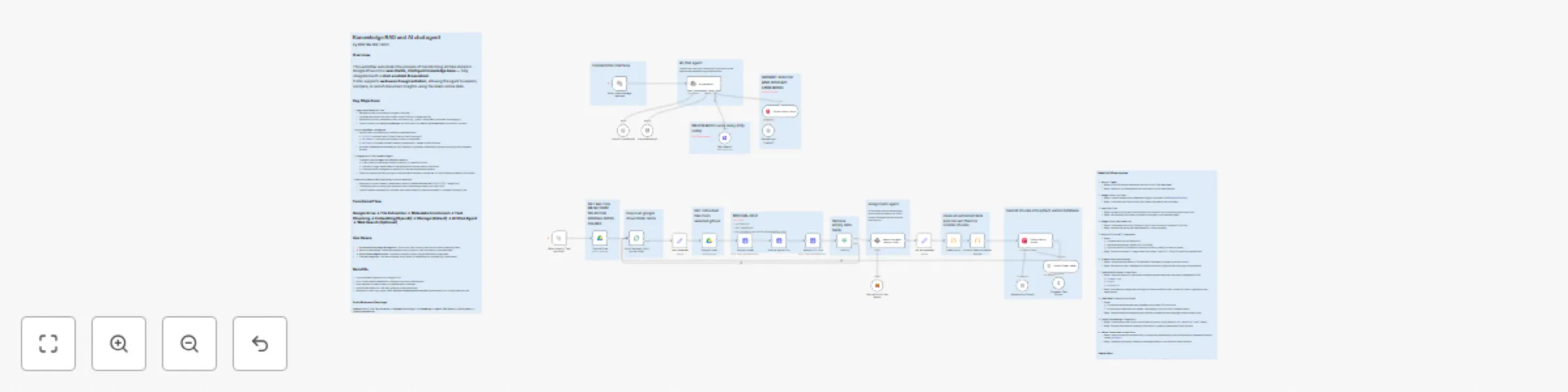
Original n8n.io sourceThis workflow transforms a Google Drive folder into an intelligent, searchable knowledge base and provides a chat agent to query it.
It’s composed of two distinct flows:
This system fully automates the creation of a “Chat with your docs” solution and enhances it with external web-searching capabilities.
The workflow is divided into two primary functions:
This flow populates your vector database.
document_type, project, and assigned_to. docaiauto).This flow powers the conversational interface.
Ideal for:
The workflow runs two independent flows in parallel:
Upload the provided JSON into your n8n instance.
Create and assign:
tvly-xxxx).docaiauto).Click Test workflow to populate Qdrant with your Drive documents.
Toggle the workflow ON to enable real-time chat.
Open the webhook URL and start chatting!
ai chat agent to alter tone or logic. chunkSize and chunkOverlap in the Code node. | Issue | Possible Solution |
|---|---|
| Chat agent doesn’t respond | Check OpenAI API key and model availability (e.g., gpt-4.1-mini). |
| Known documents not found | Ensure ingestion flow ran and both Qdrant nodes use same collection name. |
| OCR node fails | Verify Mistral API key and input file integrity. |
| Web search not triggered | Re-check Tavily API key in Web Search node headers. |
| Incorrect metadata | Tune Information Extractor prompt or use a stronger Mistral model. |
Want to customize this workflow for your business or integrate it with your existing tools?
Our team at Digital Biz Tech can tailor it precisely to your use case from automation logic to AI-powered enhancements.
We can help you set it up for free — from connecting credentials to deploying it live.
Contact: [email protected]
Website: https://www.digitalbiz.tech
LinkedIn: https://www.linkedin.com/company/digital-biz-tech/
You can also DM us on LinkedIn for any help.
This catalog entry is organized from the workflow JSON. The node-level section below shows the executable blocks available for review before importing the template.
Showing the first 24 of 39 workflow blocks. Download the JSON for the full node graph.
| Workflow | Document RAG & chat agent: Google Drive to Qdrant with Mistral OCR |
|---|---|
| Complexity | advanced |
| Nodes | 39 |
| Categories | Internal Wiki, AI RAG |
| Author | DIGITAL BIZ TECH |
| Published | 24 Oct 2025 |
Use the JSON export at /data/workflows/10096/10096.json as the source template for this automation.
Open n8n, import the downloaded JSON, and review each node before activating the workflow.
Replace placeholder credentials, API keys, webhook URLs, account IDs, and environment-specific values with your own settings.
Run the workflow manually or in a staging workspace, inspect node output, and confirm downstream systems receive the expected data.
Enable the workflow only after testing, then monitor executions, errors, and rate limits during the first production runs.
Review imported nodes carefully before activation. This catalog entry is intended to help you inspect the workflow structure, understand required services, and find related templates faster.
Node names, credentials, schedules, webhook paths, and external service limits may need adjustment for your workspace.
Knowledge RAG & AI Chat Agent: Google Drive to Qdrant Description This workflow transforms a Google Drive folder into an intelligent, searchable knowledge base and provides a chat agent to query it...
Review the workflow JSON, configure any required credentials in n8n, and test the automation in a safe workspace before using it in production.
Yes. Use the block-by-block analysis and the downloadable JSON to inspect each node, then adjust credentials, prompts, schedules, filters, or destinations for your Internal Wiki, AI RAG use case.