Block 1 - Schedule Trigger
- Type / Role
- n8n-nodes-base.scheduleTrigger - scheduleTrigger
- Config choices
- Version 1.2


 Early Deal
This workflow is provided as-is. Please review and test before using in production.
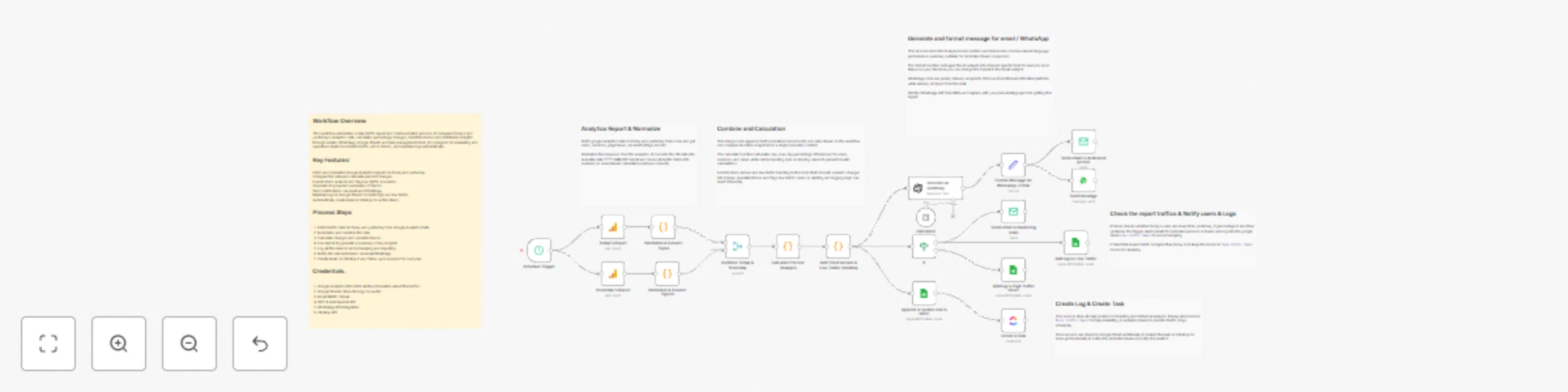
How it Works. The workflow runs automatically every day and collects analytics data for both today and yesterday. It cleans and standardizes both datasets in the same way so they are easy to compar...
n8n-nodes-base.scheduletrigger, n8n-nodes-base.googleanalytics, @n8n/n8n-nodes-langchain.toolcalculator, n8n-nodes-base.merge, n8n-nodes-base.code, @n8n/n8n-nodes-langchain.openai, n8n-nodes-base.set, n8n-nodes-base.whatsapp
This workflow is cataloged by N8N Workflows and links back to its original n8n.io source page by Mohamed Abubakkar.
Original n8n.io sourceThe workflow runs automatically every day and collects analytics data for both today and yesterday. It cleans and standardizes both datasets in the same way so they are easy to compare. After that, it measures how performance has changed from one day to the next and interprets those changes to understand trends and context. Once all calculations are finished, the AI creates a clear, easy-to-read summary of what happened. This summary is then formatted and sent through the required communication channels, while the final data is saved for tracking over time and for creating follow-up tasks if needed.
lowTraffic for low traffic identification.You must connect the following credentials: Google Analytics API Google Sheets OpenAi API Email SMTP WhatsApp API ClickUp API
Update the workflow with: Your Google Analytics Id's Your Google Sheet Tabs Replace SMTP Credentials, sender and recipients Change with your OpenAi API key Create your WhatApi API Credentials ClickUp API Key's
Modify subject, message body, or formatting style based on your reporting standards.
You may choose: Manual Trigger Cron Trigger for daily/weekly report Webhook Trigger integrated with your system
This catalog entry is organized from the workflow JSON. The node-level section below shows the executable blocks available for review before importing the template.
Showing the first 24 of 25 workflow blocks. Download the JSON for the full node graph.
| Workflow | Daily Google Analytics report with GPT-4 mini summaries, WhatsApp alerts & ClickUp tasks |
|---|---|
| Complexity | advanced |
| Nodes | 25 |
| Categories | Market Research, AI Summarization |
| Author | Mohamed Abubakkar |
| Published | 14 Dec 2025 |
Use the JSON export at /data/workflows/11786/11786.json as the source template for this automation.
Open n8n, import the downloaded JSON, and review each node before activating the workflow.
Replace placeholder credentials, API keys, webhook URLs, account IDs, and environment-specific values with your own settings.
Run the workflow manually or in a staging workspace, inspect node output, and confirm downstream systems receive the expected data.
Enable the workflow only after testing, then monitor executions, errors, and rate limits during the first production runs.
Review imported nodes carefully before activation. This catalog entry is intended to help you inspect the workflow structure, understand required services, and find related templates faster.
Node names, credentials, schedules, webhook paths, and external service limits may need adjustment for your workspace.
How it Works. The workflow runs automatically every day and collects analytics data for both today and yesterday. It cleans and standardizes both datasets in the same way so they are easy to compar...
Review the workflow JSON, configure any required credentials in n8n, and test the automation in a safe workspace before using it in production.
Yes. Use the block-by-block analysis and the downloadable JSON to inspect each node, then adjust credentials, prompts, schedules, filters, or destinations for your Market Research, AI Summarization use case.