M

Mohamed Abubakkar

6
Workflows

Workflows by Mohamed Abubakkar
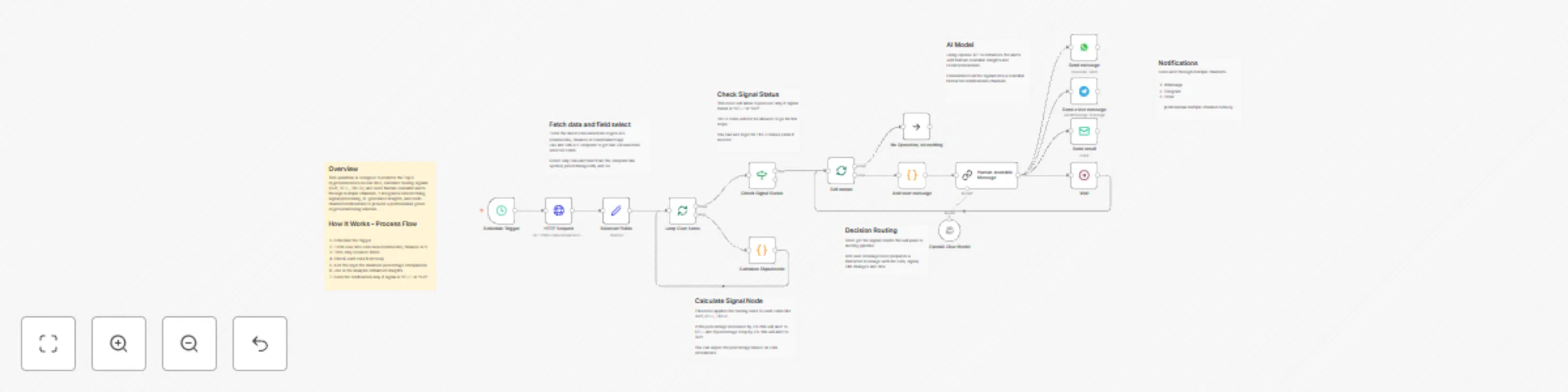
Workflow preview: Send crypto BUY/SELL alerts for top 5 coins with OpenAI, WhatsApp, Telegram, and email
Free advanced

Send crypto BUY/SELL alerts for top 5 coins with OpenAI, WhatsApp, Telegram, and email

## Overview This workflow is designed to monitor the Top 5 cryptocurrencies in real-time, calculate trading signals (BUY, SELL, HOLD), and send human-readable alerts through multiple channels. It integrates data fetching, signal processing, AI-generated insights, and multi-channel notifications to provide a professional-grade crypto monitoring solution. ## Setup 1. Schedule the trigger 2. Fetch real-time coin data (CoinGecko, Binance API) 3. Filter only required fields 4. Check each data from loop 5. Add the logic for minimum percentage comparison 6. Use AI for analysis enhanced insights 8. Send the notification only if signal is 'SELL' or 'BUY' ## Key Features - Real-Time Crypto Monitoring: Continuously evaluates the top 5 cryptocurrencies for trading signals. - Dynamic Signal Calculation: Generates BUY, SELL, HOLD signals based on 24h price change. - If price changed below or above 2% the dynamic signal will assign to dedicated coin. - Signal Change Alerts: Sends notifications only when meaningful changes occur. - Human-Readable Messaging: Converts numeric signals into readable alerts. - AI Insights: Provides explanations or trading advice via OpenAI. - Multi-Channel Delivery: Supports WhatsApp, Telegram, and Email. - Looped Processing: Each coin is processed independently for accurate alerting. - Wait / Delay Node: Prevents API rate limit issues and controls alert flow. ## Requirements 1. OpenAI API 2. WhatsApp API 3. Telegram API 4. SMTP Credentials or Gmail Credentials.

M
Mohamed Abubakkar
Crypto Trading
29 Dec 2025
220
0
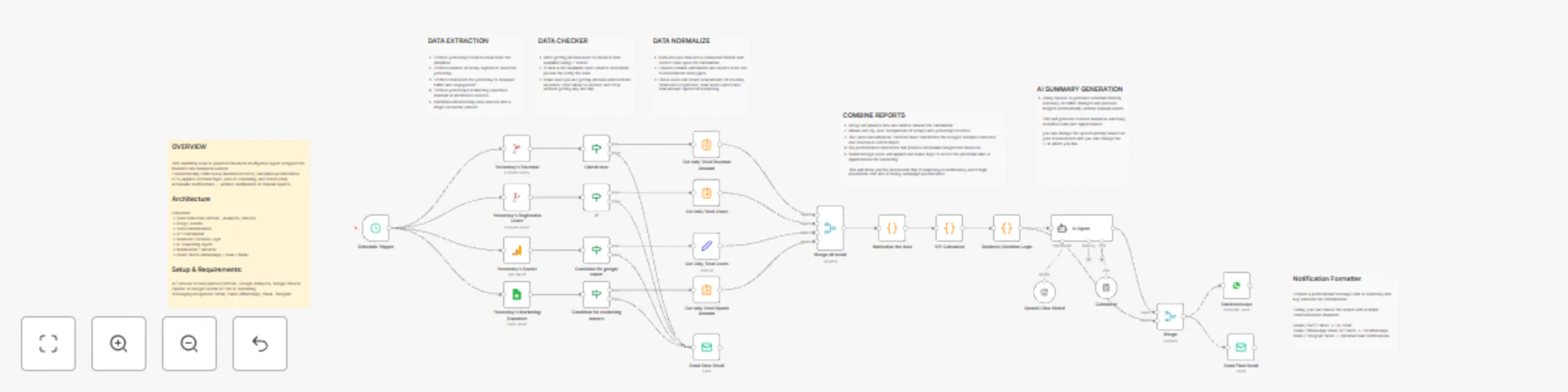
Workflow preview: Automated business KPI insights with GPT-4, MSSQL, analytics & multi-channel alerts
Free advanced

Automated business KPI insights with GPT-4, MSSQL, analytics & multi-channel alerts

## WORKFLOW OVERVIEW This workflow is an AI-powered business intelligence agent designed for founders and business owners. It automatically collects key business metrics, calculates performance KPIs, applies decision logic, uses AI reasoning, and sends clear, actionable notifications — without dashboards or manual reports. ## Key Features: ✅ Aggregates multiple data sources (MSSQL, Google Analytics, Google Sheets) ✅ Calculates critical KPIs: ROAS, CAC, Revenue & User Growth ✅ Applies rule-based decision logic for business risk and opportunity detection ✅ AI-powered reasoning: summarizes insights and recommends actions ✅ Multi-channel notifications: Email, WhatsApp, Slack, Telegram ✅ Fully automated daily execution via Cron trigger ✅ Enterprise-ready: error handling, structured data, KPI validation ## Setup & Requirements: - API access to data sources (MSSQL, Google Analytics, Google Sheets) - OpenAI or Google Gemini API for AI reasoning - Messaging integration: Gmail, Twilio (WhatsApp), Slack, Telegram - ## Workflow Flow: - Cron Trigger – runs daily at a chosen time - Data Collection – revenue, users, marketing spend, website analytics - Merge Node – combines all data sources - Function Node – consolidates into a single JSON object - KPI Calculation – calculates ROAS, CAC, growth rates - Business Logic Engine – identifies risks and opportunities - AI Reasoning Agent – summarizes insights, suggests actions - Notification Formatter – builds founder-friendly message - Notification Delivery – sends via WhatsApp, Email, Slack, or Telegram ## Example Data Formation These data below Getting from all different channels. `{ "revenue": 4290, "registeredUsers": 20, "totalUsers": 3, "adSpend": 800 }` Applies rule-based logic to detect potential risks or opportunities `{ "ROAS": 5.36, "CAC": 40, "agentStatus": "normal", "agentPriority": "low", "insights": ["Marketing campaigns are performing very well"] }` ## Workflow Highlights Fully automated, runs daily without human intervention Integrates multiple business data sources Converts raw data into KPIs for actionable insight Applies both rule-based logic and AI reasoning Generates concise, human-friendly notifications Sending notification to different channels.

M
Mohamed Abubakkar
Market Research
22 Dec 2025
223
0

Workflow preview: Automate professional LinkedIn posts with OpenAI GPT, DALL-E and trending topics
Free advanced

Automate professional LinkedIn posts with OpenAI GPT, DALL-E and trending topics

## Overall Description This workflow fully automates the process of creating and publishing professional LinkedIn posts based on real-world experience in AI automation and workflow engineering, enriched with latest industry insights from the internet, and paired with a relevant high-quality image #### The workflow ensures: - Content relevance to AI automation, backend/frontend systems, IT - Professional, human-friendly post tone - Image validation before posting - Post validation before publishing - Automatic success/failure email alerts ## Worflow Logic 1. Trigger workflow (daily, weekly, custom date) 2. Define posting context (based on your expertise) 3. Fetch latest AI/automation trends (you can change based on your interested trends) 4. Filter insights relevant to your field 5. Generate linkedin ready post using AI Agent (OpenAI API) 6. Generate image from Open AI Image model related to the post 7. Validate image and text quality 8. Merge approved text and image 9. Convert content into LinkedIn format 10. Publish post on LinkedIn 11. Send email notification on success or failure ## Setup Instructions #### Credentials - OpenAI API Key – For text generation. - LinkedIn API Token – For publishing posts. - Image Generation API – DALL-E, Pollinations, or MidJourney. - Gmail / SMTP – For notifications. - Optional APIs: SERP API for trending topics.

M
Mohamed Abubakkar
Social Media
16 Dec 2025
311
0
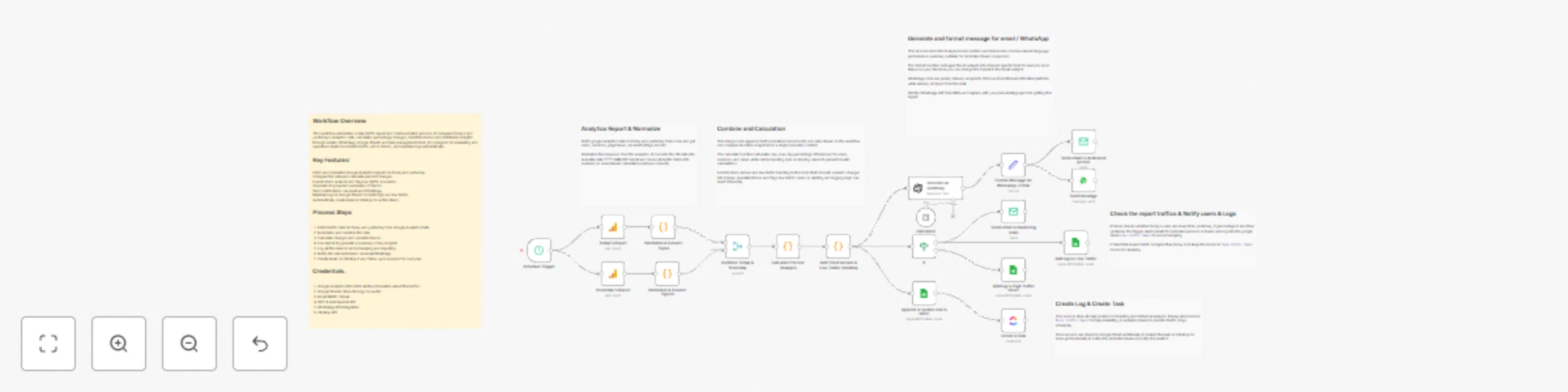
Workflow preview: Daily Google Analytics report with GPT-4 mini summaries, WhatsApp alerts & ClickUp tasks
Free advanced

Daily Google Analytics report with GPT-4 mini summaries, WhatsApp alerts & ClickUp tasks

## How it Works. The workflow runs automatically every day and collects analytics data for both today and yesterday. It cleans and standardizes both datasets in the same way so they are easy to compare. After that, it measures how performance has changed from one day to the next and interprets those changes to understand trends and context. Once all calculations are finished, the AI creates a clear, easy-to-read summary of what happened. This summary is then formatted and sent through the required communication channels, while the final data is saved for tracking over time and for creating follow-up tasks if needed. ## Key Features: - Trigger runs once per day recommended (11: 57 PM). - Fetch seperate data for today and yesterday in node. - Compare the two days data and highlight if traffic is less - Add the trend `lowTraffic` for low traffic identification. - Using GPT-4 Mini for human readable summary to suit different communication channels. - Sending report to WhatsApp / Email - Stored the final structure data to Google Sheet for future analytics and historical record ## Setup Steps #### 1. Connect Required Credentials You must connect the following credentials: Google Analytics API Google Sheets OpenAi API Email SMTP WhatsApp API ClickUp API #### 2. Replace Defalut Values Update the workflow with: Your Google Analytics Id's Your Google Sheet Tabs Replace SMTP Credentials, sender and recipients Change with your OpenAi API key Create your WhatApi API Credentials ClickUp API Key's #### 3. Customize Email Template Modify subject, message body, or formatting style based on your reporting standards. #### 4. Adjust Trigger You may choose: Manual Trigger Cron Trigger for daily/weekly report Webhook Trigger integrated with your system ## Detailed Process Flow #### Schedule Trigger - Node Type: Trigger Node - Purpose: Automates the start of the workflow. - Details: Runs every day (or every hour if real-time monitoring is needed). Eliminates manual data collection and ensures consistent reporting. #### Analytics Reports - Node Type :- Google Analytics Node - Purpose: Fetch website performance data - Metrics includes: users, sessions, page views #### Combine the Data - Node Type: Merge Node (Append) - Purpose: Combines today’s and yesterday’s datasets into a single item for comparison. - Details: Prepares data for calculating percentage changes. Maintains proper structure for further nodes. #### Calculate Percent Changes - Node Type: Function Node - Purpose: Computes day-over-day percentage changes for users, sessions, and page views. - Details: Formula: ((today - yesterday) / yesterday) * 100 Handles increases and decreases correctly. Outputs values used for trend indicators and alerts. #### Generate AI Summary - Node Type: OpenAI Node - Purpose: Produces human-readable, professional insights about the daily analytics. - Details: Summarizes key changes, trends, and recommendations. Provides context such as low-traffic warnings. Text output is used in emails, WhatsApp, and ClickUp tasks. #### Send Email or Whatsapp to Dedicated Person / Marketing Team - Node Type: Email Node / Whatspp - Purpose: Sends daily alert or report emails or whatsapp. - Details: Includes formatted metrics and AI summary. Email subject and body clearly indicate trends and recommendations. ## Workflow Benefits - Fully automated daily GA reporting - AI-generated summaries for clear insights - Alerts only triggered when necessary - Historical logging for trends and dashboards - Actionable tasks automatically created in ClickUp - Multi-channel delivery via Email and WhatsApp Handles low-traffic scenarios gracefully

M
Mohamed Abubakkar
Market Research
14 Dec 2025
158
0

Workflow preview: Automate payment gateway & database transaction reconciliation with Google Sheets
Free advanced

Automate payment gateway & database transaction reconciliation with Google Sheets

## How it works This workflow fully automates the reconciliation process between your Local Database transactions and Payment Gateway transactions. It compares both data sources, identifies mismatches, categorizes discrepancies, logs them into Google Sheets, generates a final summary, and sends an automated reconciliation report to your finance team. This ensures accurate, consistent, and error-free financial reporting without manual work. ## Key Features - Automatic data extraction from two Google Sheets - Transaction comparison with result categorization - Duplicate detection - Real-time discrepancy logging - Summary generation and storage - Automated email reporting - Zero manual effort required ## Setup Steps #### 1. Connect Required Credentials You must connect the following credentials: Google Sheets (Service Account or OAuth) Email SMTP (Gmail or custom) #### 2. Replace Default Values Update the workflow with: Your Google Sheet IDs Your tab/sheet names SMTP email, sender, and recipient Optional: Custom domain or business branding #### 3. Customize Email Template Modify subject, message body, or formatting style based on your reporting standards. #### 4. Adjust Trigger You may choose: Manual Trigger Cron Trigger for daily/weekly reconciliation Webhook Trigger integrated with your system ## Detailed Process Flow #### 1. Fetch Local & Payment Gateway Transactions The workflow reads all transaction records from the Local Database Sheet and Payment Gateway Sheet. #### 2. Compare both Transactions Using the compare operation, the workflow splits result into a. Valid Transactions b. Invalid Transactions c. Amount Differences Transactions d. Missing Transactions #### 3. Duplicate Transaction Detection The workflow scans local transactions to detect duplicate transaction and logs them seperately #### 5. Logging Transactions Each category is appended to its respective Google Sheet: - DuplicateData - AmountDifference - DataNotInsert - Reconciliation Summary - RealData #### 6. Count all categories The workflow counts: - Number of valid transactions - Number of invalid transactions - Number of missing transactions - Number of Amount mismatch transactions The final summary row is appended to a dedicated Reconciliation Summary Sheet. #### 7. Send Final Email Report The finance team receive a email of final summary report. ## Final Output At the end the workflow, you get: - Fully categorized reconciliation logs - Complete Summary Stored Sheets - Email Report - Clean audit ready data

M
Mohamed Abubakkar
Document Extraction
11 Dec 2025
52
0

Workflow preview: Automated employee attendance & salary deduction with Google Sheets and GPT-4
Free advanced

Automated employee attendance & salary deduction with Google Sheets and GPT-4

## Overview This workflow is designed for HR teams and payroll department to automate the monthly process of calculating employee attendance, salary deductionsm and personalized email notification. It seamlessly integrates Google Sheets, internal attendance data and GPT-4 (via AI Agent) to generate complete monthly payroll reports with professional summaries for each employees. ## Prerequisites Before using this workflow, ensure you have: - A Google Sheet with the monthly attendance logs - A secong Google Sheet containing salary, employee names and email addresses. - Gmail or SMTP credentials for sending email - OpenAI API key (for summarization) - Crendentials for Google Sheet and Gmail Integration ## Google Sheet Structure #### 1. Attendance Sheet (Daily Log) ``` EmpId Name Date InTime OutTime HoursWorked Status ``` #### 2. Ouput Sheet (Generated by Workflow) ``` EmpId Name OriginalSalary TotalMissingHours TotalAbsentDays Deduction FinalSalary EmpEmail ``` ## How It Works #### 1. Retrieve Attendance & Employee Master Data The workflow fetches all employee attendace logs and thier corresponding salary, name and email details from Google Sheets. #### 2. Calculate Work Hours & Absences The workflow computes total worked hours per day, missing hours and identifies absent days, It then calculates the total missing hours and absences for the entire month. #### 3. Salary Deduction Calculation Each employee's hourly and daily rate is determined from thier salary, and deductions are calculated based on missing hours and absences. #### 4. Prepare Final Dataset A structured JSON dataset is generated combining attendace summary, deductions and final salary amounts. #### 5. Generate AI Summary Report (GPT-4) Using AI Agent GPT-4 creates a professional, HR-friendly summary paragraph for each employee's email report. #### 6. Send Salary Deduction Report Email Each employee receives a personalized email with thier final salary summary and monthly attendance report. #### 7. Log Email Status Email delivery details and summary text are stored in new Google Sheet for audit and HR tracking. ## User Cases - Monthly attendance and payroll automation - Automated HR communication - Salary deduction reporting - Attendace compliance monitoring - Reducing manual calculation errors

M
Mohamed Abubakkar
HR
9 Dec 2025
210
0