Create Telegram podcast digests from Apple Podcasts with BrowserAct and Gemini

Workflow preview

Workflow preview
100%
Create Telegram podcast digests from Apple Podcasts with BrowserAct and Gemini preview
Open on n8n.io

1. Workflow Overview

Create Telegram podcast digests from Apple Podcasts using BrowserAct & Gemini This workflow automates the creation of engaging podcast summaries for your Telegram channel. It scrapes a podcast feed...

Best for

  • Social Media automation workflows
  • Multimodal AI automation workflows
  • intermediate n8n builders looking for reusable templates

Tools used

@n8n/n8n-nodes-langchain.lmchatgooglegemini, @n8n/n8n-nodes-langchain.outputparserstructured, n8n-nodes-base.splitinbatches, n8n-nodes-base.scheduletrigger, n8n-nodes-browseract.browseract, n8n-nodes-base.splitout, n8n-nodes-base.wait, n8n-nodes-base.telegram

Source and attribution

This workflow is cataloged by N8N Workflows and links back to its original n8n.io source page by Madame AI Team | Kai.

Original n8n.io source

1.1 Workflow description

Title
Create Telegram podcast digests from Apple Podcasts with BrowserAct and Gemini
Workflow name
Create Telegram podcast digests from Apple Podcasts with BrowserAct and Gemini

Create Telegram podcast digests from Apple Podcasts using BrowserAct & Gemini

This workflow automates the creation of engaging podcast summaries for your Telegram channel. It scrapes a podcast feed (like Apple Podcasts Top Charts), uses AI to format the episodes into a clean, readable HTML list with emojis, and publishes the digest directly to your subscribers.

Target Audience

Podcast curators, news aggregators, and community managers who want to share daily or weekly updates.

How it works

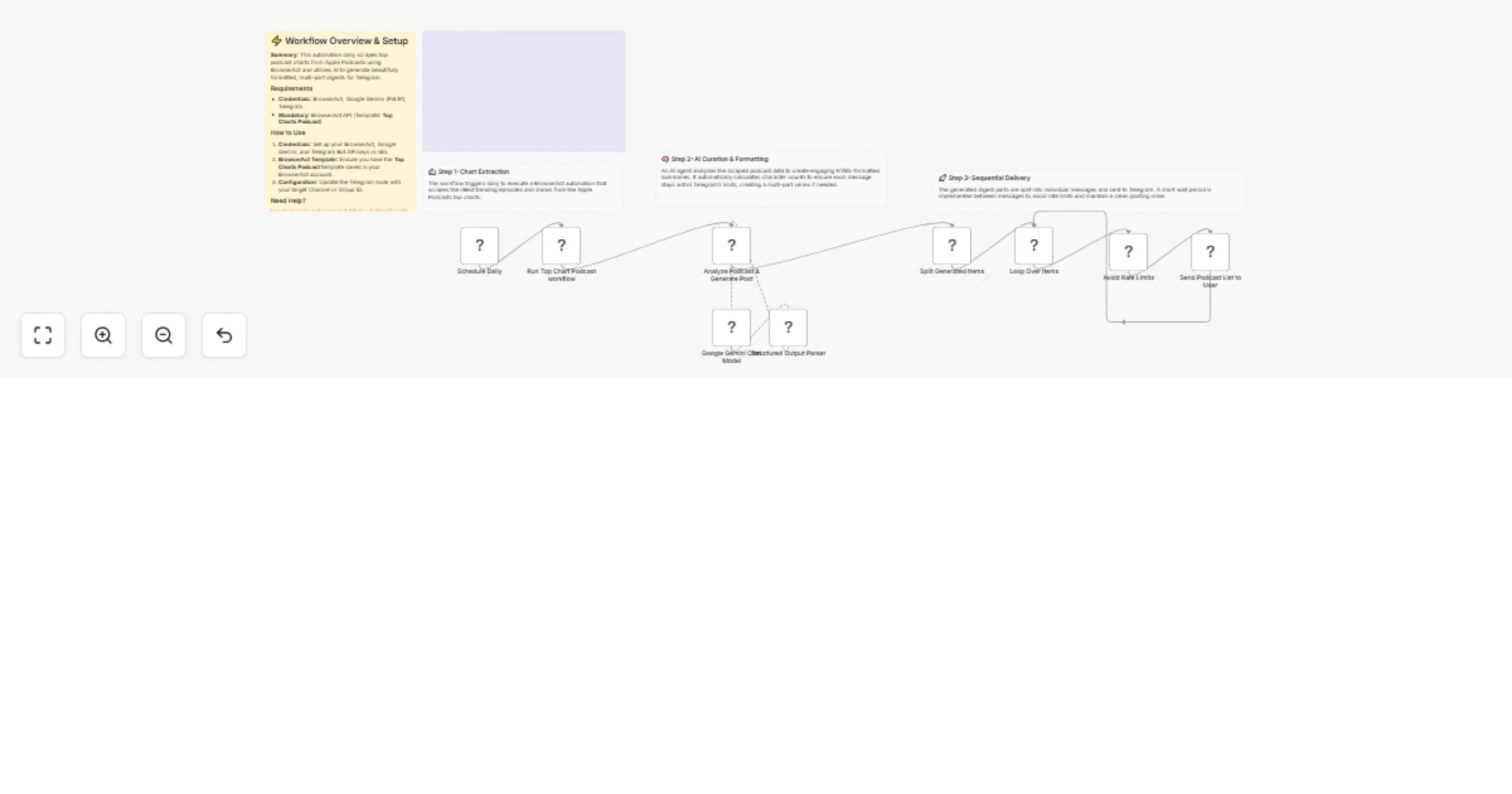
  1. Scheduled Fetch: The workflow runs on a set schedule (e.g., daily).
  2. Scrape Feed: BrowserAct visits the podcast chart or RSS feed URL to extract episode titles, show names, and descriptions.
  3. Format Digest: An AI Agent (using Google Gemini) processes the raw list. It formats each item into HTML (bold titles, italic show names), adds visual separators, and splits the digest into multiple messages if it exceeds Telegram's character limit.
  4. Publish: The workflow loops through the formatted message parts and sends them sequentially to your Telegram channel.

How to set up

  1. Configure Credentials: Connect your Telegram, BrowserAct, and Google Gemini accounts in n8n.
  2. Prepare BrowserAct: Ensure the Top Charts Podcast template is saved in your BrowserAct account.
  3. Configure Telegram: Ensure your bot is an admin in the target channel and add the Chat ID to the Send a text message node.
  4. Activate: Turn on the workflow.

Requirements

  • BrowserAct account with the Top Charts Podcast template.
  • Telegram account (Bot Token).
  • Google Gemini account.

How to customize the workflow

  1. Change Source: Update the BrowserAct template to scrape Spotify charts or a specific RSS feed URL.
  2. Adjust Format: Modify the system prompt in the AI Agent node to change the emoji style or layout of the digest.
  3. Add Filters: Add a Code node before the AI step to filter out episodes based on keywords (e.g., only show "Tech" podcasts).

Need Help?


Workflow Guidance and Showcase Video

1.2 Logical Blocks

This catalog entry is organized from the workflow JSON. The node-level section below shows the executable blocks available for review before importing the template.

2. Block-by-Block Analysis

Block 1 - Google Gemini Chat Model

Type / Role
@n8n/n8n-nodes-langchain.lmChatGoogleGemini - lmChatGoogleGemini
Config choices
Version 1

Block 2 - Structured Output Parser

Type / Role
@n8n/n8n-nodes-langchain.outputParserStructured - outputParserStructured
Config choices
Version 1.3

Block 3 - Loop Over Items

Type / Role
n8n-nodes-base.splitInBatches - splitInBatches
Config choices
Version 3

Block 4 - Schedule Daily

Type / Role
n8n-nodes-base.scheduleTrigger - scheduleTrigger
Config choices
Version 1.3

Block 5 - Run Top Chart Podcast workflow

Type / Role
n8n-nodes-browseract.browserAct - browserAct
Config choices
Version 1

Block 6 - Split Generated Items

Type / Role
n8n-nodes-base.splitOut - splitOut
Config choices
Version 1

Block 7 - Avoid Rate Limits

Type / Role
n8n-nodes-base.wait - wait
Config choices
Version 1.1

Block 8 - Send Podcast List to User

Type / Role
n8n-nodes-base.telegram - telegram
Config choices
Version 1.2

Block 9 - Analyze Podcast & Generate Post

Type / Role
@n8n/n8n-nodes-langchain.agent - agent
Config choices
Version 3

Block 10 - Documentation

Type / Role
n8n-nodes-base.stickyNote - stickyNote
Config choices
Version 1

Block 11 - Step 1 Explanation

Type / Role
n8n-nodes-base.stickyNote - stickyNote
Config choices
Version 1

Block 12 - Step 2 Explanation

Type / Role
n8n-nodes-base.stickyNote - stickyNote
Config choices
Version 1

Block 13 - Step 3 Explanation

Type / Role
n8n-nodes-base.stickyNote - stickyNote
Config choices
Version 1

Block 14 - Sticky Note

Type / Role
n8n-nodes-base.stickyNote - stickyNote
Config choices
Version 1

3. Summary Table

Workflow Create Telegram podcast digests from Apple Podcasts with BrowserAct and Gemini
Complexity intermediate
Nodes 14
Categories Social Media, Multimodal AI
Author Madame AI Team | Kai
Published 03 Jan 2026

4. Reproducing the Workflow from Scratch

  1. 1. Download the workflow JSON

    Use the JSON export at /data/workflows/12434/12434.json as the source template for this automation.

  2. 2. Import the template into n8n

    Open n8n, import the downloaded JSON, and review each node before activating the workflow.

  3. 3. Configure credentials and variables

    Replace placeholder credentials, API keys, webhook URLs, account IDs, and environment-specific values with your own settings.

  4. 4. Test with sample data

    Run the workflow manually or in a staging workspace, inspect node output, and confirm downstream systems receive the expected data.

  5. 5. Activate and monitor

    Enable the workflow only after testing, then monitor executions, errors, and rate limits during the first production runs.

5. General Notes & Resources

Review imported nodes carefully before activation. This catalog entry is intended to help you inspect the workflow structure, understand required services, and find related templates faster.

Node names, credentials, schedules, webhook paths, and external service limits may need adjustment for your workspace.

Frequently asked questions

What does Create Telegram podcast digests from Apple Podcasts with BrowserAct and Gemini do?

Create Telegram podcast digests from Apple Podcasts using BrowserAct & Gemini This workflow automates the creation of engaging podcast summaries for your Telegram channel. It scrapes a podcast feed...

What do I need before importing this workflow?

Review the workflow JSON, configure any required credentials in n8n, and test the automation in a safe workspace before using it in production.

Can I customize this workflow?

Yes. Use the block-by-block analysis and the downloadable JSON to inspect each node, then adjust credentials, prompts, schedules, filters, or destinations for your Social Media, Multimodal AI use case.