Block 1 - Schedule Trigger
- Type / Role
- n8n-nodes-base.scheduleTrigger - scheduleTrigger
- Config choices
- Version 1.2


 Early Deal
This workflow is provided as-is. Please review and test before using in production.
Viral Marketing Reel & Autopost with Sora2 + Blotato Create funny, ultra realistic marketing reels on autopilot using n8n, Sora2, Blotato, and OpenAI. This beginner friendly template generates a co...
n8n-nodes-base.scheduletrigger, @n8n/n8n-nodes-langchain.agent, @n8n/n8n-nodes-langchain.lmchatopenai, @n8n/n8n-nodes-langchain.memorybufferwindow, n8n-nodes-base.datatable, n8n-nodes-base.httprequest, n8n-nodes-base.wait, n8n-nodes-base.if
This workflow is cataloged by N8N Workflows and links back to its original n8n.io source page by Automate With Marc.
Original n8n.io sourceCreate funny, ultra-realistic marketing reels on autopilot using n8n, Sora2, Blotato, and OpenAI. This beginner-friendly template generates a comedic video prompt, creates a 12-second Sora2 video, writes a caption, and auto-posts to Instagram/TikTok — all on a schedule.
🎥 Watch the full step-by-step tutorial: https://www.youtube.com/watch?v=lKZknEzhivo
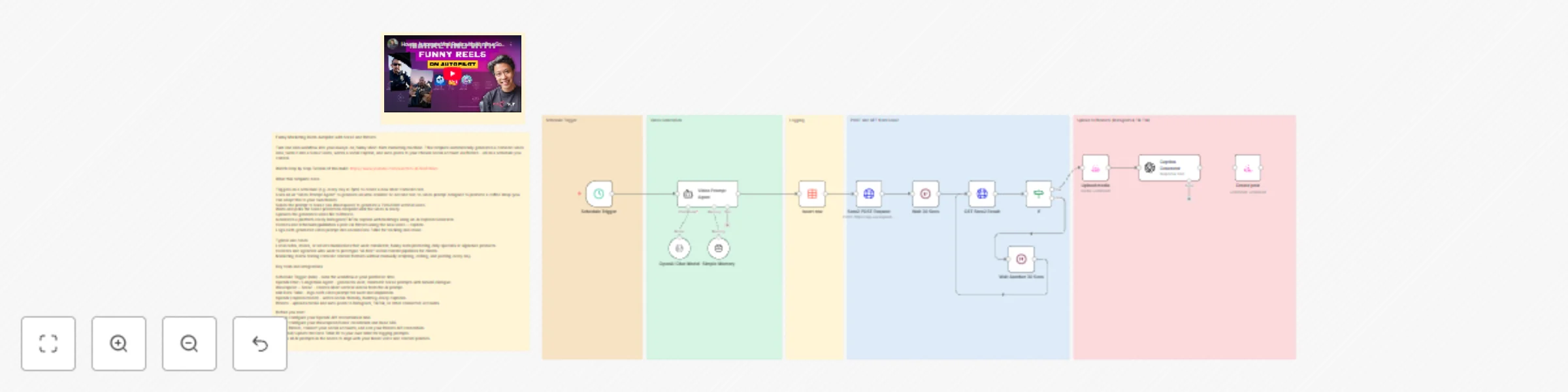
This workflow automates an entire short-form content production pipeline:
Scheduled Trigger: Runs automatically at your chosen time (e.g., every evening at 7PM).
AI “Video Prompt Agent”: Creates a cinematic, funny, 12-second Sora2 text-to-video prompt designed to promote a product (default: Sally’s Coffee).
Insert Row (Data Table): Logs each generated video prompt for tracking, reuse, or inspiration.
Sora2 (via Wavespeed):
Sends POST request to generate a video.
Waits 30 seconds.
Polls the prediction endpoint until the video is completed.
Blotato Integration:
Uploads the finished video to your connected social account(s).
Automatically publishes or schedules the post.
Caption Generator:
Uses an AI agent to create an Instagram/TikTok-ready caption with relevant hashtags.
This turns n8n into a hands-free comedic marketing engine that writes, creates, and posts content for you.
Create daily or weekly marketing reels without filming, editing, or writing scripts.
Experiment with new comedic formats, hooks, and product placements in seconds.
Perfect for small businesses, agencies, creators, and social media managers.
Demonstrates how to combine AI agents + Sora2 + polling + external posting services inside one workflow.
Before running this template, configure:
OpenAI API Key (for the prompt agent & caption model)
Wavespeed / Sora2 API credentials
Blotato account connected to Instagram/TikTok (for posting)
n8n Data Table (optional, or replace with your own)
⚠️ All credentials must be added manually after import. No real credentials are included in the template.
Runs at a fixed time or interval.
Generates a cinematic, realistic comedic video idea.
Built with a detailed system prompt.
Ensures brand integration (e.g., Sally’s Coffee) happens naturally.
Logs each generated prompt so future videos can be referenced or reused.
Sends the generated prompt to Sora2 via Wavespeed’s /text-to-video endpoint.
Polls the result until data.status === "completed".
Continues looping if still “processing”.
Uploads the finished video file.
Creates a funny, platform-ready Instagram/TikTok caption with hashtags.
Publishes (or schedules) the video + caption.
Setup Instructions (Step-by-Step)
Import template into n8n.
Open Video Prompt Agent → review or customize the brand name, style, humor tone.
Add your OpenAI API credentials:
For prompt generation
For caption generation
Add your Wavespeed/Sora2 credentials to the POST and GET nodes.
Connect your Blotato credential for uploading and posting.
(Optional) Replace the Data Table ID with your own table.
Adjust the Schedule Trigger time to your desired posting schedule.
Run once manually to confirm:
Prompt is generated
Video is created
Caption is written
Video uploads successfully
Enable workflow → your daily/weekly comedic autoposter is live.
Change the brand from Sally’s Coffee to any business, product, or influencer brand.
Modify the prompt agent to enforce specific camera styles, settings, or comedic tones.
Swap posting destinations: Blotato supports multiple networks—configure IG/TikTok/Facebook/YouTube Shorts.
Add approval steps: Insert a Slack/Telegram “Approve before posting” step.
Add analytics logging: Store video URLs, caption, and AI cost estimate.
Sora video stuck in processing: Increase the wait time or add another polling loop.
Upload fails: Ensure media URL exists and Blotato account has posting permissions.
Caption empty: Reconnect OpenAI credential or check model availability.
Posting fails: Confirm your Blotato API key is valid and linked to a connected account.
Category: Marketing, AI Video, Social Media Automation
Difficulty: Beginner–Intermediate
Core Nodes: LangChain Agent, HTTP Request, Wait, Data Table, Blotato, OpenAI
Includes: System prompts, polling logic, caption generator, posting workflow
This catalog entry is organized from the workflow JSON. The node-level section below shows the executable blocks available for review before importing the template.
| Workflow | Create comedic marketing reels with Sora2, OpenAI & auto-post to social media |
|---|---|
| Complexity | advanced |
| Nodes | 20 |
| Categories | Social Media, Multimodal AI |
| Author | Automate With Marc |
| Published | 13 Nov 2025 |
Use the JSON export at /data/workflows/10786/10786.json as the source template for this automation.
Open n8n, import the downloaded JSON, and review each node before activating the workflow.
Replace placeholder credentials, API keys, webhook URLs, account IDs, and environment-specific values with your own settings.
Run the workflow manually or in a staging workspace, inspect node output, and confirm downstream systems receive the expected data.
Enable the workflow only after testing, then monitor executions, errors, and rate limits during the first production runs.
Review imported nodes carefully before activation. This catalog entry is intended to help you inspect the workflow structure, understand required services, and find related templates faster.
Node names, credentials, schedules, webhook paths, and external service limits may need adjustment for your workspace.
Viral Marketing Reel & Autopost with Sora2 + Blotato Create funny, ultra realistic marketing reels on autopilot using n8n, Sora2, Blotato, and OpenAI. This beginner friendly template generates a co...
Review the workflow JSON, configure any required credentials in n8n, and test the automation in a safe workspace before using it in production.
Yes. Use the block-by-block analysis and the downloadable JSON to inspect each node, then adjust credentials, prompts, schedules, filters, or destinations for your Social Media, Multimodal AI use case.