Create a personalized daily newsletter with Google Gemini AI and RSS feeds
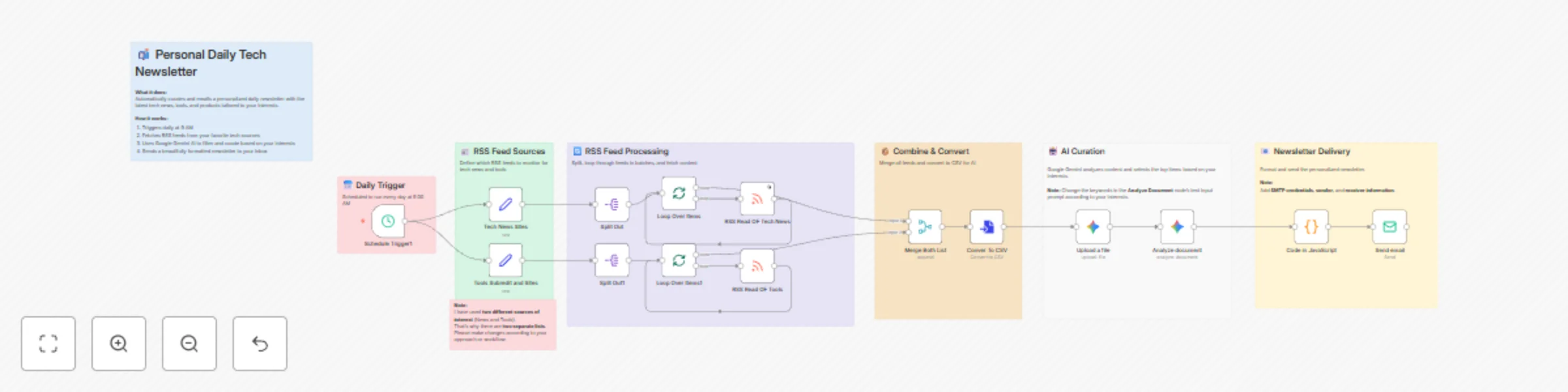
Workflow preview

$20/month : Unlimited workflows
2500 executions/month

THE #1 IN WEB SCRAPING
Scrape any website without limits
HOSTINGER  Early Deal
DISCOUNT 20% Try free
Early DealDISCOUNT 20%
Self-hosted n8n
Unlimited workflows - from $4.99/mo

#1 hub for scraping, AI & automation
6000+ actors - $5 credits/mo
Important notice
This workflow is provided as-is. Please review and test before using in production.
Overview
Who's it for
This workflow is for anyone who wants to stay informed without the overwhelm. Whether you're tracking industry news, following your favorite blogs, monitoring competitors, or just keeping up with topics you care about—this automated newsletter keeps you in the loop effortlessly.
What it does
This automated workflow fetches content from your favorite RSS feeds, filters it based on your interests using Google Gemini AI, and sends you a beautifully formatted HTML newsletter at your preferred time. The AI selects the top 10-15 items from each category based on keywords you define, delivering only what matters to you.
How it works
- Schedule Trigger: Runs daily at your chosen time (default: 9:00 AM)
- RSS Feeds: Fetches content from your favorite news sources and websites
- Processing: Splits URLs, loops through feeds in batches to avoid rate limits
- Merge & Convert: Combines all RSS items into a single CSV file
- AI Curation: Google Gemini analyzes the content and selects relevant items based on your keywords
- Email Delivery: Sends a personalized HTML newsletter with summaries and images
Requirements
- Google Gemini API credentials (for AI curation)
- SMTP credentials (for sending emails)
- Active n8n instance (self-hosted or cloud)
How to set up
- Add your Google Gemini API credentials in both Gemini nodes
- Configure your SMTP settings in the "Send email" node
- Update the email addresses (from and to) in the email node
- Add your favorite RSS feed URLs in the "Set" nodes
- Customize the AI keywords in "Analyze document" to match your interests
- Set your preferred schedule time in the trigger node
How to customize
- Add your RSS feeds: Replace the example URLs in both "Set" nodes with RSS feeds from your favorite sources (blogs, news sites, podcasts, YouTube channels, etc.)
- Define your interests: Modify the keywords in the "Analyze document" AI prompt to filter content that matters to you
- Adjust categories: Change the two sections to match your needs (e.g., "Industry News" and "Competitor Updates" or "Learning Resources" and "Tools")
- Change email format: Update the HTML template in the AI prompt to customize the newsletter design
- Modify delivery time: Update the schedule trigger to run at your preferred time