Convert CSV/XLSX files into a normalized SQL schema with GPT-4
Workflow preview


 Early Deal
DISCOUNT 20%

Overview
Automatically converts CSV/XLSX files into a fully validated database schema using AI, generating SQL scripts, ERD diagrams, a data dictionary, and load plans to accelerate database design and data onboarding.
EXPLANATION
This workflow automates the end-to-end process of transforming raw CSV or Excel data into a production-ready relational database schema.
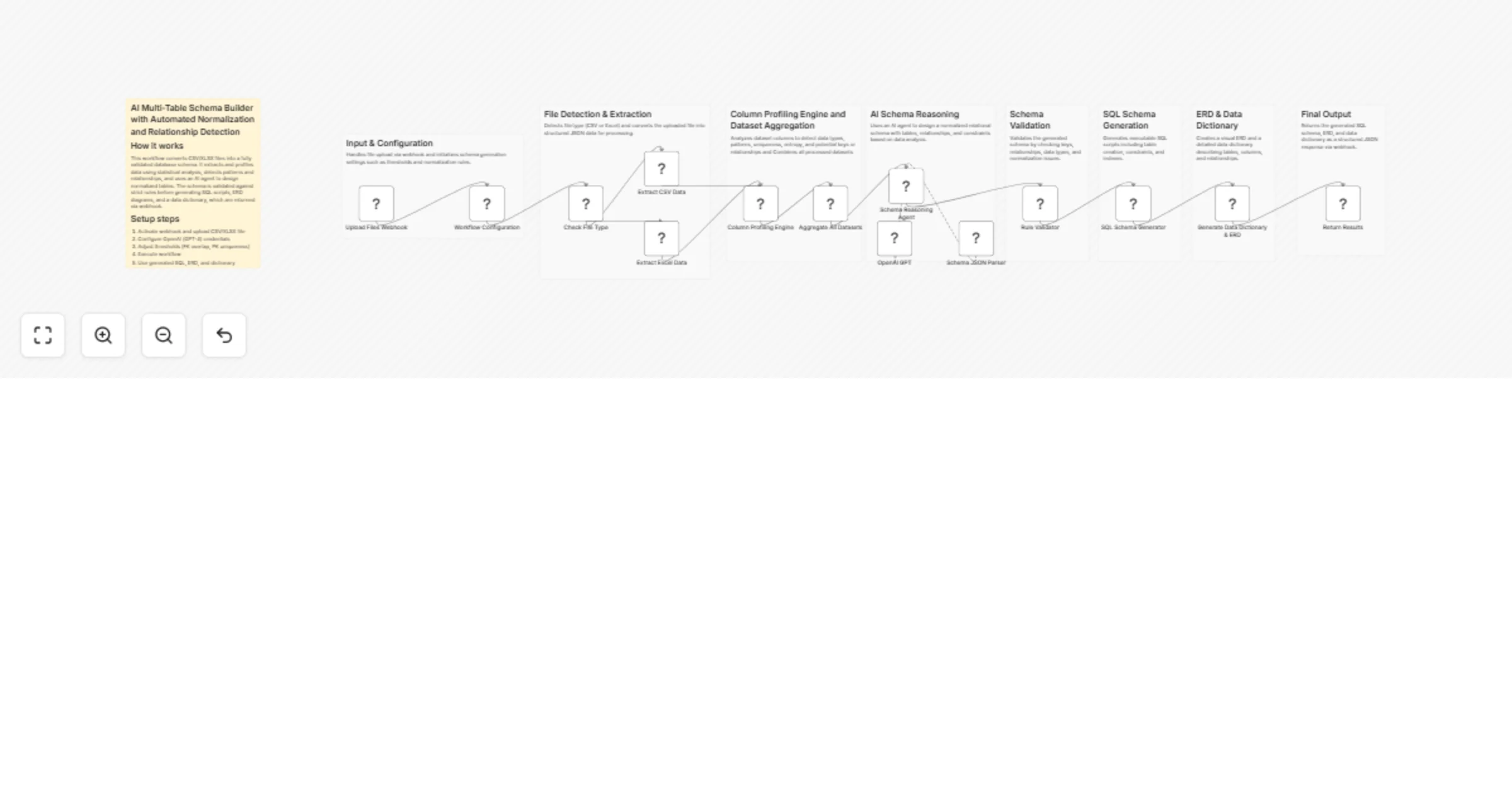
It begins by accepting file uploads through a webhook, detecting file type, and extracting structured data. The workflow performs data cleaning and deep profiling to analyze column types, uniqueness, null values, and patterns. A column analysis engine identifies candidate primary keys and potential relationships.
An AI agent then generates a normalized schema by organizing data into tables, assigning appropriate SQL data types, and defining primary and foreign keys. The schema is validated using rule-based checks to ensure data integrity, correct relationships, and proper normalization.
If validation fails, the workflow automatically refines the schema through a revision loop. Once validated, it generates SQL DDL scripts, ERD diagrams, a data dictionary, and a load plan that determines the correct order for inserting data.
Finally, all outputs are combined and returned via webhook as a structured response, making the workflow ideal for rapid database creation, data migration, and AI-assisted data modeling.
Overview
This workflow automatically converts CSV or Excel files into a production-ready relational database schema using AI and rule-based validation.
It analyzes uploaded data to detect column types, relationships, and data quality, then generates a normalized schema with proper keys and constraints. The output includes SQL DDL scripts, ERD diagrams, a data dictionary, and a load plan.
This eliminates manual schema design and accelerates database setup from raw data.
How It Works
File Upload (Webhook) Accepts CSV or XLSX files and initializes workflow configuration such as thresholds and retry limits.
File Extraction Detects file format and extracts rows into structured JSON format.
Data Cleaning & Profiling Cleans data, removes duplicates, normalizes values, and computes column statistics such as null percentage and uniqueness.
Column Analysis Engine Identifies candidate primary keys, analyzes cardinality, and suggests potential foreign key relationships.
AI Schema Generation Uses an AI agent to design normalized tables, assign SQL data types, and define primary keys, foreign keys, and constraints.
Validation Layer Validates schema integrity by checking data types, primary key uniqueness, foreign key overlap, and constraint consistency.
Revision Loop If validation fails, the workflow sends feedback to the AI agent and regenerates the schema until it meets requirements.
Schema Output Generation Generates SQL DDL scripts, ERD diagrams, a data dictionary, and a load plan.
Load Plan Engine Determines the correct order for inserting data and detects circular dependencies.
Combine & Explain Merges all outputs and optionally provides AI-generated explanations of schema decisions.
Response Output Returns all generated artifacts as a structured JSON response via webhook.
Setup Instructions
- Activate the workflow and copy the webhook URL
- Send a POST request with a CSV or XLSX file
- Configure OpenAI credentials for the AI agent
- Adjust thresholds if needed (FK overlap, retries, confidence)
- Execute the workflow and review outputs
Use Cases
- Automatically generate database schemas from CSV/Excel files
- Accelerate data migration and onboarding pipelines
- Rapidly prototype relational database designs
- Reverse engineer structured schemas from raw datasets
- AI-assisted data modeling and normalization
Requirements
- n8n (latest version recommended)
- OpenAI API credentials
- LangChain nodes enabled
- CSV or XLSX input file