Block 1 - Trigger: Weekly Archive Scan
- Type / Role
- n8n-nodes-base.scheduleTrigger - scheduleTrigger
- Config choices
- Version 1.1


 Early Deal
Consolidate and compress project archives for cost optimized cloud storage Description Optimize your cloud storage costs by using this automation to intelligently compress and migrate aging proj...
n8n-nodes-base.scheduletrigger, n8n-nodes-base.googledrive, n8n-nodes-base.code, n8n-nodes-base.if, n8n-nodes-htmlcsstopdf.htmlcsstopdf, n8n-nodes-base.s3, n8n-nodes-base.slack, n8n-nodes-base.stickynote
This workflow is cataloged by N8N Workflows and links back to its original n8n.io source page by Jitesh Dugar.
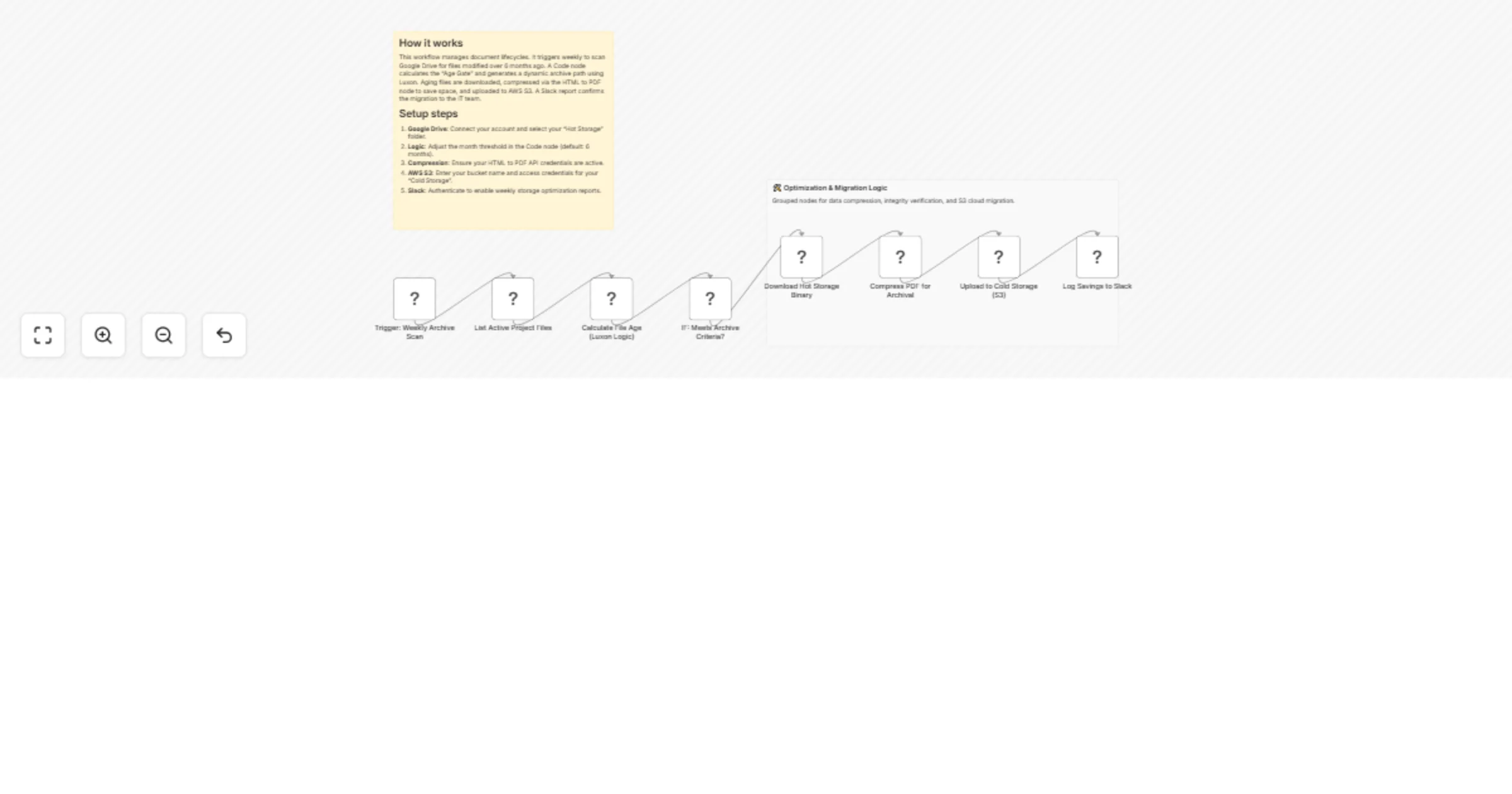
Original n8n.io sourceOptimize your cloud storage costs by using this automation to intelligently compress and migrate aging project documentation. This workflow allows you to achieve a professional data lifecycle policy by identifying "stale" files in active storage, applying high-ratio PDF compression, and migrating them to cold storage while maintaining a searchable audit trail.
A critical technical feature of this template is the Luxon-based lifecycle logic. By utilizing {{ $now.minus({ months: 6 }).toISODate() }}, the workflow dynamically filters for files that haven't been modified in over half a year. It then generates a unique archive path using {{ $now.toFormat('yyyy/MM_MMM') }}, ensuring your cold storage bucket remains perfectly indexed by year and month without any manual folder creation or renaming.
You can achieve an enterprise-grade archiving system by using the available tools to:
Ready to optimize your cloud storage? Import this template, connect your credentials, and start saving on long-term data costs today.
This catalog entry is organized from the workflow JSON. The node-level section below shows the executable blocks available for review before importing the template.
| Workflow | Compress and archive old Google Drive PDFs to AWS S3 cold storage with Slack reports |
|---|---|
| Complexity | intermediate |
| Nodes | 10 |
| Categories | File Management |
| Author | Jitesh Dugar |
| Published | 12 Jan 2026 |
Use the JSON export at /data/workflows/12655/12655.json as the source template for this automation.
Open n8n, import the downloaded JSON, and review each node before activating the workflow.
Replace placeholder credentials, API keys, webhook URLs, account IDs, and environment-specific values with your own settings.
Run the workflow manually or in a staging workspace, inspect node output, and confirm downstream systems receive the expected data.
Enable the workflow only after testing, then monitor executions, errors, and rate limits during the first production runs.
Review imported nodes carefully before activation. This catalog entry is intended to help you inspect the workflow structure, understand required services, and find related templates faster.
Node names, credentials, schedules, webhook paths, and external service limits may need adjustment for your workspace.
Consolidate and compress project archives for cost optimized cloud storage Description Optimize your cloud storage costs by using this automation to intelligently compress and migrate aging proj...
Review the workflow JSON, configure any required credentials in n8n, and test the automation in a safe workspace before using it in production.
Yes. Use the block-by-block analysis and the downloadable JSON to inspect each node, then adjust credentials, prompts, schedules, filters, or destinations for your File Management use case.