Block 1 - Booking Webhook
- Type / Role
- n8n-nodes-base.webhook - webhook
- Config choices
- Version 1


 Early Deal
This workflow is provided as-is. Please review and test before using in production.
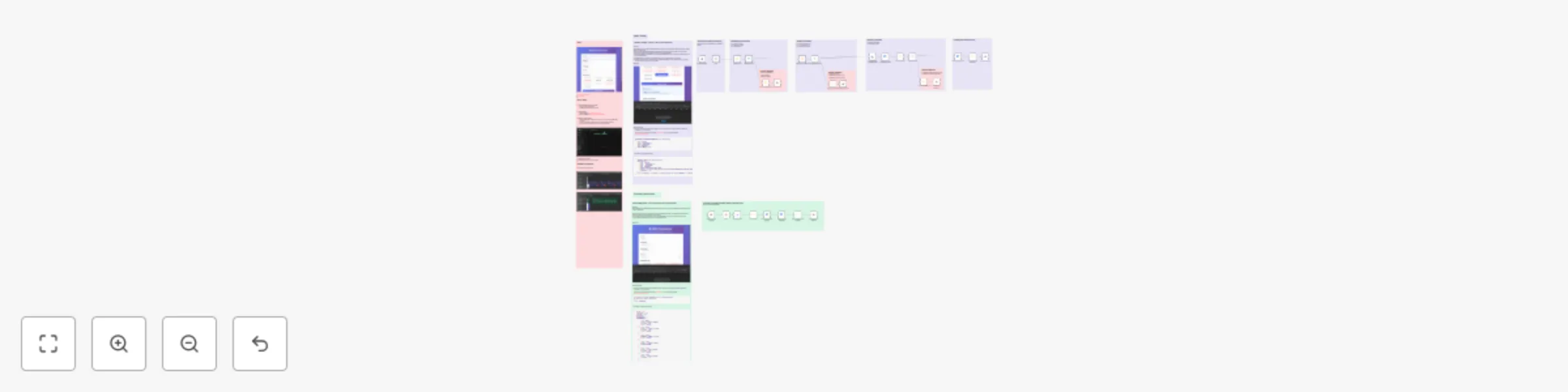
GCalendar Smart Booking System Demo [github code ](https://github.com/dragonjump/suarify booking...
n8n-nodes-base.webhook, n8n-nodes-base.code, n8n-nodes-base.if, n8n-nodes-base.googlecalendar, n8n-nodes-base.respondtowebhook, n8n-nodes-base.stickynote, n8n-nodes-base.wait, n8n-nodes-base.set
This workflow is cataloged by N8N Workflows and links back to its original n8n.io source page by Sean Lon.
Original n8n.io sourceTransform your booking chaos into streamlined automation with this production-ready GCalendar Smart Booking System. This comprehensive n8n workflow eliminates weeks of custom development by providing two powerful REST APIs that handle everything from input validation to calendar integration.
What makes this special? Unlike basic booking forms, this system includes enterprise-grade features like intelligent conflict detection, public holiday awareness, business hours enforcement, and automatic Google Calendar integration with Meet links. It's battle-tested with real-world business logic including lunch breaks, timezone handling, and comprehensive error responses.
Perfect for rapid deployment: Whether you're building for clients, launching an MVP, or replacing expensive booking software, this template gets you from zero to production in under 15 minutes. The clean API design makes frontend integration effortless, while the robust validation ensures reliable operation at scale.
Two endpoints, endless possibilities:
/make-booking - Complete booking creation with multi-layer validation/check-booking-date - Real-time slot availability listing (comes with conflict detection, business hour checks)Built by developers, for developers - with comprehensive documentation, testing examples, and customization guides included.
This workflow provides a webhook API endpoint that your frontend can easily integrate typically triggered by a submit button on a booking form. When the frontend calls this REST API, the workflow handles the booking logic by performing several key checks:
This template is perfect for:
🏥 Healthcare & Medical Professionals: Clinics, dental offices, physiotherapy centers, and medical practices needing automated appointment scheduling with proper business hours validation and no-show reduction.
💼 Professional Service Providers: Consultants, lawyers, accountants, financial advisors, and coaches who require sophisticated booking systems with calendar integration and conflict prevention.
🎓 Educational Institutions: Universities, tutoring centers, training academies, and educational consultants needing student appointment scheduling with academic calendar integration.
🏢 Small to Medium Businesses: Service-based businesses like salons, spas, repair services, and consulting firms looking to automate their booking process without expensive software subscriptions.
👨💻 Software Development Teams: Developers and engineering teams who need to rapidly deploy booking functionality for client projects without building from scratch.
🌐 Digital Agencies: Web development agencies, marketing firms, and digital consultancies building booking solutions for multiple clients across different industries.
🏨 Hospitality & Events: Meeting room booking, event venue scheduling, equipment rental companies, and co-working spaces requiring intelligent availability management.
🔧 Freelancers & Solo Entrepreneurs: Independent professionals like designers, photographers, personal trainers, and contractors who need professional booking systems on a budget.
📊 Product Managers: Teams building SaaS products that require booking/scheduling features as part of their core functionality or user experience.
🚀 Startup Founders: Early-stage companies needing to validate booking-related business models quickly without significant development investment.
🎨 Creative Professionals: Photographers, videographers, music instructors, and artists who need client appointment scheduling with portfolio integration possibilities.
⚙️ Technical Operations Teams: DevOps engineers and system administrators who need to implement booking systems for internal resource allocation (servers, equipment, meeting rooms).
This template eliminates weeks of development time while providing enterprise-grade validation, making it ideal for anyone who values rapid deployment, reliability, and professional functionality in their booking systems.
// Real validation logic from the workflow
✅ Name, email, phone, date, time validation
✅ Email format verification (RFC compliant)
✅ Phone number format checking
✅ Date/time format standardization (YYYY-MM-DD, HH:MM)
// Business hours: Monday-Friday, 9AM-9PM (customizable)
✅ Weekend blocking
✅ Business hours enforcement
✅ Lunch break exclusion (12PM-2PM)
✅ Dinner break exclusion (6PM-8PM)
✅ Timezone handling (Malaysia/UTC+8 default)
// Multi-calendar checking
✅ Public holiday calendar integration
✅ Main booking calendar conflict detection
✅ Real-time availability verification
✅ Overlap prevention algorithms
// Google Calendar automation
✅ Event creation with attendee invitation
✅ Google Meet link generation
✅ Custom event descriptions and summaries
✅ Calendar color coding
smart-booking-system.json fileCreate Google Cloud Project:
Configure n8n Credentials:
Update Workflow Nodes:
Create Calendar Event, Check Calendar Availability, etc.Main Booking Calendar:
[email protected] in these nodes:Create Calendar EventCheck Calendar Availability - MainCheck Calendar AvailabilityHoliday Calendar (Optional):
en.usa#[email protected])Check Calendar Availability - public holiday and Check Public Holiday Calendar nodes[
{ "time": "09:30", "display": "9:30 AM - 10:30 AM", "available": true },
{ "time": "10:30", "display": "10:30 AM - 11:30 AM", "available": true },
{ "time": "11:30", "display": "11:30 AM - 12:30 PM", "available": true },
{ "time": "14:30", "display": "2:30 PM - 3:30 PM", "available": true },
{ "time": "15:30", "display": "3:30 PM - 4:30 PM", "available": true },
{ "time": "16:30", "display": "4:30 PM - 5:30 PM", "available": true },
{ "time": "17:30", "display": "5:30 PM - 6:30 PM", "available": true },
{ "time": "20:30", "display": "8:30 PM - 9:30 PM", "available": true }
]
Activate the workflow: Toggle the workflow Active switch
Get your webhook URLs:
https://your-n8n-domain/webhook/suarify-make-bookinghttps://your-n8n-domain/webhook/suarify-check-booking-dateTest with sample requests:
# Test booking creation
curl -X POST 'https://your-n8n-domain/webhook/suarify-make-booking' \
-H 'Content-Type: application/json' \
-d '{
    "name": "John Doe",
    "email": "[email protected]",
    "phone": "+1234567890",
    "date": "2024-03-15",
    "time": "14:30"
}'

# Test availability checking
curl -X POST 'https://your-n8n-domain/webhook/suarify-check-booking-date' \
-H 'Content-Type: application/json' \
-d '{"date": "2024-03-15"}'
🎉 You're ready to start taking bookings!
Endpoint: POST /webhook/make-booking
Request Body:
{
  "name": "John Doe",
  "email": "[email protected]",
  "phone": "+1234567890",
  "date": "2024-03-15",
  "time": "14:30",
  "source": "Website Form"
}
Success Response (200):
{
  "success": true,
  "message": "Booking confirmed successfully!",
  "bookingDetails": {
    "name": "John Doe",
    "email": "[email protected]",
    "phone": "+1234567890",
    "date": "2024-03-15",
    "time": "14:30",
    "eventId": "abc123def456",
    "eventLink": "https://calendar.google.com/event?eid=...",
    "calendarEvent": { /* Full calendar event object */ }
  },
  "confirmationMessage": "Hi John Doe, your booking has been confirmed for 2024-03-15 at 14:30. You will receive a calendar invitation shortly."
}
Error Response (400):
{
  "success": false,
  "error": "Invalid email format",
  "message": "Booking request failed validation",
  "details": { /* Error context */ }
}
Endpoint: POST /webhook/check-booking-date
Request Body:
{
  "date": "2024-03-15"
}
Success Response (200):
{
  "success": true,
  "isWorkingDay": true,
  "isWeekend": false,
  "holidayName": "",
  "availableSlots": [
    {
      "time": "09:30",
      "display": "9:30 AM - 10:30 AM",
      "available": true
    },
    {
      "time": "10:30",
      "display": "10:30 AM - 11:30 AM",
      "available": false,
      "status": "booked"
    }
  ],
  "totalConflicts": 3
}
Edit the ConfigTimeSlots node to modify available booking times:
const timeSlots = [
  { time: '09:00', display: '9:00 AM - 10:00 AM', available: true },
  { time: '10:00', display: '10:00 AM - 11:00 AM', available: true },
  // Lunch break automatically excluded
  { time: '14:00', display: '2:00 PM - 3:00 PM', available: true },
  // Customize as needed...
];
Modify the Business Hours Check node:
// Change from Malaysia (UTC+8) to your timezone
const timezone = 'America/New_York'; // UTC-5
const timezoneOffset = '-05:00';
Update calendar ID in holiday checking nodes:
// Replace with your country's holiday calendar
"value": "en.usa#[email protected]"
Customize validation in the Business Hours Check node:
// Business hours: Mon-Fri, 9am-6pm (example)
const isWithinBusinessHours = timeInMinutes >= 540 && timeInMinutes <= 1080;
// Remove lunch breaks if not needed
const isNotLunchBreak = true; // Always allow
Start automating in under 15 minutes! 🎉
Made with ❤️ for the engineering community. Star this repo if it saves you time!
This catalog entry is organized from the workflow JSON. The node-level section below shows the executable blocks available for review before importing the template.
Showing the first 24 of 41 workflow blocks. Download the JSON for the full node graph.
| Workflow | Complete booking system with Google Calendar, business hours & REST API |
|---|---|
| Complexity | advanced |
| Nodes | 41 |
| Categories | Support Chatbot, Multimodal AI |
| Author | Sean Lon |
| Published | 16 Sept 2025 |
Use the JSON export at /data/workflows/8635/8635.json as the source template for this automation.
Open n8n, import the downloaded JSON, and review each node before activating the workflow.
Replace placeholder credentials, API keys, webhook URLs, account IDs, and environment-specific values with your own settings.
Run the workflow manually or in a staging workspace, inspect node output, and confirm downstream systems receive the expected data.
Enable the workflow only after testing, then monitor executions, errors, and rate limits during the first production runs.
Review imported nodes carefully before activation. This catalog entry is intended to help you inspect the workflow structure, understand required services, and find related templates faster.
Node names, credentials, schedules, webhook paths, and external service limits may need adjustment for your workspace.
GCalendar Smart Booking System Demo [github code ](https://github.com/dragonjump/suarify booking...
Review the workflow JSON, configure any required credentials in n8n, and test the automation in a safe workspace before using it in production.
Yes. Use the block-by-block analysis and the downloadable JSON to inspect each node, then adjust credentials, prompts, schedules, filters, or destinations for your Support Chatbot, Multimodal AI use case.