Collect reviews, analyze sentiment, and generate reports with Decodo and Google Gemini

Workflow preview

Workflow preview
100%
Collect reviews, analyze sentiment, and generate reports with Decodo and Google Gemini preview
Open on n8n.io

1. Workflow Overview

This n8n workflow automates review collection, analysis, and reporting by scraping review links from Airtable, extracting structured review data, storing it in Google Sheets, and generating AI powe...

Best for

  • Market Research automation workflows
  • AI Summarization automation workflows
  • advanced n8n builders looking for reusable templates

Tools used

n8n-nodes-base.airtable, @decodo/n8n-nodes-decodo.decodo, @n8n/n8n-nodes-langchain.lmchatgooglegemini, n8n-nodes-base.splitinbatches, n8n-nodes-base.googlesheets, n8n-nodes-base.scheduletrigger, @n8n/n8n-nodes-langchain.agent, n8n-nodes-base.code

Source and attribution

This workflow is cataloged by N8N Workflows and links back to its original n8n.io source page by Zain Khan.

Original n8n.io source

1.1 Workflow description

Title
Collect reviews, analyze sentiment, and generate reports with Decodo and Google Gemini
Workflow name
Collect reviews, analyze sentiment, and generate reports with Decodo and Google Gemini

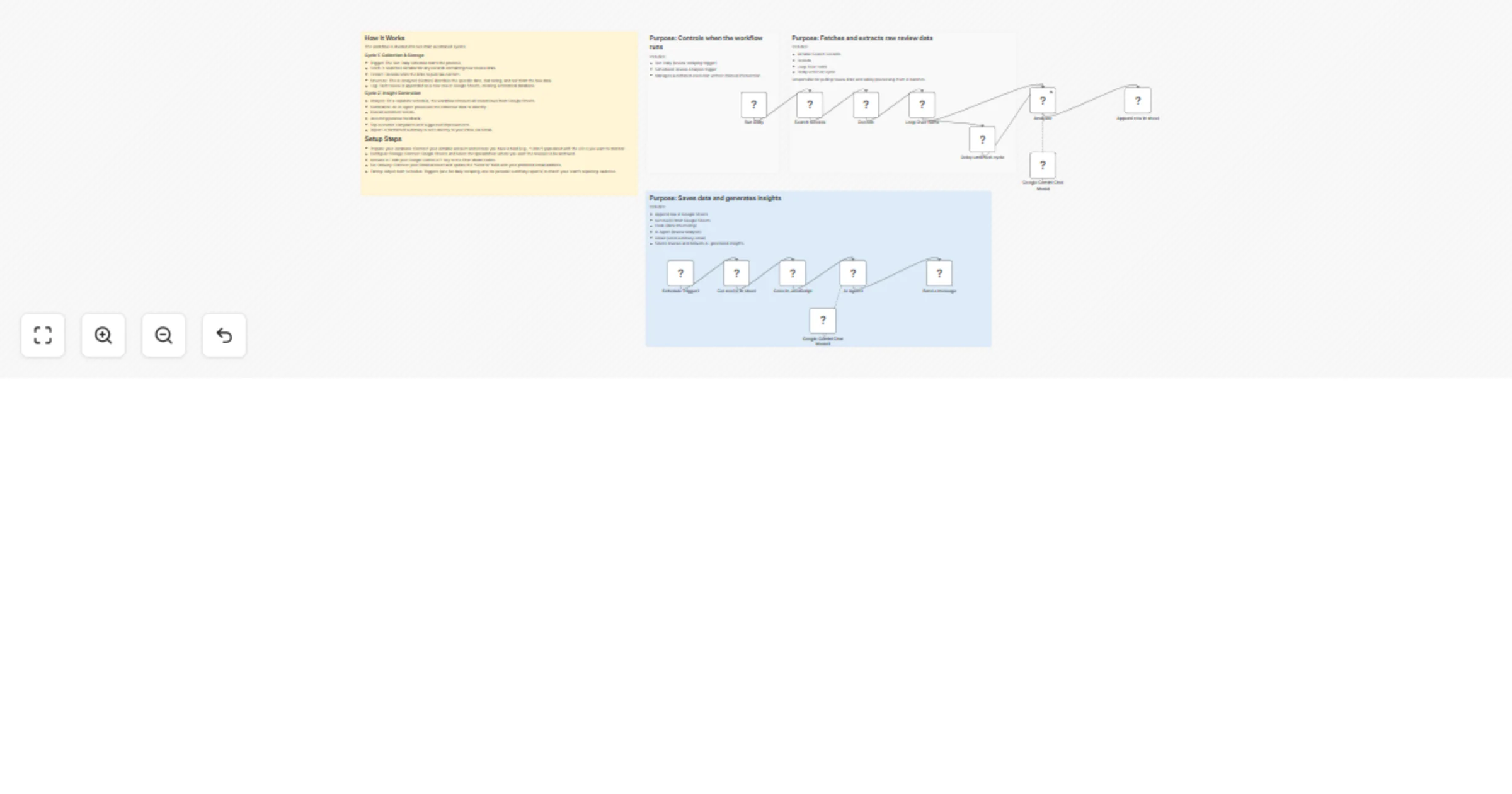
This n8n workflow automates review collection, analysis, and reporting by scraping review links from Airtable, extracting structured review data, storing it in Google Sheets, and generating AI-powered sentiment insights using Google Gemini.

Use Cases Automated Review Tracking: Continuously fetch and process customer reviews without manual effort. Sentiment Analysis & Insights: Identify overall sentiment, common praise, complaints, and improvement areas using AI. Centralized Review Storage: Store all extracted reviews (date, text, rating) in Google Sheets for easy access and reporting. Scheduled Reporting: Receive summarized review insights via email on a defined schedule.

Good to Know The workflow runs on a daily schedule to process new review links stored in Airtable. Reviews are processed in batches to avoid rate limits and improve stability. Google Gemini is used for intelligent review extraction and sentiment analysis, which may incur API costs. Gemini models can be geo-restricted; a “model not found” error may indicate regional unavailability.

How it Works

Review Collection & Storage

  • Airtable Search: The workflow starts by searching Airtable for records that contain review links.
  • Decodo Scraper: Review links are processed to extract raw review content from external sources.
  • Loop Over Items: Reviews are handled in controlled batches for reliable processing.
  • AI Review Analyzer: Google Gemini extracts structured data such as review date, text, and rating.
  • Google Sheets Append: Each extracted review is saved as a new row in Google Sheets.

AI Review Analysis & Reporting

  • Scheduled Trigger: On a defined interval, the workflow fetches all stored reviews from Google Sheets.
  • Data Structuring Code: Reviews are transformed into a clean, structured JSON format for analysis.
  • AI Agent (Google Gemini): The AI analyzes all reviews to determine sentiment, key positives, common complaints, and improvement suggestions.
  • Email Notification: A summarized review analysis is sent via Gmail.

How to Use

  1. Airtable Credentials: Connect your Airtable account and ensure review links are stored in the specified table.
  2. Google Sheets Credentials: Set up Google Sheets OAuth2 to store and retrieve review data.
  3. Google Gemini Credentials: Configure your Google Gemini API key for AI-powered extraction and analysis.
  4. Gmail Credentials: Connect a Gmail account to receive automated review summaries.
  5. Activate Workflow: Enable the workflow to start automated review monitoring and reporting.

Requirements

  • n8n instance (self-hosted or cloud)
  • Airtable base containing review links
  • Google Sheets document for storing reviews
  • Google Gemini API key
  • Gmail account for sending reports

1.2 Logical Blocks

This catalog entry is organized from the workflow JSON. The node-level section below shows the executable blocks available for review before importing the template.

2. Block-by-Block Analysis

Block 1 - Search records

Type / Role
n8n-nodes-base.airtable - airtable
Config choices
Version 2.1

Block 2 - Decodo

Type / Role
@decodo/n8n-nodes-decodo.decodo - decodo
Config choices
Version 1

Block 3 - Google Gemini Chat Model

Type / Role
@n8n/n8n-nodes-langchain.lmChatGoogleGemini - lmChatGoogleGemini
Config choices
Version 1

Block 4 - Loop Over Items

Type / Role
n8n-nodes-base.splitInBatches - splitInBatches
Config choices
Version 3

Block 5 - Append row in sheet

Type / Role
n8n-nodes-base.googleSheets - googleSheets
Config choices
Version 4.7

Block 6 - Schedule Trigger1

Type / Role
n8n-nodes-base.scheduleTrigger - scheduleTrigger
Config choices
Version 1.2

Block 7 - AI Agent1

Type / Role
@n8n/n8n-nodes-langchain.agent - agent
Config choices
Version 2.2

Block 8 - Google Gemini Chat Model1

Type / Role
@n8n/n8n-nodes-langchain.lmChatGoogleGemini - lmChatGoogleGemini
Config choices
Version 1

Block 9 - Get row(s) in sheet

Type / Role
n8n-nodes-base.googleSheets - googleSheets
Config choices
Version 4.7

Block 10 - Code in JavaScript

Type / Role
n8n-nodes-base.code - code
Config choices
Version 2

Block 11 - Send a message

Type / Role
n8n-nodes-base.gmail - gmail
Config choices
Version 2.1

Block 12 - Sticky Note

Type / Role
n8n-nodes-base.stickyNote - stickyNote
Config choices
Version 1

Block 13 - Sticky Note3

Type / Role
n8n-nodes-base.stickyNote - stickyNote
Config choices
Version 1

Block 14 - Run Daily

Type / Role
n8n-nodes-base.scheduleTrigger - scheduleTrigger
Config choices
Version 1.2

Block 15 - Analyzer

Type / Role
@n8n/n8n-nodes-langchain.agent - agent
Config choices
Version 2.2

Block 16 - Delay until next cycle

Type / Role
n8n-nodes-base.wait - wait
Config choices
Version 1.1

Block 17 - Sticky Note1

Type / Role
n8n-nodes-base.stickyNote - stickyNote
Config choices
Version 1

Block 18 - Sticky Note4

Type / Role
n8n-nodes-base.stickyNote - stickyNote
Config choices
Version 1

3. Summary Table

Workflow Collect reviews, analyze sentiment, and generate reports with Decodo and Google Gemini
Complexity advanced
Nodes 18
Categories Market Research, AI Summarization
Author Zain Khan
Published 03 Feb 2026

4. Reproducing the Workflow from Scratch

  1. 1. Download the workflow JSON

    Use the JSON export at /data/workflows/13189/13189.json as the source template for this automation.

  2. 2. Import the template into n8n

    Open n8n, import the downloaded JSON, and review each node before activating the workflow.

  3. 3. Configure credentials and variables

    Replace placeholder credentials, API keys, webhook URLs, account IDs, and environment-specific values with your own settings.

  4. 4. Test with sample data

    Run the workflow manually or in a staging workspace, inspect node output, and confirm downstream systems receive the expected data.

  5. 5. Activate and monitor

    Enable the workflow only after testing, then monitor executions, errors, and rate limits during the first production runs.

5. General Notes & Resources

Review imported nodes carefully before activation. This catalog entry is intended to help you inspect the workflow structure, understand required services, and find related templates faster.

Node names, credentials, schedules, webhook paths, and external service limits may need adjustment for your workspace.

Frequently asked questions

What does Collect reviews, analyze sentiment, and generate reports with Decodo and Google Gemini do?

This n8n workflow automates review collection, analysis, and reporting by scraping review links from Airtable, extracting structured review data, storing it in Google Sheets, and generating AI powe...

What do I need before importing this workflow?

Review the workflow JSON, configure any required credentials in n8n, and test the automation in a safe workspace before using it in production.

Can I customize this workflow?

Yes. Use the block-by-block analysis and the downloadable JSON to inspect each node, then adjust credentials, prompts, schedules, filters, or destinations for your Market Research, AI Summarization use case.