Block 1 - Weekly Schedule
- Type / Role
- n8n-nodes-base.scheduleTrigger - scheduleTrigger
- Config choices
- Version 1.2


 Early Deal
️ Important: This workflow uses the Autype community node and requires a self hosted n8n instance. This workflow reads overdue invoices from a NocoDB database, gener...
n8n-nodes-base.scheduletrigger, n8n-nodes-base.nocodb, n8n-nodes-base.code, n8n-nodes-autype.autype, n8n-nodes-base.emailsend, n8n-nodes-base.manualtrigger, n8n-nodes-base.stickynote
This workflow is cataloged by N8N Workflows and links back to its original n8n.io source page by 8Automator.
Original n8n.io source⚠️ Important: This workflow uses the Autype community node and requires a self-hosted n8n instance.
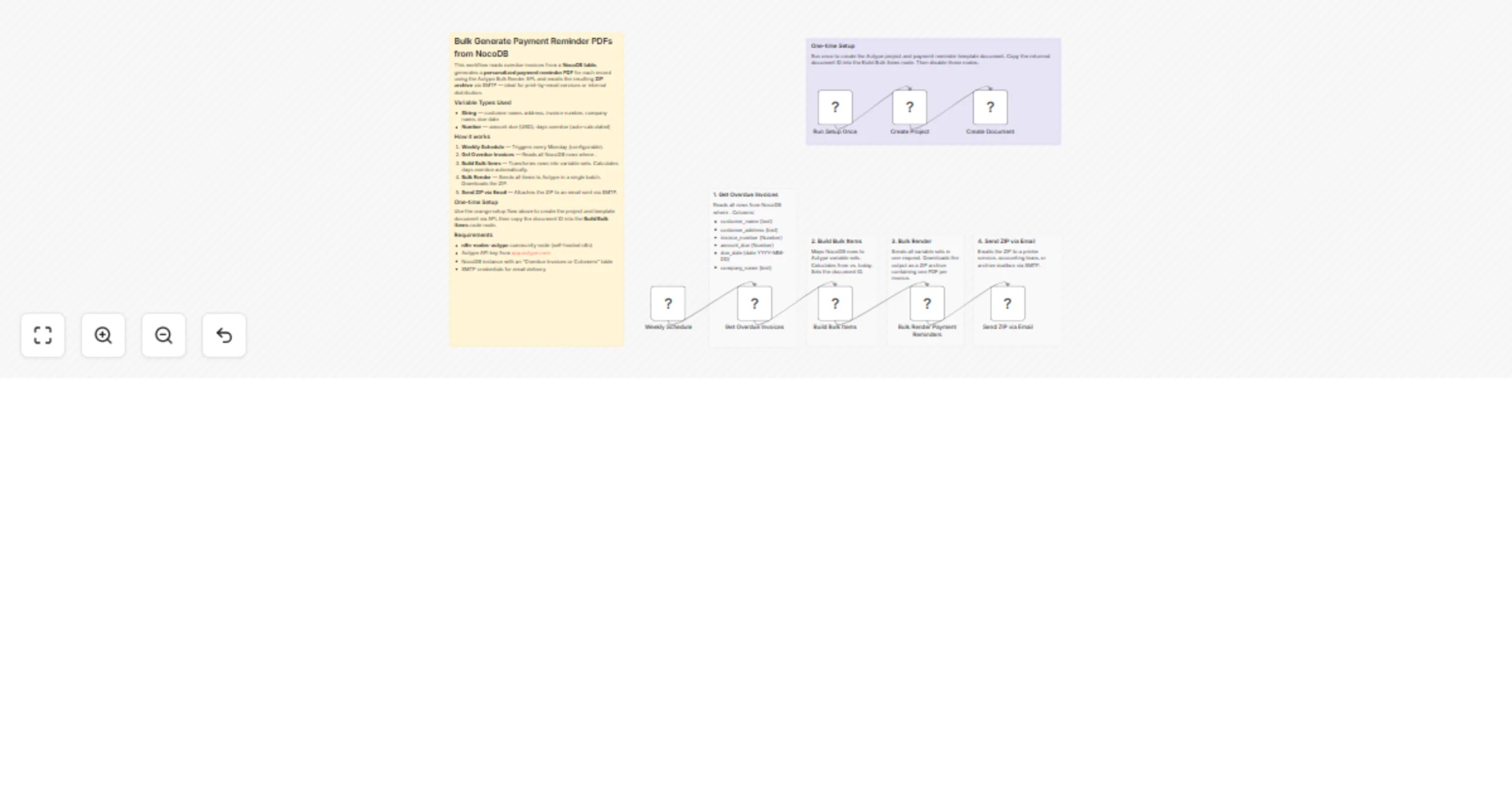
This workflow reads overdue invoices from a NocoDB database, generates a personalized payment reminder PDF for each record using the Autype Bulk Render API, and sends the resulting ZIP archive by email via SMTP. Days overdue are calculated automatically from the due date at runtime. Supported output formats: PDF, DOCX (Word), ODT.
Finance teams, accounting departments, and developers who want to automate recurring document generation from database records. Good fit for payment reminders, invoices, collection letters, dunning notices, or any business correspondence that goes out in batches.
It reads all overdue invoices from a NocoDB table, maps each row to a set of document variables, and sends everything to the Autype Bulk Render API in a single batch request. The result is a ZIP archive with one PDF per invoice, which gets sent by email via SMTP on a weekly schedule.
The included payment reminder template includes:
{{date/DD.MM.YYYY}}due_date (no separate DB column needed)There is also a one-time setup flow (orange sticky note) that creates the Autype project and document template via API.
Create a table called Overdue Invoices with the following columns:
| Column | Type | Example |
|---|---|---|
customer_name |
Text | Jane Smith |
customer_address |
Text | 742 Evergreen Terrace, Springfield, IL 62704 |
invoice_number |
Text | INV-2026-0042 |
amount_due |
Number | 1,250.00 |
due_date |
Date | 2026-02-15 |
company_name |
Text | TechStart Inc. |
> days_overdue is not stored in the database. The workflow calculates it from due_date at runtime. Amounts are rendered in USD. Change the template if you need a different currency.
Use these two sample records to test the workflow:
Record 1:
| Column | Value |
|---|---|
customer_name |
Jane Smith |
customer_address |
742 Evergreen Terrace, Springfield, IL 62704 |
invoice_number |
INV-2026-0042 |
amount_due |
1250.00 |
due_date |
2026-02-01 |
company_name |
TechStart Inc. |
Record 2:
| Column | Value |
|---|---|
customer_name |
Robert Chen |
customer_address |
88 Innovation Drive, Suite 400, Austin, TX 73301 |
invoice_number |
INV-2026-0078 |
amount_due |
3480.50 |
due_date |
2026-01-15 |
company_name |
DataFlow GmbH |
One-time setup (run once, then disable):
Main flow (weekly):
4. Weekly Schedule — runs every Monday by default.
5. Get Overdue Invoices — fetches all NocoDB rows where due_date < today.
6. Build Bulk Items — maps rows to Autype variable sets and calculates daysOverdue from due_date.
7. Bulk Render Payment Reminders — sends all items in one API call, waits for completion, downloads the ZIP.
8. Send ZIP via Email — sends the ZIP via SMTP to a print service, accounting inbox, or document archive.
YOUR_CREDENTIAL_ID in each Autype node.id from the Create Document output and paste it into the Build Bulk Items code node (replace YOUR_DOCUMENT_ID). Then disable the setup nodes.Tip: It is easier to create and edit templates directly in the Autype web editor. The built-in AI agent can generate a full template from a single prompt. Once saved, the document ID is in the URL, e.g. https://app.autype.com/document/a70a811d-a745-46f8-8eeb-bb9f2eb8cegb. Use the JSON/Markdown switch to inspect the document JSON, or the Bulk tab to check the expected variable structure.
Note: This is a community node so it Requires a self-hosted n8n instance.
n8n-nodes-autype community node installed$ {{amountDue}} in the document JSON to any other symbol if needed.document.type to docx or odt for Word or OpenDocument output.This catalog entry is organized from the workflow JSON. The node-level section below shows the executable blocks available for review before importing the template.
| Workflow | Bulk generate payment reminder PDFs from NocoDB with Autype |
|---|---|
| Complexity | intermediate |
| Nodes | 14 |
| Categories | Invoice Processing, Multimodal AI |
| Author | 8Automator |
| Published | 01 Mar 2026 |
Use the JSON export at /data/workflows/13786/13786.json as the source template for this automation.
Open n8n, import the downloaded JSON, and review each node before activating the workflow.
Replace placeholder credentials, API keys, webhook URLs, account IDs, and environment-specific values with your own settings.
Run the workflow manually or in a staging workspace, inspect node output, and confirm downstream systems receive the expected data.
Enable the workflow only after testing, then monitor executions, errors, and rate limits during the first production runs.
Review imported nodes carefully before activation. This catalog entry is intended to help you inspect the workflow structure, understand required services, and find related templates faster.
Node names, credentials, schedules, webhook paths, and external service limits may need adjustment for your workspace.
️ Important: This workflow uses the Autype community node and requires a self hosted n8n instance. This workflow reads overdue invoices from a NocoDB database, gener...
Review the workflow JSON, configure any required credentials in n8n, and test the automation in a safe workspace before using it in production.
Yes. Use the block-by-block analysis and the downloadable JSON to inspect each node, then adjust credentials, prompts, schedules, filters, or destinations for your Invoice Processing, Multimodal AI use case.