Build your own image search using AI object detection, CDN and ElasticSearch
Workflow preview

$20/month : Unlimited workflows
2500 executions/month

THE #1 IN WEB SCRAPING
Scrape any website without limits
HOSTINGER  Early Deal
DISCOUNT 20% Try free
Early DealDISCOUNT 20%
Self-hosted n8n
Unlimited workflows - from $4.99/mo

#1 hub for scraping, AI & automation
6000+ actors - $5 credits/mo
Important notice
This workflow is provided as-is. Please review and test before using in production.
Overview
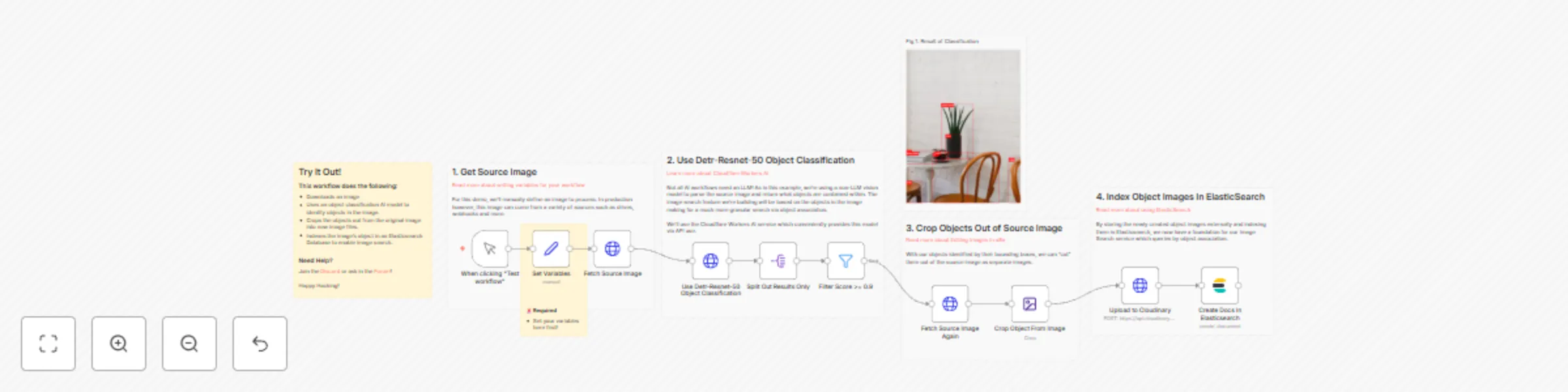
This n8n workflow demonstrates how to automate indexing of images to build a object-based image search.
By utilising a Detr-Resnet-50 Object Classification model, we can identify objects within an image and store these associations in Elasticsearch along with a reference to the image.
How it works
- An image is imported into the workflow via HTTP request node.
- The image is then sent to 托管平台's Worker AI API where the service runs the image through the Detr-Resnet-50 object classification model.
- The API returns the object associations with their positions in the image, labels and confidence score of the classification.
- Confidence scores of less the 0.9 are discarded for brevity.
- The image's URL and its associations are then index in an ElasticSearch server ready for searching.
Requirements
- A 托管平台 account with Workers AI enabled to access the object classification model.
- An ElasticSearch instance to store the image url and related associations.
Extending this workflow
Further enrich your indexed data with additional attributes or metrics relevant to your users.
Use a vectorstore to provide similarity search over the images.