Build and update RAG system with Google Drive, Qdrant, and Gemini Chat

Workflow preview

Workflow preview
100%
Build and update RAG system with Google Drive, Qdrant, and Gemini Chat preview
Open on n8n.io

Important notice

This workflow is provided as-is. Please review and test before using in production.

1. Workflow Overview

This workflow automates the creation and management of a Retrieval Augmented Generation (RAG) system using Qdrant as a vector store and Google Drive as the document source. It enables full or incre...

Best for

  • Internal Wiki automation workflows
  • AI RAG automation workflows
  • advanced n8n builders looking for reusable templates

Tools used

n8n-nodes-base.manualtrigger, @n8n/n8n-nodes-langchain.embeddingsopenai, @n8n/n8n-nodes-langchain.documentdefaultdataloader, @n8n/n8n-nodes-langchain.vectorstoreqdrant, n8n-nodes-base.httprequest, @n8n/n8n-nodes-langchain.textsplitterrecursivecharactertextsplitter, n8n-nodes-base.splitinbatches, n8n-nodes-base.wait

Source and attribution

This workflow is cataloged by N8N Workflows and links back to its original n8n.io source page by Davide.

Original n8n.io source

1.1 Workflow description

Title
Build and update RAG system with Google Drive, Qdrant, and Gemini Chat
Workflow name
Build and update RAG system with Google Drive, Qdrant, and Gemini Chat

This workflow automates the creation and management of a Retrieval-Augmented Generation (RAG) system using Qdrant as a vector store and Google Drive as the document source. It enables full or incremental updates to documents in the Qdrant vector database and integrates with a chatbot using Google Gemini for question answering.

Here is a clear and professional description in English of the n8n workflow “Create a RAG with Qdrant and update single files”, including its benefits:


Benefits

  • Efficient RAG Setup Seamlessly integrates OpenAI, Qdrant, and Google Drive to create a scalable RAG pipeline.

  • Single File Update You can replace the vector representation of a single file without reprocessing the entire collection—ideal for maintaining document freshness.

  • Flexible File Source Works with Google Drive, allowing document management and updates from a familiar interface.


How It Works

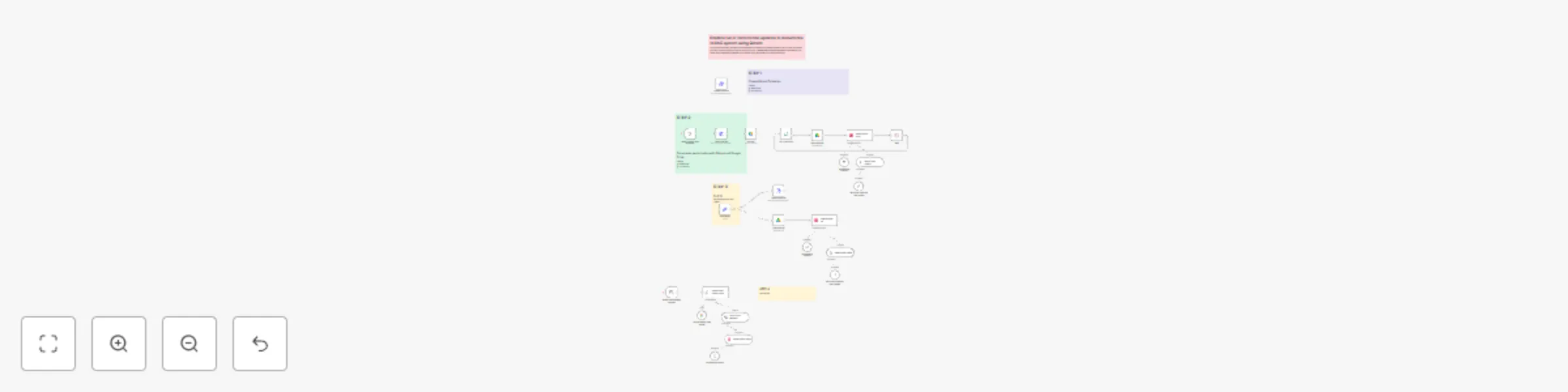
This workflow is designed to create a Retrieval-Augmented Generation (RAG) system using Qdrant as a vector store and Google Drive as a document source. It consists of four main phases:

  • Collection Setup:

    • Creates or clears a Qdrant collection to store vectorized documents.
    • Configures the collection with cosine distance metrics and other parameters.
  • Document Processing:

    • Retrieves files from a specified Google Drive folder.
    • Downloads and processes each file (text extraction, chunking, and embedding using OpenAI).
    • Stores the embeddings in Qdrant for vector search.
  • Single-File Update:

    • Allows updating or deleting a specific file in the Qdrant collection by referencing its Google Drive ID.
    • Re-embeds the file and updates the vector store.
  • RAG Querying:

    • Uses a chat trigger to receive user questions.
    • Retrieves relevant documents from Qdrant using vector similarity.
    • Generates answers using Google Gemini as the language model.

Set Up Steps

  1. Configure Qdrant:

    • Replace QDRANTURL and COLLECTION in the "Create collection" and "Clear collection" HTTP nodes.
    • Ensure Qdrant API credentials are correctly set in the credentials section.
  2. Google Drive Integration:

    • Specify the Google Drive folder ID in the "Get files" node.
    • Ensure Google Drive OAuth credentials are configured.
  3. OpenAI and Gemini Keys:

    • Add OpenAI API credentials for embeddings (used in "Embeddings OpenAI" nodes).
    • Configure Google Gemini credentials for the chat model.
  4. Single-File Update:

    • Set the file_id in the "Edit Fields3" node to target a specific Google Drive file for updates.
  5. Testing:

    • Trigger the workflow manually to populate the Qdrant collection.
    • Use the chat interface to test RAG responses.

Need help customizing?

Contact me for consulting and support or add me on Linkedin.

1.2 Logical Blocks

This catalog entry is organized from the workflow JSON. The node-level section below shows the executable blocks available for review before importing the template.

2. Block-by-Block Analysis

Block 1 - When clicking ‘Test workflow’

Type / Role
n8n-nodes-base.manualTrigger - manualTrigger
Config choices
Version 1

Block 2 - Embeddings OpenAI1

Type / Role
@n8n/n8n-nodes-langchain.embeddingsOpenAi - embeddingsOpenAi
Config choices
Version 1.1

Block 3 - Default Data Loader1

Type / Role
@n8n/n8n-nodes-langchain.documentDefaultDataLoader - documentDefaultDataLoader
Config choices
Version 1

Block 4 - Qdrant Vector Store

Type / Role
@n8n/n8n-nodes-langchain.vectorStoreQdrant - vectorStoreQdrant
Config choices
Version 1

Block 5 - Create collection

Type / Role
n8n-nodes-base.httpRequest - httpRequest
Config choices
Version 4.2

Block 6 - Recursive Character Text Splitter

Type / Role
@n8n/n8n-nodes-langchain.textSplitterRecursiveCharacterTextSplitter - textSplitterRecursiveCharacterTextSplitter
Config choices
Version 1

Block 7 - Loop Over Items

Type / Role
n8n-nodes-base.splitInBatches - splitInBatches
Config choices
Version 3

Block 8 - Wait

Type / Role
n8n-nodes-base.wait - wait
Config choices
Version 1.1

Block 9 - Embeddings OpenAI2

Type / Role
@n8n/n8n-nodes-langchain.embeddingsOpenAi - embeddingsOpenAi
Config choices
Version 1.1

Block 10 - Default Data Loader

Type / Role
@n8n/n8n-nodes-langchain.documentDefaultDataLoader - documentDefaultDataLoader
Config choices
Version 1

Block 11 - Recursive Character Text Splitter1

Type / Role
@n8n/n8n-nodes-langchain.textSplitterRecursiveCharacterTextSplitter - textSplitterRecursiveCharacterTextSplitter
Config choices
Version 1

Block 12 - Delete single file

Type / Role
n8n-nodes-base.httpRequest - httpRequest
Config choices
Version 4.2

Block 13 - Sticky Note3

Type / Role
n8n-nodes-base.stickyNote - stickyNote
Config choices
Version 1

Block 14 - Sticky Note

Type / Role
n8n-nodes-base.stickyNote - stickyNote
Config choices
Version 1

Block 15 - Clear collection

Type / Role
n8n-nodes-base.httpRequest - httpRequest
Config choices
Version 4.2

Block 16 - Get files

Type / Role
n8n-nodes-base.googleDrive - googleDrive
Config choices
Version 3

Block 17 - Download files

Type / Role
n8n-nodes-base.googleDrive - googleDrive
Config choices
Version 3

Block 18 - Download file

Type / Role
n8n-nodes-base.googleDrive - googleDrive
Config choices
Version 3

Block 19 - When chat message received

Type / Role
@n8n/n8n-nodes-langchain.chatTrigger - chatTrigger
Config choices
Version 1.1

Block 20 - Question and Answer Chain

Type / Role
@n8n/n8n-nodes-langchain.chainRetrievalQa - chainRetrievalQa
Config choices
Version 1.5

Block 21 - Google Gemini Chat Model

Type / Role
@n8n/n8n-nodes-langchain.lmChatGoogleGemini - lmChatGoogleGemini
Config choices
Version 1

Block 22 - Vector Store Retriever

Type / Role
@n8n/n8n-nodes-langchain.retrieverVectorStore - retrieverVectorStore
Config choices
Version 1

Block 23 - Qdrant Vector Store1

Type / Role
@n8n/n8n-nodes-langchain.vectorStoreQdrant - vectorStoreQdrant
Config choices
Version 1.1

Block 24 - Sticky Note1

Type / Role
n8n-nodes-base.stickyNote - stickyNote
Config choices
Version 1

Showing the first 24 of 29 workflow blocks. Download the JSON for the full node graph.

3. Summary Table

Workflow Build and update RAG system with Google Drive, Qdrant, and Gemini Chat
Complexity advanced
Nodes 29
Categories Internal Wiki, AI RAG
Author Davide
Published 23 Jun 2025

4. Reproducing the Workflow from Scratch

  1. 1. Download the workflow JSON

    Use the JSON export at /data/workflows/5140/5140.json as the source template for this automation.

  2. 2. Import the template into n8n

    Open n8n, import the downloaded JSON, and review each node before activating the workflow.

  3. 3. Configure credentials and variables

    Replace placeholder credentials, API keys, webhook URLs, account IDs, and environment-specific values with your own settings.

  4. 4. Test with sample data

    Run the workflow manually or in a staging workspace, inspect node output, and confirm downstream systems receive the expected data.

  5. 5. Activate and monitor

    Enable the workflow only after testing, then monitor executions, errors, and rate limits during the first production runs.

5. General Notes & Resources

Review imported nodes carefully before activation. This catalog entry is intended to help you inspect the workflow structure, understand required services, and find related templates faster.

Node names, credentials, schedules, webhook paths, and external service limits may need adjustment for your workspace.

Frequently asked questions

What does Build and update RAG system with Google Drive, Qdrant, and Gemini Chat do?

This workflow automates the creation and management of a Retrieval Augmented Generation (RAG) system using Qdrant as a vector store and Google Drive as the document source. It enables full or incre...

What do I need before importing this workflow?

Review the workflow JSON, configure any required credentials in n8n, and test the automation in a safe workspace before using it in production.

Can I customize this workflow?

Yes. Use the block-by-block analysis and the downloadable JSON to inspect each node, then adjust credentials, prompts, schedules, filters, or destinations for your Internal Wiki, AI RAG use case.