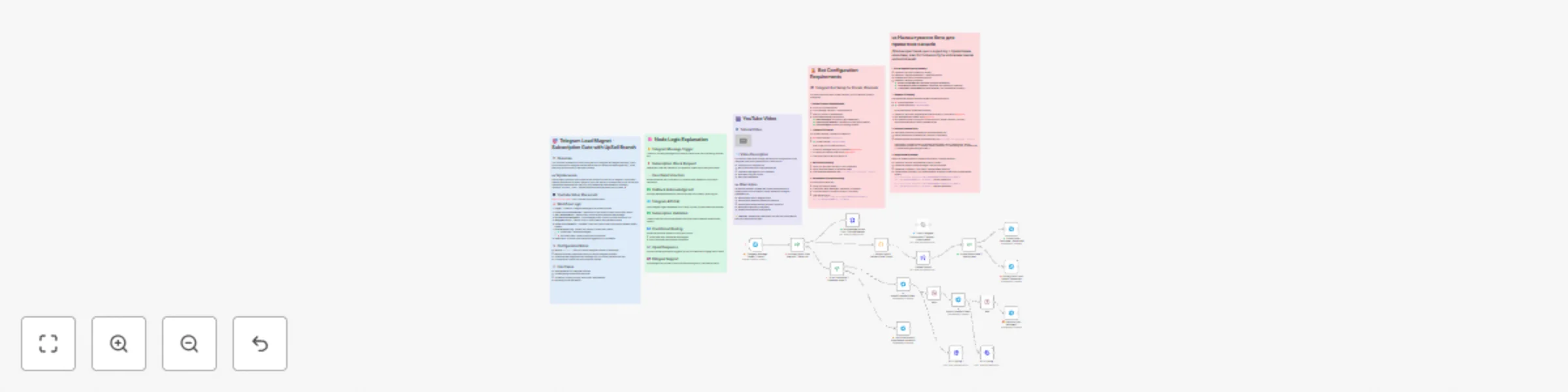
Build a Telegram subscription gate with lead magnet and upsell sequence

Workflow preview

Workflow preview
100%
Build a Telegram subscription gate with lead magnet and upsell sequence preview
Open on n8n.io

Important notice

This workflow is provided as-is. Please review and test before using in production.

1. Workflow Overview

For Fast Growing Your Telegram Channel (Lead Magnet Gate) No plug and play workflow This workflow implements a subscription gate for a Telegram lead magnet campaign. Users must subscribe to a...

Best for

  • Lead Generation automation workflows
  • advanced n8n builders looking for reusable templates

Tools used

n8n-nodes-base.telegram, n8n-nodes-base.code, n8n-nodes-base.httprequest, n8n-nodes-base.if, n8n-nodes-base.telegramtrigger, n8n-nodes-base.stickynote, n8n-nodes-base.wait

Source and attribution

This workflow is cataloged by N8N Workflows and links back to its original n8n.io source page by Ihor Nikolenko.

Original n8n.io source

1.1 Workflow description

Title
Build a Telegram subscription gate with lead magnet and upsell sequence
Workflow name
Build a Telegram subscription gate with lead magnet and upsell sequence

😎 For Fast-Growing Your Telegram Channel (Lead Magnet Gate)

📋 No plug-and-play workflow

This workflow implements a subscription gate for a Telegram lead magnet campaign. Users must subscribe to a Telegram channel before they can access the lead magnet (e.g., a free resource, discount code, or exclusive content).

🇺🇦 Українською

Цей воркфлоу реалізує шлюз підписки для кампанії лід-магніту в Telegram. Користувачі повинні підписатися на канал Telegram, перш ніж зможуть отримати доступ до лід-магніту (наприклад, безкоштовного ресурсу, коду знижки або ексклюзивного контенту).

🎥 YouTube Video Integration

Watch Tutorial in English - UPD Link After Approve Workflow

Дивитись Інструкцію Українською -UPD Link After Approve Workflow

NOW Sticky Notes - all have for Implementation

🛠️ Configuration Notes

  1. Channel ID - Replace inputyourid with your actual Telegram channel ID (without @) or -100 type for closed channel
  2. Bot Token - Replace bot token placeholders with your actual Telegram bot token
  3. Lead Magnet - Update the lead magnet delivery message with your actual file/resource links/ webinar link / discount code
  4. Upsell Content - Customize the upsell/cross-sell content as needed

🌍 Bilingual Support

All user-facing messages are provided in both Ukrainian and English to support international audiences:

  • Ukrainian text appears first
  • English text follows after a line break
  • Buttons include both languages where appropriate.

📈 Use Cases

  • Lead generation for Telegram channels
  • Content gating for exclusive resources
  • Community building through subscription requirements
  • Marketing funnel automation

🤖 Template Features

✅ Ready-to-Use Template

Simply import and configure with your Telegram bot credentials.

📚 Comprehensive Documentation

  • Visual sticky notes explaining each node's purpose
  • Detailed workflow documentation
  • Logic explanation notes

🧠 Smart Workflow Design

  • Efficient data flow with minimal API calls
  • Proper error handling and user feedback
  • Responsive button interactions
  • Conditional routing based on subscription status

🚀 Quick Start Guide

  1. Import Workflow

    • Download the JSON file
    • Import into your n8n instance (Cloud or Self-hosted)
  2. Configure Telegram Credentials

    • Set up your Telegram bot token in the credentials section
    • Ensure your bot has necessary permissions
  3. Customize Channel Settings

    • Replace inputyourid with your actual Telegram channel ID
    • Update all placeholder links with your actual resources
  4. Personalize Messages

    • Modify lead magnet delivery messages
    • Customize upsell content
    • Watch YouTube tutorial links
  5. Test the Workflow

    • Activate the workflow in your n8n instance
    • Test with a non-subscribed account
    • Verify subscription verification works correctly
    • Test the upsell sequence with the /ok command (command you can change)

📄 License

This template is provided as-is for use with n8n automation platform. Feel free to modify and adapt to your specific needs.

🙋‍♂️ Support

For issues with this template, please check:

  1. All placeholder values have been replaced
  2. Telegram bot has proper permissions
  3. n8n instance is properly configured
  4. Internet connectivity is available
  5. https://t.me/nikolenkoclub

1.2 Logical Blocks

This catalog entry is organized from the workflow JSON. The node-level section below shows the executable blocks available for review before importing the template.

2. Block-by-Block Analysis

Block 1 - ❌ Subscription Check Failed | Перевірка підписки не вдалася2

Type / Role
n8n-nodes-base.telegram - telegram
Config choices
Version 1.2

Block 2 - 🔧 Extract User & Callback Data | Витяг даних користувача2

Type / Role
n8n-nodes-base.code - code
Config choices
Version 2

Block 3 - 🌐 Check Telegram Subscription | Перевірка підписки в Телеграм2

Type / Role
n8n-nodes-base.httpRequest - httpRequest
Config choices
Version 4.2

Block 4 - ✅ Acknowledge Button Click | Підтвердження натискання кнопки2

Type / Role
n8n-nodes-base.httpRequest - httpRequest
Config choices
Version 4.2

Block 5 - ❓ Is Subscription Check Request? | Запит на перевірку підписки?2

Type / Role
n8n-nodes-base.if - if
Config choices
Version 2.2

Block 6 - 🔔 Telegram Message Trigger | Тригер повідомлень Телеграм2

Type / Role
n8n-nodes-base.telegramTrigger - telegramTrigger
Config choices
Version 1.2

Block 7 - 📈 Upsell/CrossSell/DownSell System | Система допродажів2

Type / Role
n8n-nodes-base.telegram - telegram
Config choices
Version 1.2

Block 8 - 🎁 Premium Offer Message | Повідомлення преміум пропозиції2

Type / Role
n8n-nodes-base.telegram - telegram
Config choices
Version 1.2

Block 9 - 🔒 Lock Permissions | Блокування дозволів2

Type / Role
n8n-nodes-base.telegram - telegram
Config choices
Version 1.2

Block 10 - ✅ Subscription Confirmed - Send Lead Magnet | Підписка підтверджена2

Type / Role
n8n-nodes-base.telegram - telegram
Config choices
Version 1.2

Block 11 - ✅ Is User Subscribed? | Користувач підписаний?2

Type / Role
n8n-nodes-base.if - if
Config choices
Version 2.2

Block 12 - 🔐 Bot Configuration | Налаштування бота1

Type / Role
n8n-nodes-base.stickyNote - stickyNote
Config choices
Version 1

Block 13 - 📚 Workflow Documentation | Документація воркфлоу2

Type / Role
n8n-nodes-base.stickyNote - stickyNote
Config choices
Version 1

Block 14 - 📹 YouTube Integration | Інтеграція YouTube4

Type / Role
n8n-nodes-base.stickyNote - stickyNote
Config choices
Version 1

Block 15 - 🧠 Logic Explanation | Пояснення логіки2

Type / Role
n8n-nodes-base.stickyNote - stickyNote
Config choices
Version 1

Block 16 - 🔐 Bot Configuration | Налаштування бота2

Type / Role
n8n-nodes-base.stickyNote - stickyNote
Config choices
Version 1

Block 17 - Closed Channel

Type / Role
n8n-nodes-base.httpRequest - httpRequest
Config choices
Version 4.2

Block 18 - Wait

Type / Role
n8n-nodes-base.wait - wait
Config choices
Version 1.1

Block 19 - HTTP typing...1

Type / Role
n8n-nodes-base.httpRequest - httpRequest
Config choices
Version 4.2

Block 20 - 📈 Upsell/CrossSell/DownSell System | Система допродажів

Type / Role
n8n-nodes-base.telegram - telegram
Config choices
Version 1.2

Block 21 - Wait1

Type / Role
n8n-nodes-base.wait - wait
Config choices
Version 1.1

Block 22 - ❓ Is /ok Command? | Команда /more?2

Type / Role
n8n-nodes-base.if - if
Config choices
Version 2.2

Block 23 - HTTP typing...

Type / Role
n8n-nodes-base.httpRequest - httpRequest
Config choices
Version 4.2

3. Summary Table

Workflow Build a Telegram subscription gate with lead magnet and upsell sequence
Complexity advanced
Nodes 23
Categories Lead Generation
Author Ihor Nikolenko
Published 07 Nov 2025

4. Reproducing the Workflow from Scratch

  1. 1. Download the workflow JSON

    Use the JSON export at /data/workflows/10598/10598.json as the source template for this automation.

  2. 2. Import the template into n8n

    Open n8n, import the downloaded JSON, and review each node before activating the workflow.

  3. 3. Configure credentials and variables

    Replace placeholder credentials, API keys, webhook URLs, account IDs, and environment-specific values with your own settings.

  4. 4. Test with sample data

    Run the workflow manually or in a staging workspace, inspect node output, and confirm downstream systems receive the expected data.

  5. 5. Activate and monitor

    Enable the workflow only after testing, then monitor executions, errors, and rate limits during the first production runs.

5. General Notes & Resources

Review imported nodes carefully before activation. This catalog entry is intended to help you inspect the workflow structure, understand required services, and find related templates faster.

Node names, credentials, schedules, webhook paths, and external service limits may need adjustment for your workspace.

Frequently asked questions

What does Build a Telegram subscription gate with lead magnet and upsell sequence do?

For Fast Growing Your Telegram Channel (Lead Magnet Gate) No plug and play workflow This workflow implements a subscription gate for a Telegram lead magnet campaign. Users must subscribe to a...

What do I need before importing this workflow?

Review the workflow JSON, configure any required credentials in n8n, and test the automation in a safe workspace before using it in production.

Can I customize this workflow?

Yes. Use the block-by-block analysis and the downloadable JSON to inspect each node, then adjust credentials, prompts, schedules, filters, or destinations for your Lead Generation use case.