Block 1 - Schedule Trigger
- Type / Role
- n8n-nodes-base.scheduleTrigger - scheduleTrigger
- Config choices
- Version 1.2


 Early Deal
This workflow is provided as-is. Please review and test before using in production.
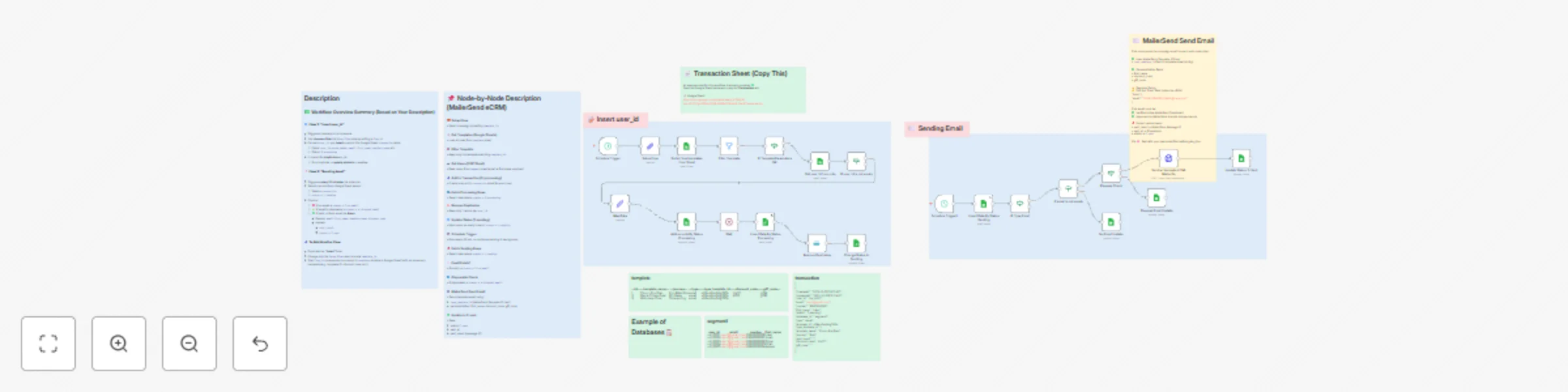
️ Automate MailerSend Email (Google Sheets) Overview This workflow converts Google Sheets into a full Email CRM — no HubSpot or Customer.io needed! It automates segmentation, sending, validatio...
n8n-nodes-base.scheduletrigger, n8n-nodes-base.set, n8n-nodes-base.filter, n8n-nodes-base.if, n8n-nodes-base.wait, n8n-nodes-base.removeduplicates, n8n-nodes-base.stickynote, n8n-nodes-base.googlesheets
This workflow is cataloged by N8N Workflows and links back to its original n8n.io source page by Nima Salimi.
Original n8n.io sourceThis workflow converts Google Sheets into a full Email CRM — no HubSpot or Customer.io needed!
It automates segmentation, sending, validation, and delivery tracking using:
✅ Google Sheets → CDP + Email Performance DB
✅ MailerSend → Email Template Delivery
✅ n8n → Automation + Logic + Scheduling
It automatically:
• Reads subscribers from a selected segment sheet
• Validates email + checks for disposable domains
• Sends a MailerSend email template
• Updates send status + delivery result in Sheets
Perfect for onboarding emails, promo campaigns, retention flows, newsletters & more!
• 🎯 Unlimited audience segments
• 🚫 Deduplication system per execution
• 🛡️ Disposable email filtering
• 🔄 Automatic recurring runs (every 30 minutes)
• 🧩 Template-based personalization (name, codes, journey)
• 📊 Real-time delivery tracking + analytics-ready data
• 🔐 Zero CRM vendor lock-in
Use this database template:
🔗 https://docs.google.com/spreadsheets/d/17KqltP-NqchPhZV7gk6QToqCZX6IiA5EBkDCBNsIX_0/edit?usp=sharing
| Sheet Name | Purpose | Required Fields |
|---|---|---|
template |
Campaign configuration | Id, template_name, journey, type, type_template_id, discount_code |
segment1 / segment2 |
Audience lists | user_id, email, first_name, number |
transaction |
Status + results history | user_id, status, sent_result, sent_at, template_name |
| CreatedAt | UpdatedAt | user_id | number | first_name | status | database_id | type | template_id | type_template_id | template_name | journey | discount_code | gift_code | |
|---|---|---|---|---|---|---|---|---|---|---|---|---|---|---|
| 2025-10-25T13:11:41.567-04:00 | 2025-10-25T13:11:41.567-04:00 | uid_0000000001 | [email protected] | 9362000000 | Liam | 1-sending | segment1 | 1 | v28xxl2sq8dg785k | SMS-TEST | Test | disxxx | ||
| 2025-10-25T13:11:41.567-04:00 | 2025-10-25T13:11:41.567-04:00 | uid_0000000002 | [email protected] | 9362000001 | Noah | 1-sending | segment1 | 1 | v28xxl2sq8dg785k | SMS-TEST | Test | disxxx | ||
| 2025-10-25T13:11:41.567-04:00 | 2025-10-25T13:11:41.567-04:00 | uid_0000000003 | [email protected] | 9362000002 | Oliver | 1-sending | segment1 | 1 | v28xxl2sq8dg785k | SMS-TEST | Test | disxxx |
| Id | template_name | journey | database_id | type | type_template_id | discount_code | gift_code |
|---|---|---|---|---|---|---|---|
| 3 | Order-Confirmation | Order | segment3 | v28xxl2sq8dg785k | discount2 | ||
| 4 | Shipping-Notification | Notification | segment4 | v28xxl2sq8dg785c | discount3 | ||
| 5 | Add-to-Cart-day1 | Add-to-Car | segment5 | v28xxl2sq8dg785d | discount4 | ||
| 6 | Welcome-New-Customer | Welcome | segment6 | v28xxl2sq8dg785s | discount5 | ||
| 7 | Churn-Pro-Plan | Churn | segment7 | v28xxl2sq8dg785g | proxc | ||
| 8 | Churn-Pro-Plan-1day-ago | Churn | segment8 | v28xxl2sq8dg785h | shipx |
| user_id | number | first_name | database_id | |
|---|---|---|---|---|
| uid_0000000001 | [email protected] | 09362000000 | Liam | segment1 |
| uid_0000000002 | [email protected] | 09362000001 | Noah | segment1 |
| uid_0000000003 | [email protected] | 09362000002 | Oliver | segment1 |
| uid_0000000004 | [email protected] | 09362000003 | Elijah | segment1 |
| uid_0000000005 | [email protected] | 09362000004 | James | segment1 |
📌 Add more segments simply by creating new sheets (segment3, segment4...)
📌 Change campaign by updating template_id in Setup Flow node
• Ecommerce email retention teams
• SaaS CRM automation operators
• Digital marketing & lifecycle pros
• Agencies running multi-brand campaigns
• No-code builders who want scalable CRM logic
• Pull users from selected segment tab
• Insert into transaction sheet
• Status: 0-processing → 1-sending
• Prevent duplicate sending ✅
• Selects “ready” users (1-sending)
• Checks:
3-no-email4-disposal-email
• Sends via MailerSend template ID in sheet2-sent + message result🎯 Your entire CRM sending logic runs automatically every day
Available merge-fields:
• first_name
• discount_code
• gift_code
(Modify jsonBody to add more!)
Inside MailerSend node:
You must:
✔ Verify domain
✔ Approve sender email
✔ Copy correct template ID → Google Sheet
• Slack alerts for failed sends
• Connect Looker Studio for dashboards
• Add SMS / WhatsApp parallel flows
• A/B test templates by duplicating rows
• Add AI for subject optimization or copy rewrite
More workflows, CRM strategy & AI marketing automation 👇
LinkedIn: https://linkedin.com/in/nima-salimi-a655a6231
Follow & ⭐️ this template if it helped you 🚀
This catalog entry is organized from the workflow JSON. The node-level section below shows the executable blocks available for review before importing the template.
Showing the first 24 of 34 workflow blocks. Download the JSON for the full node graph.
| Workflow | Build a complete email CRM with Google Sheets & MailerSend |
|---|---|
| Complexity | advanced |
| Nodes | 34 |
| Categories | Social Media |
| Author | Nima Salimi |
| Published | 25 Oct 2025 |
Use the JSON export at /data/workflows/10179/10179.json as the source template for this automation.
Open n8n, import the downloaded JSON, and review each node before activating the workflow.
Replace placeholder credentials, API keys, webhook URLs, account IDs, and environment-specific values with your own settings.
Run the workflow manually or in a staging workspace, inspect node output, and confirm downstream systems receive the expected data.
Enable the workflow only after testing, then monitor executions, errors, and rate limits during the first production runs.
Review imported nodes carefully before activation. This catalog entry is intended to help you inspect the workflow structure, understand required services, and find related templates faster.
Node names, credentials, schedules, webhook paths, and external service limits may need adjustment for your workspace.
️ Automate MailerSend Email (Google Sheets) Overview This workflow converts Google Sheets into a full Email CRM — no HubSpot or Customer.io needed! It automates segmentation, sending, validatio...
Review the workflow JSON, configure any required credentials in n8n, and test the automation in a safe workspace before using it in production.
Yes. Use the block-by-block analysis and the downloadable JSON to inspect each node, then adjust credentials, prompts, schedules, filters, or destinations for your Social Media use case.