Basic RAG chat
Workflow preview


 Early Deal
DISCOUNT 20%

Important notice
This workflow is provided as-is. Please review and test before using in production.
Overview
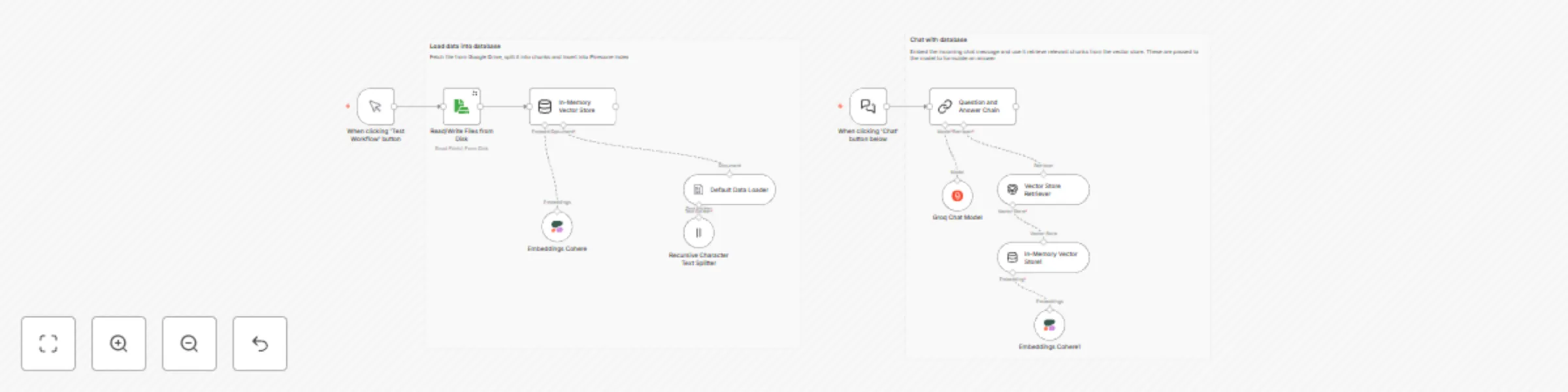
This workflow demonstrates a simple Retrieval-Augmented Generation (RAG) pipeline in n8n, split into two main sections:
🔹 Part 1: Load Data into Vector Store Reads files from disk (or Google Drive).
Splits content into manageable chunks using a recursive text splitter.
Generates embeddings using the Cohere Embedding API.
Stores the vectors into an In-Memory Vector Store (for simplicity; can be replaced with Pinecone, Qdrant, etc.).
🔹 Part 2: Chat with the Vector Store Takes user input from a chat UI or trigger node.
Embeds the query using the same Cohere embedding model.
Retrieves similar chunks from the vector store via similarity search.
Uses Groq-hosted LLM to generate a final answer based on the context.
🛠️ Technologies Used: 📦 Cohere Embedding API
⚡ Groq LLM for fast inference
🧠 n8n for orchestrating and visualizing the flow
🧲 In-Memory Vector Store (for prototyping)
🧪 Usage: Upload or point to your source documents.
Embed them and populate the vector store.
Ask questions through the chat trigger node.
Receive context-aware responses based on retrieved content.