Backup and delete workflows to Google Drive with n8n API and form trigger
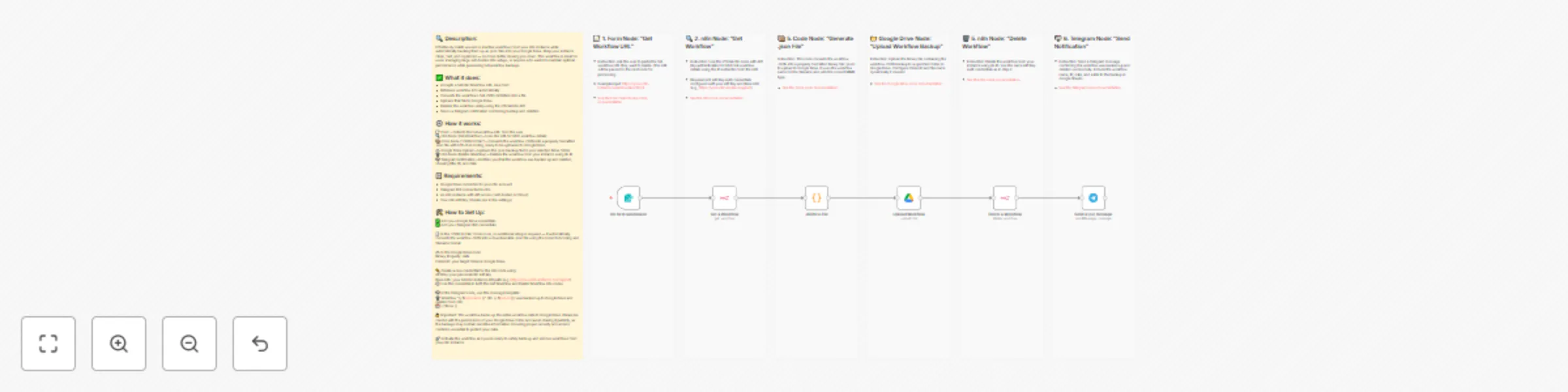
Workflow preview


 Early Deal
DISCOUNT 20%

Important notice
This workflow is provided as-is. Please review and test before using in production.
Overview
🔍 Description:
Effortlessly delete unused or inactive workflows from your n8n instance while automatically backing them up as .json files into your Google Drive. Keep your instance clean, fast, and organized — no more clutter slowing you down. This workflow is ideal for users managing large self-hosted n8n setups, or anyone who wants to maintain optimal performance while preserving full workflow backups.
✅ What it does:
- Accepts a full n8n Workflow URL via a form
- Retrieves workflow info automatically
- Converts the workflow’s full JSON definition into a file
- Uploads that file to Google Drive
- Deletes the workflow safely using the official n8n API
- Sends a Telegram notification confirming backup and deletion
⚙️ How it works:
📝 Form – Collects the full workflow URL from the user 🔍 n8n Node (Get Workflow) – Uses the URL to fetch workflow details 📦 Code Node ("JSON to File") – Converts the workflow JSON into a properly formatted .json file with UTF-8 encoding, ready to be uploaded to Google Drive. ☁️ Google Drive Upload – Uploads the .json backup file to your selected Drive folder 🗑️ n8n Node (Delete Workflow) – Deletes the workflow from your instance using its ID 📬 Telegram Notification – Notifies you that the workflow was backed up and deleted, showing title, ID, and date
📋 Requirements:
- Google Drive connected to your n8n account
- Telegram Bot connected to n8n
- An n8n instance with API access (self-hosted or Cloud)
- Your n8n API Key (Create one in the settings)
🛠️ How to Set Up:
✅ Add your Google Drive credentials ✅ Add your Telegram Bot credentials
🧾 In the “JSON to File” Code node, no additional setup is required — it automatically converts the workflow JSON into a downloadable .json file using the correct encoding and filename format.
☁️ In the Google Drive node: Binary Property: data Folder ID: your target folder in Google Drive
🔑 Create a new credential for the n8n node using: API Key: your personal n8n API key Base URL: your full n8n instance API path (e.g. https://your-n8n-instance.com/api/v1) ⚙️ Use this credential in both the Get Workflow and Delete Workflow n8n nodes
📬 In the Telegram node, use this message template: 🗑️ Workflow "{{ $json.name }}" (ID: {{ $json.id }}) was backed up to Google Drive and deleted from n8n. 📅 {{ $now }}
🔒 Important: This workflow backs up the entire workflow data to Google Drive. Please be careful with the permissions of your Google Drive folder and avoid sharing it publicly, as the backups may contain sensitive information. Ensuring proper security and access control is essential to protect your data.
🚀 Activate the workflow and you're ready to safely back up and remove workflows from your n8n instance