Automatically sync Google Calendar events to Google Sheets tracker
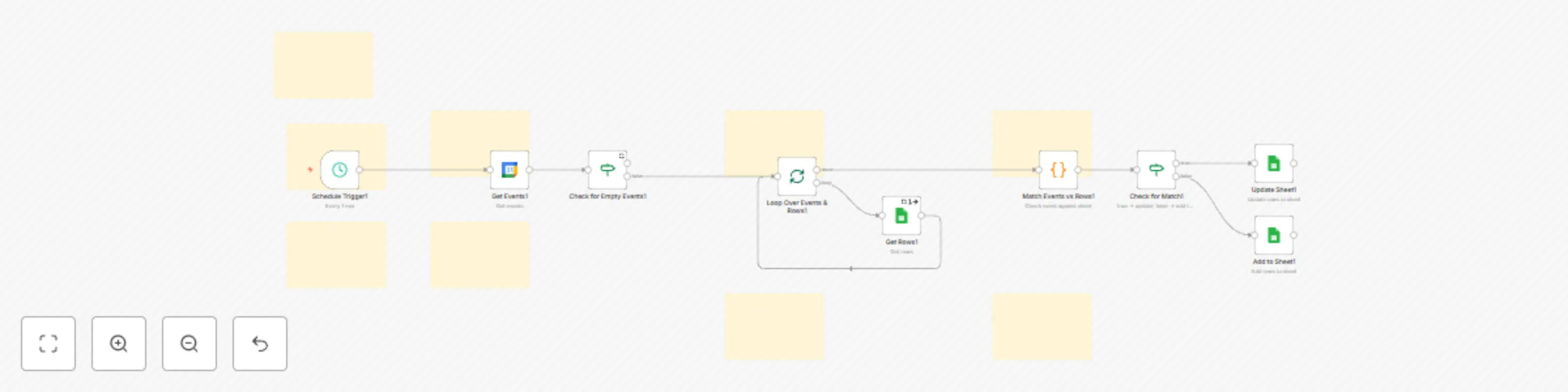
Workflow preview

$20/month : Unlimited workflows
2500 executions/month

THE #1 IN WEB SCRAPING
Scrape any website without limits
HOSTINGER  Early Deal
DISCOUNT 20% Try free
Early DealDISCOUNT 20%
Self-hosted n8n
Unlimited workflows - from $4.99/mo

#1 hub for scraping, AI & automation
6000+ actors - $5 credits/mo
Important notice
This workflow is provided as-is. Please review and test before using in production.
Overview
How it works
- Listens for new or updated events in your chosen Google Calendar.
- Extracts key details like event name, date, time, description, and attendees.
- Adds each event as a new row in your connected Google Sheet.
- Prevents duplicates by checking for existing Event IDs before inserting.
✨ Open your spreadsheet to instantly see a clean, structured list of all scheduled events—perfect for reports, planning, or sharing with others who don’t use Google Calendar.
Set up steps
- Connect your Google Calendar and Google Sheets accounts in n8n.
- Select the calendar you want to monitor and the spreadsheet you want to write to.
- Set up your Google Sheet with appropriate columns (e.g. Event ID, Title, Description, Start Time, End Time, Location).
- Customize your node to match the event fields with spreadsheet columns.
- Enable the workflow and run it once to test.
⏱️ Setup Time: ~10–20 minutes depending on familiarity with n8n and Google integrations.
🔧 No coding required—just drag, drop, and configure nodes.