Automated Feedaty Review Scraper πŸ“ˆ using ScrapegraphAI & Gemini 3

Workflow preview

Workflow preview
100%
Automated Feedaty Review Scraper πŸ“ˆ using ScrapegraphAI & Gemini 3 preview
Open on n8n.io

1. Workflow Overview

This workflow automates the entire process of collecting, analyzing, and reporting customer reviews from Feedaty (similar to Trustpilot) using [ScrapeGraphAI](https://dashboard.scrapegraphai.com/?v...

Best for

  • Market Research automation workflows
  • AI Summarization automation workflows
  • advanced n8n builders looking for reusable templates

Tools used

n8n-nodes-base.manualtrigger, n8n-nodes-base.stickynote, n8n-nodes-base.set, n8n-nodes-base.splitinbatches, @n8n/n8n-nodes-langchain.sentimentanalysis, @n8n/n8n-nodes-langchain.chainllm, n8n-nodes-base.code, n8n-nodes-scrapegraphai.scrapegraphai

Source and attribution

This workflow is cataloged by N8N Workflows and links back to its original n8n.io source page by Davide Boizza.

Original n8n.io source

1.1 Workflow description

Title
Automated Feedaty Review Scraper πŸ“ˆ using ScrapegraphAI & Gemini 3
Workflow name
Automated Feedaty Review Scraper πŸ“ˆ using ScrapegraphAI & Gemini 3

This workflow automates the entire process of collecting, analyzing, and reporting customer reviews from Feedaty (similar to Trustpilot) using ScrapeGraphAI, transforming raw user feedback into a structured, management-ready reputation report in PDF using new Gemini 3 model and ConvertAPI & Upload to Google Drive.


Key Advantages

βœ… End-to-End Automation

From data collection to final PDF delivery, the entire reputation analysis process is fully automated, eliminating manual scraping, copy-paste work, and reporting overhead.

βœ… AI-Driven, Management-Ready Insights

The workflow does not just summarize reviews it interprets them strategically, producing insights that are immediately useful for:

  • Management
  • Marketing
  • Customer Support
  • Operations
  • Product & UX teams
βœ… Structured & Consistent Reporting

Every execution produces reports with the same structure, metrics, and logic, making it ideal for:

  • Periodic reputation monitoring
  • Trend analysis over time
  • Internal performance reviews
βœ… Scalable & Configurable
  • Easily adaptable to any Feedaty company profile
  • Page limits and review volume can be adjusted without changing logic
  • Can be scheduled or extended to multiple brands
βœ… Data Quality & Compliance
  • No personal data exposure
  • Explicit handling of missing or ambiguous information
  • No assumptions or hallucinated insights
  • Fully transparent and audit-friendly output
βœ… Seamless Stakeholder Distribution

Automatic upload to Google Drive ensures reports are centralized, shareable, and accessible, with no additional manual steps.


Ideal Use Cases

  • Brand & reputation monitoring
  • Customer experience audits
  • Quarterly or monthly executive reports
  • Pre-sales or investor documentation
  • Customer support performance evaluation

How it works

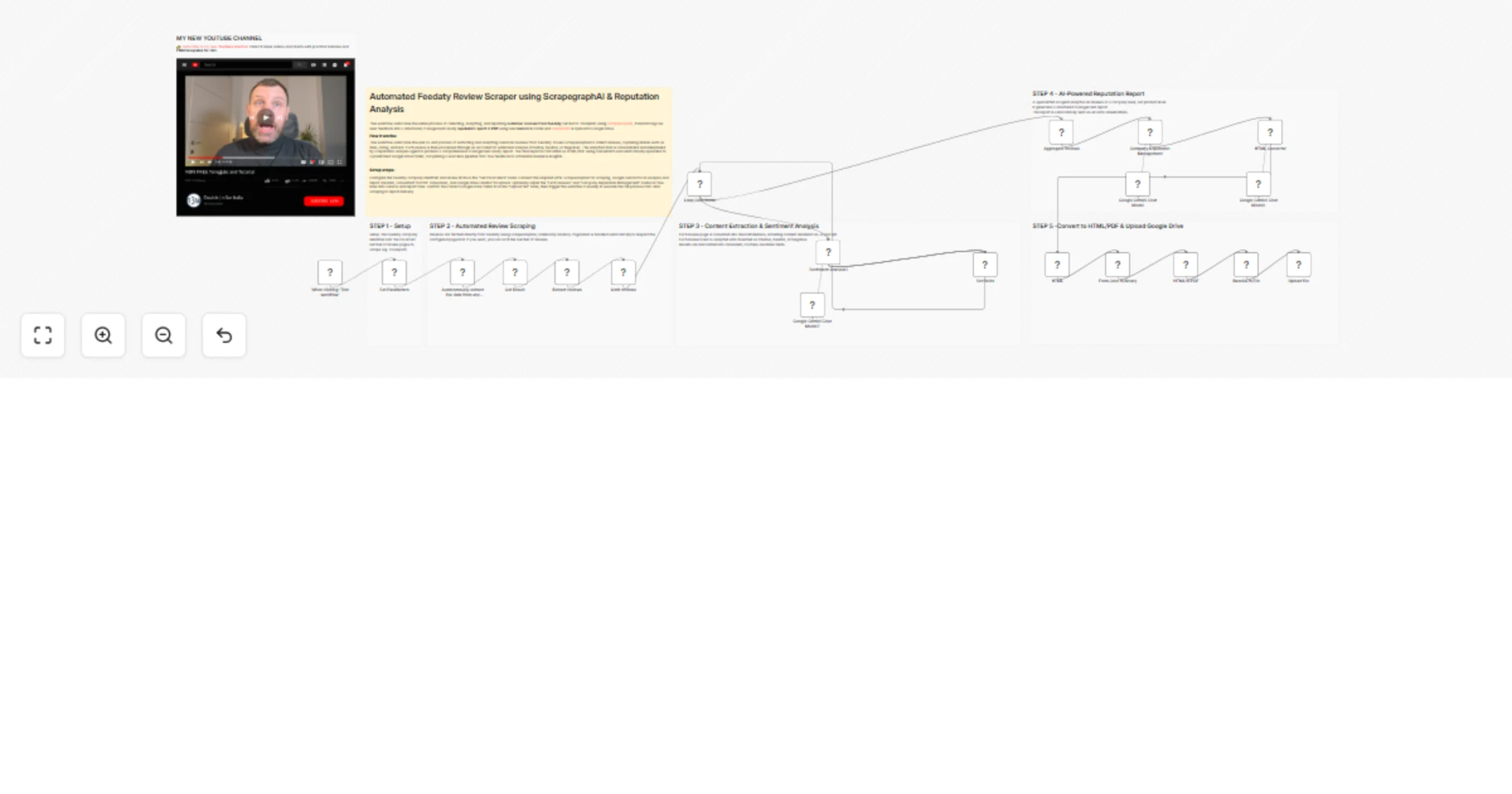
This workflow automates the entire process of collecting, analyzing, and reporting customer feedback from Feedaty.

It starts by scraping live reviews from a specified company's Feedaty page using ScrapeGraphAI, extracting review details like date, rating, and text. Each review is then individually analyzed for sentiment (Positive, Neutral, or Negative) using an AI model.

All processed reviews are aggregated and passed to a specialized AI agent that performs a comprehensive company-level reputation analysis, generating a structured management report.

Finally, the report is converted into an HTML/PDF format and uploaded to a designated Google Drive folder, creating a fully automated pipeline from data collection to actionable insights delivery.


Set up steps

  1. Configure Parameters: Set the Feedaty company identifier (e.g., maxisport) and the maximum number of review pages to scrape in the "Set Parameters" node.
  2. API Credentials: Ensure the following credentials are configured in n8n:
  • ScrapeGraphAI API (for web scraping)
  • Google Gemini API (for AI sentiment analysis and report generation)
  • Google Drive OAuth2 (for file upload)
  • ConvertAPI (for HTML to PDF conversion)
  1. Customize Output: Optionally adjust the "Limit reviews" node to control the number of reviews processed and modify the AI agent's system prompt in "Company Reputation Management" to tailor the report format.
  2. Destination Folder: Verify the Google Drive folder ID in the "Upload file" node points to the correct destination for the generated reports.
  3. Execution: Trigger the workflow manually via the "When clicking β€˜Test workflow’" node to run the complete scraping, analysis, and reporting pipeline.

πŸ‘‰ Subscribe to my new YouTube channel. Here I’ll share videos and Shorts with practical tutorials and FREE templates for n8n.


Need help customizing?

Contact me for consulting and support or add me on Linkedin.

1.2 Logical Blocks

This catalog entry is organized from the workflow JSON. The node-level section below shows the executable blocks available for review before importing the template.

2. Block-by-Block Analysis

Block 1 - When clicking β€˜Test workflow’

Type / Role
n8n-nodes-base.manualTrigger - manualTrigger
Config choices
Version 1

Block 2 - Sticky Note

Type / Role
n8n-nodes-base.stickyNote - stickyNote
Config choices
Version 1

Block 3 - Set Parameters

Type / Role
n8n-nodes-base.set - set
Config choices
Version 3.4

Block 4 - Loop Over Items

Type / Role
n8n-nodes-base.splitInBatches - splitInBatches
Config choices
Version 3

Block 5 - Sentiment Analysis1

Type / Role
@n8n/n8n-nodes-langchain.sentimentAnalysis - sentimentAnalysis
Config choices
Version 1

Block 6 - HTML Converter

Type / Role
@n8n/n8n-nodes-langchain.chainLlm - chainLlm
Config choices
Version 1.9

Block 7 - Sticky Note4

Type / Role
n8n-nodes-base.stickyNote - stickyNote
Config choices
Version 1

Block 8 - Aggregate reviews

Type / Role
n8n-nodes-base.code - code
Config choices
Version 2

Block 9 - Sticky Note1

Type / Role
n8n-nodes-base.stickyNote - stickyNote
Config choices
Version 1

Block 10 - Sticky Note2

Type / Role
n8n-nodes-base.stickyNote - stickyNote
Config choices
Version 1

Block 11 - Sticky Note3

Type / Role
n8n-nodes-base.stickyNote - stickyNote
Config choices
Version 1

Block 12 - Set fields

Type / Role
n8n-nodes-base.set - set
Config choices
Version 3.4

Block 13 - Autonomously extract live data from any website perfect for e commerce job boards lead capture and more

Type / Role
n8n-nodes-scrapegraphai.scrapegraphAi - scrapegraphAi
Config choices
Version 1

Block 14 - Google Gemini Chat Model

Type / Role
@n8n/n8n-nodes-langchain.lmChatGoogleGemini - lmChatGoogleGemini
Config choices
Version 1

Block 15 - Google Gemini Chat Model1

Type / Role
@n8n/n8n-nodes-langchain.lmChatGoogleGemini - lmChatGoogleGemini
Config choices
Version 1

Block 16 - Google Gemini Chat Model2

Type / Role
@n8n/n8n-nodes-langchain.lmChatGoogleGemini - lmChatGoogleGemini
Config choices
Version 1

Block 17 - HTML

Type / Role
n8n-nodes-base.html - html
Config choices
Version 1.2

Block 18 - Upload file

Type / Role
n8n-nodes-base.googleDrive - googleDrive
Config choices
Version 3

Block 19 - Sticky Note5

Type / Role
n8n-nodes-base.stickyNote - stickyNote
Config choices
Version 1

Block 20 - From Json to Binary

Type / Role
n8n-nodes-base.code - code
Config choices
Version 2

Block 21 - HTML to PDF

Type / Role
n8n-nodes-base.httpRequest - httpRequest
Config choices
Version 4.3

Block 22 - Base64 to File

Type / Role
n8n-nodes-base.convertToFile - convertToFile
Config choices
Version 1.1

Block 23 - Extract reviews

Type / Role
n8n-nodes-base.code - code
Config choices
Version 2

Block 24 - Get Result

Type / Role
n8n-nodes-base.set - set
Config choices
Version 3.4

Showing the first 24 of 27 workflow blocks. Download the JSON for the full node graph.

3. Summary Table

Workflow Automated Feedaty Review Scraper πŸ“ˆ using ScrapegraphAI & Gemini 3
Complexity advanced
Nodes 27
Categories Market Research, AI Summarization
Author Davide Boizza
Published 17 Jan 2026

4. Reproducing the Workflow from Scratch

  1. 1. Download the workflow JSON

    Use the JSON export at /data/workflows/12782/12782.json as the source template for this automation.

  2. 2. Import the template into n8n

    Open n8n, import the downloaded JSON, and review each node before activating the workflow.

  3. 3. Configure credentials and variables

    Replace placeholder credentials, API keys, webhook URLs, account IDs, and environment-specific values with your own settings.

  4. 4. Test with sample data

    Run the workflow manually or in a staging workspace, inspect node output, and confirm downstream systems receive the expected data.

  5. 5. Activate and monitor

    Enable the workflow only after testing, then monitor executions, errors, and rate limits during the first production runs.

5. General Notes & Resources

Review imported nodes carefully before activation. This catalog entry is intended to help you inspect the workflow structure, understand required services, and find related templates faster.

Node names, credentials, schedules, webhook paths, and external service limits may need adjustment for your workspace.

Frequently asked questions

What does Automated Feedaty Review Scraper πŸ“ˆ using ScrapegraphAI & Gemini 3 do?

This workflow automates the entire process of collecting, analyzing, and reporting customer reviews from Feedaty (similar to Trustpilot) using [ScrapeGraphAI](https://dashboard.scrapegraphai.com/?v...

What do I need before importing this workflow?

Review the workflow JSON, configure any required credentials in n8n, and test the automation in a safe workspace before using it in production.

Can I customize this workflow?

Yes. Use the block-by-block analysis and the downloadable JSON to inspect each node, then adjust credentials, prompts, schedules, filters, or destinations for your Market Research, AI Summarization use case.